
1. Product Overview
The SunFounder Raphael Ultimate Starter Kit is designed to provide a rich learning experience for beginners aged 10 and above. This comprehensive kit includes over 337 components and offers 161 diverse projects, complemented by more than 70 expert-led video lessons. It is fully compatible with various Raspberry Pi models, including Raspberry Pi 5, 4B, 3B+, 3B, 400, and Zero 2 W. The kit is RoHS Compliant, ensuring safety and environmental responsibility.
The kit supports five popular programming languages: Python, C, Java, Node.js, and Scratch, providing a versatile platform for programming education. Users benefit from ongoing assistance through a dedicated community forum and timely technical support.

Image: Comprehensive Learning with 70+ Video Courses. This image highlights the extensive educational resources available, including over 70 video courses to guide users through various projects.
Key Features:
- Beginner-Friendly: Tailored for ages 10+ with engaging content and expert guidance.
- Extensive Components: Over 337 components for diverse experimentation.
- Rich Project Library: 161 projects to explore various concepts in electronics and programming.
- Expert-Led Video Lessons: Over 70 video tutorials by Paul McWhorter simplify complex topics.
- Wide Compatibility: Supports Raspberry Pi 5/4B/3B+/3B/Zero 2 W /400.
- Multi-Language Support: Learn Python, C, Java, Node.js, and Scratch.
- RoHS Compliant: Ensures product safety and environmental standards.
- Dedicated Support: Access to a community forum and technical assistance.

Image: Support for 5 Popular Programming Languages. This graphic illustrates the five programming languages supported by the kit: Python, Scratch, Java, C++, and Node.js.
2. Setup Guide
This section provides instructions for setting up your SunFounder Raphael Ultimate Starter Kit. Ensure all components are present and handle them with care.
2.1 Unpacking and Component Verification
Carefully unpack the kit and use the provided packing list to verify all 337+ components. The kit comes in a convenient storage box for organization.

Image: 337 Items Included. This image displays a wide array of electronic components, including resistors, LEDs, sensors, modules, and wires, neatly laid out, indicating the comprehensive nature of the kit.

Image: Convenient Package. This image shows the kit's packaging, including the outer box with dimensions and the clear plastic organizer box filled with components, emphasizing its organized storage solution.
2.2 Supported Raspberry Pi Models
The Raphael Kit is designed to work with a variety of Raspberry Pi boards. Please ensure you have one of the compatible models:
- Raspberry Pi 5
- Raspberry Pi 4 Model B
- Raspberry Pi 3 Model B/B+
- Raspberry Pi 3 Model A+
- Raspberry Pi Zero 2 W
- Raspberry Pi 400
- And other older models like Raspberry Pi 2B, 1B+, 1A+, Zero W, Zero.
Note: The Raspberry Pi board itself is NOT included in this kit.

Image: Supported Raspberry Pi Models. This image displays various Raspberry Pi boards, including Raspberry Pi 5, 4 Model B, 3 Model B/B+, 3 Model A+, Zero 2 W, and 400, illustrating the kit's broad compatibility.
2.3 Initial Connections
Refer to the online tutorials for detailed instructions on connecting your Raspberry Pi to the breadboard and other modules. Always ensure proper polarity and connections to avoid damage to components.
3. Operating Instructions
The Raphael Kit is designed for hands-on learning through various projects. Follow the step-by-step guides provided in the online tutorials to build and program your circuits.
3.1 Project-Based Learning
The kit includes 161 projects covering a wide range of applications, from basic LED control to more complex IoT smart devices. Each project is designed to progressively build your skills.

Image: Total 161 Projects. This image showcases four different projects built on breadboards connected to Raspberry Pi boards, demonstrating a music player, reversing alarm, traffic light, and IoT smart fan.
3.2 Programming Languages
You can program your Raspberry Pi projects using Python, C, Java, Node.js, and Scratch. Online tutorials provide code examples and explanations for each language.
3.3 Utilizing Video Courses
Access over 70 video tutorials by Paul McWhorter for detailed, engaging explanations of concepts and project builds. These videos are an invaluable resource for visual learners.
Video: SunFounder Raspberry Pi Ultimate Starter Kit - Raphael Kit! This video provides an overview of the Raphael Kit, showcasing its components and potential for learning Raspberry Pi programming and electronics.
4. Maintenance
Proper maintenance ensures the longevity and functionality of your kit components.
- Storage: Store all components in the provided organizer box when not in use to prevent loss or damage.
- Handling: Handle electronic components by their edges to avoid touching pins or sensitive areas, which can cause electrostatic discharge (ESD) damage.
- Cleaning: Keep components clean and free from dust. Use a soft, dry cloth for cleaning. Avoid liquids.
- Power: Always disconnect power before making or changing connections on the breadboard or Raspberry Pi.
5. Troubleshooting
If you encounter issues, refer to these common troubleshooting steps:
- Component Not Working:
- Check all connections for proper seating and polarity.
- Verify the component is correctly wired according to the project diagram.
- Ensure the Raspberry Pi is powered on and functioning correctly.
- Test with a known working component if available.
- Code Errors:
- Double-check your code against the provided examples for typos or syntax errors.
- Ensure all necessary libraries are installed and imported.
- Verify that the correct GPIO pins are referenced in your code.
- Power Issues:
- Confirm your Raspberry Pi has a stable power supply.
- Check the power supply module on the breadboard (if used) for correct voltage settings (3.3V or 5V).
- General Malfunction:
- Restart your Raspberry Pi.
- Consult the online tutorials and community forum for similar issues.
6. Specifications
| Feature | Detail |
|---|---|
| Brand | SunFounder |
| Model Name | RB-Suf-202 |
| Mfr Part Number | Raphael Kit |
| Compatible Devices | Raspberry Pi 400, Raspberry Pi 4B, Raspberry Pi 3B+, Raspberry Pi 3B, Raspberry Pi 3A+, Raspberry Pi 2B, Raspberry Pi 1B+, Raspberry Pi 1A+, Raspberry Pi Zero W, Raspberry Pi Zero, Raspberry Pi 5 |
| Connectivity Technology | GPIO |
| Operating System | Raspberry Pi OS |
| Item Weight | 0.72 Kilograms |
| Number of Components | 337+ |
| Number of Projects | 161 |
| Video Tutorials | 70+ by Paul McWhorter |
| Supported Languages | Python, C, Java, Node.js, Scratch |
| Compliance | RoHS Compliant |
7. Warranty Information
The SunFounder Raphael Ultimate Starter Kit comes with a 1 Year Guarantee from the manufacturer. Please retain your proof of purchase for any warranty claims.
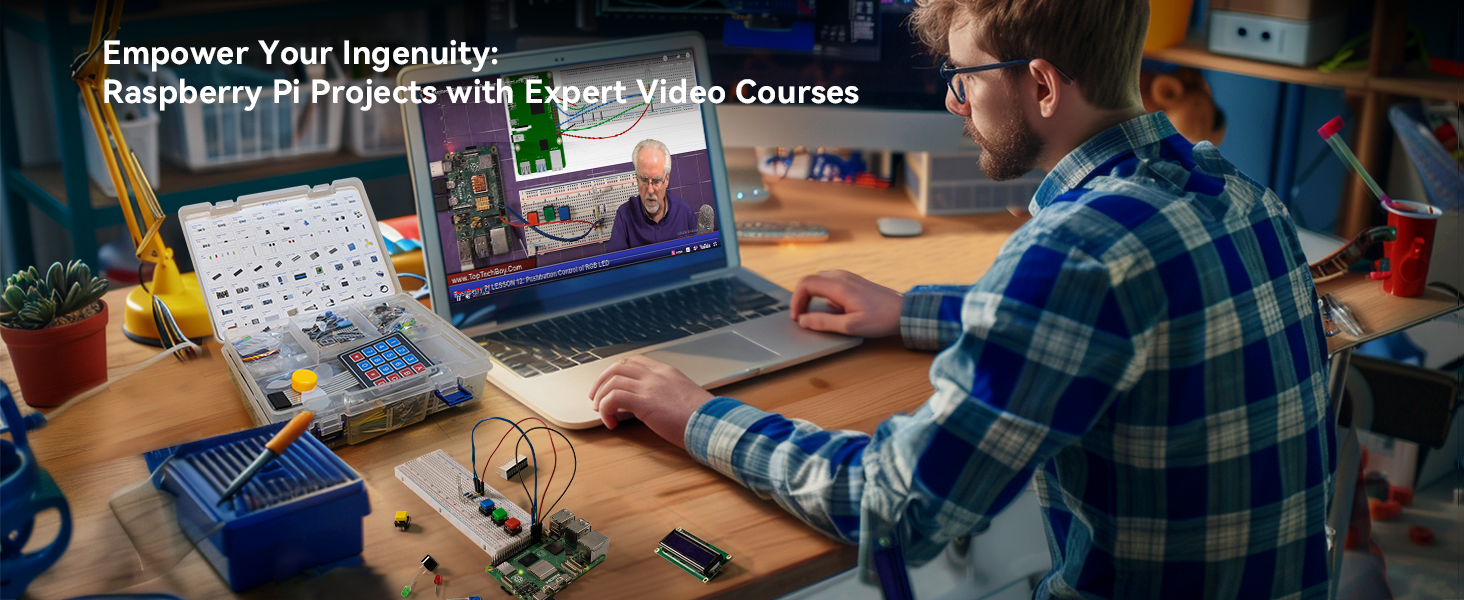
Image: RoHS Compliant Certificate. This image shows a certificate of compliance, indicating that the product adheres to RoHS standards for restricted hazardous substances.
For more details on the RoHS compliance, you can visit the official certificate link: http://cha.tst-test.com/end.php?wd=TST20240501518-3RC
8. Support
SunFounder is committed to providing excellent support for its products. If you require assistance, please utilize the following resources:
- Online Tutorials & Video Courses: Access detailed guides and video lessons for all projects.
- Community Forum: Engage with other users and experts for advice and solutions.
- Technical Support: Contact SunFounder directly for timely technical assistance.
- SunFounder Brand Store: Visit the official SunFounder Store for more products and information.

