
1. Overview
The Total Digital Kitchen Scale (Model TES1201) is designed for precise weighing in kitchen environments. It features a high capacity of 30 kilograms and a clear LED display, making it suitable for various culinary tasks.
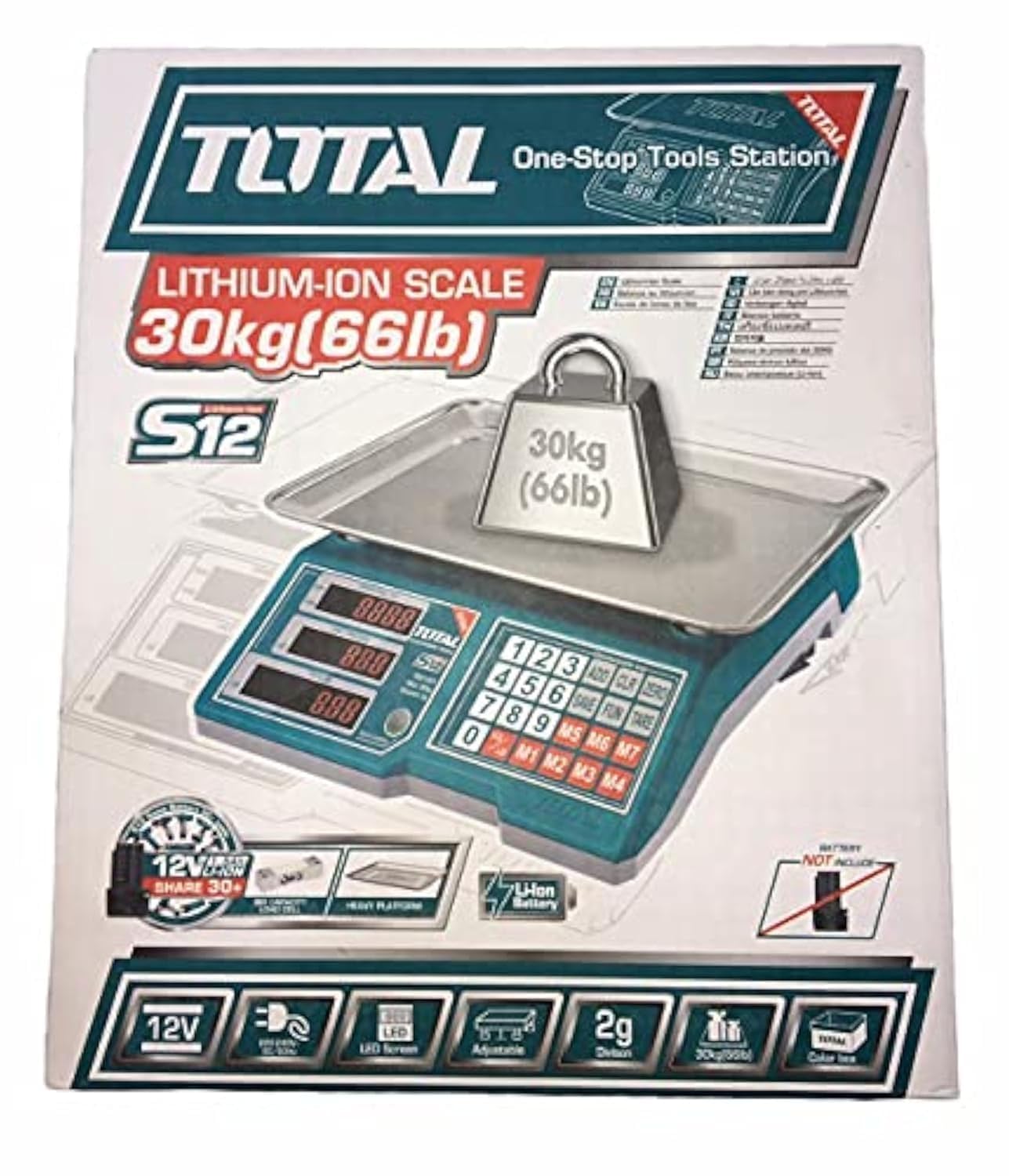
Image 1.1: Total Digital Kitchen Scale Model TES1201. This image displays the scale's main body, weighing platform, and digital display.
2. Product Features
- High Capacity: Weighs up to 30 kilograms, suitable for a wide range of ingredients.
- Digital Accuracy: Provides precise measurements for consistent results.
- LED Display: Clear and easy-to-read digital display.
- Tare Function: Allows you to subtract the weight of a container to get an accurate measurement of its contents.
- Durable Construction: Made with metal material for longevity.
- Compact Design: Mini form factor for easy storage and use.
3. Safety Information
Please read all safety instructions before using the scale to prevent injury or damage to the device.
- Do not exceed the maximum weight capacity of 30 kg.
- Place the scale on a flat, stable surface to ensure accurate readings.
- Avoid exposing the scale to extreme temperatures, direct sunlight, or high humidity.
- Do not immerse the scale in water or other liquids. Clean with a damp cloth only.
- Keep the scale away from strong electromagnetic fields, which may affect accuracy.
- This product is not intended for commercial use or for weighing hazardous materials.
4. Package Contents
Verify that all items are present upon opening the package:
- Total Digital Kitchen Scale (Model TES1201) - 1 unit
- User Manual - 1 copy
- Note: Batteries are not included and must be purchased separately.
5. Setup
- Unpack the Scale: Carefully remove the scale from its packaging.
- Install Batteries: Locate the battery compartment on the underside of the scale. Open the cover and insert the required batteries (e.g., AA or AAA, typically 2 or 3, though not specified in data) according to the polarity indicators (+/-). Close the battery compartment securely.
- Placement: Place the scale on a hard, flat, and stable surface. Avoid soft surfaces like carpets, which can affect accuracy.
6. Operating Instructions
- Power On: Press the ON/OFF button to turn on the scale. The display will show "0.0" or "0" when ready.
- Select Unit (if applicable): If your scale supports multiple units (e.g., grams, kilograms, pounds, ounces), press the UNIT button to cycle through the available units until your desired unit is displayed.
- Weighing Items: Place the item directly onto the center of the weighing platform. The weight will be displayed on the LED screen.
- Tare Function: To weigh items in a container, first place the empty container on the scale. Press the TARE button (sometimes labeled "Z/T" or "T"). The display will reset to "0.0". Now, add the items you wish to weigh into the container, and the display will show only the net weight of the items.
- Power Off: Press and hold the ON/OFF button for a few seconds to turn off the scale. The scale may also have an auto-off function to conserve battery life.
7. Maintenance and Care
- Cleaning: Wipe the scale surface with a soft, damp cloth. Do not use abrasive cleaners or immerse the scale in water.
- Storage: Store the scale in a cool, dry place. Avoid placing heavy objects on the scale when not in use.
- Battery Replacement: If the display shows a low battery indicator (e.g., "Lo"), replace the batteries promptly to ensure accurate operation. Remove batteries if the scale will not be used for an extended period.
8. Troubleshooting
| Problem | Possible Cause | Solution |
|---|---|---|
| Scale does not turn on. | Dead or incorrectly installed batteries. | Check battery polarity. Replace batteries if necessary. |
| Inaccurate readings. | Uneven surface, overloaded, or interference. | Place on a flat, stable surface. Do not exceed 30 kg. Keep away from electronic devices. |
| "Lo" or "Err" displayed. | Low battery or overload. | Replace batteries. Remove excess weight if overloaded. |
9. Specifications
| Feature | Detail |
|---|---|
| Brand | Total |
| Model Number | TES1201 |
| Type | Digital Kitchen Scale |
| Maximum Weight Capacity | 30 kilograms |
| Reading Accuracy | 1 Grams |
| Display Type | LED |
| Material | Metal |
| Color | Green |
| Item Weight | 10 grams |
| Package Dimensions | 37.2 x 32.4 x 11.8 cm |
| Batteries Required | Yes (Not included) |
| Special Features | High weight capacity, Tare function |
10. Warranty and Support
For warranty information or technical support, please refer to the documentation included with your purchase or contact the retailer/manufacturer directly. Keep your proof of purchase for any warranty claims.
You can typically find contact information on the manufacturer's official website or on the product packaging.
