
1. Introduction
The BOGASING G4 is a powerful and versatile portable Bluetooth speaker designed to deliver high-quality audio with enhanced bass. Featuring a robust 50W output and advanced DSP technology, it ensures clear and balanced sound reproduction. Its durable, IPX7 waterproof design makes it ideal for various indoor and outdoor environments. With Bluetooth 5.3 and multiple playback modes, the G4 offers seamless connectivity and an immersive listening experience.
For an even more expansive sound, two G4 speakers can be paired together using the Wireless Stereo Function, creating a true surround sound experience with double the volume.

Image: The BOGASING G4 Bluetooth Speaker, a compact black rectangular device with a metal grille and gold accents, showcasing its robust design.
2. Package Contents
Please check the box for the following items:
- 1x BOGASING G4 Speaker Unit
- 1x 3.5mm Audio Cable
- 1x USB-C Charging Cable
- 1x Quick Start Guide
3. Product Features
- High-Quality 50W Audio: Equipped with two drivers and passive radiators, the G4 delivers powerful sound with a maximum output of 50W. It is tuned for balanced sound across all frequencies, from crisp highs to deep lows.
- Digital Signal Processing (DSP): Integrated DSP algorithm ensures clear music reproduction that stays true to the original sound, minimizing distortion.
- Three Sound Effect Modes: Customize your listening experience with BOGASING's unique sound effect modes: 3D Stereo, Clear Vocal, and Enhanced Bass.
- IPX7 Waterproof & Durable Design: The G4 features an IPX7 waterproof rating, making it suitable for use near water, such as pools or during outdoor activities. Its exterior is covered with soft rubber material, enhancing shock resistance.
- Extended Playback Time: Enjoy up to approximately 24 hours of continuous music playback at moderate volume, ensuring your music lasts all day.
- Wireless Stereo Function (TWS): Pair two G4 speakers wirelessly to create a massive stereo soundstage with double the volume, providing an immersive surround sound experience.
- Multi-functional Playback Modes: Supports Bluetooth 5.3 for stable and efficient wireless connection. For non-Bluetooth devices, audio can be played via SD card, USB-C, or AUX IN cable.

Image: An internal view of the BOGASING G4 speaker, highlighting its dual drivers and passive radiators, capable of delivering 50W of audio output.

Image: A cutaway view of the BOGASING G4 speaker, illustrating the internal circuitry and emphasizing the integrated DSP technology for enhanced sound quality.
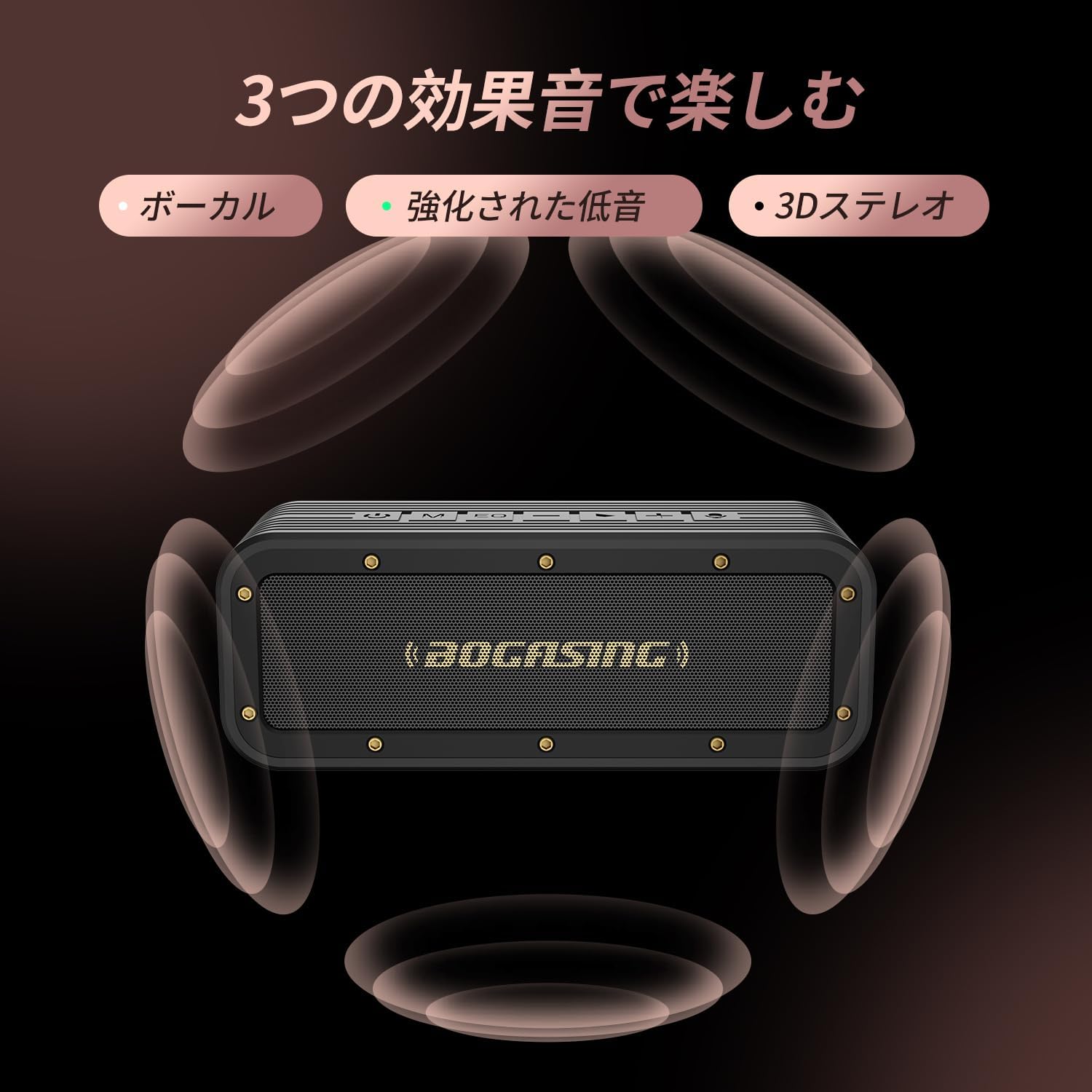
Image: The BOGASING G4 speaker surrounded by visual representations of sound waves, indicating its three distinct sound effect modes: Vocal, Enhanced Bass, and 3D Stereo.

Image: The BOGASING G4 speaker being splashed with water, visually demonstrating its IPX7 waterproof protection, suitable for various wet environments.
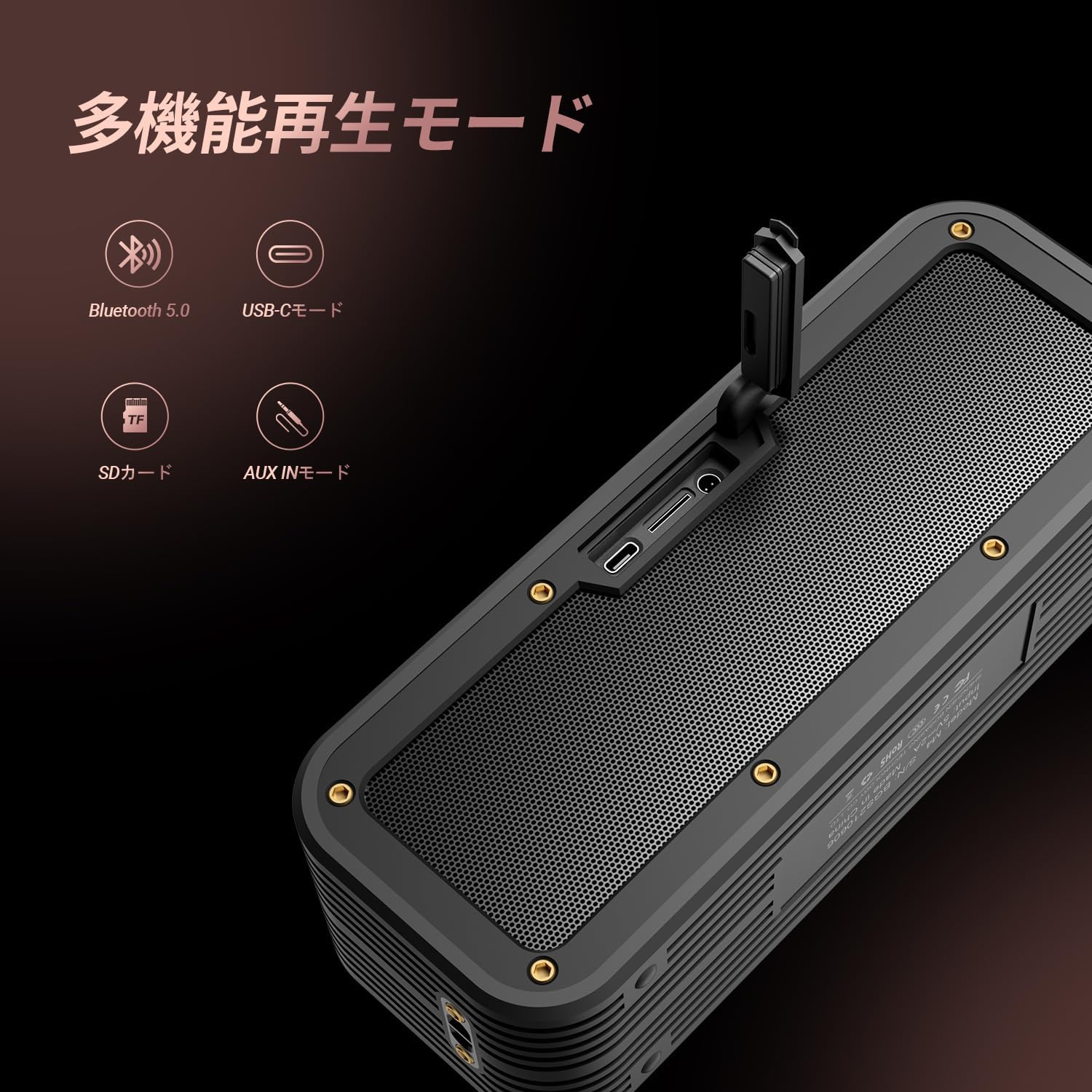
Image: The BOGASING G4 speaker with icons representing its various playback modes: Bluetooth 5.0, USB-C, SD Card, and AUX IN, highlighting its versatile connectivity.
4. Setup
4.1 Charging the Speaker
- Connect the provided USB-C charging cable to the speaker's USB-C port.
- Connect the other end of the cable to a compatible USB power adapter (not included) or a computer's USB port.
- The charging indicator light will illuminate. Once fully charged, the light will change or turn off (refer to the Quick Start Guide for specific indicator behavior).
4.2 Powering On/Off
- To Power On: Press and hold the Power button (⏻) for approximately 2-3 seconds until you hear an audible prompt and the indicator light turns on.
- To Power Off: Press and hold the Power button (⏻) for approximately 2-3 seconds until you hear an audible prompt and the indicator light turns off.
4.3 Bluetooth Pairing
- Ensure the speaker is powered on and in Bluetooth pairing mode (the Bluetooth indicator light will typically flash).
- On your device (smartphone, tablet, computer), enable Bluetooth and search for available devices.
- Select "BOGASING G4" from the list of found devices.
- Once successfully paired, you will hear a confirmation sound, and the Bluetooth indicator light will become solid.
4.4 Wireless Stereo (TWS) Pairing
To pair two BOGASING G4 speakers for a stereo experience:
- Ensure both G4 speakers are powered on and not connected to any Bluetooth device.
- On one of the speakers (this will be the primary speaker), press the Power button twice quickly. You will hear a prompt indicating TWS pairing mode.
- The speakers will automatically search for and connect to each other. Once connected, you will hear a confirmation sound.
- Now, connect your device to the primary speaker via Bluetooth as described in section 4.3. Audio will play through both speakers in stereo.
4.5 Connecting via AUX / USB-C / TF Card
- AUX Mode: Insert a 3.5mm audio cable into the AUX IN port on the speaker and connect the other end to your audio source's headphone jack. The speaker will automatically switch to AUX mode.
- USB-C Mode: Connect a USB-C cable to the speaker's USB-C port and to a compatible audio source (e.g., computer). The speaker may automatically switch to USB-C audio input.
- TF Card Mode: Insert a TF (microSD) card with audio files into the TF card slot. The speaker will automatically detect the card and begin playing music.
5. Operating Instructions
5.1 Button Functions
The BOGASING G4 features intuitive controls located on the top panel:
- Power Button (⏻): Press and hold to power on/off. Double press for TWS pairing.
- Mode Button (M): Press to switch between Bluetooth, AUX, USB-C, and TF Card playback modes.
- EQ Button (EQ): Press to cycle through the three sound effect modes (3D Stereo, Clear Vocal, Enhanced Bass).
- Volume Down (-): Press to decrease volume. Press and hold to go to the previous track.
- Play/Pause Button (>): Press to play or pause music. Press to answer/end calls. Press and hold to reject calls.
- Volume Up (+): Press to increase volume. Press and hold to go to the next track.
- Microphone Icon: Indicates the built-in microphone for hands-free calling.
5.2 Volume Control
Press the + button to increase volume and the - button to decrease volume.
5.3 Track Control
Press and hold the + button for the next track. Press and hold the - button for the previous track.
5.4 Call Handling
When a call comes in while connected via Bluetooth:
- Press the Play/Pause button to answer an incoming call.
- Press the Play/Pause button again to end the call.
- Press and hold the Play/Pause button to reject an incoming call.
6. Maintenance
- Cleaning: Use a soft, dry cloth to clean the speaker's surface. Do not use abrasive cleaners, alcohol, or other chemical solvents, as they may damage the finish.
- Storage: Store the speaker in a cool, dry place away from direct sunlight and extreme temperatures.
- Battery Care: To prolong battery life, fully charge the speaker before first use and at least once every three months if not used regularly. Avoid completely draining the battery frequently.
- Water Resistance: While the speaker is IPX7 waterproof, ensure the charging port and AUX port covers are securely closed before exposing it to water. Do not submerge the speaker for extended periods or expose it to saltwater or other chemicals. After exposure to water, wipe the speaker dry before charging.
7. Troubleshooting
If you encounter issues with your BOGASING G4 speaker, please refer to the following common problems and solutions:
| Problem | Possible Cause | Solution |
|---|---|---|
| Speaker does not power on. | Low battery; Power button not pressed correctly. | Charge the speaker fully. Press and hold the Power button for 2-3 seconds. |
| No sound or distorted sound. | Volume too low; Incorrect mode selected; Device not connected properly; Audio file issue. | Increase speaker and device volume. Ensure correct playback mode (Bluetooth, AUX, TF Card). Re-pair Bluetooth device. Try a different audio file. |
| Bluetooth pairing fails. | Speaker not in pairing mode; Device Bluetooth off; Too far from speaker; Interference. | Ensure speaker is in pairing mode (flashing light). Turn device Bluetooth off/on. Move device closer to speaker. Avoid strong electromagnetic interference. |
| TWS pairing fails. | Speakers already connected to other devices; Incorrect pairing procedure. | Ensure both speakers are disconnected from other devices. Follow TWS pairing steps precisely (Section 4.4). |
| Speaker not charging. | Faulty cable or adapter; Charging port issue. | Try a different USB-C cable and power adapter. Ensure the charging port is clean and free of debris. If the issue persists, contact customer support. |
8. Specifications
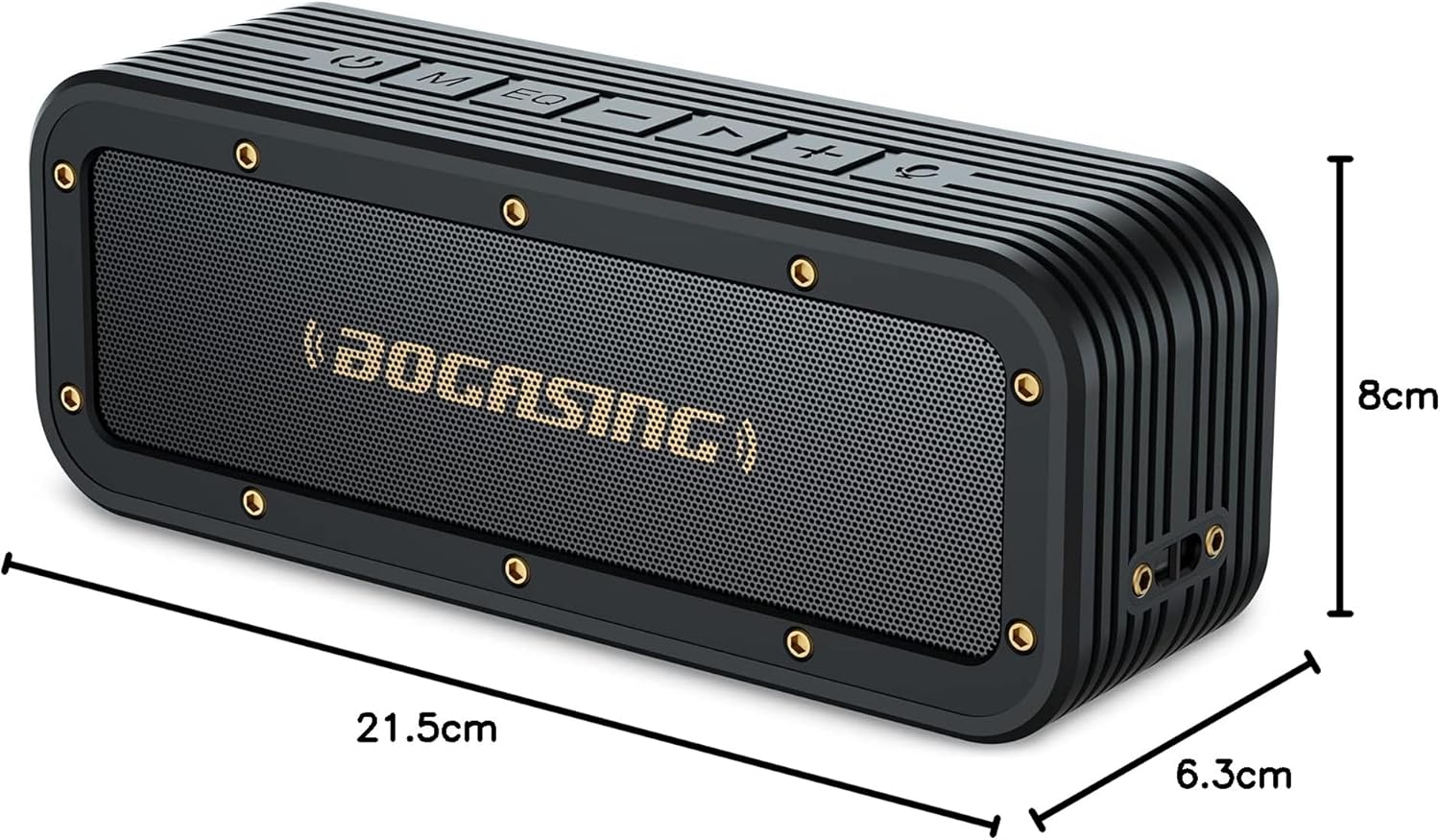
Image: The BOGASING G4 speaker with its dimensions clearly marked: 21.5cm length, 8cm height, and 6.3cm depth.
| Feature | Detail |
|---|---|
| Brand | BOGASING |
| Model Name | G4 |
| Product Model Number | M4 |
| Speaker Type | Portable Speaker |
| Speaker Format | Active |
| Speaker Max Output | 50 Watts (Note: Some product descriptions may state 40W, but the feature bullet indicates 50W max output) |
| Wattage | 40 W |
| Connectivity Technology | Bluetooth, AUX |
| Wireless Communication Technology | Bluetooth |
| Bluetooth Version | 5.3 |
| Power Source | Battery |
| Battery Type | Lithium Ion (1 battery included) |
| Waterproof Rating | IPX7 |
| Product Dimensions | 22.8 x 8.6 x 6.4 cm (Length x Width x Height) |
| Product Weight | 0.88 Kilograms |
| Material | Plastic |
| Color | Black |
| Subwoofer Diameter | 50.8 Millimeters |
| Frequency Response | 20 KHz |
| Recommended Use | Gaming, TV |
| Compatible Devices | Computer, iPhone, MacBook, Laptop |
| Mounting Type | Tabletop Mount |
| Number of Items | 1 |
| Audio Output Mode | Stereo |
| First Available Date | July 26, 2021 |
9. Warranty and Support
9.1 Product Warranty
The BOGASING G4 Bluetooth Speaker comes with a 12-month warranty from the date of purchase. This warranty covers manufacturing defects and issues arising from normal use. Please retain your proof of purchase for warranty claims.
9.2 Customer Support
For any questions, technical assistance, or warranty claims, please contact BOGASING customer support through the retailer's platform where you purchased the product or visit the official BOGASING brand store online. Please have your product model number (M4) and purchase details ready when contacting support.
BOGASING Official Store: Visit BOGASING Store on Amazon.co.jp


