
Lightbiz A300
Lightbiz Under Cabinet Lighting System User Manual
Model: A300
Introduction
Thank you for choosing the Lightbiz Under Cabinet Lighting System. This manual provides detailed instructions for the setup, operation, and maintenance of your new lighting system. Please read it thoroughly to ensure proper use and to maximize the product's lifespan.
What's Included
Carefully unpack the box and ensure all items are present:
- 3 x 56-LEDs Motion Sensor Lights
- 1 x Charging Station
- 1 x USB-C Cable
- 6 x Adhesive Metal Plates
- 1 x Instruction Manual (this document)
Product Features
- Storable Multi-Device Charging Dock: Charges three LED lights simultaneously, keeping your space tidy.
- 3 Color Temperature Switching & Dimmable: Choose from 3000K (Warm White), 4500K (Natural White), and 6000K (Cool White). Stepless brightness adjustment from 50-200 lumens.
- Motion Sensor: Passive Infrared Technology (PIR) detects human motion to automatically turn lights on in dark or daytime conditions. Sensor range: 120°, 10ft/3m. Auto-off after approximately 20 seconds of no motion.
- Rechargeable Battery: Built-in 1500mAh rechargeable battery, easily recharged via USB-C cable. Lasts 7-30 days in Motion Sensor Mode or 7 hours in Always-on Mode (at 100% brightness).
- Easy Installation: Two methods available: built-in strong magnets for iron surfaces or adhesive metal plates for non-iron surfaces.
Setup and Installation
The Lightbiz Under Cabinet Lights offer flexible installation options to suit various surfaces.
Installation Methods:
- Method 1: Built-in Magnets (for Ironwork Surfaces)
The LED light bars have strong built-in magnets. Simply attach them directly to any iron surface, such as a metal shelf or refrigerator. This allows for easy removal for charging.

Image: Illustration of magnetic attachment to an iron surface.
- Method 2: Adhesive Metal Plates (for Non-Ironwork Surfaces)
For non-iron surfaces like wood cabinets or walls, use the provided adhesive metal plates.
- Step 1: Clean the surface thoroughly where you intend to install the light. Using rubbing alcohol is recommended for optimal adhesion.
- Step 2: Peel off the protective film from one side of an adhesive metal plate and firmly stick it onto the desired surface.
- Step 3: Attach the LED light bar to the metal plate. The light's built-in magnets will securely hold it in place.
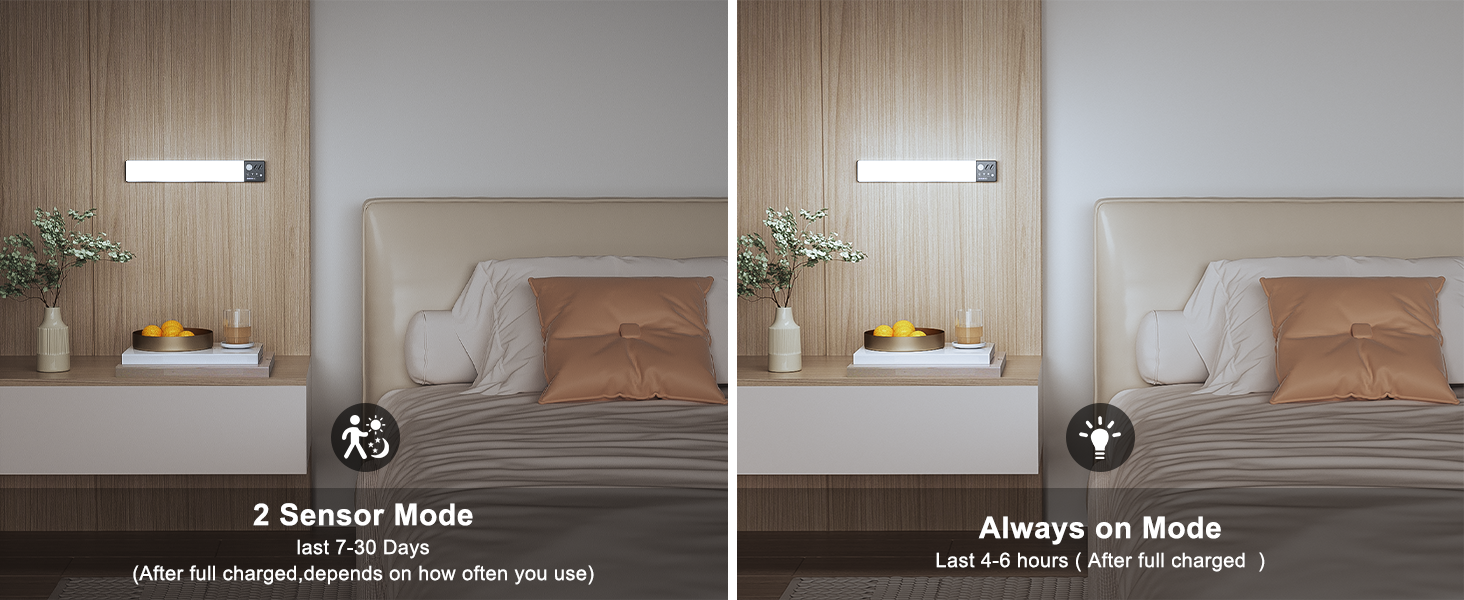
Image: Illustration of installation using adhesive metal plates on a non-iron surface.
Operating Instructions
Your Lightbiz Under Cabinet Lights are designed for intuitive operation with multiple modes and adjustable settings.
Power ON/OFF and Mode Switching:
- Turn ON/OFF: Long press the switch button on the light bar.
- Change Mode: Single press the switch button to cycle through the three operating modes:
- Night Auto Mode: The BLUE indicator light illuminates. The light automatically turns on when motion is detected in dark conditions.
- Day Auto Mode: The RED indicator light illuminates. The light automatically turns on when motion is detected in both dark and daytime conditions.
- Always-On Mode: Both the BLUE and RED indicator lights illuminate. The light remains continuously on.

Image: Visual guide to the three operating modes and their indicator lights.
Brightness and Color Temperature Adjustment:
- Stepless Brightness Adjustment: Long press the brightness control button on the light bar to adjust the brightness from 50 to 200 lumens.
- Color Temperature Switching: Single press the color temperature button to cycle through 3000K (Warm White), 4500K (Natural White), and 6000K (Cool White).

Image: Demonstration of stepless dimming and color temperature options.
Remote Control Functionality:
The included remote control allows for convenient adjustment of settings without directly touching the light bars. Functions include:
- Power ON/OFF
- Brightness adjustment (+/- buttons)
- Preset brightness levels (e.g., 50%)
- Color temperature selection
- Timer settings (e.g., 10 min, 30 min, 60 min)
Charging Instructions
The Lightbiz Under Cabinet Lighting system features a convenient charging station for easy recharging of your lights.
- Charging Station: Connect the USB-C cable to the charging station and a compatible USB power source (computer, USB charger, power bank).
- Insert the light bars into the charging slots. The indicator light on the light bar will turn RED while charging and BLUE when fully charged.
- You can charge up to three lights simultaneously using the charging station, or charge each light individually with a USB-C cable.

Image: The charging station in use, connected to a power source.

Image: Unique Charging Station Design.
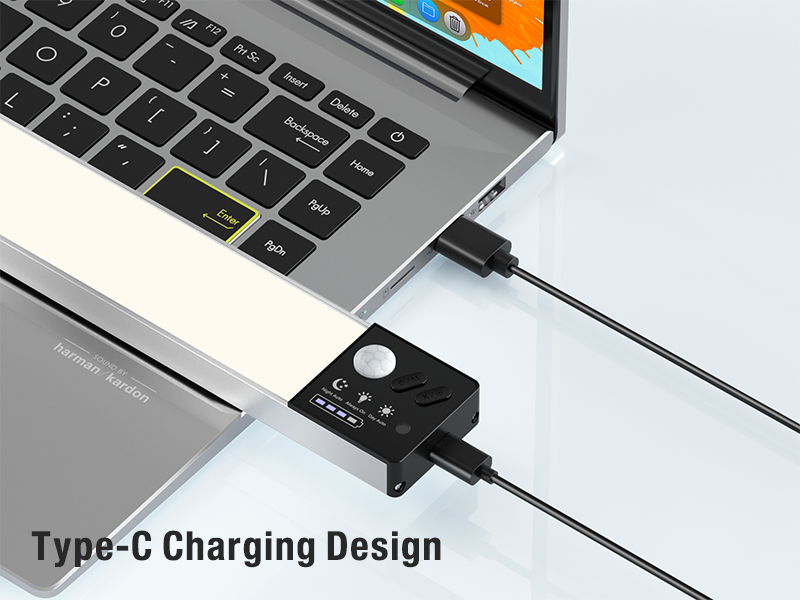
Image: Type-C Charging Design.
Specifications
| Feature | Detail |
|---|---|
| Brand | Lightbiz |
| Model Name | A300 |
| Color Temperature | 3000K, 4500K, 6000K |
| Brightness | 50-200 Lumens (Stepless Adjustment) |
| Power Source | Battery Powered (1500mAh Lithium Ion) |
| Control Method | Push Button, Remote Control |
| Installation Type | Self-Adhesive or Built-in Magnets |
| Product Dimensions | 10.43"L x 1.57"W x 0.7"H |
| Item Weight | 1.3 Pounds (for 3 lights) |
| Material | Aluminum, Plastic, Acrylonitrile Butadiene Styrene |
| Indoor/Outdoor Usage | Indoor |
Maintenance
To ensure the longevity and optimal performance of your Lightbiz Under Cabinet Lights, follow these simple maintenance guidelines:
- Cleaning: Use a soft, dry cloth to wipe the surface of the lights and charging station. Avoid using abrasive cleaners or solvents, as they may damage the finish.
- Battery Care: For best battery life, avoid fully discharging the lights frequently. Recharge them when the battery indicator shows low power.
- Storage: If storing the lights for an extended period, ensure they are fully charged and store them in a cool, dry place. Recharge them every 3-6 months to maintain battery health.
Troubleshooting
If you encounter any issues with your Lightbiz Under Cabinet Lighting system, please refer to the following common solutions:
- Light not turning on:
- Ensure the light is charged. Place it on the charging station or connect directly via USB-C.
- Check the operating mode. If in 'Night Auto Mode', ensure the environment is dark enough for motion detection. Try 'Day Auto Mode' or 'Always-On Mode'.
- Verify the switch button is long-pressed to turn on.
- Motion sensor not working:
- Ensure the light is in 'Night Auto Mode' or 'Day Auto Mode'.
- Check for obstructions blocking the sensor.
- Ensure the light is placed within the 10ft/3m sensor range.
- Light not holding a charge:
- Ensure the USB-C cable and charging adapter are functioning correctly. Try a different cable or adapter.
- Ensure the light is properly seated in the charging station.
- Remote control not responding:
- Ensure there are no obstructions between the remote and the light.
- Check the remote's battery (if applicable, though typically these remotes use small button cells that are long-lasting).
If the issue persists after trying these steps, please contact Lightbiz customer support for further assistance.
Warranty and Support
Your Lightbiz Under Cabinet Lighting System comes with a Lifetime Warranty. This warranty covers defects in materials and workmanship under normal use.
For warranty claims, technical support, or any product-related inquiries, please contact Lightbiz customer service through the retailer's platform or visit the official Lightbiz store online.
We are committed to providing high-quality products and excellent customer service. Better Light, Better Life!
Ask a question about this manual
Ask about setup, troubleshooting, compatibility, parts, safety, or missing instructions. Manuals+ will review the question and use this page’s manual context to help answer it.