
Black Shark Black Shark 4
Black Shark 4 User Manual
Model: Black Shark 4 | Brand: Black Shark
Introduction
This manual provides comprehensive instructions for the Black Shark 4 Unlocked Phone, a 5G gaming smartphone designed for high performance. It covers setup, operation, maintenance, and troubleshooting to ensure optimal use of your device.
Key Features:
- 120W Hyper Charge for rapid battery replenishment.
- 6.67-inch E4 144Hz AMOLED gaming display with high touch sampling rate.
- Advanced "Sandwich" liquid cooling system for sustained performance.
- Magnetic Pop-up Triggers for enhanced tactile control.
- JOYUI 12.5 and Black Space 4.0 operating system for optimized gaming and multitasking.
What's in the Box
The Black Shark 4 package includes the following items:
- Black Shark 4 Smartphone
- 65W Fast Charge Power Adapter (Note: Supports 120W Hyper Charge, but a 65W adapter is included)
- USB Cable (Type-C, 6A fast charging compatible)
- SIM Tray Ejector
- Phone Case
Setup Guide
1. Initial Charging
Before first use, it is recommended to fully charge your Black Shark 4. The device supports 120W Hyper Charge, allowing for a 50% charge in approximately 5 minutes and a full charge in less than 15 minutes using a compatible 120W charger. The included 65W charger can fully charge the device in under 25 minutes.
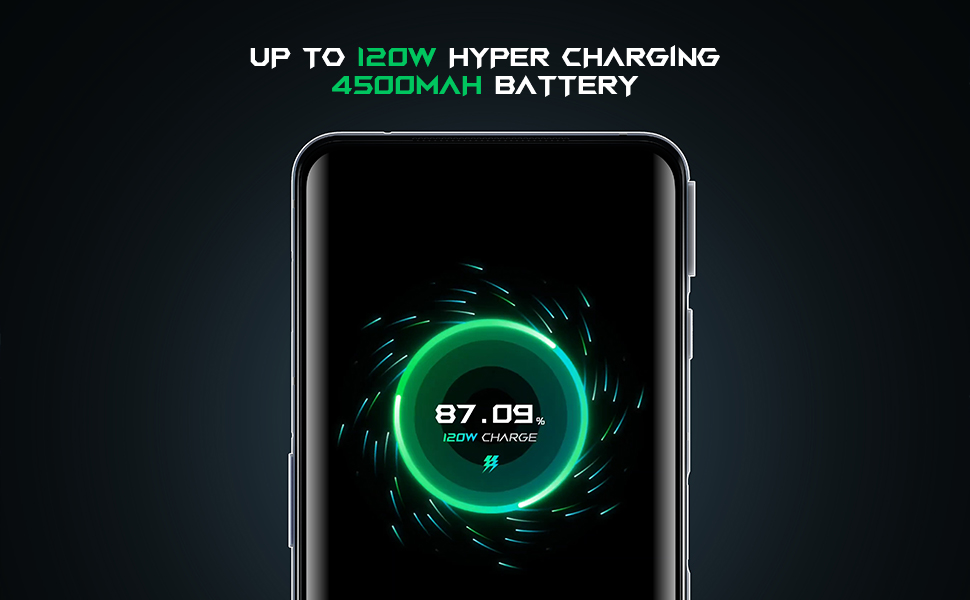
Image: Black Shark 4 displaying 120W charge status.
2. SIM Card Installation and Network Configuration
The Black Shark 4 supports dual SIM cards (SIM-1 and SIM-2) with 5G NR SA&NSA / TD LTE / FDD LTE / WCDMA / CDMA / GSM capabilities. Ensure your SIM card's frequency bands are compatible with the device. Refer to the specifications section for supported bands.
To install the SIM card:
- Locate the SIM card tray on the side of the phone.
- Insert the SIM tray ejector tool into the small hole next to the tray and push gently until the tray pops out.
- Place your Nano-SIM card(s) into the tray with the gold contacts facing down.
- Carefully reinsert the tray into the phone.
Important Note on Network Activation: Some users may need to activate their SIM card on an existing phone that supports their carrier before inserting it into the Black Shark 4. After receiving initial activation texts or a 4G/5G signal on the old phone, transfer the SIM card to the Black Shark 4. It should then automatically pick up the carrier's network.
Manual APN Configuration: If you experience issues with sending/receiving images or MMS messages, you may need to manually configure the Access Point Name (APN) settings. Follow these steps:
- If you have a working mobile phone with your carrier, install the SIM into it and check its APN settings: Go to Settings > Network & internet > Mobile network > Advanced > Access Point Names. Record the APN parameter information.
- Install the SIM card into your Black Shark 4.
- On the Black Shark 4, go to Settings and search for "Access Point Names".
- Click the plus sign (+) in the upper right corner to add a new APN.
- Enter the APN information you recorded from your working phone into the corresponding parameter fields.
- After adding, restart the phone to apply the changes.
Image: Close-up of the SIM card tray on the Black Shark 4.
Operating Instructions
1. Display and Refresh Rate
The Black Shark 4 features a 6.67-inch E4 AMOLED display with a 144Hz refresh rate, providing a smooth visual experience. It boasts a touch sampling rate of up to 720Hz for highly responsive interactions.
You can customize the screen refresh rate to 60Hz, 90Hz, or 144Hz based on your preference and usage scenario. This setting can typically be found in the display settings of the phone.
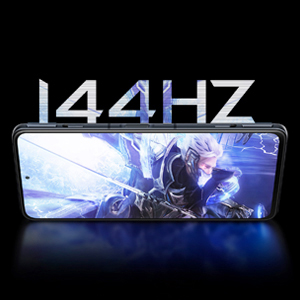
Image: Black Shark 4 display highlighting 144Hz refresh rate.
2. Magnetic Pop-up Triggers
The device is equipped with magnetic pop-up triggers that simulate the physical feel of controller triggers. These can be used for gaming or configured as shortcut buttons for various functions such as turning on the flashlight, freeing up RAM, recording audio, taking screenshots, or recording the screen. When not in use, the triggers retract seamlessly into the phone's edge.

Image: Detailed view of the magnetic pop-up trigger mechanism.
3. JoyUI 12.5 and Black Space 4.0
The Black Shark 4 runs on JOYUI 12.5, a gaming-optimized operating system based on MIUI 12.5. It includes features like Mi-Light Cone animation framework, intuitive visuals, super wallpaper, and natural notification sounds.
Through Shark Space 4.0 within JOYUI 12.5, users can quickly access network settings, performance adjustments, mute notifications, and other in-game functions. The "diving mode" is available to prevent interruptions from calls or messages during gameplay. Multi-tasking is supported via Magic Window, allowing for simultaneous chatting, mailing, and video watching.

Image: Black Shark 4 showcasing the JoyUI 12.5 gaming interface.
4. NFC Functionality
The Black Shark 4 supports Near Field Communication (NFC), enabling features such as contactless payments, quick pairing with compatible devices, and data exchange by simply tapping the phone against another NFC-enabled device or tag.
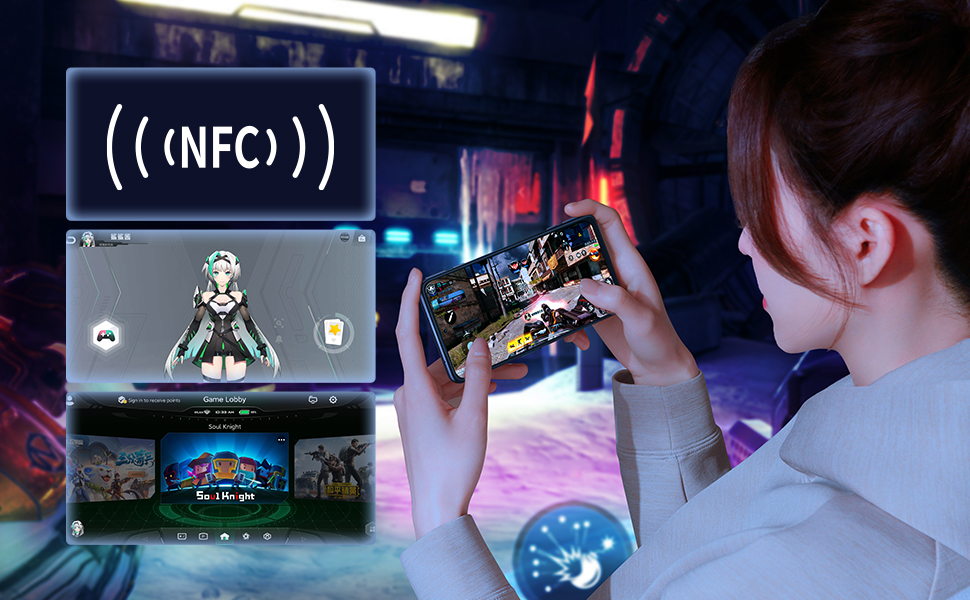
Image: Black Shark 4 demonstrating NFC functionality alongside gaming.
5. Official Product Video
Watch the official Black Shark 4 gaming phone video for a visual overview of its features and capabilities.
Video: Black Shark 4 gaming phone overview, showcasing design, features, and performance.
Maintenance
1. Cooling System
The Black Shark 4 incorporates an upgraded "Sandwich" liquid cooling system designed to maintain stable performance by preventing excessive heat concentration. Key heating areas like the SOC, 5G modem, and 120W charging chip are isolated. The mainboard is wrapped by a 360-degree three-dimensional heat dissipation system. An NTC temperature sensor detects the hand-holding area and adjusts temperature in real-time. Patented welding technology contributes to a 30% increase in heat dissipation, reducing CPU temperature by 18 degrees Celsius.

Image: Internal view illustrating the "Sandwich" liquid cooling system.
2. Battery Care
To prolong the lifespan of your 4500mAh dual-cell battery, consider using a lower wattage charger (e.g., QC 3.0 or 30W) for daily charging, reserving the 120W Hyper Charge for situations requiring rapid power replenishment. Avoid extreme temperatures and prolonged exposure to direct sunlight.
Troubleshooting
1. Network Connectivity Issues (APN)
If you encounter problems with mobile data, sending MMS messages, or general network connectivity after inserting your SIM card, it may be due to incorrect Access Point Name (APN) settings. Please refer to the "SIM Card Installation and Network Configuration" section under Setup Guide for detailed instructions on how to manually configure your APN settings.
2. Device Not Powering On or Boot Loop
If your Black Shark 4 does not power on or gets stuck in a boot loop (repeatedly restarting), try the following:
- Ensure the device has sufficient charge. Connect it to the charger for at least 30 minutes.
- Perform a forced restart: Typically, this involves holding down the Power button and Volume Down button simultaneously for about 10-15 seconds until the device restarts.
- If the issue persists, you may need to perform a factory reset via recovery mode. Warning: A factory reset will erase all data on your phone. Back up important data if possible before proceeding.
Technical Specifications
| Feature | Specification |
|---|---|
| Product Dimensions | 6.45 x 3.01 x 0.41 inches |
| Item Weight | 7.4 ounces (210 Grams) |
| Item Model Number | Black Shark 4 |
| Operating System | Android 11.0 (JoyUI 12.5) |
| RAM | 12 GB |
| Memory Storage Capacity | 256 GB (Note: Some variants may be 128GB) |
| Wireless Communication Technologies | NFC |
| Connectivity Technologies | NFC |
| Display Technology | AMOLED |
| Screen Size | 6.67 Inches |
| Human Interface Input | Touchscreen |
| Other Camera Features | Rear, Front |
| Audio Jack | 3.5 mm |
| Form Factor | Smartphone |
| Color | BS4-12+256GB-Black |
| Battery Power Rating | 4500 mAh (Milliamp Hours) |
| Charging Time | 15 minutes (for 100% with 120W charger) |
| Wireless Carrier | Unlocked for All Carriers |
| Cellular Technology | 5G |
| Wireless Network Technology | UMTS, GSM, CDMA, LTE |
Warranty and Support
Please note that according to some user reports, Black Shark phones may not have an official warranty in the USA as they are not officially released in this region. Warranty and support may depend on the specific seller or retailer from whom the device was purchased.
For further assistance, you can refer to the official User Manual (PDF) available online:
If you encounter issues not covered in this manual or require further technical support, it is recommended to contact the seller directly or visit the official Black Shark support channels available in your region.
Ask a question about this manual
Ask about setup, troubleshooting, compatibility, parts, safety, or missing instructions. Manuals+ will review the question and use this page’s manual context to help answer it.