
1. Introduction
This manual provides essential information for the safe and efficient operation, setup, and maintenance of your Jamara Volvo L50 1:16 2.4GHz RC Wheel Loader. Please read this manual thoroughly before first use and retain it for future reference.
The Jamara Volvo L50 is a detailed remote-controlled wheel loader featuring realistic articulated steering, motor sounds, a reverse warning signal, and a horn. Its functions include lifting, lowering, and tilting the shovel, making it suitable for various play scenarios.
2. Safety Information
Warning:
- Use under direct adult supervision.
- Not suitable for children under 36 months due to small parts. Choking hazard.
- Keep out of reach of children when not in use.
- Do not operate near people, animals, or obstacles to prevent injury or damage.
- Ensure batteries are inserted with correct polarity.
- Do not mix old and new batteries, or different types of batteries.
- Remove batteries from the toy and remote control when not in use for extended periods.
3. Package Contents
Please check the contents of your package upon unpacking:
- Jamara Volvo L50 1:16 RC Wheel Loader
- 2.4 GHz Remote Control
- Instruction Manual (this document)
Note: Batteries are not included and must be purchased separately.
4. Setup
4.1 Battery Installation
The Jamara Volvo L50 RC Wheel Loader requires batteries for both the vehicle and the remote control. Ensure you have fresh alkaline batteries.
- Remote Control: Locate the battery compartment on the back of the remote control. Open the cover, insert 6 x AA 1.5V alkaline batteries, ensuring correct polarity (+/-). Close the battery cover securely.
- Wheel Loader: Locate the battery compartment on the underside or side of the wheel loader. Open the cover, insert the required batteries (refer to the compartment for specific type and quantity, typically AA or a rechargeable pack if included, though this model specifies AA for remote). Close the battery cover securely.

Image: Side view of the wheel loader, indicating a possible battery compartment location.
4.2 Pairing the Remote Control
The 2.4 GHz remote control automatically pairs with the wheel loader upon power-up. Follow these steps:
- Ensure fresh batteries are installed in both the remote control and the wheel loader.
- Turn on the wheel loader using its power switch.
- Turn on the remote control using its power switch.
- The remote control and wheel loader should automatically connect. An indicator light on the remote control may change from flashing to solid once connected.
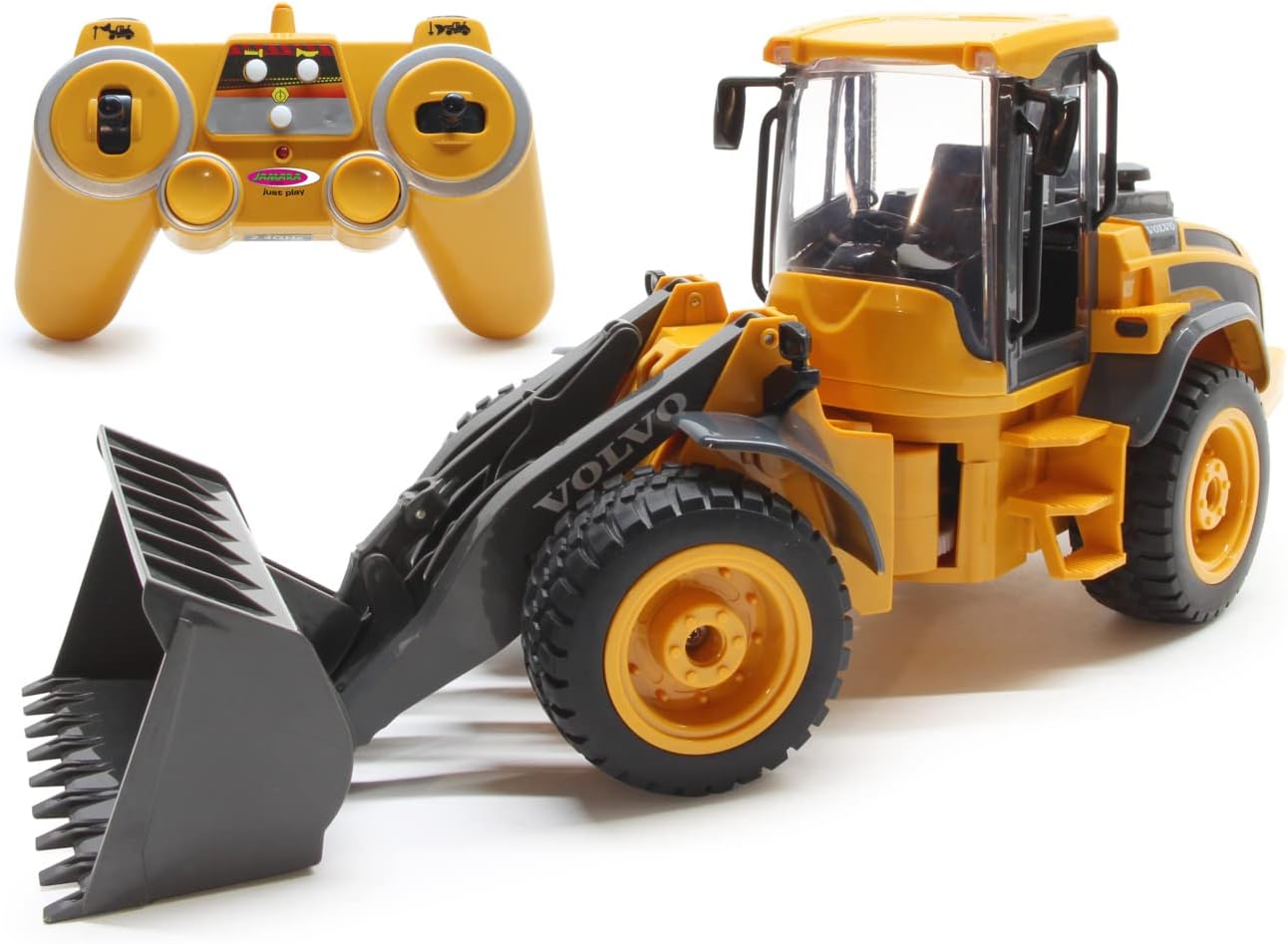
Image: The Jamara Volvo L50 RC Wheel Loader and its remote control.
5. Operating Instructions
Familiarize yourself with the remote control layout and functions before operating the wheel loader.
5.1 Basic Controls
- Forward/Backward: Use the left joystick (or designated lever) to move the loader forward or backward.
- Left/Right Steering: Use the right joystick (or designated lever) to steer the loader left or right. The loader features realistic articulated steering.
- Stop: Releasing the controls will bring the loader to a stop.
5.2 Shovel Functions
The remote control includes dedicated buttons or levers for operating the shovel:
- Shovel Up/Down: Use the designated button/lever to raise or lower the shovel arm.
- Shovel Tilt (Dump/Scoop): Use the designated button/lever to tilt the shovel for dumping material or scooping it up.

Image: The wheel loader demonstrating its dumping function.
5.3 Special Features
- Realistic Motor Sound: The loader produces realistic engine sounds during operation. This feature can usually be switched off via a button on the remote control.
- Reverse Warning Sound: An audible warning signal sounds when the loader is moving in reverse.
- Horn: A dedicated button on the remote control activates the horn.
- Blinkers: The loader is equipped with functional blinkers for added realism.
- Auto-Standby Mode: To conserve battery life, the loader may enter an auto-standby mode after a period of inactivity. Reactivate by moving the controls.
6. Maintenance
6.1 Cleaning
- Wipe the wheel loader and remote control with a soft, dry cloth.
- Do not use chemical cleaners or solvents, as they may damage the plastic.
- Avoid exposing the product to water or excessive moisture.
6.2 Storage
- Store the wheel loader and remote control in a cool, dry place away from direct sunlight.
- Remove all batteries from both devices if storing for an extended period to prevent leakage.
6.3 Battery Care
- Always use fresh, high-quality alkaline batteries.
- Dispose of used batteries responsibly according to local regulations.
7. Troubleshooting
If you encounter issues with your Jamara Volvo L50, refer to the following common problems and solutions:
- Problem: The wheel loader does not respond to the remote control.
Solution:- Ensure both the loader and remote control are switched ON.
- Check if batteries are correctly installed and have sufficient power in both devices. Replace if necessary.
- Ensure the devices are paired correctly (refer to Section 4.2).
- Move closer to the loader; ensure no strong interference sources (e.g., other 2.4GHz devices) are nearby.
- Problem: Shovel functions are not working.
Solution:- Check battery levels.
- Ensure no obstructions are preventing the shovel from moving freely.
- Problem: Loader moves slowly or erratically.
Solution:- Replace batteries in both the loader and remote control.
- Ensure the operating surface is smooth and free of debris.
8. Specifications
| Model Name | Volvo L50 |
| Model Number | 405058 |
| Brand | Jamara |
| Scale | 1:16 |
| Radio Control Type | 2.4 GHz |
| Approximate Speed | 3 km/h |
| Dimensions (L x W x H) | 41.5 x 14 x 18.5 cm |
| Weight | 1 kg |
| Main Material | Plastic |
| Color | Orange |
| Recommended Age | 6 years and up |
| Batteries Required | Yes (6 x AA for remote control) |
| Batteries Included | No |
| Battery Type | Alkaline |
9. Warranty
Specific warranty information for this product may vary by region and retailer. Please retain your proof of purchase for any warranty claims. For detailed warranty terms, refer to the documentation provided at the time of purchase or contact Jamara customer support.
10. Support
For further assistance, technical support, or inquiries regarding your Jamara Volvo L50 RC Wheel Loader, please contact Jamara directly:
- Email: info@jamara.com
- Please visit the official Jamara website for additional resources and contact options.


