
Introduction
This manual provides essential information for the safe and efficient operation, maintenance, and troubleshooting of your Jamara Crossmo Monstertruck 4WD 1:10 NiMh 2.4GHz. Please read this manual thoroughly before operating the vehicle to ensure proper use and to prevent damage.
Safety Instructions
- Adult Supervision: This product is not a toy and requires adult supervision for users under 14 years of age.
- Operating Environment: Operate the vehicle in open areas, away from people, pets, vehicles, and water. Avoid public roads.
- Battery Safety:
- Always use the specified NiMh battery and charger.
- Do not overcharge or short-circuit batteries.
- Remove batteries from the vehicle and remote when not in use.
- Dispose of batteries responsibly according to local regulations.
- Moving Parts: Keep fingers, hair, and loose clothing away from rotating wheels and other moving parts.
- Heat: The motor and battery can become hot during operation. Allow them to cool before handling.
Setup
1. Unboxing and Inspection
Carefully remove all components from the packaging. Inspect the vehicle and remote control for any signs of damage. Ensure all parts listed in the packaging contents are present.
2. Charging the Vehicle Battery
The vehicle uses a NiMh battery. Before first use, fully charge the battery using the provided charger. Refer to the charger's instructions for specific charging times and indicators.
- Connect the battery to the charger.
- Plug the charger into a suitable power outlet.
- Monitor the charging process and disconnect once fully charged. Do not leave charging batteries unattended.
3. Installing Vehicle Battery
Locate the battery compartment on the vehicle, typically on the chassis. Open the compartment, insert the fully charged NiMh battery, and secure the cover. Ensure the battery is connected to the vehicle's power connector.
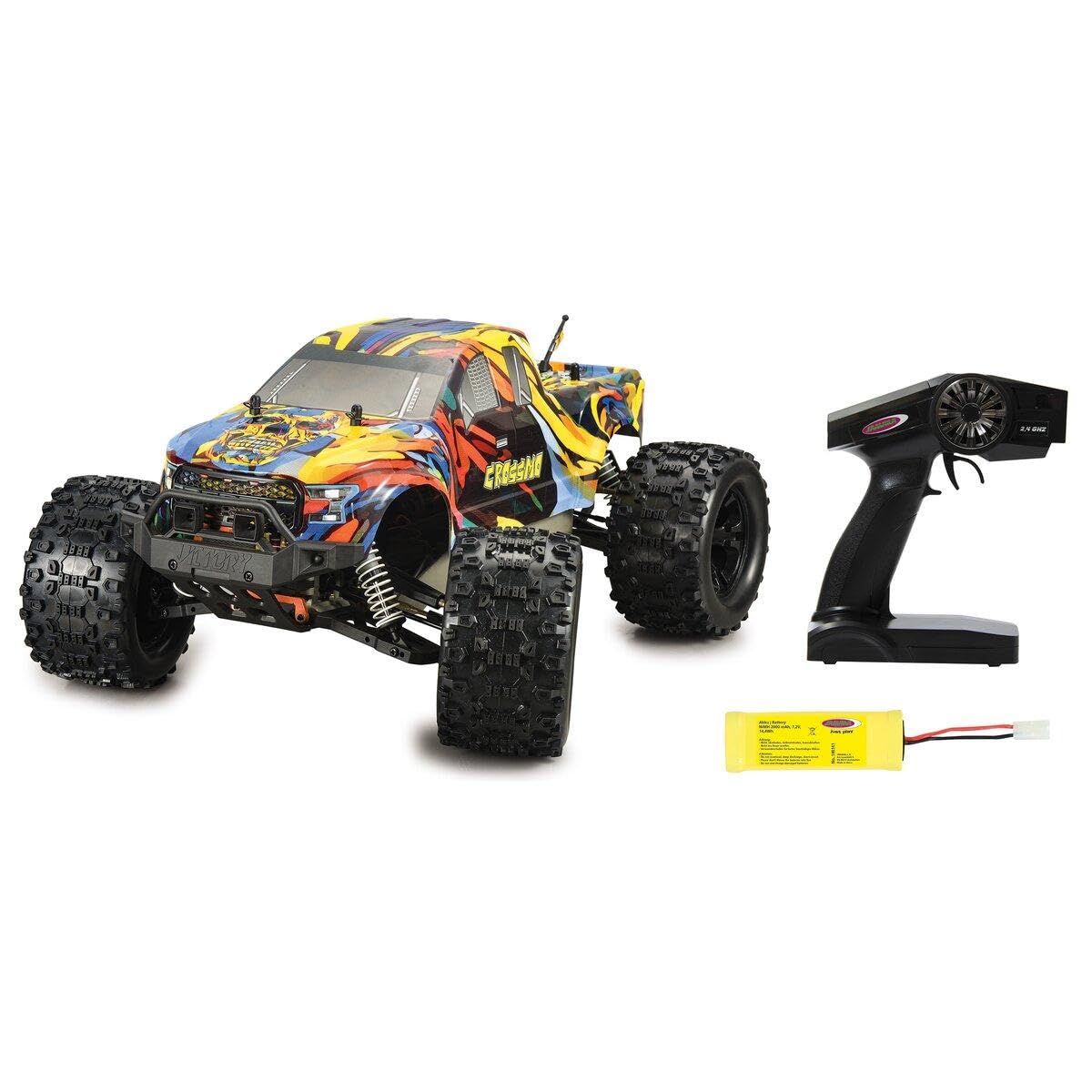
Image: The Crossmo Monstertruck, featuring a colorful, abstract design, with large off-road tires, appearing to be in motion on a dirt track. Another truck is visible in the background.
4. Installing Remote Control Batteries
The remote control requires batteries (usually AA or AAA). Open the battery compartment on the back of the remote control. Insert the batteries, observing the correct polarity (+/-). Close the compartment securely.
5. Pairing the Remote Control
Most 2.4GHz systems automatically pair.
- Turn on the vehicle's power switch.
- Turn on the remote control's power switch.
- The indicator light on the remote or vehicle should change to solid, indicating a successful connection. If not, refer to the remote control's specific pairing instructions (often involves holding a button during power-on).
Operating
1. Basic Controls
- Throttle Trigger: Pull the trigger to move forward. Push the trigger forward to brake or reverse.
- Steering Wheel: Turn the wheel left to steer left, and right to steer right.
- Trim Adjustments: If the vehicle does not drive straight when the steering wheel is centered, use the steering trim dial on the remote to adjust.
2. Driving Tips
- Start slowly to get a feel for the controls.
- Practice steering and throttle control in an open, safe area.
- Avoid driving in wet conditions or through deep puddles, as this can damage electronics.
- Be mindful of battery life; performance will decrease as the battery drains.
Maintenance
1. Cleaning
- After each use, remove dirt, dust, and debris from the vehicle using a soft brush or compressed air.
- Wipe down the body with a damp cloth. Avoid using harsh chemicals.
- Check for debris lodged in the suspension or drivetrain.
2. Battery Care
- Always fully charge the NiMh battery before storage if it will not be used for an extended period.
- Store batteries in a cool, dry place, away from direct sunlight and extreme temperatures.
- Never store fully discharged batteries.
3. General Inspection
- Regularly check screws and fasteners for tightness.
- Inspect tires for wear and tear.
- Ensure all moving parts operate smoothly.
Troubleshooting
| Problem | Possible Cause | Solution |
|---|---|---|
| Vehicle does not respond. |
|
|
| Vehicle drives slowly or stops. |
|
|
| Steering is erratic or unresponsive. |
|
|
Specifications
- Brand: Jamara
- Model Number: 053130
- Scale: 1:10
- Drive: 4WD
- Battery Type: NiMh (Included)
- Radio Frequency: 2.4GHz
- Item Dimensions (L x W x H): 17.32 x 13.19 x 8.86 inches
- Item Weight: 3.05 Kilograms
- Assembly Required: No
Warranty and Support
For warranty information and technical support, please refer to the contact details provided with your purchase or visit the official Jamara website. Keep your proof of purchase for any warranty claims.

