
1. Introduction and Overview
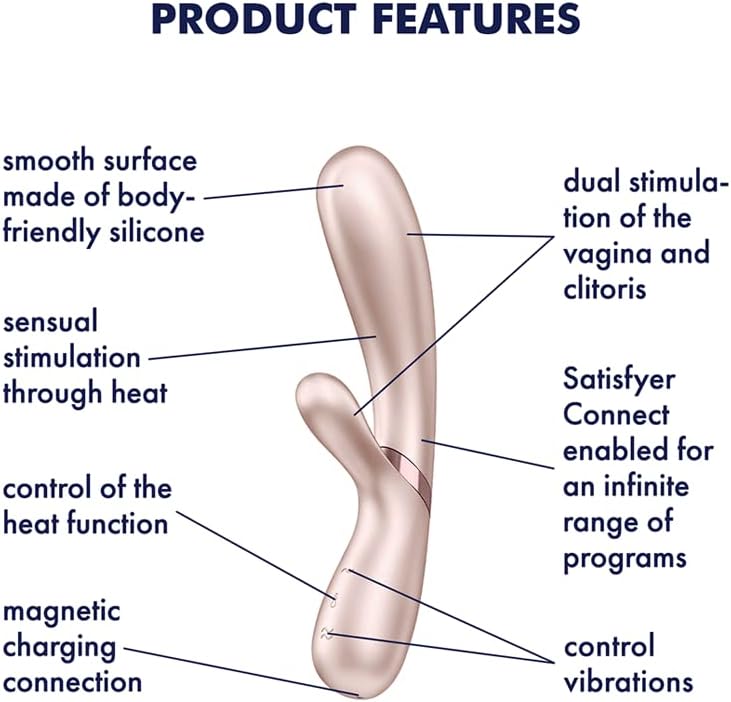
The Satisfyer Hot Lover is an innovative pleasure device designed for enhanced experiences. It features two powerful motors, a warming function, and an ergonomic design crafted from medical-grade silicone. This device offers versatile pleasure through its Connect App programs, allowing for personalized control and stimulation.

2. Setup
2.1 Unboxing and Initial Inspection
Carefully remove the Satisfyer Hot Lover from its packaging. Inspect the device for any visible damage. Ensure all components, including the magnetic charging cable, are present.
2.2 First Charge
Before first use, fully charge the device. Connect the magnetic charging cable to the charging points on the device and plug the USB end into a suitable power source (e.g., computer USB port, USB wall adapter). The charging indicator will illuminate. A full charge typically takes approximately 2-3 hours.

2.3 App Download and Connection
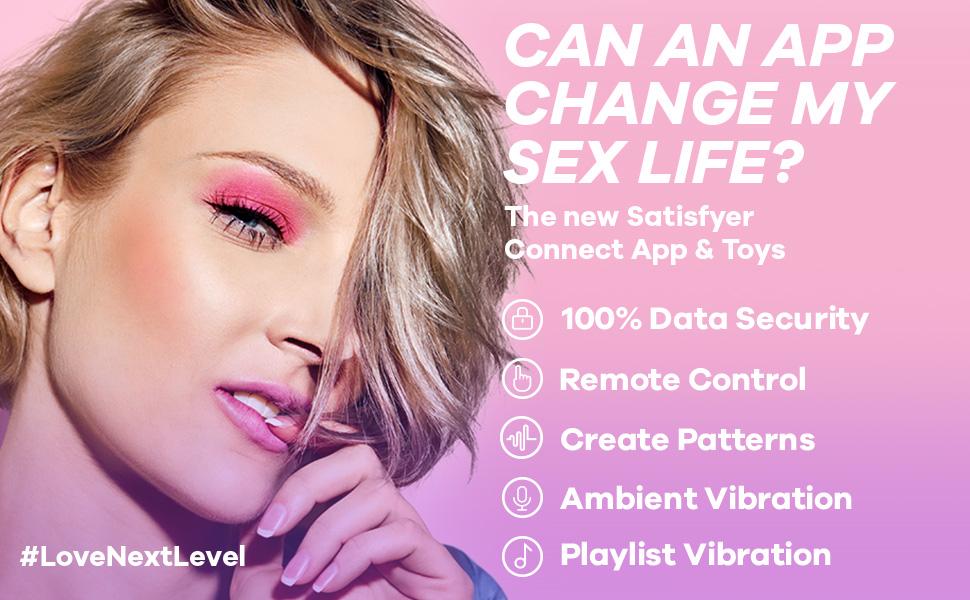
The Satisfyer Hot Lover can be controlled via the Satisfyer Connect App. Download the free app from the Apple App Store or Google Play Store on your smartphone or tablet. Ensure your device's Bluetooth is enabled. Open the app and follow the on-screen instructions to pair your Satisfyer Hot Lover. The app allows for remote control, custom vibration patterns, ambient vibration, and playlist synchronization.
3. Operating Instructions
3.1 Basic Device Controls
- Power On/Off: Press and hold the power button (usually the central button) for a few seconds to turn the device on or off.
- Vibration Control: Use the '+' and '-' buttons to increase or decrease the vibration intensity. The device offers multiple vibration patterns and intensities.
- Heat Function: Press the dedicated heat button to activate or deactivate the warming function. The heat function provides a realistic sensation.
3.2 Using the Satisfyer Connect App
Once connected via Bluetooth, the Satisfyer Connect App unlocks a wide range of functionalities:
- Remote Control: Control the device's vibrations and heat function directly from your smartphone.
- Custom Patterns: Create and save your own unique vibration patterns.
- Ambient Vibration: The device can respond to ambient sounds or music.
- Playlist Synchronization: Sync vibrations to your favorite music playlists.
- Partner Control: Share control with a partner through the app.


4. Maintenance
4.1 Cleaning
The Satisfyer Hot Lover is waterproof, making cleaning simple and hygienic. After each use, clean the device with warm water and a mild, toy-safe soap or a specialized toy cleaner. Rinse thoroughly and pat dry with a lint-free cloth. Do not use harsh chemicals, alcohol, or petroleum-based cleaners, as these can damage the silicone material.

4.2 Charging Care
Always ensure the magnetic charging cable is securely attached to the device during charging. Avoid twisting or pulling the cable while connected, as this can lead to disconnections and incomplete charging. Store the cable properly to prevent damage.
4.3 Storage
Store the Satisfyer Hot Lover in a clean, dry place away from direct sunlight and extreme temperatures. Keep it separate from other toys made of different materials to prevent material degradation.
5. Troubleshooting
5.1 Device Not Turning On or Charging
- Check Charging Connection: Ensure the magnetic charging cable is firmly attached to the device and the USB end is securely plugged into a working power source.
- Verify Power Source: Try a different USB port or wall adapter to rule out a faulty power source.
- Cable Integrity: Inspect the charging cable for any signs of damage. A damaged cable may prevent proper charging.
- Battery Depletion: If the device has been stored for an extended period, it may require a longer initial charge to reactivate the battery.
5.2 App Connectivity Issues
- Bluetooth Enabled: Confirm Bluetooth is active on your smartphone or tablet.
- Device Proximity: Ensure the Satisfyer Hot Lover is within close range of your smart device.
- Restart App/Device: Close and reopen the Satisfyer Connect App, or restart both your smart device and the Satisfyer Hot Lover.
- Re-pair Device: If issues persist, try unpairing and re-pairing the device within the app's settings.
5.3 Buttons Not Responding
- Full Charge: Ensure the device is fully charged, as low battery can affect button responsiveness.
- Firm Press: Apply a firm, sustained press to the buttons.
- Reset Device: If possible, perform a soft reset by turning the device off and on again.
5.4 Reduced Vibration or Heat Function
- Battery Level: A low battery can result in weaker performance. Recharge the device fully.
- App Settings: Check the app settings to ensure vibration intensity and heat levels are set as desired.
6. Specifications
| Feature | Detail |
|---|---|
| Product Dimensions | 7.85 x 1.38 x 2.48 inches |
| Weight | 5.29 ounces |
| Item Model Number | 4002538 |
| Batteries | 1 Lithium Ion battery (included) |
| Manufacturer | Satisfyer |
| Material | Silicone |
| Color (Current Variant) | Pink |
| Connectivity | Bluetooth, Satisfyer Connect App |
7. Warranty
The Satisfyer Hot Lover comes with a 15-year product protection warranty. This warranty ensures long-lasting satisfaction and covers manufacturing defects. Please retain your proof of purchase for warranty claims.

8. Support
For further assistance, technical support, or warranty claims, please visit the official Satisfyer website or contact their customer service department. You can find more information and contact details on the Satisfyer Store on Amazon or their main support portal.
