
1. Introduction
Thank you for choosing the Gridinlux Homely Tower Lux fan. This instruction manual provides essential information for the safe and efficient operation of your new tower fan. Please read this manual thoroughly before use and retain it for future reference.
The Gridinlux Homely Tower Lux is designed to provide instant freshness and continuous air movement, featuring a 45W motor, three speed settings, and a 75° oscillation function for wide air distribution.
2. Important Safety Instructions
When using electrical appliances, basic safety precautions should always be followed to reduce the risk of fire, electric shock, and injury to persons, including the following:
- Read all instructions before using this fan.
- Ensure the voltage indicated on the rating label corresponds to your mains voltage.
- Do not operate any fan with a damaged cord or plug. Discard fan or return to an authorized service facility for examination and/or repair.
- Do not run cord under carpeting. Do not cover cord with throw rugs, runners, or similar coverings. Arrange cord away from traffic area and where it will not be tripped over.
- Do not insert or allow fingers or foreign objects to enter any ventilation or exhaust opening as this may cause an electric shock or fire, or damage the fan.
- Do not block air intakes or exhaust in any manner. Do not use on soft surfaces, like a bed, where openings may become blocked.
- Always place the fan on a stable, flat surface to prevent it from tipping over.
- Unplug the fan from the outlet when not in use, when moving it from one location to another, and before cleaning.
- This appliance is not intended for use by persons (including children) with reduced physical, sensory or mental capabilities, or lack of experience and knowledge, unless they have been given supervision or instruction concerning use of the appliance by a person responsible for their safety.
- Children should be supervised to ensure that they do not play with the appliance.
3. Product Overview
The Gridinlux Homely Tower Lux fan is designed for efficient air circulation and cooling. Below are its key features and components.
3.1 Key Features
- Powerful 45W Motor: Provides optimal airflow with energy efficiency.
- Three Speed Settings: Choose between Low, Medium, and High for customized comfort.
- 75° Oscillation: Distributes air across a wider area for comprehensive room cooling.
- Compact and Portable Design: Standing 79 cm tall with a 23 cm diameter base, and weighing 2.7 kg, it features a convenient carrying handle for easy relocation.
- Intuitive Controls: Simple top-mounted rotary control for ease of use.
3.2 Components
Familiarize yourself with the main parts of your tower fan:
- Air Outlet Grille
- Control Panel (Top)
- Carrying Handle (Rear)
- Base
- Power Cord and Plug
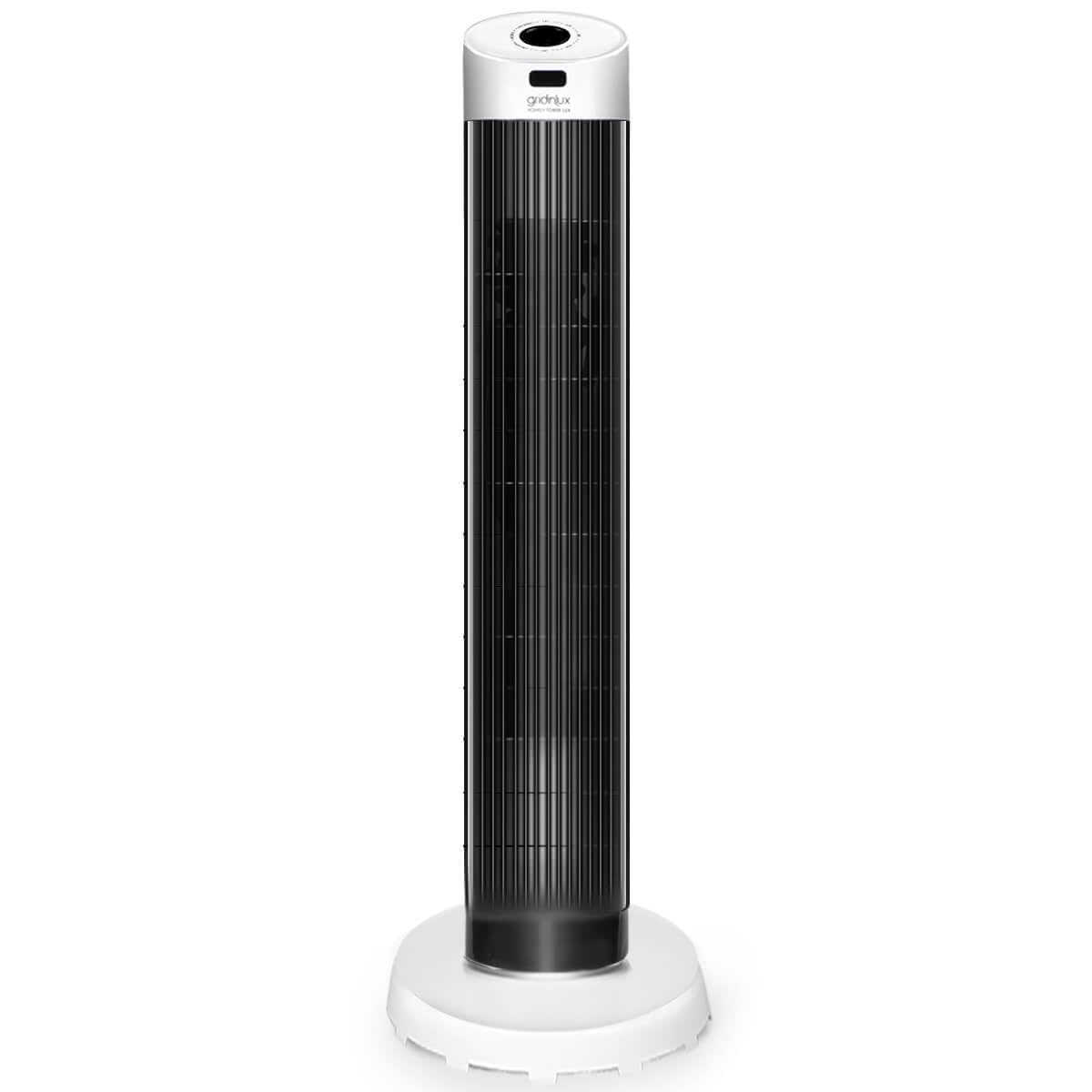
Figure 1: Gridinlux Homely Tower Lux Fan. This image shows the overall design of the tower fan.

Figure 2: Illustration of the fan's three speed settings (1, 2, 3) and air distribution in a room.

Figure 3: Overhead view demonstrating the 90-degree oscillation capability of the fan, with Low, Med, and High speed indicators.

Figure 4: Physical dimensions of the tower fan, showing a height of 79 cm and a base diameter of 23 cm.

Figure 5: Detailed view of the top control panel, featuring a rotary dial for power, speed, and oscillation settings.

Figure 6: The integrated carrying handle located at the back of the fan, demonstrating its portability.
4. Setup
The Gridinlux Homely Tower Lux fan requires minimal setup. Follow these steps to prepare your fan for use:
- Unpack: Carefully remove the fan from its packaging. Retain packaging for future storage or transport.
- Placement: Place the fan on a firm, level surface. Ensure there is adequate space around the fan for proper airflow and oscillation, away from curtains or other objects that could obstruct the air intake or outlet.
- Power Connection: Plug the power cord into a standard 240V AC electrical outlet. Ensure the outlet is easily accessible.
5. Operating Instructions
Your Gridinlux Homely Tower Lux fan is equipped with a simple rotary control for easy operation.
5.1 Control Panel Functions

Figure 7: Close-up of the rotary control dial on the top of the fan, showing OFF, LOW, MID, HIGH speed settings and SWING function.
- OFF: Turns the fan off.
- LOW: Activates the fan at the lowest speed setting.
- MID: Activates the fan at a medium speed setting.
- HIGH: Activates the fan at the highest speed setting.
- SWING: Activates the oscillation function, allowing the fan to rotate horizontally to distribute air over a wider area. This can be used with any speed setting.
5.2 How to Operate
- Turn On: Rotate the control dial from "OFF" to your desired speed setting (LOW, MID, or HIGH).
- Adjust Speed: To change the fan speed, rotate the dial to the desired setting.
- Activate Oscillation: To enable the oscillation feature, rotate the dial to the "SWING" position while the fan is running at any speed. The fan will begin to rotate from side to side.
- Deactivate Oscillation: To stop oscillation, rotate the dial back to a fixed speed setting (LOW, MID, or HIGH). The fan will stop rotating and blow air in a fixed direction.
- Turn Off: Rotate the control dial to the "OFF" position.
6. Maintenance
Regular cleaning and proper maintenance will ensure the longevity and efficient operation of your fan.
- Always unplug the fan from the power outlet before cleaning or performing any maintenance.
- Cleaning the Exterior: Use a soft, damp cloth to wipe the exterior surfaces of the fan. Do not use abrasive cleaners or solvents, as these may damage the finish.
- Cleaning the Air Vents: Use a vacuum cleaner with a brush attachment or compressed air to remove dust and debris from the air intake and outlet grilles. Ensure no foreign objects enter the fan.
- Storage: If the fan will not be used for an extended period, unplug it, clean it thoroughly, and store it in a cool, dry place, preferably in its original packaging.
- No User-Serviceable Parts: The fan contains no user-serviceable parts. Do not attempt to disassemble or repair the fan yourself. Contact qualified service personnel for repairs.
7. Troubleshooting
If you encounter issues with your Gridinlux Homely Tower Lux fan, refer to the following common problems and solutions:
| Problem | Possible Cause | Solution |
|---|---|---|
| Fan does not turn on. |
|
|
| Weak airflow. |
|
|
| Fan is noisy. |
|
|
| Oscillation not working. |
|
|
8. Specifications
| Feature | Detail |
|---|---|
| Brand | Gridinlux |
| Model Name | Homely Tower Lux |
| Model Number | GL6-0038 |
| Power | 45 Watts |
| Voltage | 240 Volts |
| Number of Speeds | 3 |
| Oscillation Angle | 75° |
| Fan Design | Tower Fan / Floor Mount |
| Control Type | Rotary Dial (Manual) |
| Dimensions (Height) | 79 cm |
| Dimensions (Base Diameter) | 23 cm |
| Weight | 2.7 kg |
9. Warranty & Support
Gridinlux products are manufactured to high-quality standards. For information regarding warranty coverage, terms, and conditions, please refer to the warranty card included with your purchase or visit the official Gridinlux website.
For technical support, troubleshooting assistance beyond what is provided in this manual, or to inquire about replacement parts, please contact Gridinlux customer service. Contact details can typically be found on the product packaging or the official brand website.
