
Introduction
This manual provides detailed instructions for the proper use, setup, and maintenance of your SXFJF TWS Dual Dynamic Driver Earbuds. Please read this manual thoroughly before using the product to ensure optimal performance and longevity.
Package Contents
Verify that all items are present in your package:
- 2 x Wireless Earbuds
- 1 x Type-C Charging Cable
- 1 x Charging Case
- 3 x Ear Cap Sets (S/M/L)
- 1 x User Manual
Setup
1. Charging the Earbuds and Case
Before first use, fully charge the earbuds and the charging case. Place the earbuds into the charging case. Connect the Type-C charging cable to the charging case and a power source. The indicator lights on the case will show the charging status.

Image: The charging case with earbuds inserted, displaying battery level indicators. The case serves for both storage and charging.
2. Initial Pairing
- Ensure the earbuds are charged.
- Open the lid of the charging case. The earbuds will automatically power on and enter pairing mode.
- On your device (smartphone, tablet, etc.), enable Bluetooth.
- Search for Bluetooth devices and select "AWEI T12P" (or similar name) from the list to connect.
- Once connected, a voice prompt will confirm successful pairing.

Image: Diagram illustrating stereo and mono pairing modes. For stereo, take out both earbuds to connect. For mono, take out one earbud to connect.
3. Automatic Connection
After the initial pairing, the earbuds will automatically connect to the last paired device when taken out of the charging case, provided Bluetooth is enabled on the device.
4. Device Compatibility
These earbuds are universally compatible with devices supporting Bluetooth 5.1, including mobile phones, tablets, laptops, and other operating systems like Android and iOS.

Image: A smartphone screen displaying Bluetooth device options, indicating wide compatibility with various operating systems.
Operating Instructions
1. Power On/Off
- Power On: Open the charging case lid, or press and hold the touch control area on both earbuds for 3 seconds.
- Power Off: Place the earbuds back into the charging case and close the lid, or press and hold the touch control area on both earbuds for 5 seconds.
2. Touch Controls
The earbuds feature touch-sensitive controls for various functions:
- Play/Pause: Single tap on either earbud.
- Next Track: Double tap the right earbud.
- Previous Track: Double tap the left earbud.
- Answer/End Call: Single tap on either earbud during an incoming call.
- Reject Call: Press and hold on either earbud for 2 seconds during an incoming call.
- Activate Voice Assistant: Triple tap on either earbud.
3. Noise Cancellation
These earbuds incorporate CVC 8.0 noise cancelling technology to reduce ambient noise during calls and enhance audio clarity.
4. Battery Life
The earbuds provide approximately 3.5-4 hours of playtime on a single charge. The charging case extends the total playtime to about 30 hours. Standby time is up to 300 hours.

Image: Earbuds and charging case displayed with a background of media content, highlighting extended battery life for music, games, and movies.
Maintenance
1. Cleaning
- Regularly clean the earbuds and charging case with a soft, dry, lint-free cloth.
- Do not use abrasive cleaners, alcohol, or chemical solvents.
- Clean the charging contacts on both the earbuds and the case to ensure proper charging.
2. Storage
- Store the earbuds in their charging case when not in use to protect them and keep them charged.
- Avoid storing in extreme temperatures (hot or cold) or high humidity.
3. Battery Care
- Charge the earbuds regularly, even if not used frequently, to maintain battery health.
- Avoid fully depleting the battery for extended periods.
Troubleshooting
If you encounter issues with your earbuds, refer to the following common solutions:
- Earbuds not pairing: Ensure both earbuds are charged. Place them back in the case, close the lid, then open it again to re-enter pairing mode. Delete previous Bluetooth connections on your device and try pairing again.
- Only one earbud working: Ensure both earbuds are charged. Try resetting the earbuds by placing them in the case, closing the lid, and then opening it. If the issue persists, try re-pairing.
- No sound: Check the volume level on your connected device. Ensure the earbuds are properly connected via Bluetooth.
- Charging issues: Ensure the charging cable is securely connected to both the case and the power source. Clean the charging contacts on the earbuds and inside the case.
- Poor sound quality: Ensure the earbuds are properly seated in your ears. Try different ear cap sizes for a better seal. Ensure there are no obstructions between the earbuds and your device.
Specifications
Detailed technical specifications for the SXFJF TWS Dual Dynamic Driver Earbuds:
| Feature | Specification |
|---|---|
| Bluetooth Version | 5.1 |
| Support Protocols | HSP, HFP, A2DP, AVRCP |
| Talk Time | 4 hours |
| Play Time | 3.5-4 hours |
| Standby Time | 300 hours |
| Charging Time | 1.5 hours |
| Earbud Battery Capacity | 45mAh (single earbud) |
| Charging Case Battery Capacity | 390mAh |
| Input Charging Standard | DC5V |
| Maximum Transmission Distance | 10 meters |
| Impedance | 16Ω±15% |
| Sensitivity | 93dB |
| Frequency Response Range | 20Hz-20000Hz |
| Audio Driver Type | Dual Dynamic Driver (Φ6mm/16ΩWT0606*2) |
| Noise Control | Active Noise Cancellation (CVC 8.0) |
| Control Type | Touch Control |
| Water Resistance Level | Waterproof |
| Material | Plastic |

Image: An X-ray view of an earbud highlighting the internal dual dynamic drivers, which contribute to superior acoustic fidelity.
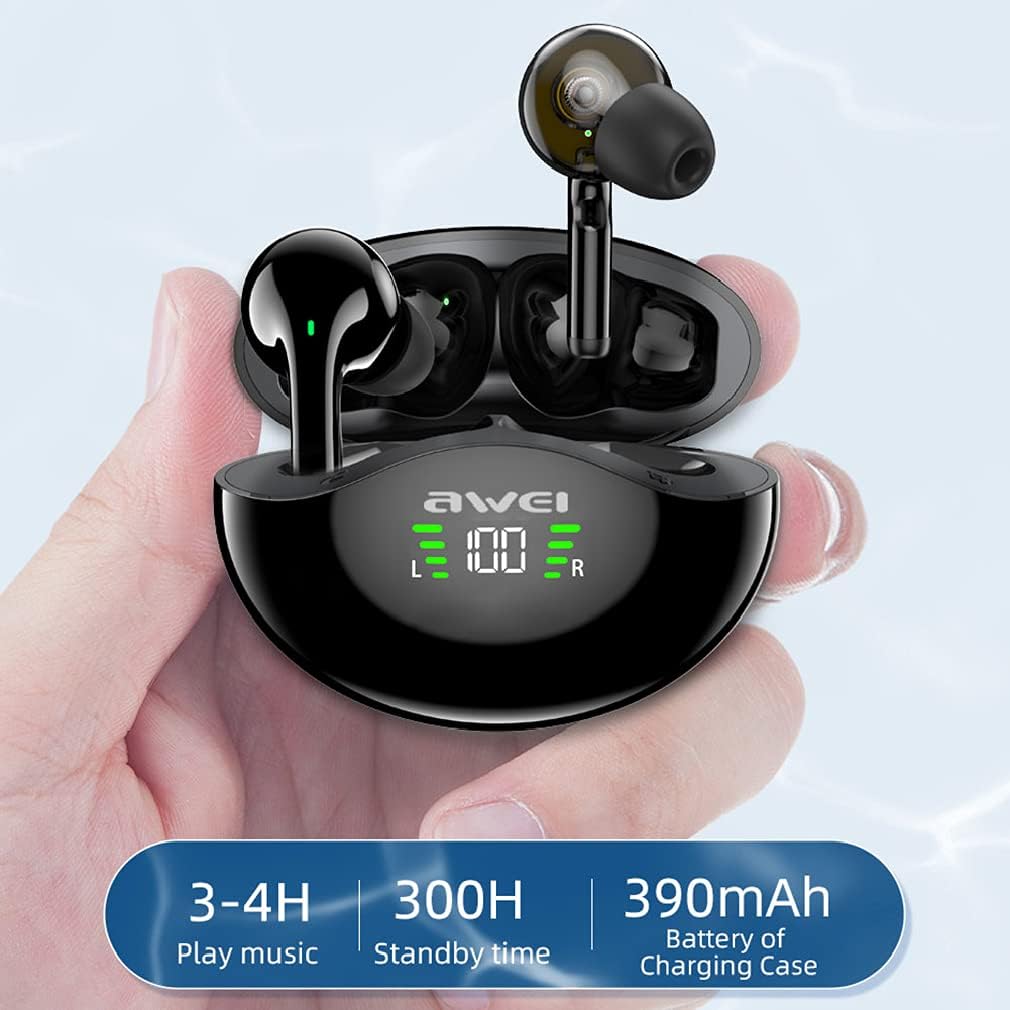
Image: Visual representation of battery life: 3-4 hours play music, 300 hours standby time, and 390mAh battery capacity for the charging case.
Warranty and Support
Your SXFJF TWS Dual Dynamic Driver Earbuds come with a standard manufacturer's warranty. For specific warranty terms and conditions, please refer to the documentation included with your purchase or contact the seller directly.
For technical support, troubleshooting assistance, or any product-related inquiries, please contact the manufacturer or your point of purchase. Please have your model number (B09BCNMBWB) and purchase details ready when seeking support.