
1. Introduction
Thank you for choosing the NUWATT 50W LED Flood Light. This manual provides essential information for the safe installation, operation, and maintenance of your new flood light. Please read these instructions thoroughly before installation and retain them for future reference.
2. Safety Information
- Always turn off power at the circuit breaker before installation or servicing.
- Installation should be performed by a qualified electrician in accordance with national and local electrical codes.
- Ensure the supply voltage is compatible with the fixture (120-277V).
- Do not operate the fixture with damaged wiring or components.
- Avoid looking directly into the LED light source when illuminated.
- This fixture is rated IP65 for outdoor use, providing protection against dust and water jets.
3. Package Contents
Verify that all components are present before beginning installation:
- 1 x NUWATT 50W LED Flood Light (Bronze)
- 1 x Adjustable Knuckle Mount
- Installation Hardware (screws, wire nuts)
4. Specifications
| Model | NW-SFL-50W-3CT-KN |
| Wattage | 50W |
| Lumen Output | 7050 Lumens |
| Efficacy | 141 lumens per watt |
| Color Temperature (CCT) | 3000K (Warm White), 4000K (Cool White), 5000K (Daylight) Selectable |
| Voltage | 120-277V AC |
| Dimmable | 0-10V Dimmable |
| Beam Angle | 150 Degrees |
| IP Rating | IP65 (Waterproof) |
| Mounting | Adjustable Knuckle Mount (Surface, Bracket, Ceiling, Deck, Floor, Pole) |
| Material | Die-cast Aluminum Housing, Acrylic Lens |
| Dimensions | 7.16"L x 1.85"W x 9.8"H |
| Certifications | UL, cUL, DLC Listed |
5. Installation Instructions
Important: Ensure power is OFF at the circuit breaker before proceeding.
5.1 Mounting the Fixture
- Prepare the Mounting Surface: Select a suitable location for installation. The adjustable knuckle mount allows for various mounting options including surface, bracket, ceiling, deck, floor, or pole mounting.
- Attach Mounting Plate: Secure the mounting plate (if applicable, sold separately) to the junction box or desired surface using appropriate hardware.
- Adjust Knuckle Mount: The knuckle mount provides 180-degree vertical and horizontal rotation. Loosen the adjustment screws on the knuckle mount to position the light head as desired, then tighten securely to prevent movement. The rugged locking teeth ensure the light stays in place.

Image: Versatile design demonstrating 180-degree vertical and horizontal rotation for precise light aiming.
5.2 Wiring the Fixture
The flood light features universal voltage compatibility (120-277V) and 0-10V dimming capabilities.
- Route Wires: Insert the fixture's wires into the mounting plate and through the junction box opening.
- Connect Wires: Connect the fixture wires to the supply wires according to the following color code using appropriate wire nuts:
- Black: Line (Hot)
- White: Neutral
- Green: Ground
- Purple: Dimming (+)
- Gray: Dimming (-)
- Secure Fixture: Mount the light fixture to the mounting plate or junction box, ensuring all wires are properly tucked away and not pinched.
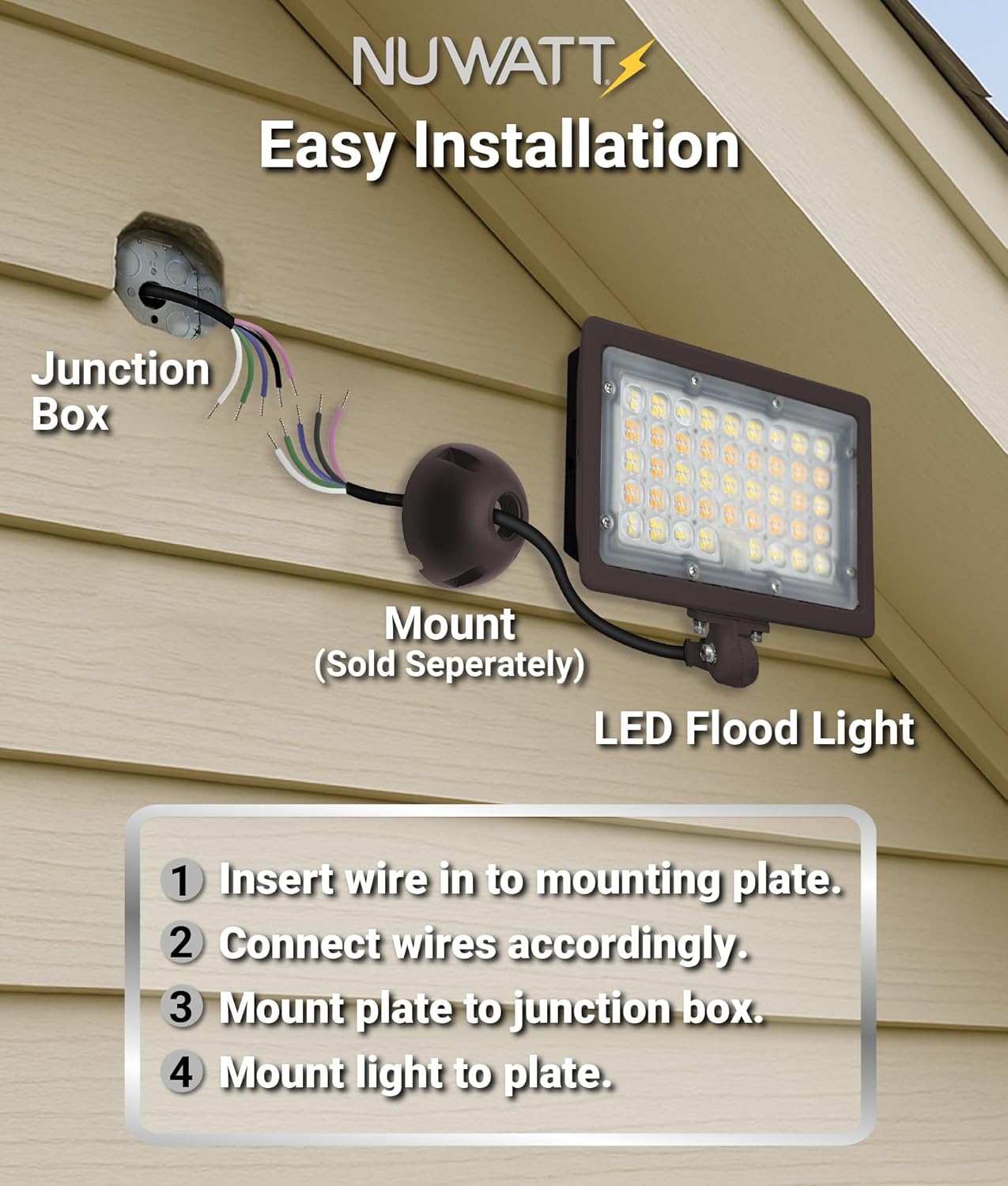
Image: Easy installation guide illustrating the wiring and mounting process to a junction box.
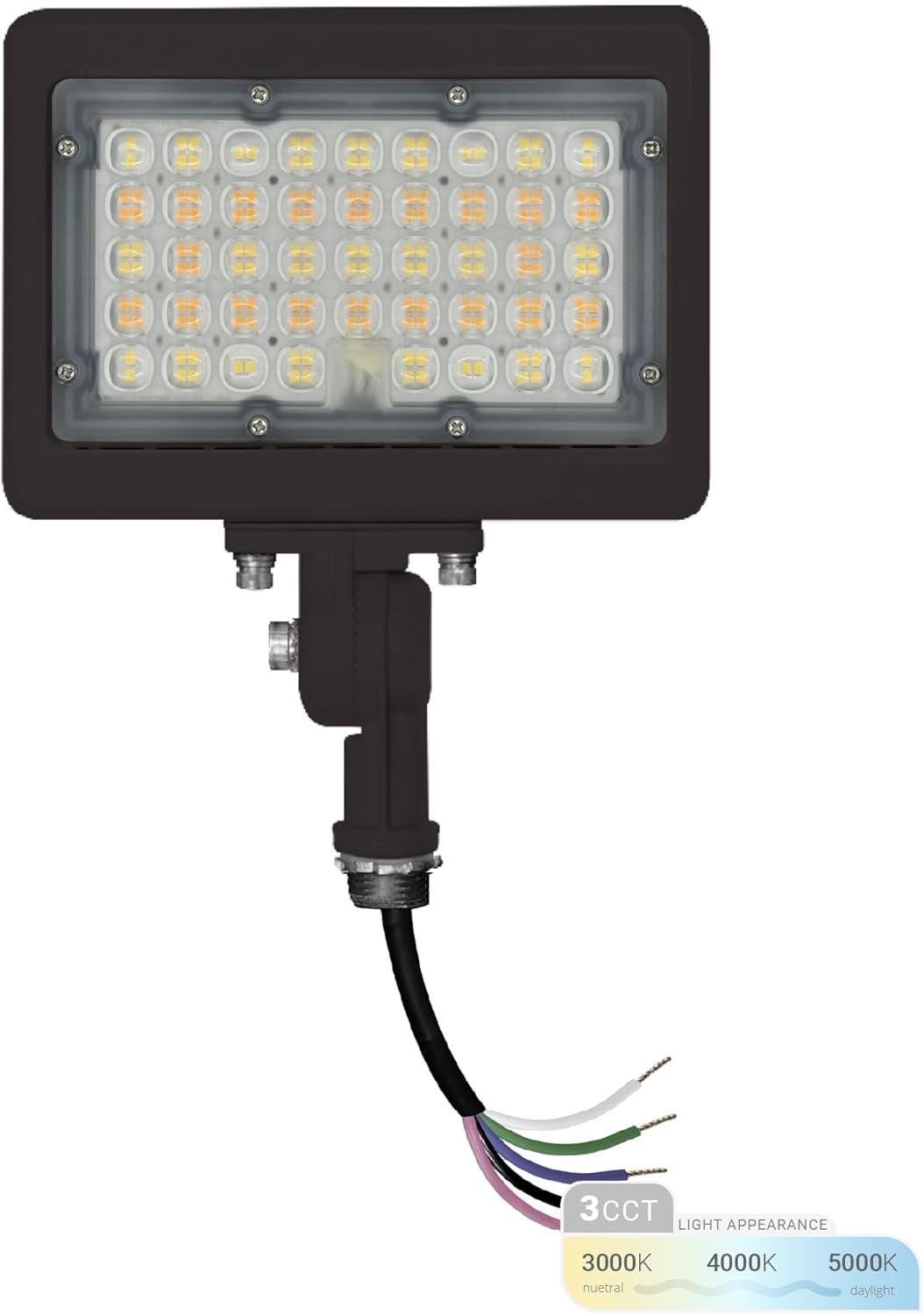
Image: Front view of the flood light with wiring, indicating the 3CCT color temperature options.
6. Operating Instructions
6.1 Color Temperature Selection (3CCT)
Your NUWATT flood light features a selectable color temperature switch, allowing you to choose between three options:
- 3000K: Warm White (for a softer, inviting ambiance)
- 4000K: Cool White (for a balanced, natural light)
- 5000K: Daylight (for bright, crisp illumination)
To change the color temperature, locate the small switch on the side of the fixture (often under a protective cap). Use a small tool to slide the switch to your desired setting. This adjustment should be made before final installation or with power off for safety.
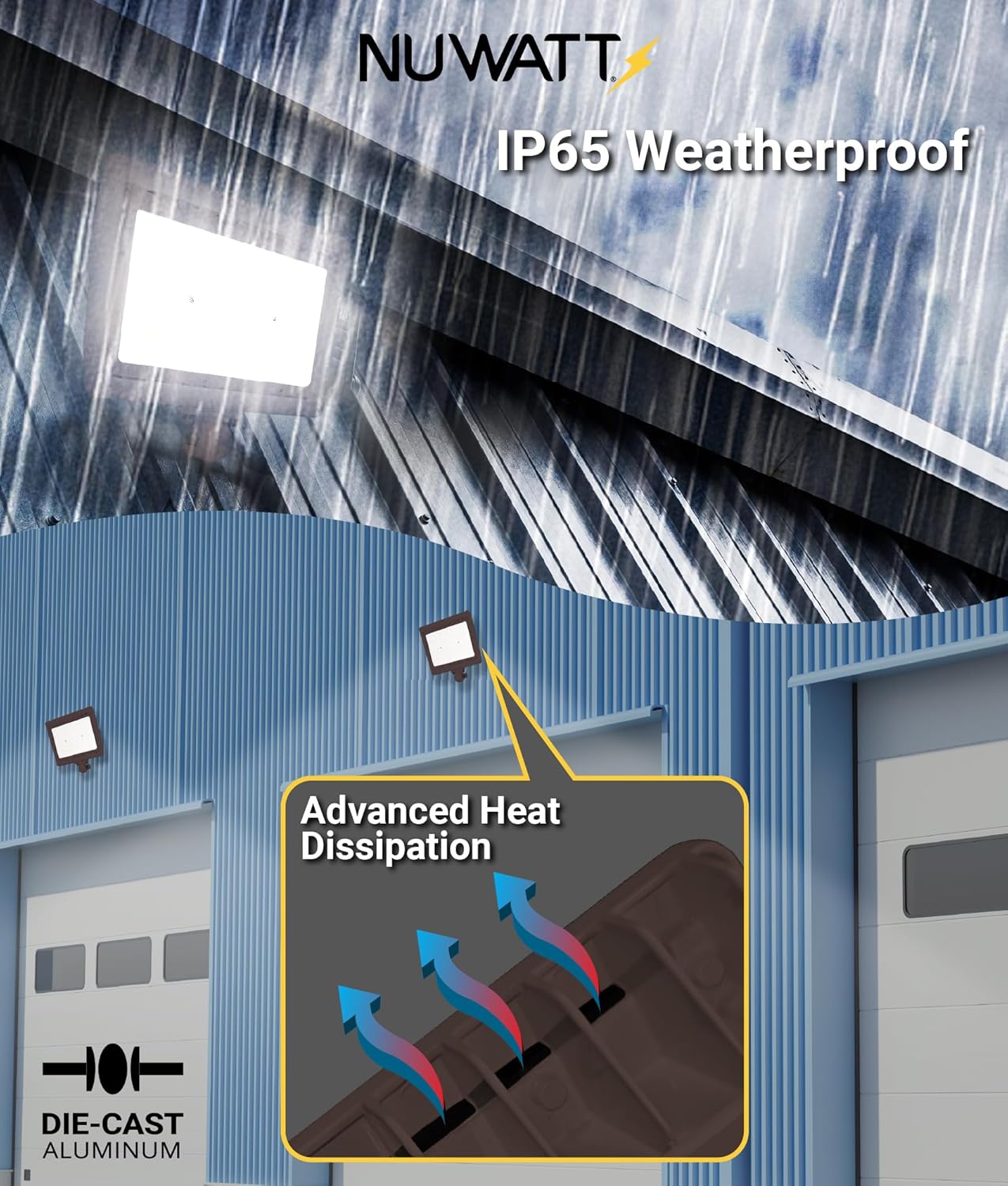
Image: Illustration of the 3CCT selectable color temperature feature.
6.2 0-10V Dimming Function
This flood light is compatible with 0-10V dimming systems, allowing you to adjust the light intensity from 10% to 100%. Connect the purple (Dimming +) and gray (Dimming -) wires to a compatible 0-10V dimmer switch. Refer to your dimmer switch's instructions for proper wiring and operation.
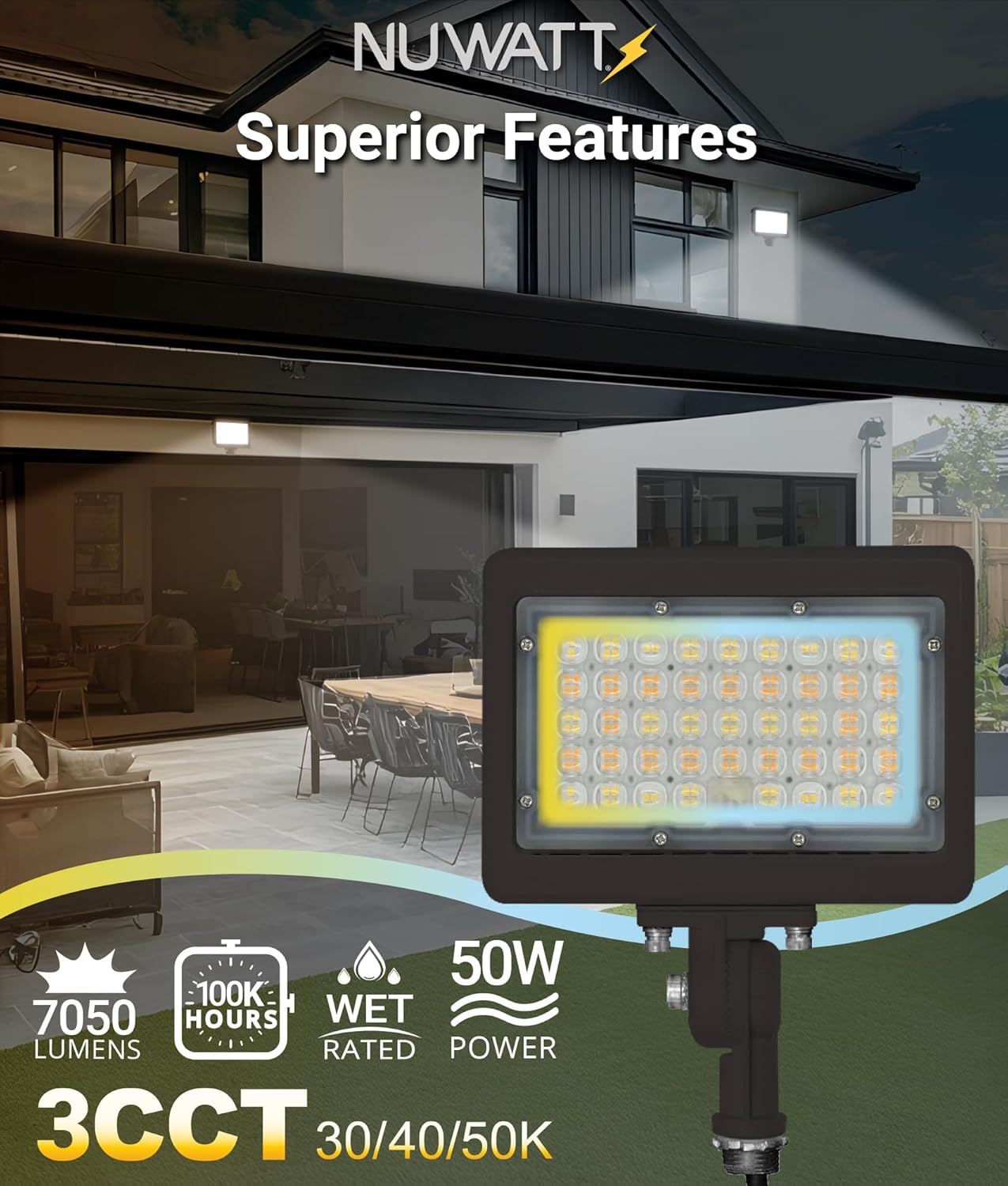
Image: Demonstration of 0-10V dimming capability and compatible dimmer models.
7. Maintenance
The NUWATT LED Flood Light is designed for minimal maintenance due to its durable construction and IP65 rating.
- Cleaning: Periodically clean the lens and housing with a soft, damp cloth to remove dirt and debris. Do not use abrasive cleaners or solvents. Ensure the fixture is cool and power is off before cleaning.
- Inspection: Regularly inspect the fixture for any signs of damage to the housing, lens, or wiring. Address any issues promptly.
- Weather Resistance: The IP65 rating ensures protection against rain, snow, dust, and ice. The die-cast aluminum construction provides corrosion-free performance.
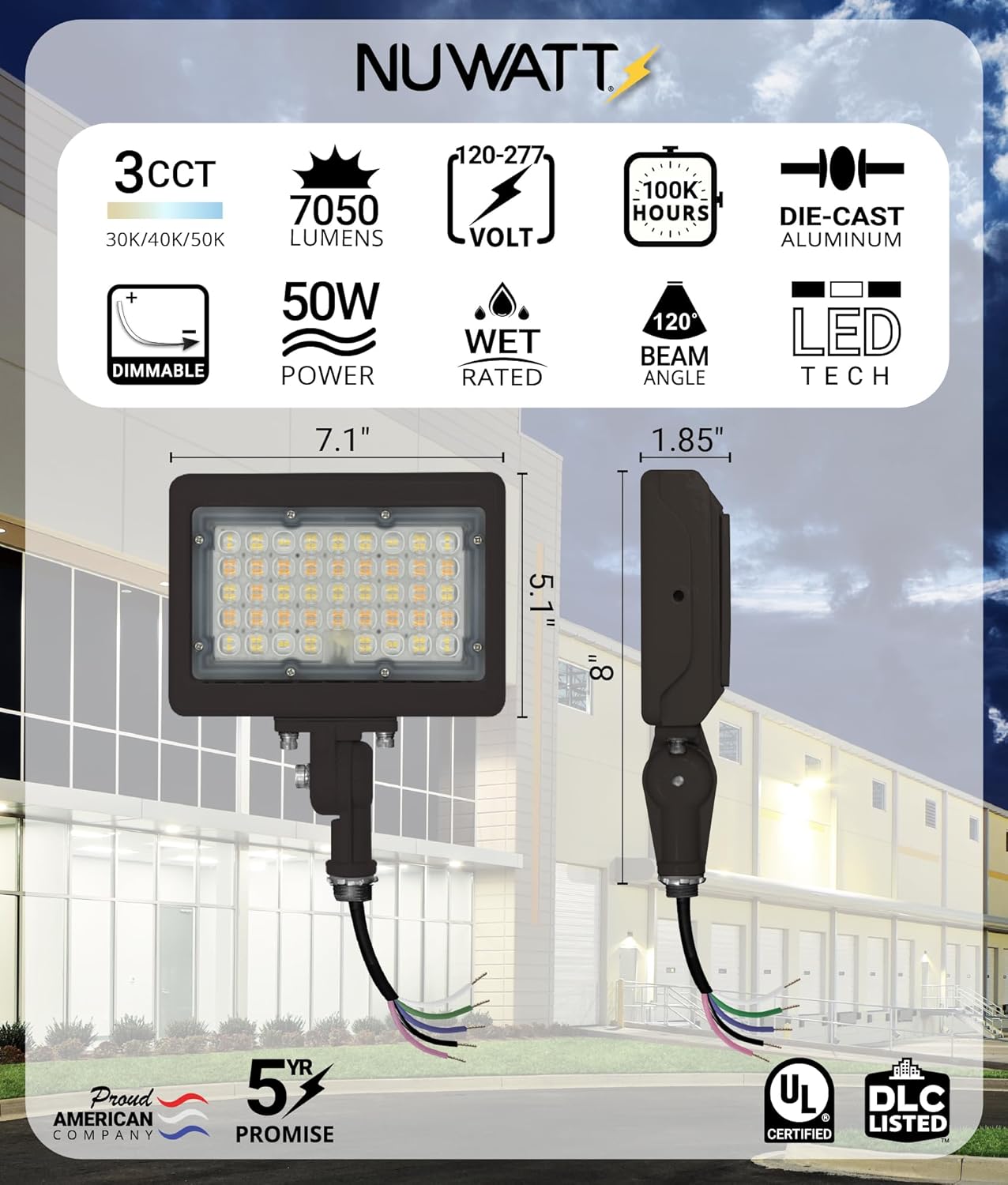
Image: Features demonstrating IP65 weatherproof design and advanced heat dissipation.
8. Troubleshooting
If you experience issues with your flood light, refer to the following common problems and solutions:
| Problem | Possible Cause | Solution |
|---|---|---|
| Light does not turn on | No power supply; Loose wiring; Faulty fixture | Check circuit breaker; Verify all wire connections; Contact customer support if issue persists. |
| Light flickers or dims unexpectedly | Incompatible dimmer; Loose dimming wires; Voltage fluctuations | Ensure dimmer is 0-10V compatible; Check dimming wire connections; Consult an electrician for voltage issues. |
| Incorrect color temperature | CCT switch set incorrectly | Adjust the CCT switch on the fixture to the desired setting. |
| Water inside fixture | Improper installation; Damaged seal | Ensure all seals and connections are tight; Contact customer support for potential damage. |
9. Warranty and Support
The NUWATT 50W LED Flood Light is backed by a 5-year limited warranty. This warranty covers defects in materials and workmanship under normal use and service.
For warranty claims, technical assistance, or any questions regarding your product, please contact NUWATT customer support:
- Website: Visit the NUWATT Store on Amazon
- Support Hours: 8 AM - 5 PM Pacific Standard Time
Please have your model number (NW-SFL-50W-3CT-KN) and purchase information ready when contacting support.


