
1. Product Overview
The EASYGUARD EC002PP is a remote starter system designed to upgrade specific Jeep Wrangler models with Passive Keyless Entry (PKE) and a Push Start Button. This system is compatible with gas engine Jeep Wrangler vehicles from 2010 to 2018 that feature a standard key start ignition. It integrates seamlessly with your vehicle's existing systems, offering enhanced convenience and security features.
Key Features:
- Upgrade from key start to push button start/stop.
- Passive Keyless Entry (PKE) for automatic locking/unlocking.
- Remote engine start/stop functionality.
- Manual arm/lock and disarm/unlock.
- Mute/audible alarm options.
- Remote trunk release.
- Panic mode for emergency situations.
- Valet mode setting.
- Central door locking automation.
- Touch password entry for vehicle access.
- Password revise and reset capabilities.

Figure 1.1: All components included in the EASYGUARD EC002PP remote starter system. This includes two key fobs, the main control unit, a push start button, wiring harnesses, a touch keypad, and various sensors/antennas.
2. Installation and Setup
The EC002PP system is designed for semi plug-and-play installation, utilizing an OBD2 connector and T-harness to minimize damage to the original car circuit. It is CAN BUS compatible, and the firmware is preloaded for convenience.
Important Installation Notes:
- Professional Installation Recommended: While designed for semi plug-and-play, installation by a trained or professional alarm installer is highly recommended, especially if you lack experience with car electrical systems, trim removal, or locating wire harnesses.
- Immobilizer Handling: When addressing the car's chip immobilizer, remove the battery from your original car OEM remote. Place the original car OEM key into the induction coil.
- Steering Wheel Lock: The steering wheel lock must be unlocked or removed during installation. Insert your factory key into the ignition lock and turn it to the ON position to release the steering wheel lock. This action may also be necessary to allow gear shifting.
- No Bypass Module Needed: This system does not require an additional bypass module for the original car key.

Figure 2.1: Example of CAN BUS wire harnesses designed for Jeep vehicles. These harnesses facilitate a semi plug-and-play installation.

Figure 2.2: The system includes various antennas and sensors that need to be strategically placed within the vehicle for optimal performance of features like Passive Keyless Entry and remote start.
3. Operating Instructions
3.1 Passive Keyless Entry (PKE)
The PKE feature automatically locks and unlocks your vehicle as you approach or walk away, provided the key fob is within range.
- Automatic Unlock: When you approach the vehicle with the key fob within 3-6 feet, the car doors will automatically unlock.
- Automatic Lock: When you walk away from the car with the key fob, and are 6-9 feet away, the car doors will automatically lock.
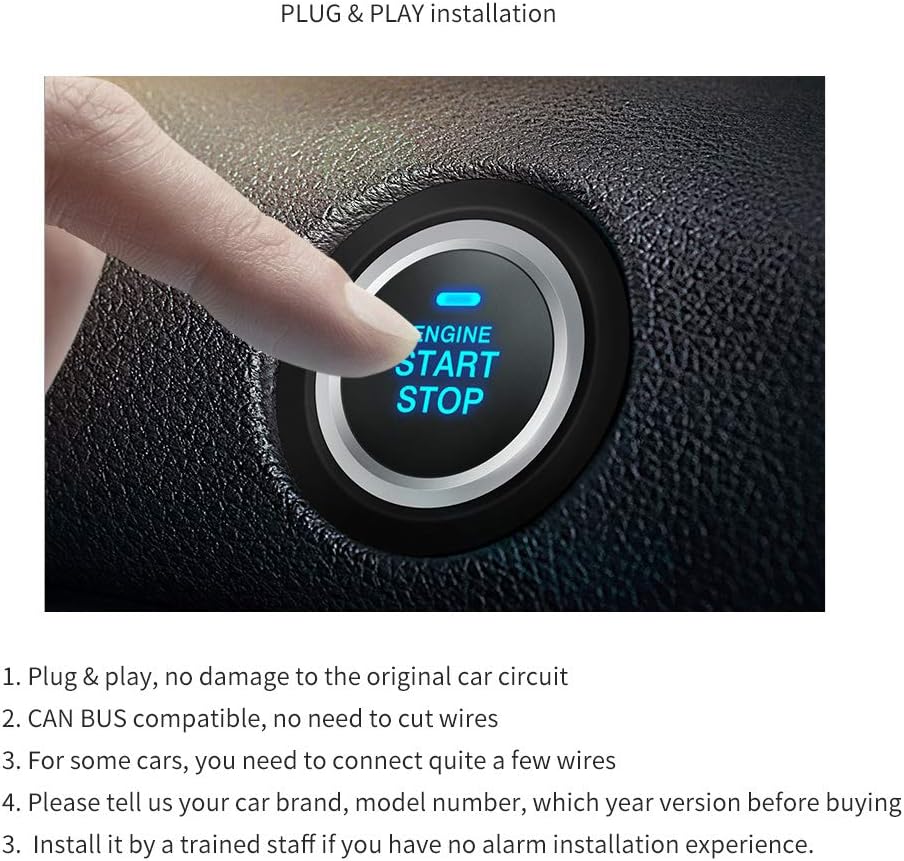
Figure 3.1: Diagram illustrating the PKE functionality, showing automatic unlocking when approaching the vehicle and automatic locking when walking away, based on the key fob's proximity.
3.2 Push Start Button
The push start button replaces your traditional key ignition, allowing you to start or stop the engine with a simple press.
- To start the engine, ensure the vehicle is in Park (P) or Neutral (N), press the brake pedal, and then press the push start button.
- To stop the engine, ensure the vehicle is in Park (P), and then press the push start button.

Figure 3.2: A close-up view of the illuminated 'ENGINE START STOP' button installed in a vehicle's dashboard, indicating the modern ignition method.
3.3 Remote Engine Start/Stop
Use the remote key fob to start your engine from a distance, allowing you to pre-condition your vehicle's interior.
- Remote Start: Press the designated button on your key fob (refer to Figure 3.4) to remotely start the engine. This can be used to pre-cool the car in hot weather or pre-warm it in cold weather.
- Remote Stop: Press the designated button again to remotely stop the engine.

Figure 3.3: An illustration showing the remote engine start feature, with air conditioning symbols indicating the ability to pre-cool or pre-heat the car's interior before entry.
3.4 Key Fob Functions
The provided key fobs offer multiple functions for controlling your vehicle.

Figure 3.4: A detailed view of the key fob, highlighting its buttons and their corresponding functions: LED indicator, Arm/Panic mode, Start button/Trunk release, and Disarm.
- LED Indicator: Provides visual feedback on key fob activity.
- Arm/Panic Mode: Locks the vehicle and activates the alarm system. Holding the button may trigger panic mode.
- Start Button/Trunk Release: Initiates remote engine start or opens the trunk, depending on the press duration or sequence.
- Disarm: Unlocks the vehicle and deactivates the alarm system.
- Spare Key Blade Place: Note that the key fob is not equipped with a spare key blade by default.
3.5 Touch Password Entry
The system includes a touch keypad for secure vehicle access without the key fob.
- Lock/Unlock: Enter your programmed password on the keypad to lock or unlock the car.
- Password Management: The system allows for password revision and reset. Refer to the specific programming instructions for these procedures.
4. Maintenance
Key Fob Battery Replacement:
The key fobs require two CR2 batteries (included with the product). When the key fob's range decreases or it becomes unresponsive, it is likely time to replace the batteries.
- Carefully open the key fob casing.
- Remove the old CR2 batteries.
- Insert new CR2 batteries, ensuring correct polarity.
- Close the key fob casing securely.
5. Troubleshooting
This section addresses common issues that may arise during or after the installation of the EASYGUARD EC002PP system.
Common Issues and Solutions:
- Vehicle Shifter Locked After Installation:
This is a common issue. Ensure the steering wheel lock is fully disengaged. In some cases, the original key may need to be inserted into the ignition and turned to the ON position to release both the steering wheel and shifter locks. Verify all connections are secure, especially those related to the brake pedal sensor. - System Stops Working or Intermittent Operation:
Check the battery level in your key fobs. Ensure all wiring connections are secure and free from corrosion. If the issue persists, professional inspection of the wiring and control unit may be necessary. - Check Engine Light or Alarm Activation:
Incorrect wiring or a faulty connection can sometimes trigger vehicle warning lights or the alarm. Re-verify all connections according to the installation guide. If the problem continues, consult a professional installer or vehicle technician. - Immobilizer Issues (Original Key Fob in SKIM Module):
While the system is designed not to require a bypass, some users report issues with the original key fob in the SKIM module. Ensure the battery is removed from the original key fob when placed in the induction coil. If problems persist, consider consulting with a professional installer for alternative immobilizer solutions. - Remote Start Not Functioning:
Ensure the vehicle doors are closed, the hood is closed, and the vehicle is in Park. Check key fob battery. Verify that the remote start feature is enabled and not in Valet mode.
If you encounter issues not listed here or if the suggested solutions do not resolve the problem, it is recommended to contact EASYGUARD customer support or consult a certified automotive electronics technician.
6. Specifications
| Brand | EASYGUARD |
| Model Number | EC002PP (Full: EC002PP-JP-BJ070-bm002) |
| Compatible Vehicles | Jeep Wrangler (gas engine models from 2010-2018) |
| Item Weight | 2.86 pounds |
| Package Dimensions | 9.45 x 6.3 x 3.54 inches |
| Key Fob Batteries | 2 CR2 batteries (included) |
| Wireless Remote | Yes |
| Manufacturer | ieasyguard.com |
| Date First Available | April 25, 2020 |
7. Warranty and Support
Warranty Information:
Specific warranty details for the EASYGUARD EC002PP system are not provided in this manual. For information regarding product warranty, including coverage duration and terms, please refer to the documentation included with your purchase or contact EASYGUARD directly.
Customer Support:
For technical assistance, installation guidance, or any other inquiries regarding your EASYGUARD EC002PP remote starter system, please contact EASYGUARD customer support. It is advisable to have your product model number and purchase details ready when contacting support.
As noted in the installation section, if you lack experience with car alarm installations, seeking assistance from a trained or professional installer is strongly recommended to ensure proper functionality and avoid potential issues.


