
Introduction
This manual provides essential information for the safe and effective use of your UpBright AC/DC Adapter. This adapter is designed to provide reliable power to compatible Wahl Professional Beret Lithium Ion Cord/Cordless Trimmers and Shavers.
Please read this manual thoroughly before using the product and retain it for future reference.
Important Safety Information
To prevent electric shock, fire, or injury, always follow these basic safety precautions:
- Input Voltage: This adapter supports a World Wide Input Voltage of 100-240VAC 50/60Hz. Ensure the wall outlet voltage matches the adapter's specifications.
- Protection Features: The adapter is equipped with OVP (Over Voltage Output Protection), OCP (Over Current Output Protection), and SCP (Short Circuit Output Protection) to safeguard your devices.
- Do not expose the adapter to rain or moisture.
- Do not disassemble the adapter. Refer all servicing to qualified service personnel.
- Ensure the adapter is used with compatible devices only. This adapter features a barrel round plug tip, NOT a 2-prong connector.
- Unplug the adapter from the power outlet when not in use for extended periods.

Image: UpBright AC/DC Adapter showing the caution label on the back, indicating risk of electric shock and for indoor use only.
Setup
- Unpack the Adapter: Carefully remove the UpBright AC/DC Adapter from its packaging.
- Inspect for Damage: Before first use, visually inspect the adapter and its cable for any signs of damage. Do not use if damaged.
- Identify Compatible Device: Ensure your device (e.g., Wahl Professional Beret Trimmer) requires a barrel round plug tip for charging. This adapter is specifically designed for models like Wahl Beret 8841, 8841L, 8879L, 9937, 9854, 9854L, 9876, 9876L, 9685, 9766, and others listed as compatible.
- Connect to Device: Insert the barrel round plug tip of the adapter firmly into the charging port of your Wahl trimmer or shaver.
- Connect to Power Outlet: Plug the AC prongs of the adapter into a standard wall power outlet (100-240VAC).

Image: The UpBright AC/DC Adapter showing the main unit with the two-prong plug and the attached cable ending in a barrel round plug tip.
Operating Instructions
Once properly connected, the adapter will begin supplying power to your compatible Wahl device. For charging, ensure your device's battery is capable of being recharged.
- The adapter is designed for continuous use within its specified voltage and current limits.
- Monitor your device's charging indicator (if available) to determine charging status.
- This adapter is compatible with various Wahl Professional ProLithium Series models, including:
- Wahl Beret 8841, 8841L, 8879L, 9937, 9854, 9854L, 9876, 9876L, 9685, 9766
- Wahl ProLithium Series Beret 8841-612, 8841-831, 08841-616
- Wahl Trimmer models WA8841-612, WA8841-2112, WA8841-2512, 08841-2612, 08841-616H
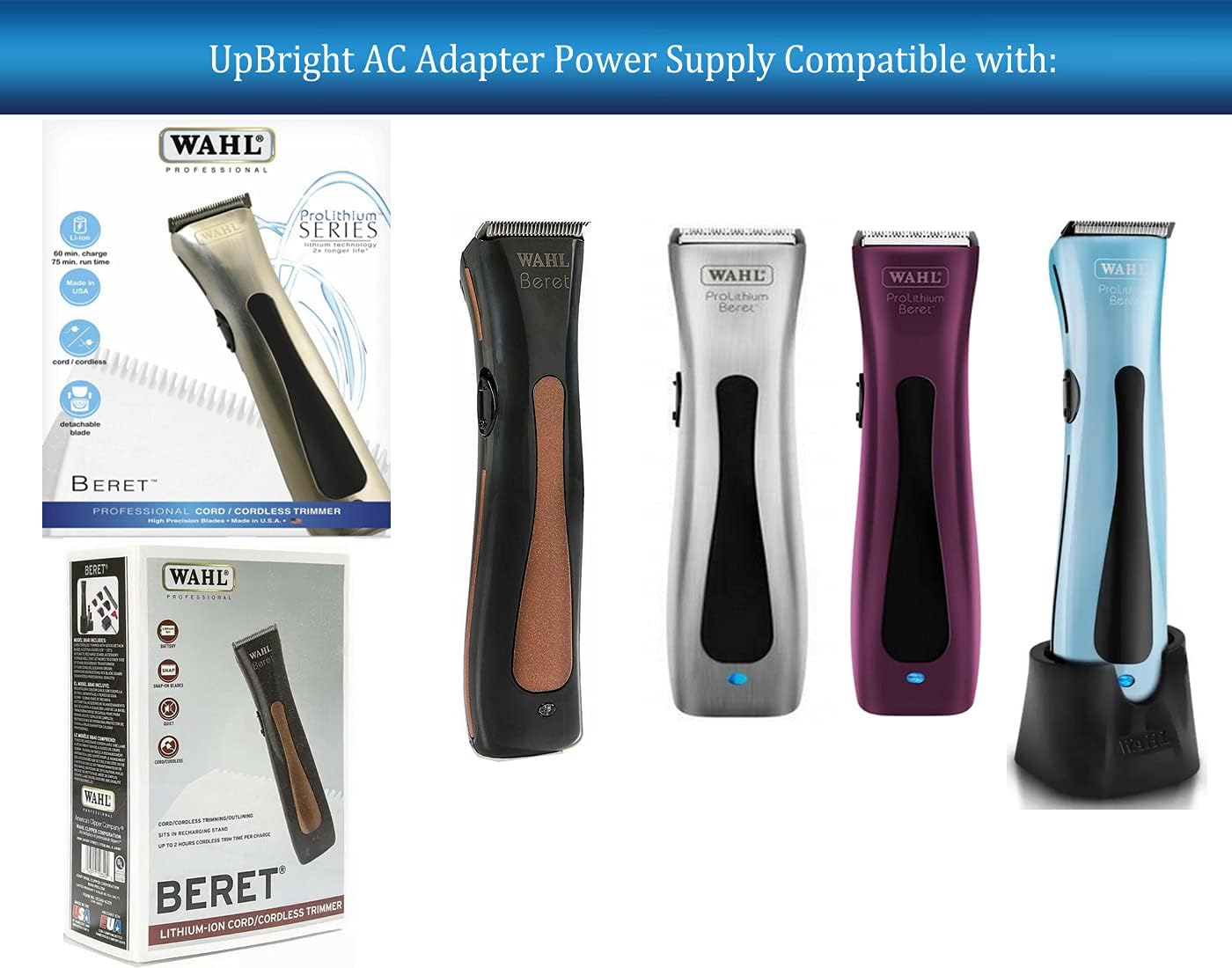
Image: A graphic illustrating the UpBright AC Adapter's compatibility with various Wahl Professional Beret trimmers, showing different models of the trimmer.
Maintenance
- Cleaning: Disconnect the adapter from the power outlet and the device before cleaning. Use a soft, dry cloth to wipe the surface. Do not use liquid cleaners or aerosols.
- Storage: Store the adapter in a cool, dry place away from direct sunlight and extreme temperatures. Avoid tightly winding the cable to prevent damage.
- Inspection: Periodically inspect the cable and plug for any signs of wear, cuts, or bends. Replace the adapter if any damage is observed.
Troubleshooting
| Problem | Possible Cause | Solution |
|---|---|---|
| Device not charging/powering on. | Adapter not properly connected; incompatible device; power outlet issue; damaged adapter. | Ensure both ends of the adapter are securely plugged in. Verify device compatibility (barrel plug tip). Test the power outlet with another device. Inspect adapter for damage; replace if necessary. |
| Adapter feels hot during use. | Normal operation (slight warmth); excessive load; poor ventilation. | A slight warmth is normal. Ensure the adapter is not covered or in an enclosed space. If excessively hot or emitting smoke/smell, unplug immediately and discontinue use. |
| Sparking when plugging into outlet. | Normal initial contact spark; faulty outlet; damaged adapter. | A small, brief spark is common. If sparking is continuous, loud, or accompanied by smoke, unplug immediately. Do not use the outlet or adapter. Consult an electrician. |
Specifications
| Feature | Detail |
|---|---|
| Brand | UPBRIGHT |
| Model Number | Wahl ProLithium Series Beret 8841 Power Compatible Adapter |
| Input Voltage | 100-240VAC, 50/60Hz |
| Output Protection | OVP, OCP, SCP Protection |
| Connector Type | Barrel Round Connector (NOT 2-Prong) |
| Product Dimensions | 4 x 3 x 2 inches |
| Item Weight | 3 ounces |
| Color | Black |

Image: An illustration showing different international plug adapters (AU, EU, UK types) that may be provided with the product for international orders.
Warranty and Support
UpBright products are tested units and are typically in great working condition upon delivery.
- Refund Policy: UpBright offers a 30-day refund policy from the date of purchase.
- Exchange Policy: A 24-month exchange policy is provided for this product.
- For support or warranty claims, please refer to the contact information provided with your purchase documentation or visit the official UpBright store.

Image: A view of the UpBright AC/DC Adapter showing the product label with model, input, and output specifications, along with certification marks.
