
1. Introduction and Overview
This manual provides detailed instructions for the assembly, operation, and maintenance of your Bestier 44 Inch Gaming Desk with LED Lights. Please read all instructions carefully before assembly and use to ensure proper function and safety.
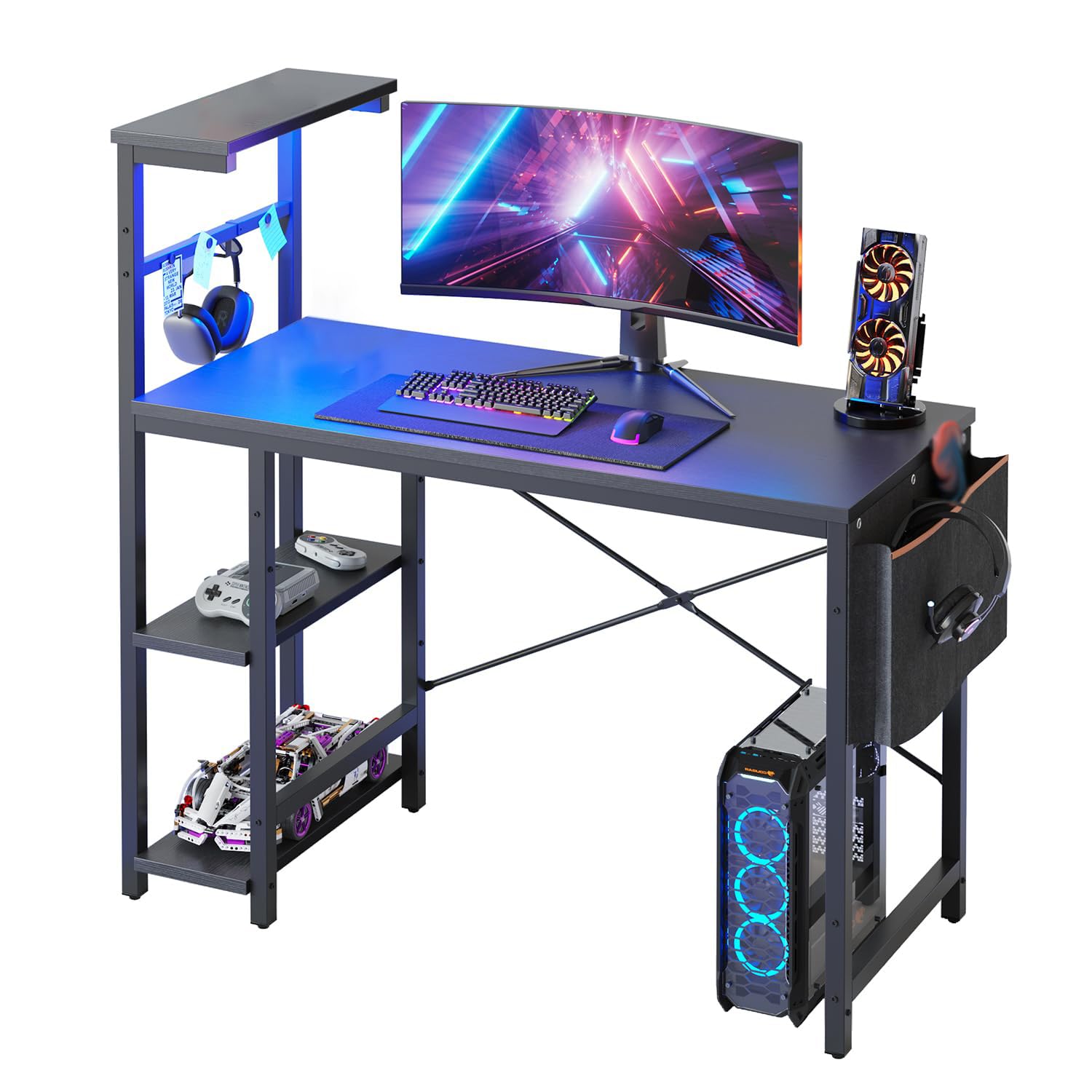
Image 1: The Bestier 44 Inch Gaming Desk with LED Lights in a typical gaming setup, showcasing its design and lighting.
2. Product Features
- LED Lighting: Features 7 color selections and 20 dynamic modes to enhance your environment.
- Durable Construction: Made from CARB P2 Class Board and durable steel, designed for long-lasting use without warping.
- Enhanced Stability: Equipped with an X-crossbar design to ensure desk stability.
- Ample Storage: Includes a 4-tier reversible shelf and a side storage bag for organizing essentials.
- Adjustable Shelf: The second shelf can be adjusted to 3 different heights or removed to accommodate a computer tower.
- Reversible Design: The storage shelves can be installed on either the left or right side to suit user preference.
- Integrated Accessories: Features a headset hook for convenient storage.

Image 2: A close-up view of the RGB light strip integrated into the desk's shelving, highlighting its 7 main colors and 20 dynamic modes.

Image 3: A visual representation demonstrating how the storage shelves of the Bestier Gaming Desk can be configured on either the left or right side.
3. Components List
Before beginning assembly, ensure all parts listed below are present. Refer to the included assembly manual for detailed diagrams and part numbers.
- Desktop Panel (1)
- Side Shelf Panels (4)
- Desk Frame Components (various metal bars and legs)
- X-Crossbar (1 set)
- Side Storage Bag (1)
- Headset Hook (1)
- LED Light Strip with Controller (1)
- Adjustable Feet Pads (4)
- Assembly Hardware (screws, bolts, Allen wrench, screwdriver)

Image 4: A detailed diagram illustrating the product dimensions and weight capacities for various sections of the Bestier Gaming Desk.
4. Setup and Assembly
Assembly is straightforward and can typically be completed by one person. All necessary tools are included. Follow the step-by-step instructions provided in the included manual.
Key Assembly Steps:
- Unpack all components and verify against the components list.
- Assemble the side shelf frame, ensuring all connections are secure but not fully tightened initially.
- Attach the main desk frame components.
- Install the X-crossbar for added stability.
- Secure the desktop panel to the assembled frame.
- Attach the side storage bag and headset hook.
- Install the LED light strip under the top shelf and connect it.
- Once all parts are in place, fully tighten all screws and bolts.
Video 1: Official Bestier video demonstrating the assembly process for the 44 Inch Gaming Desk. This video provides a visual guide to complement the written instructions.
5. Operating Instructions (LED Lights)
The Bestier Gaming Desk features an integrated LED light strip with a controller for customizable lighting effects.
LED Light Operation:
- Connect the USB plug of the LED light strip to a compatible USB power source (e.g., computer, USB wall adapter).
- Use the inline controller to power on/off the lights.
- Press the 'COLOR' button to cycle through 7 main colors.
- Press the 'MODE' button to select from 20 dynamic lighting modes.
- Adjust the brightness and speed of dynamic modes using the '+' and '-' buttons.
Video 2: Official Bestier video showcasing the LED light features and various dynamic modes of the gaming desk.
6. Maintenance
- Cleaning: Wipe the desk surfaces with a soft, damp cloth. Avoid harsh chemicals that may damage the laminated finish.
- Tightening: Periodically check and tighten all screws and bolts to ensure the desk remains stable.
- LED Lights: Ensure the LED strip is not exposed to excessive moisture or direct sunlight.
- Weight Capacity: Do not exceed the recommended weight capacity for the desktop (80 lbs) and shelves (20 lbs each) to prevent damage.
7. Troubleshooting
- Desk Wobbles: Ensure all screws and bolts are fully tightened. Verify that the adjustable feet pads are properly leveled on an even surface.
- LED Lights Not Working: Check the USB connection to the power source. Ensure the power source is active. Verify the inline controller is not damaged.
- Difficulty Assembling: Re-read the assembly instructions carefully. Ensure correct parts are used for each step. Do not overtighten screws until all components are loosely fitted.
8. Specifications
| Feature | Detail |
|---|---|
| Brand | Bestier |
| Model Name | Gaming Desk with LED Lights |
| Product Dimensions | 19.7"D x 44.3"W x 44.7"H |
| Item Weight | 32 Pounds |
| Color | Black Grained |
| Top Material Type | Engineered Wood (CARB P2 BOARD) |
| Base Material | Metal |
| Number Of Shelves | 4 (reversible) |
| Special Feature | Reversible, Built-in LED lighting |
| Recommended Uses | Gaming, Working, Writing |
| Required Assembly | Yes |
| Recommended People for Assembly | 1 |
9. Safety Information
Always ensure the desk is fully assembled and stable before use. Keep the desk away from heat sources and do not place heavy objects on the adjustable shelves. Always follow the assembly instructions carefully to avoid injury.
10. Warranty and Support
This Bestier Gaming Desk comes with a Limited Warranty. For specific details regarding the warranty coverage and duration, please refer to the warranty card included in your product packaging or contact Bestier customer support.
Customer Support:
If you encounter any product issues, require assistance with assembly, or have questions regarding your warranty, please contact Bestier Direct customer service. The Bestier team is committed to providing satisfactory solutions.
You can visit the Bestier Store on Amazon for more information and contact options.
Video 3: Official Bestier video providing a live demonstration of the gaming desk, highlighting its features and overall design.


