
Introduction
This manual provides comprehensive instructions for the assembly, operation, and maintenance of your Bestier 2-Drawer Mobile File Cabinet. Please read all instructions carefully before beginning assembly and retain this manual for future reference.
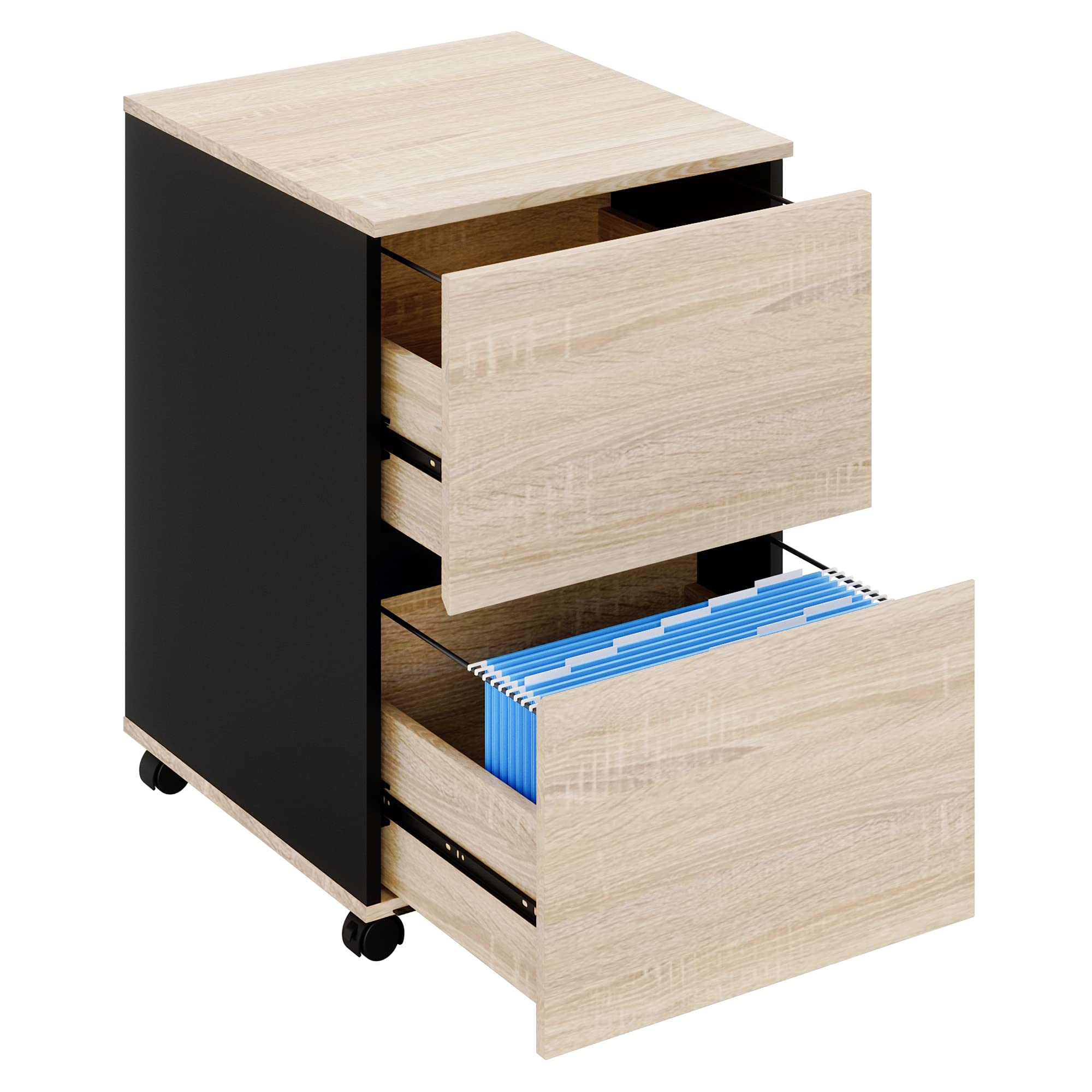
Image: The Bestier 2-Drawer Mobile File Cabinet in an office environment, showcasing its design and mobility.
Setup and Assembly
Assembly of the Bestier 2-Drawer Mobile File Cabinet is designed to be straightforward. While the drawer components may require careful attention, following the provided step-by-step instructions will facilitate the process.
Unpacking and Component Check
- Carefully unpack all components from the packaging.
- Verify that all parts listed in the assembly guide are present and undamaged. Contact customer support immediately if any parts are missing or damaged.
Assembly Steps
- Begin by assembling the main frame of the cabinet according to the visual diagrams in your separate assembly guide.
- Attach the drawer slides to the cabinet frame and the drawer boxes. Ensure they are aligned correctly for smooth operation.
- Assemble the drawer boxes. This step may require precision. Refer to the detailed diagrams for correct orientation of all pieces.
- Install the wheels onto the base of the cabinet. Two of the wheels are lockable and should be placed at the front for easy access.
- Insert the assembled drawers into the cabinet frame, ensuring they slide smoothly along the tracks.

Image: A detailed view of the cabinet's wheels, highlighting their 360-degree swivel capability and the locking mechanism for stability.
Operating Instructions
Drawer Usage
- The cabinet features two spacious drawers designed to accommodate A4, Legal, and Letter-sized documents.
- Each drawer is equipped with file hanging frames. Utilize the included 10 A4 file holders for organized document storage.
- The drawers feature a handleless design for a sleek appearance and to minimize accidental bumps. To open, gently pull from the top or bottom edge of the drawer front.
- The smooth runner system ensures effortless opening and closing of the drawers.

Image: Close-up showing the smooth drawer runners, the integrated handleless design, and the internal file hanging frames with included A4 file holders.

Image: The file cabinet with both drawers partially open, revealing organized documents within the file holders.
Mobility and Stability
- The cabinet is equipped with five rolling casters for easy movement. Two front wheels are lockable to secure the cabinet in place.
- To move the cabinet, unlock the front wheels by pressing down on the lever.
- To stabilize the cabinet, engage the lock on the front wheels by pushing the lever up.
- A support wheel is located under the bottom drawer to prevent tipping when the drawer is fully extended.
Maintenance
Cleaning
- Wipe surfaces with a soft, damp cloth. Avoid abrasive cleaners or harsh chemicals, which can damage the finish.
- For spills, clean immediately to prevent staining.
Hardware Check
- Periodically check all screws and fasteners to ensure they are tight. Retighten if necessary to maintain stability.
- Inspect drawer slides for any debris or obstructions that might hinder smooth operation. Clean if needed.
Troubleshooting
Drawers Not Closing Smoothly or Completely
- Check for Obstructions: Ensure nothing is blocking the drawer's path inside the cabinet or on the drawer slides.
- Verify Slide Alignment: Confirm that the drawer slides are correctly installed and aligned on both the drawer and the cabinet frame. Misalignment can cause resistance.
- Inspect Drawer Assembly: Ensure the drawer box itself is assembled squarely and that all fasteners are tight.
- Lubricate Slides: If slides feel stiff, a small amount of silicone-based lubricant can improve movement. Avoid oil-based lubricants which can attract dust.
Wheels Not Rolling or Locking Properly
- Clear Debris: Check wheels for hair, dust, or other debris that may be preventing smooth rotation.
- Verify Installation: Ensure wheels are securely attached to the cabinet base.
- Test Locking Mechanism: For lockable wheels, ensure the lever fully engages and disengages the lock.
Cabinet Instability
- Check Fasteners: Ensure all assembly screws and bolts are securely tightened.
- Level Surface: Place the cabinet on a flat, level surface.
- Engage Wheel Locks: Always engage the lockable wheels when the cabinet is in its desired stationary position.
Product Specifications
| Brand | Bestier |
| Model | 2 Drawers Mobile File Cabinet |
| Color | Oak |
| Material | Engineered Wood, Metal |
| Product Dimensions (D x W x H) | 18.6" x 19.7" x 27.5" |
| Weight Capacity (Top Surface) | 130 lbs |
| Special Features | Wheeled, Lockable Casters, Handleless Drawers, File Hanging Frames |
| File Compatibility | A4, Legal, Letter Size |

Image: A technical diagram illustrating the precise dimensions of the file cabinet and its individual drawers, along with their respective weight capacities.
Warranty Information
The Bestier 2-Drawer Mobile File Cabinet is covered by a one-year warranty from the date of purchase. This warranty covers manufacturing defects and material flaws under normal use. It does not cover damage resulting from misuse, accidents, unauthorized repairs, or normal wear and tear. Please retain your proof of purchase for warranty claims.
Customer Support
For assistance with assembly, missing parts, troubleshooting, or warranty claims, please contact Bestier customer support. Refer to the contact information provided with your product packaging or visit the official Bestier website for support options.
Note: Specific contact details are typically provided in the product's packaging or on the manufacturer's official website.
