
Introduction
The AZLA SednaEarfit Crystal Standard earbud tips are designed to provide an optimal listening experience by improving comfort, noise isolation, and audio performance. Crafted from premium German Liquid Silicone Rubber (LSR), these tips offer a secure and comfortable fit for a wide range of wireless headphones.
Setup and Installation
1. Choosing the Correct Size
Selecting the appropriate ear tip size is crucial for comfort, sound quality, and noise cancellation. The SednaEarfit Crystal Standard tips are available in multiple sizes (SS, S, MS, M, ML, L) to accommodate various ear canal shapes and sizes. Refer to the sizing chart below to determine your ideal fit.

Image: Sizing chart for SednaEarfit Crystal Standard ear tips, detailing diameter and height for each size (SS, S, MS, M, ML, L).
Consider the length of your earbud's eartip core to ensure compatibility. The SednaEarfit Crystal tips are designed for eartip core lengths between 4.4mm and 10.0mm.

Image: Diagram showing various eartip core lengths and compatible SednaEarfit models, including Crystal for TWS.
2. Attaching the Ear Tips
Gently remove your existing ear tips from your earbuds. Align the opening of the SednaEarfit Crystal Standard tip with the nozzle of your earbud. Apply gentle, even pressure to push the tip onto the nozzle until it is securely seated. Ensure the tip is fully attached and not loose.
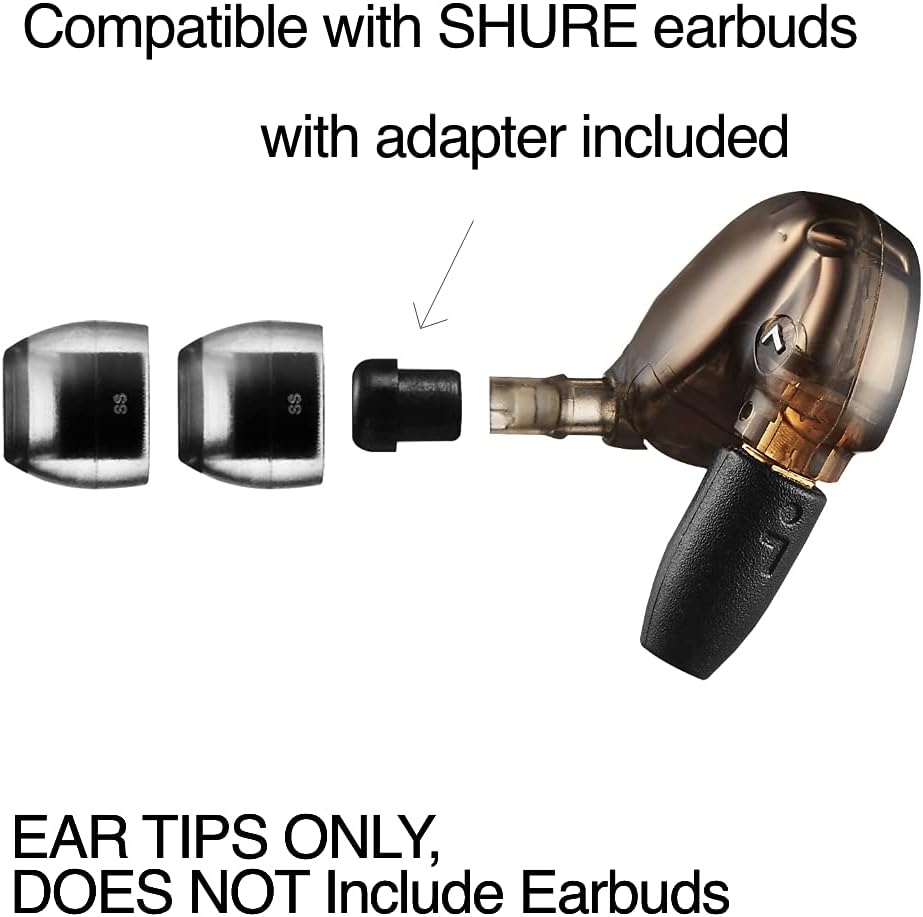
Image: Shure earbud with an adapter and SednaEarfit Crystal tips, demonstrating attachment. Ear tips only, earbuds not included.
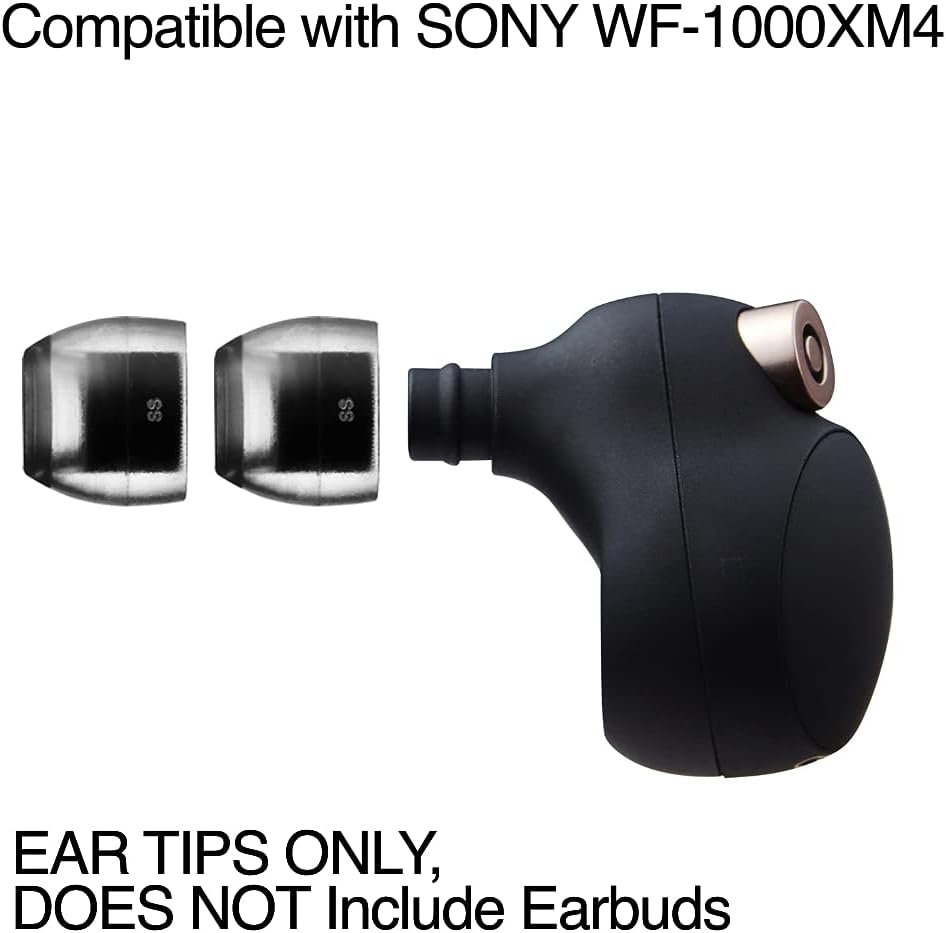
Image: Sony WF-1000XM4 earbud with SednaEarfit Crystal tips, demonstrating attachment. Ear tips only, earbuds not included.
3. Charging Case Compatibility
The SednaEarfit Crystal Standard tips are designed to fit within most earbud charging cases, including the Sony WF-1000XM4 case, without interference. After installation, place your earbuds in their charging case to confirm proper fit and charging contact.

Image: Sony WF-1000XM4 charging case with earbuds fitted with SednaEarfit Crystal tips, showing they fit correctly. Ear tips only, earbuds not included.
Operating (Usage)
Once installed, the SednaEarfit Crystal Standard tips provide a secure and comfortable seal, which is essential for optimal audio performance and noise cancellation. The unique design ensures they stay in place, even during physical activities.
These eartips are engineered to maintain superior sound and audio performance, allowing you to experience rich, crystal-clear sound without loss. The enhanced seal contributes to effective passive noise isolation, complementing your earbud's active noise cancellation features.
Maintenance
To ensure hygiene and maintain optimal performance, clean your SednaEarfit Crystal Standard ear tips regularly. Due to their slightly sticky surface, they may attract dust over time.
Cleaning Instructions:
- Gently remove the ear tips from your earbuds.
- Wash the ear tips with warm water and a mild soap.
- Rinse thoroughly to remove all soap residue.
- Allow the ear tips to air dry completely before reattaching them to your earbuds.
Made from durable Liquid Silicone Rubber (LSR), these ear tips are built to last, providing a long-lasting solution for your earbud needs with proper care.
Troubleshooting
Poor Fit or Reduced Noise Cancellation:
- Re-evaluate Size: If you experience discomfort, sound leakage, or reduced noise cancellation, your ear tip size may be incorrect. Refer to the sizing chart in the Setup section and consider trying a different size. A proper seal is critical for performance.
- Ensure Proper Seal: Gently insert the earbud into your ear, rotating slightly until a comfortable and secure seal is achieved. You should notice a significant reduction in ambient noise.
- Clean Ear Tips: Accumulation of earwax or debris can affect the seal. Clean the ear tips as described in the Maintenance section.
Sound Quality Issues:
- Check Fit: An improper seal can lead to a lack of bass or overall diminished sound quality. Ensure the ear tips are securely fitted in your ears and on the earbud nozzles.
- Earbud Settings: Some earbuds have companion apps with fit tests or EQ settings. Utilize these to optimize your audio experience with the new tips.
Specifications
| Brand | AZLA |
| Model | SednaEarfit Crystal Standard |
| Material | Liquid Silicone Rubber (LSR) |
| Available Sizes | SS, S, MS, M, ML, L |
| Item Weight | Approximately 0.317 ounces (for the package) |
| Package Dimensions | 3.66 x 2.83 x 0.75 inches |
| Compatible Devices | Earphones |
| Compatible Headphone Models | Shure, Sony WF-1000XM5, WF-1000XM4, Beats Power Beats Pro, Sennheiser Momentum True Wireless 1, MTW2, Jabra Elite 85T, JBL WAVE100, Skullcandy PUSH, JLAB Epic Air Sport, JLAB Epic Air ANC, Sony LinkBuds S, INZONE Buds, Jaybird RUN, ANKER Liberty 3 Pro, Life Dot 2 ANC, BRITZ BR-TWS202, Bowers & Wilkins Pi7, Pi7 S2, Pi5, Devialet Gemini, DENON Perl Pro, Harman Kardon Fly TWS, JBL Streak, Lypertek Tevi, Z3, Noble Audio Falcon, Fokus Pro, Noble Fokus Prestige, Nuheara IQBuds2 MAX, Philips TAT4556, Sennheiser MTW 1, 2, 3, CX True Wireless, CX400BT, CX PLUS TW, SUDIO TOLV, SONY WF-1000XM3, WF-XB700, WFH800, Urbanears Alby, YAMAHA TW-E3B, TW-E8B, TW-E3C |
Warranty and Support
Specific warranty information for the AZLA SednaEarfit Crystal Standard earbud tips is not provided in the available product data. For detailed warranty terms, product support, or further inquiries, please visit the official AZLA website or contact their customer service directly.
Manufacturer: AZLA Inc.
Official Product Videos
No official product videos were found in the provided data for the AZLA SednaEarfit Crystal Standard earbud tips.