
1. Introduction
Thank you for choosing the Retoo E228 Wireless Weather Station. This device provides comprehensive weather information, including indoor and outdoor temperature and humidity, barometric pressure, and a weather forecast. It also features a digital color display, moon phase indicator, and time/date functions. This manual will guide you through the setup, operation, and maintenance of your new weather station.

Figure 1: The Retoo E228 Wireless Weather Station main unit and its accompanying outdoor sensor.
2. Setup
2.1 Unpacking
Carefully remove all components from the packaging. Ensure the following items are present:
- Retoo E228 Weather Station (Main Unit)
- Wireless Outdoor Sensor
- USB Power Cable
- Instruction Manual (this document)
2.2 Powering the Devices
The weather station main unit can be powered by batteries or via the included USB cable. The outdoor sensor requires batteries.
- Outdoor Sensor: Open the battery compartment on the back of the outdoor sensor. Insert 2 x LR6 AA batteries, observing the correct polarity (+/-). Close the compartment.
- Weather Station Main Unit:
- Battery Power: Open the battery compartment on the back of the main unit. Insert 2 x LR6 AA batteries, observing the correct polarity (+/-). Close the compartment.
- USB Power: Connect the small end of the USB power cable to the DC 5V port on the back of the main unit. Connect the other end to a USB power adapter (not included) or a compatible USB port.
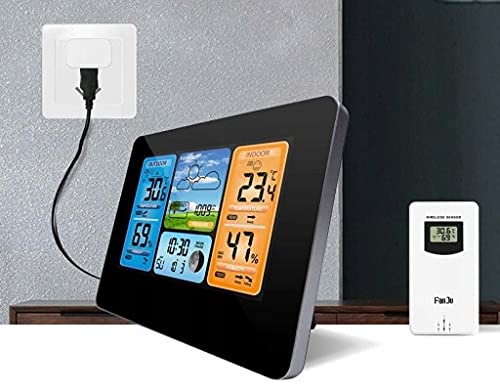
Figure 2: The main unit can be powered via USB for continuous display illumination.
2.3 Sensor Placement and Pairing
For optimal performance, place the outdoor sensor within 60 meters (approximately 197 feet) of the main unit. While the sensor has an IPX4 resistance rating, it is recommended to place it in a sheltered location to protect it from direct heavy rain and sunlight, which can affect accuracy and battery life.
Upon powering both devices, the main unit will automatically attempt to connect with the outdoor sensor. The outdoor temperature and humidity readings should appear on the main unit's display within a few minutes. If readings do not appear, ensure both devices are powered and within range, then try repositioning the sensor or restarting both units.
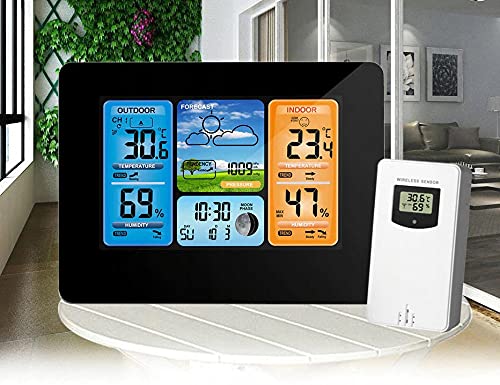
Figure 3: The main unit and its wireless outdoor sensor, designed for easy placement.
3. Operating Instructions
3.1 Display Overview
The digital color display is divided into several sections, providing a clear overview of current weather conditions and time information.

Figure 4: Detailed view of the weather station's color display.
- Outdoor Section (Left): Displays outdoor temperature and humidity, along with trend indicators (rising, falling, steady).
- Forecast Section (Middle Top): Shows weather forecast icons (e.g., sunny, cloudy, rainy) and barometric pressure.
- Indoor Section (Right): Displays indoor temperature and humidity, with trend indicators.
- Time/Date/Moon Phase (Middle Bottom): Shows current time, date, and moon phase.
3.2 Setting Time and Date
Refer to the specific buttons on your device (usually labeled 'MODE', 'SET', or similar) to enter the time/date setting mode. Use the '+' or '-' buttons to adjust values and 'SET' to confirm and move to the next setting (e.g., 12/24 hour format, year, month, day).
3.3 Temperature and Humidity Trends
The display includes arrows next to temperature and humidity readings, indicating whether the values are rising, falling, or remaining steady. This provides a quick visual cue for environmental changes.
3.4 Weather Forecast
The weather station analyzes changes in barometric pressure to predict upcoming weather conditions. The forecast icons are an estimation and may not always perfectly match actual weather, especially in rapidly changing conditions.
3.5 Alarm and Snooze Function
The device includes an alarm function. Press the 'ALARM' or 'MODE' button repeatedly until the alarm setting is displayed. Use the '+' or '-' buttons to set the desired alarm time. Press 'ALARM' or 'SET' to activate the alarm. When the alarm sounds, press the 'SNOOZE' button to temporarily silence it for a few minutes, or any other button to turn it off completely.
3.6 Comfort Level Indicator
The weather station may feature a comfort level indicator, often represented by a face icon or a bar, which assesses indoor comfort based on temperature and humidity levels.
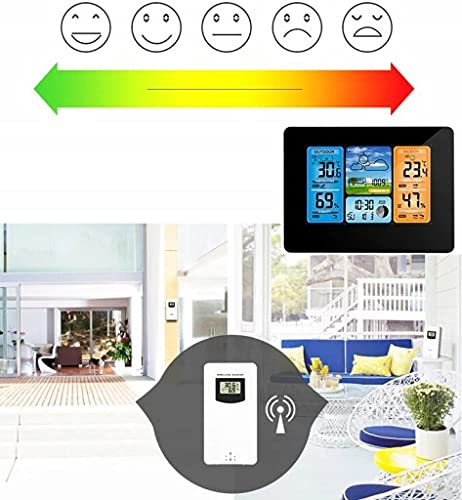
Figure 5: Example of a comfort level indicator, showing a range from dry to wet conditions.
4. Maintenance
4.1 Battery Replacement
When the battery indicator appears on the display, it is time to replace the batteries in the respective unit (main station or outdoor sensor). Always replace all batteries in a unit at the same time with new ones of the same type.
4.2 Cleaning
To clean the display and casing of the weather station and sensor, use a soft, damp cloth. Do not use abrasive cleaners or solvents, as these can damage the surfaces. Ensure no liquid enters the device openings.
4.3 Storage
If the weather station will not be used for an extended period, remove all batteries from both the main unit and the outdoor sensor to prevent leakage and damage. Store the devices in a cool, dry place away from direct sunlight.
5. Troubleshooting
If you encounter issues with your Retoo E228 Weather Station, please refer to the following common problems and solutions:
- No Outdoor Sensor Reading:
- Check if the outdoor sensor batteries are correctly inserted and not depleted.
- Ensure the outdoor sensor is within the 60m transmission range of the main unit.
- Reduce obstacles between the sensor and the main unit (e.g., thick walls, metal objects).
- Try resetting both units by removing and reinserting batteries.
- Incorrect Temperature/Humidity Readings:
- Ensure the outdoor sensor is not in direct sunlight or near heat sources/vents.
- Verify the main unit is not placed near heat-emitting appliances indoors.
- Allow both units to stabilize for at least 30 minutes after initial setup or battery replacement.
- Display Not Working or Dim:
- Check if the main unit batteries are depleted or if the USB power cable is securely connected.
- If using battery power, the display may dim to conserve energy. Connect USB power for continuous bright display.
- Try a different USB power source or cable.
- Weather Forecast Inaccurate:
- The weather forecast is based on barometric pressure changes and is an estimation. It may take 24-48 hours for the station to learn local pressure patterns for more accurate forecasts.
- Extreme or rapidly changing weather conditions can affect forecast accuracy.
6. Specifications
Below are the technical specifications for the Retoo E228 Wireless Weather Station:
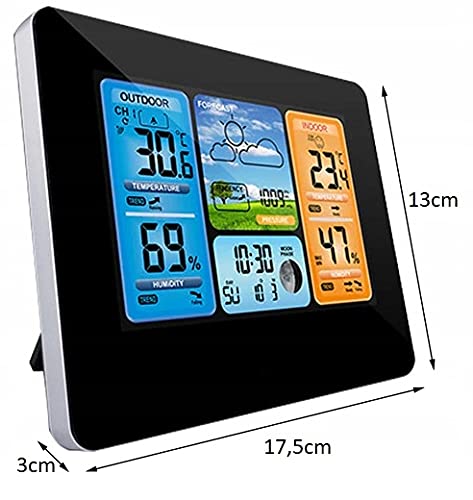
Figure 6: Approximate dimensions of the main weather station unit.
| Feature | Specification |
|---|---|
| Model Number | E228 |
| Main Unit Power Supply | 2 x LR6 AA batteries or DC 5V (USB) |
| Outdoor Sensor Power Supply | 2 x LR6 AA batteries |
| Air Pressure Measurement Range | 600 hPa/mb (17.72 inHg) to 1100 hPa/mb (32.5 inHg) |
| Humidity Measurement Range | 20% - 95% RH |
| Temperature Format | °C and °F selectable |
| Time Format | 12 hours or 24 hours selectable |
| Transmitter Frequency | 433.92 MHz |
| Transmitter Connection Range | Up to 60m (197 ft) in open area |
| Outdoor Sensor Resistance | IPX4 (splash-proof) |
| Product Dimensions (Main Unit) | 2.5 x 16.5 x 13 cm (approx. 1 x 6.5 x 5.1 inches) |
| Weight | 390 g (approx. 0.86 lbs) |
| Material | Plastic |
| Display Type | LCD Color Display |
7. Warranty and Support
For warranty information and customer support, please refer to the contact details provided by your retailer or visit the official Retoo website. Keep your purchase receipt as proof of purchase for any warranty claims.