
1. Introduction
This manual provides essential instructions for the setup, operation, and maintenance of your HCDZ Replacement Remote Control. This remote is designed to be compatible with specific RCA and Westinghouse 4K UHD LED Virtuoso Smart TV models, including RNSMU5036-B, RNSMU7536, RNSMU6536-B, and WE58UL4218. Please read this manual thoroughly before use to ensure proper functionality and longevity of your device.
2. Product Overview
The HCDZ Replacement Remote Control is an infrared (IR) remote designed to replace the original remote for the specified TV models. It requires no programming and is ready for use once batteries are installed.
Key Features:
- Infrared (IR) replacement remote control.
- No programming required; functions immediately after battery insertion.
- Easy to use with a straightforward button layout.
- Compatible with RCA RNSMU5036-B, RNSMU7536, RNSMU6536-B, and Westinghouse WE58UL4218 4K UHD LED Virtuoso Smart TVs.
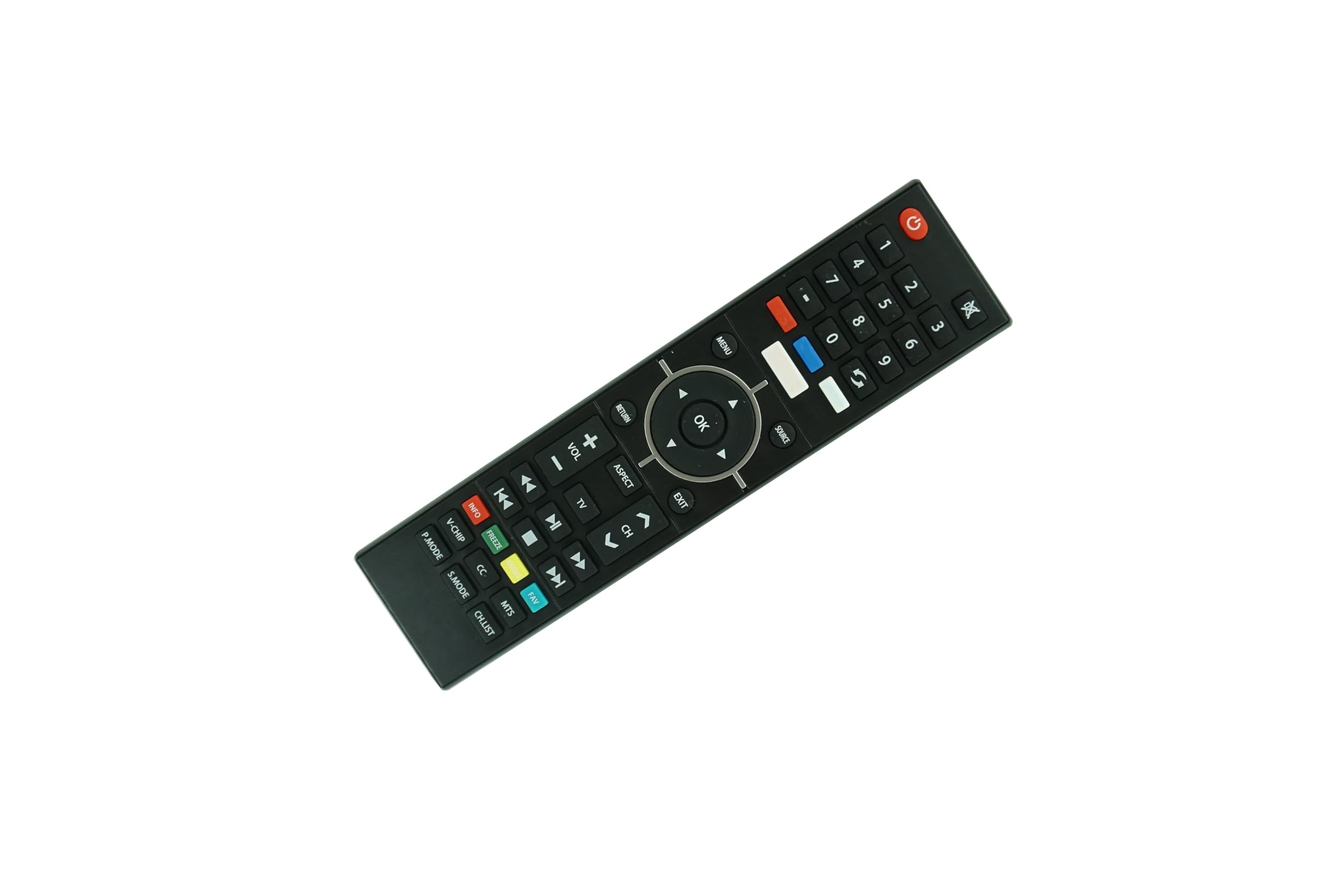
Figure 2.1: Front view of the HCDZ Replacement Remote Control, showing its button layout.

Figure 2.2: Comparison image showing different remote control models. It is important to ensure your original remote or TV model matches the product description for compatibility.
3. Setup
3.1 Battery Installation
The remote control requires two AAA batteries (not included). Follow these steps to install the batteries:
- Locate the battery compartment cover on the back of the remote control.
- Slide the cover downwards or press the latch and lift to open the compartment.
- Insert two new AAA alkaline batteries, ensuring the positive (+) and negative (-) terminals align correctly with the markings inside the compartment.
- Replace the battery compartment cover by sliding it back into place until it clicks securely.
Once batteries are correctly installed, the remote control is ready for immediate use with your compatible TV, requiring no additional programming.
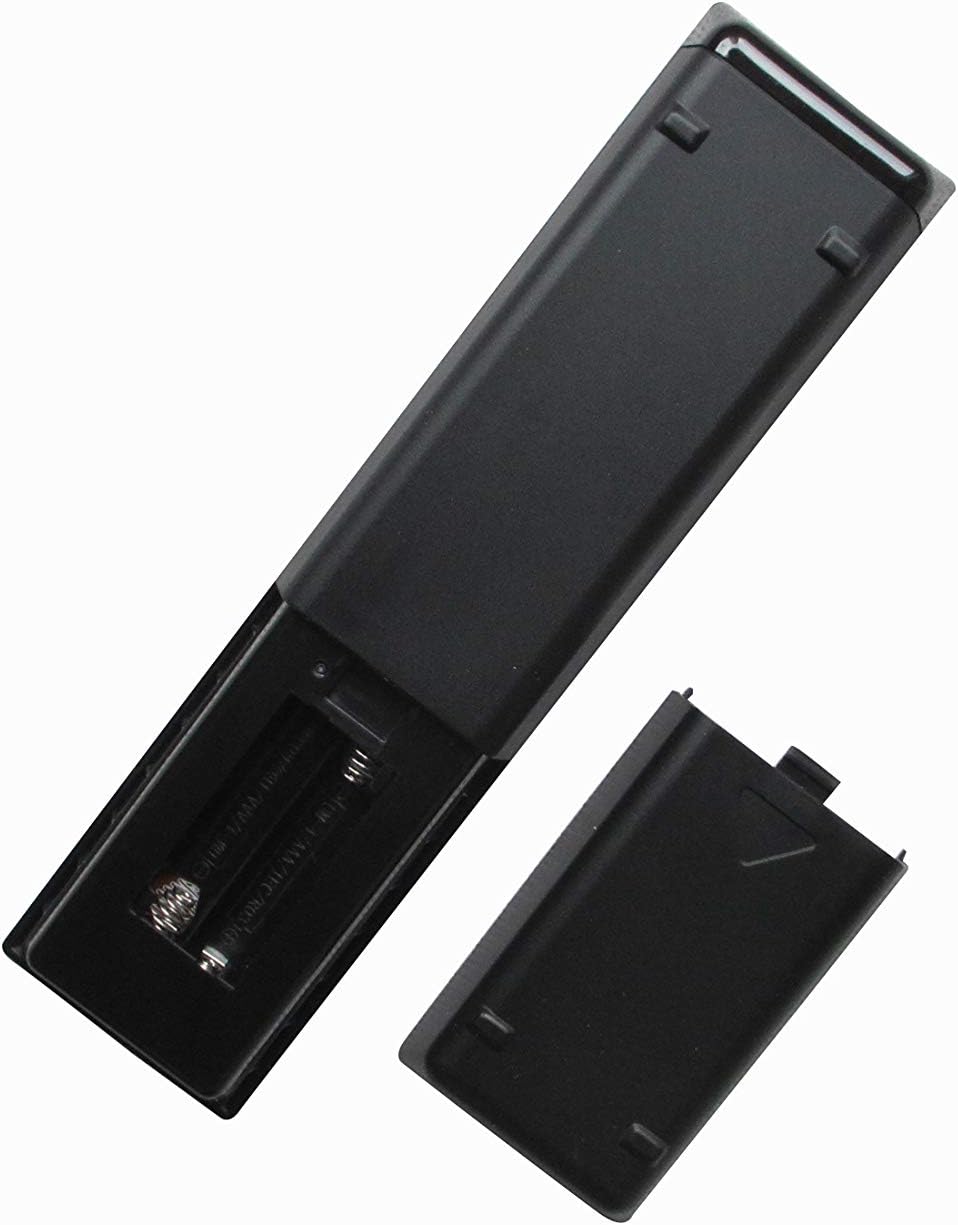
Figure 3.1: Back view of the remote control with the battery compartment open, showing where to insert AAA batteries.
4. Operating Instructions
This replacement remote control is designed to function identically to your original TV remote for the specified models. No programming or setup is required beyond battery installation.
4.1 Basic Functions
- Power Button: Turns the TV on or off.
- Number Buttons (0-9): Selects channels directly.
- Channel Up/Down: Navigates through channels sequentially.
- Volume Up/Down: Adjusts the TV's volume.
- Mute Button: Mutes or unmutes the TV audio.
- Input/Source Button: Cycles through available input sources (HDMI, AV, etc.).
- Navigation Pad (Up/Down/Left/Right/OK): Used to navigate menus and confirm selections.
- Menu Button: Accesses the TV's main menu.
- Back/Exit Button: Returns to the previous screen or exits a menu.
- Netflix/YouTube Buttons (if present): Provides direct access to these streaming applications. Note: Button availability may vary slightly from the original remote.
Point the remote control directly at the TV's infrared sensor for optimal performance. Ensure there are no obstructions between the remote and the TV.
5. Maintenance
Proper care and maintenance will extend the life of your remote control.
- Storage: Do not leave the remote in an extremely hot or humid environment. Avoid direct sunlight or strong lighting apparatuses, as this may cause malfunction.
- Battery Usage: When replacing batteries, always use new batteries. Do not mix new batteries with old ones.
- Long-Term Storage: If you do not plan to use the remote for an extended period, remove the batteries to prevent potential damage from battery leakage and corrosion.
- Cleaning: Wipe the remote with a soft, dry cloth. Do not use liquid cleaners or abrasive materials.
6. Troubleshooting
If you experience issues with your remote control, please refer to the following common solutions:
| Problem | Possible Cause / Solution |
|---|---|
| Remote is not responding. |
|
| Some buttons do not work. |
|
| Remote works intermittently. |
|
7. Specifications
| Feature | Detail |
|---|---|
| Brand | HCDZ |
| Connectivity Technology | Infrared (IR) |
| Compatible Devices | RCA RNSMU5036-B, RNSMU7536, RNSMU6536-B, Westinghouse WE58UL4218 4K UHD LED Virtuoso Smart TVs |
| Special Feature | No programming needed, works out of package (batteries not included) |
| Max Number of Supported Devices | 1 (one television) |
| Controller Type | Button Control |
| Maximum Range | 10 Meters |
| Battery Type | 2 x AAA Alkaline batteries (not included) |
| Manufacturer | HCDZ |
8. Warranty and Support
8.1 Warranty Information
This HCDZ Replacement Remote Control comes with a 90-day warranty from the date of purchase. This warranty covers manufacturing defects. Please retain your proof of purchase for any warranty claims.
8.2 Customer Support
For technical assistance, troubleshooting, or warranty inquiries, please contact the seller or manufacturer directly through the platform where the product was purchased. Provide your order details and a clear description of the issue for prompt support.