
1. Introduction
Thank you for choosing the Loluka Invisible Earbuds. This manual provides essential information for setting up, operating, and maintaining your new earbuds. Please read it carefully before use to ensure optimal performance and longevity of your device.
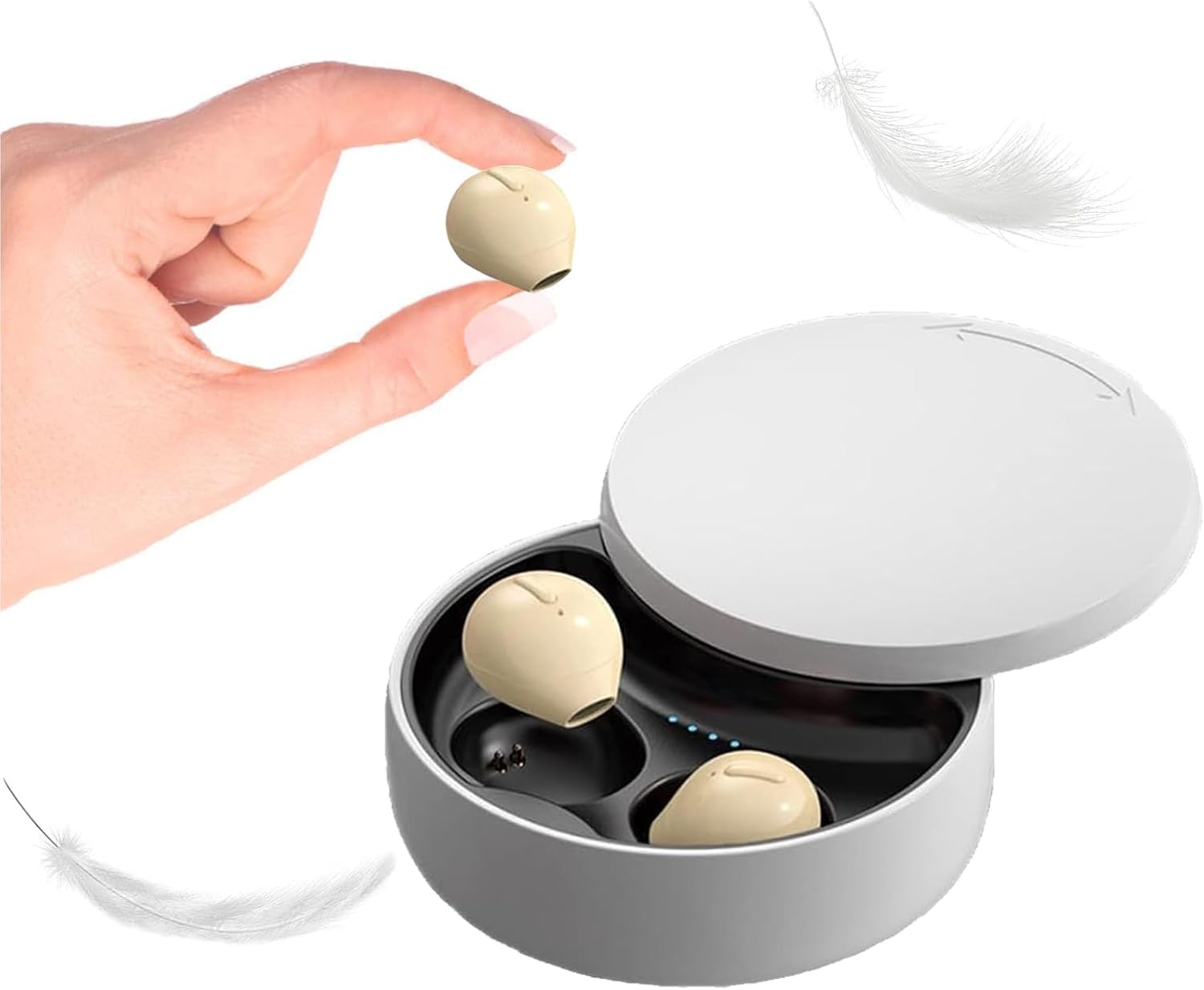
Image 1.1: Loluka Invisible Earbuds with their compact charging case. One earbud is shown held between fingers, highlighting its small size.
These earbuds are designed for discreet and comfortable listening, featuring a mini design, stable Bluetooth 5.1 connectivity, and a long battery life.
2. Package Contents
Please check the package for the following items:
- Loluka Invisible Earbuds (Left and Right)
- Charging Case
- USB Charging Cable
- User Manual (This document)
3. Product Features
- Mini Design: Extremely small and lightweight for comfortable, long-term wear.
- Extended Playback: Up to 5 hours of single playtime, with the charging case providing an additional 30 hours for a total of 35 hours.
- Single Earbud Use: Either earbud can be used independently.
- One-Key Control: Simple button for power, music playback, and call management.
- Stable Connectivity: Bluetooth 5.1 chip ensures a stable connection and low latency.
- Water Resistance: IPX5 waterproof rating.

Image 3.1: Visual comparison of an earbud's size to a US quarter, demonstrating its compact and lightweight design (approximately 3.7g).

Image 3.2: A woman wearing an earbud, illustrating its discreet and hidden-in-ear design.
4. Setup
4.1 Initial Charging
Before first use, fully charge the earbuds and the charging case.
- Place both earbuds into the charging case.
- Connect the USB charging cable to the charging port on the case and to a power source.
- The indicator lights on the case will show charging status. A full charge takes approximately 1.5 hours.
4.2 Pairing with a Device
The earbuds support automatic pairing for convenience.

Image 4.1: Visual guide for connecting the earbuds via Bluetooth, showing a phone's Bluetooth settings and the charging case.
- First-time connection:
- Take the earbuds out of the charging case. They will automatically power on and enter pairing mode.
- Enable Bluetooth on your mobile device.
- Search for "X21S" (or similar model name) in the list of available devices and select it to pair.
- Subsequent connections:
- Once paired, the earbuds will automatically connect to your last-paired device when removed from the charging case and Bluetooth is enabled on your device.
5. Operating Instructions
5.1 Power On/Off
- Power On: Take the earbuds out of the charging case. They will power on automatically. Alternatively, long-press the touch area on each earbud.
- Power Off: Place the earbuds back into the charging case. They will power off automatically. Alternatively, long-press the touch area on each earbud until they power off.
5.2 Music Control
- Play/Pause: Single-click the touch area on either earbud.
- Next Song: Double-click the touch area on the right earbud.
- Previous Song: Double-click the touch area on the left earbud.
5.3 Call Control
- Answer/End Call: Single-click the touch area on either earbud.
- Reject Call: Long-press the touch area on either earbud.
5.4 Single Earbud Use
You can use either the left or right earbud independently. Simply take one earbud out of the charging case, and it will automatically connect to your device if previously paired.

Image 5.1: Examples of discreet earbud usage in different environments, including work, sleep, and communication.
6. Maintenance
6.1 Cleaning
- Regularly clean the earbuds and charging case with a soft, dry, lint-free cloth.
- Do not use abrasive cleaners, solvents, or aerosol sprays.
- Ensure charging contacts are free of dust and debris.
6.2 Storage
- Store the earbuds in their charging case when not in use to protect them and keep them charged.
- Avoid extreme temperatures and direct sunlight.
7. Troubleshooting
- Earbuds not pairing: Ensure both earbuds are charged. Turn off and on your device's Bluetooth. Try resetting the earbuds (refer to manufacturer's website for specific reset instructions if needed).
- No sound: Check the volume level on your device and ensure the earbuds are properly connected.
- Intermittent connection: Ensure you are within the 15-meter Bluetooth range and there are no significant obstructions between the earbuds and your device.
- Earbuds not charging: Verify the charging cable is securely connected and the charging contacts on both the earbuds and case are clean.
8. Specifications
| Feature | Specification |
|---|---|
| Model Number | B09B75DZ89 |
| Brand | Loluka |
| Connectivity Technology | Wireless (Bluetooth 5.1) |
| Bluetooth Range | 15 Meters |
| Single Earbud Battery Life | Up to 5 Hours |
| Total Playback Time (with case) | Up to 35 Hours |
| Charging Time | Approximately 1.5 Hours |
| Water Resistance Level | IPX5 (Waterproof) |
| Control Type | Touch / One-key Control |
| Ear Placement | In Ear |
| Item Weight | 3.52 ounces |
| Product Dimensions | 3.1 x 1.6 x 4.3 inches |
9. Warranty and Support
Loluka products are designed for reliability and performance. For warranty information and customer support, please refer to the contact details provided with your purchase or visit the official Loluka website. Keep your purchase receipt as proof of purchase for warranty claims.
For further assistance, please contact our customer support team.