
1. Introduction
Thank you for choosing the KYVOL E20 Robot Vacuum Cleaner. This manual provides essential information for the safe operation, maintenance, and troubleshooting of your device. Please read it thoroughly before use and keep it for future reference.

Image: The KYVOL E20 Robot Vacuum Cleaner operating in a home environment, showcasing its compact design and various features like 2500Pa suction, 3200mAh battery, 7cm ultra-thin body, quiet mode, collision/fall prevention, boundary tape compatibility, climbing ability, 600ml dustbin, timer function, automatic charging, and Alexa support.
2. Safety Instructions
To reduce the risk of injury or damage, read these safety instructions carefully and keep them accessible during product use.
- This appliance can be used by children aged 8 years and above and persons with reduced physical, sensory or mental capabilities or lack of experience and knowledge if they have been given supervision or instruction concerning use of the appliance in a safe way and understand the hazards involved.
- Children should be supervised to ensure that they do not play with the appliance.
- Cleaning and user maintenance shall not be made by children without supervision.
- Only use the power adapter supplied by the manufacturer.
- Do not use the product in environments with high temperatures or open flames.
- Ensure all cables and small objects are cleared from the floor before operation to prevent entanglement.
- Do not use the robot vacuum on wet surfaces or in areas with standing water.
3. Product Overview
The KYVOL E20 Robot Vacuum Cleaner is designed to provide efficient and convenient floor cleaning. It features powerful suction, multiple cleaning modes, and smart navigation capabilities.
Key Features:
- Powerful Suction: Up to 2500Pa for effective cleaning of dust, debris, and pet hair.
- Long Runtime: Up to 150 minutes of continuous cleaning on a single charge with its 3200mAh battery.
- Ultra-Thin Design: Approximately 7cm (2.76 inches) in height, allowing it to clean under low-lying furniture.
- Multiple Cleaning Modes: Includes Auto, Edge, Spot, and Manual modes to suit various cleaning needs.
- Smart Sensors: Equipped with anti-collision and anti-drop sensors for safe navigation.
- Automatic Recharging: Returns to its charging base automatically when the battery is low.
- Boundary Tape Compatibility: Use boundary tape (sold separately or included in some packages) to define no-go zones.
- App & Voice Control: Control the robot via the dedicated app, remote control, or voice commands through Amazon Alexa.
- Washable Dustbin: Large 600mL dustbin is easy to empty and washable for hygiene.
- High-Performance Filter: Captures fine dust, mites, mold, and allergens for cleaner air.

Image: The KYVOL E20 Robot Vacuum Cleaner actively cleaning a floor, illustrating its powerful 2500Pa suction.
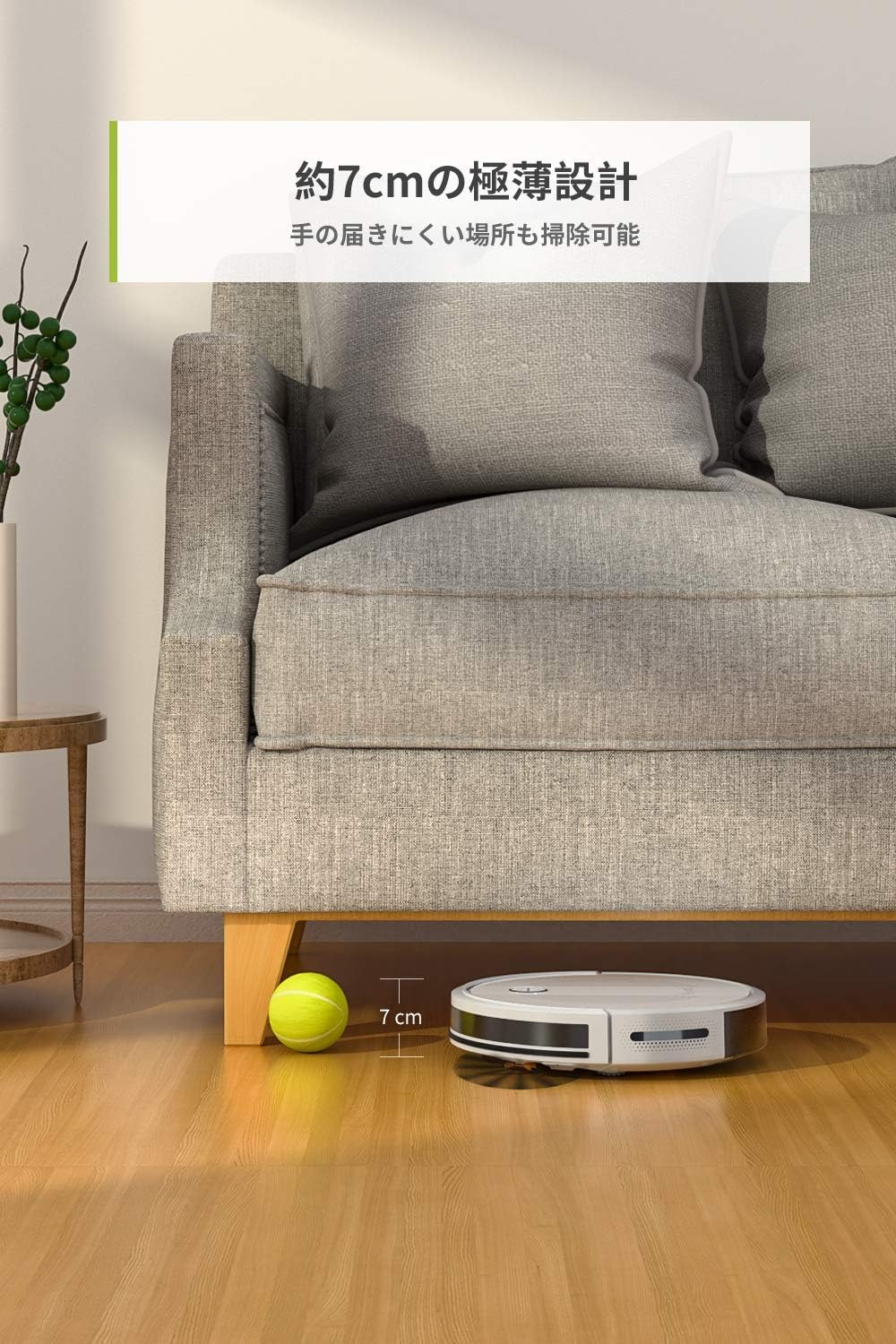
Image: The KYVOL E20 Robot Vacuum Cleaner easily navigating and cleaning under a sofa, demonstrating its ultra-thin 7cm design.
4. Setup
4.1 Charging Base Placement
Place the charging base against a wall in an open, uncluttered area. Ensure there is at least 1 meter (3 feet) of clear space on both sides and 2 meters (6 feet) in front of the charging base. Connect the power adapter to the charging base and plug it into a wall outlet.
4.2 Initial Charging
Place the robot vacuum onto the charging base. The indicator light on the robot will show charging status. For first-time use, fully charge the robot for at least 5-6 hours.

Image: The robot vacuum automatically docking with its charging station.
4.3 App Connection (2.4GHz WiFi)
Download the KYVOL app from your smartphone's app store. Follow the in-app instructions to connect your robot vacuum to your home Wi-Fi network. Note that the robot only supports 2.4GHz Wi-Fi. It is not compatible with 5GHz networks.
4.4 Using Boundary Tape
To prevent the robot from entering certain areas, place the magnetic boundary tape on the floor. Ensure the tape is laid flat and securely. The robot will detect the tape and avoid crossing it.

Image: The robot vacuum detecting and avoiding a boundary tape, illustrating its ability to respect no-go zones.
5. Operating Instructions
The KYVOL E20 offers various ways to start and manage your cleaning tasks.
5.1 Cleaning Modes
- Auto Mode: The robot cleans automatically, adjusting suction power based on floor type.
- Edge Mode: The robot cleans along walls and furniture edges.
- Spot Mode: The robot cleans a specific area in a spiral pattern for concentrated cleaning.
- Manual Mode: Control the robot's movement manually using the app or remote control.

Image: Visual representation of the robot's various cleaning modes and scheduling options.
5.2 Scheduling and Control
You can schedule cleaning times using the KYVOL app. The app also allows you to start/stop cleaning, change modes, and monitor the robot's status. For direct control, use the included remote control. The robot is also compatible with Amazon Alexa for voice commands.
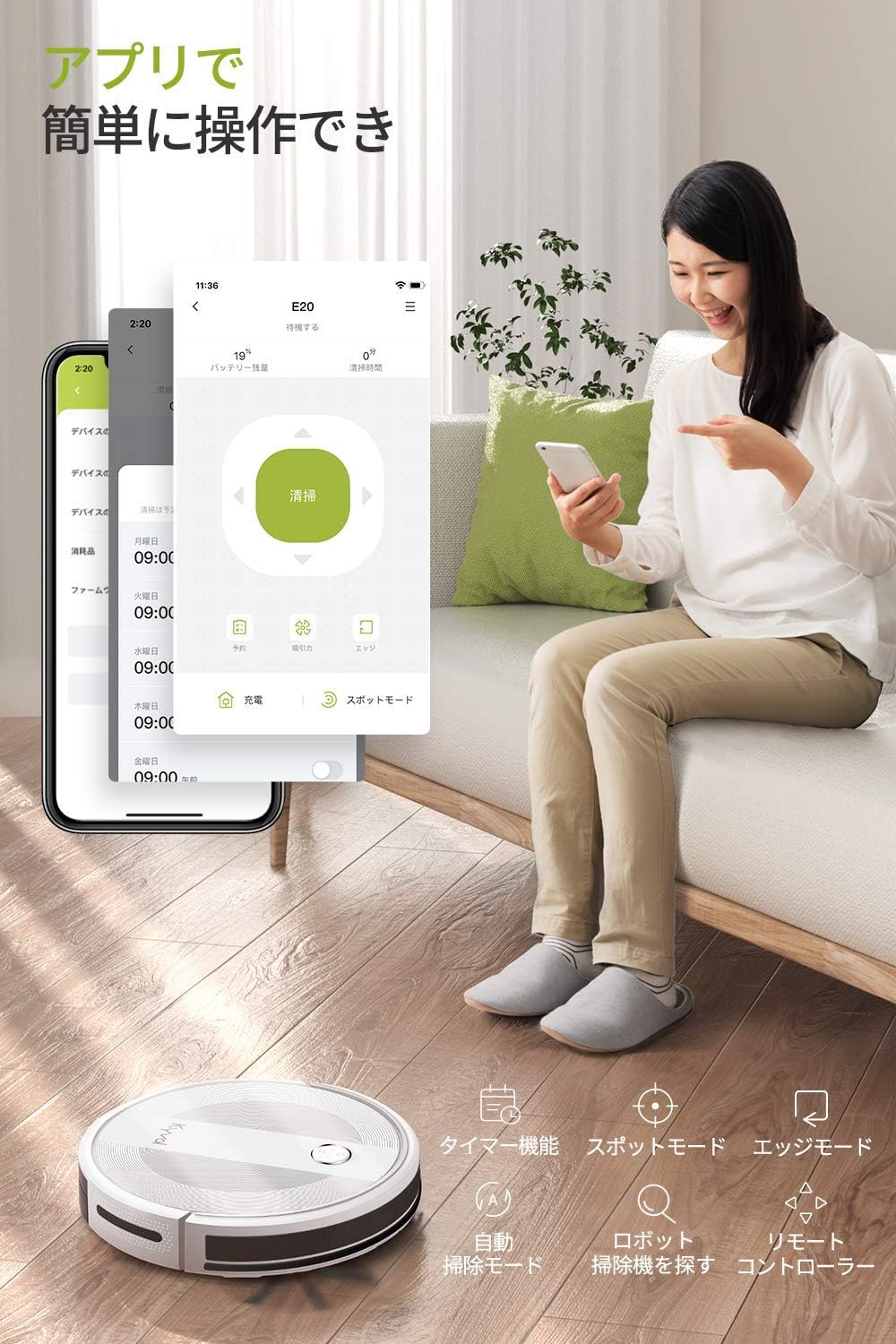
Image: A user interacting with the KYVOL E20 Robot Vacuum Cleaner via its mobile application.

Image: Demonstrating the multiple control options for the robot vacuum: smartphone app, remote control, and Amazon Alexa voice commands.
6. Maintenance
Regular maintenance ensures optimal performance and extends the lifespan of your robot vacuum.
6.1 Emptying and Cleaning the Dustbin
Press the dustbin release button and pull out the dustbin. Open the dustbin cover and empty its contents. The 600mL dustbin is washable. Rinse it with water and ensure it is completely dry before reinserting.

Image: The large 600mL dustbin, shown open and ready for emptying or washing.
6.2 Cleaning Filters
Remove the filter from the dustbin. Tap off loose debris. The filter can be rinsed with water; ensure it is completely dry before reinstallation. Replace the filter every 3-6 months, depending on usage.

Image: Illustration of the robot vacuum's multi-stage filtration system, capturing dust and allergens.
6.3 Cleaning Brushes and Sensors
Regularly check and clean the main brush and side brushes for tangled hair or debris. Use the cleaning tool provided. Wipe the anti-drop and anti-collision sensors with a dry cloth to ensure they function correctly.

Image: An illustration of the robot vacuum's underside, highlighting the main brush and side brushes for cleaning.
7. Troubleshooting
If you encounter issues with your KYVOL E20, refer to the following common problems and solutions:
| Problem | Possible Cause | Solution |
|---|---|---|
| Robot does not turn on or charge. | Battery is completely drained; charging base not connected; poor contact with charging pins. | Ensure charging base is powered. Manually place robot on base, ensure charging pins align. Allow several hours for initial charge. |
| Robot gets stuck frequently. | Obstacles (cables, rugs, furniture); sensors are dirty. | Clear floor of obstacles. Clean anti-collision and anti-drop sensors. Use boundary tape for problem areas. |
| Poor cleaning performance. | Dustbin full; brushes tangled; filter clogged. | Empty dustbin. Clean main brush and side brushes. Clean or replace filter. |
| Cannot connect to Wi-Fi. | Incorrect Wi-Fi band; weak signal; incorrect password. | Ensure your router is set to 2.4GHz. Move robot closer to router. Re-enter Wi-Fi password carefully. |
8. Specifications
| Feature | Detail |
|---|---|
| Brand | KYVOL |
| Model Number | E20 |
| Suction Power | Max 2500Pa |
| Battery Capacity | 3200mAh |
| Runtime | Up to 150 minutes |
| Product Dimensions (L x W x H) | 32.5 x 32.4 x 7 cm (12.8 x 12.76 x 2.76 inches) |
| Product Weight | 4.6 kg (10.14 lbs) |
| Dustbin Capacity | 600mL |
| Connectivity | 2.4GHz Wi-Fi, Remote Control, Amazon Alexa |
| Climbing Ability | Up to 15mm (0.59 inches) |
| Special Features | Anti-collision, Anti-drop, Automatic Recharging, Timer Function, Boundary Tape Compatible |
9. Warranty and Support
KYVOL provides a 2-year free warranty for this product. In the unlikely event of an initial defect or malfunction, please contact us. We will respond promptly to your inquiry.
For further assistance, please contact KYVOL customer support through the 'Seller' link on the product page, then click the 'Ask a Question' button. Our support team is available to assist you in English.


