
1. Introduction
The Grothe CALIMA 200E is a portable, wireless chime designed to provide clear and versatile audio notifications throughout your home or office. This instruction manual provides essential information for the safe and efficient use of your device, including setup, operation, maintenance, and troubleshooting.
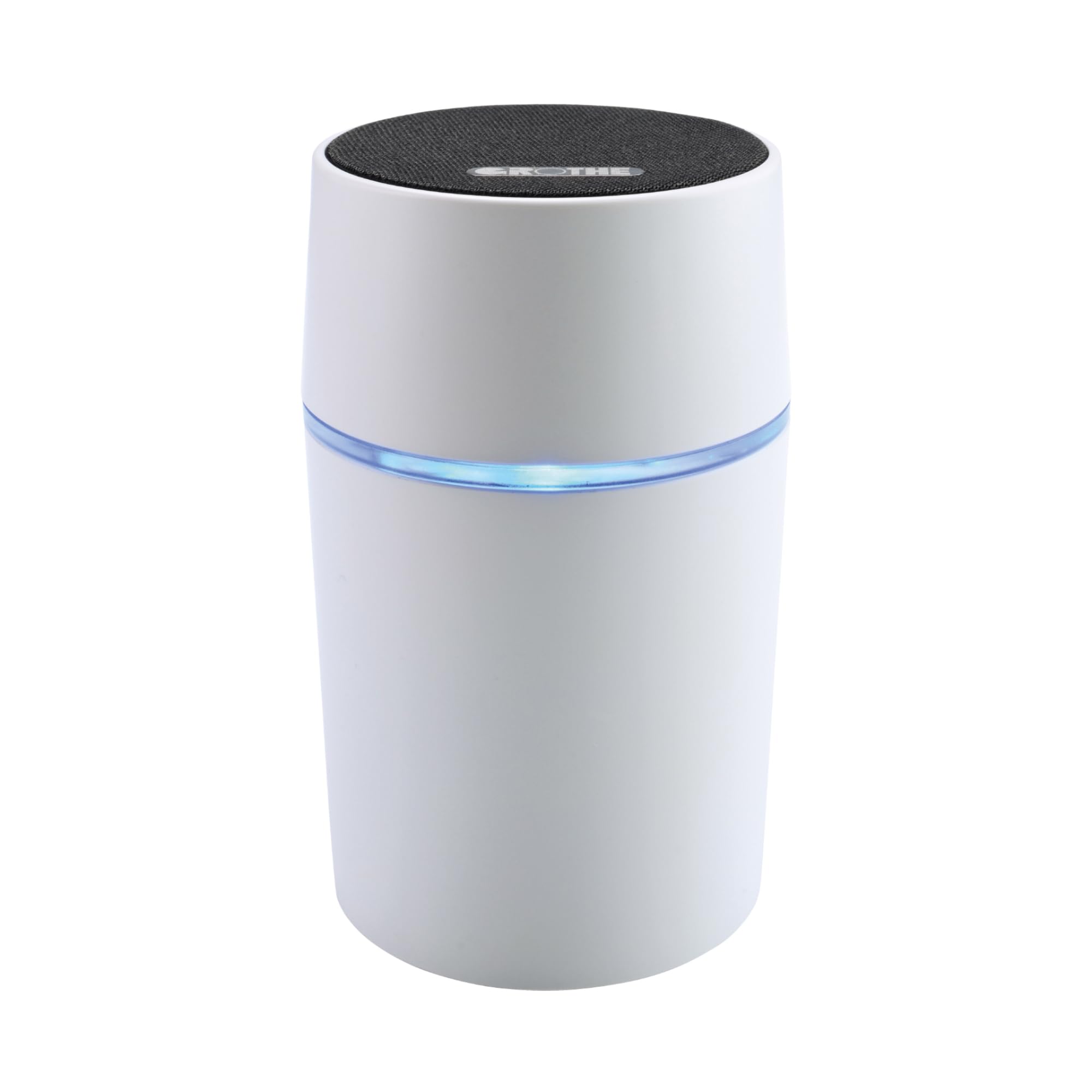
Image 1.1: The Grothe CALIMA 200E wireless chime unit. This compact, white cylindrical device features a black top and a subtle grey band, designed for discreet placement in various environments.

Image 1.2: The CALIMA 200E chime, highlighting its portability and wireless functionality. The accompanying text emphasizes the ability to hear the chime anywhere, as it is portable and cable-free.
2. Safety Instructions
- Read all instructions carefully before using the device.
- Do not expose the device to water, moisture, or extreme temperatures.
- Keep the device away from direct sunlight and heat sources.
- Do not attempt to open or repair the device yourself. Refer all servicing to qualified personnel.
- Use only the power adapter specified for this device (if applicable).
- Ensure proper ventilation around the device.
- Keep out of reach of children and pets.
3. Package Contents
Please check the package contents upon unpacking. If any items are missing or damaged, contact your retailer immediately.
- 1 x Grothe CALIMA 200E Chime Unit (Model 43610)
- 1 x Instruction Manual
4. Setup
4.1 Powering the Chime Unit
- Unpack the CALIMA 200E chime unit from its packaging.
- Connect the appropriate power adapter (not included, but required for operation) to the chime unit's power input.
- Plug the power adapter into a standard electrical outlet. The unit will power on, indicated by a brief illumination of the LED ring.
4.2 Pairing with a Transmitter (e.g., Doorbell Push Button)
The CALIMA 200E requires a compatible Grothe wireless transmitter (sold separately) to function as a doorbell chime. Follow these steps to pair the chime unit with your transmitter:
- Ensure the chime unit is powered on.
- Locate the pairing button on the chime unit (refer to the device diagram in the full manual for exact location, typically a small button on the side or bottom).
- Press and hold the pairing button for approximately 3 seconds until the LED ring starts flashing rapidly. This indicates the chime is in pairing mode.
- Within 10 seconds, activate your wireless transmitter (e.g., press the doorbell push button).
- The chime unit will emit a short confirmation sound and the LED ring will stop flashing, indicating successful pairing.
- Test the connection by pressing the transmitter button again. The chime should sound.
Note: The CALIMA 200E can typically be paired with multiple transmitters. Repeat the pairing process for each additional transmitter.
4.3 Melody Selection
The CALIMA 200E offers 16 versatile melodies. To select a melody:

Image 4.3: Close-up view of the chime's top surface, indicating the availability of 16 distinct melodies. The image highlights the speaker grille and a musical note icon with the number 16, signifying the variety of sound options.
- Locate the melody selection button (often combined with volume control or a dedicated button).
- Press the button repeatedly to cycle through the available melodies. Each press will play the next melody.
- Stop pressing when you hear your desired melody. The selected melody will be saved automatically.
4.4 Volume Adjustment
Adjust the chime volume to your preference:
- Locate the volume control button(s) (often marked with '+' and '-' or a single button for cycling).
- Press the '+' button to increase the volume or '-' to decrease it. If it's a single button, press it to cycle through volume levels.
4.5 LED Ring Customization
The CALIMA 200E features a luminous LED ring that can be customized to your preferred color, providing a visual alert when the chime is activated.

Image 4.5: Multiple CALIMA 200E units showcasing the customizable LED ring feature. Each unit displays a different color (blue, green, red, purple), illustrating the visual notification options available to users.
- Locate the LED color selection button (if available, or it might be part of a multi-function button).
- Press the button to cycle through the available LED colors.
- Stop pressing when your desired color is displayed. The color will be saved.
5. Operating
Once set up, the Grothe CALIMA 200E operates automatically. When a paired wireless transmitter is activated (e.g., someone presses your doorbell button), the chime unit will:
- Play the selected melody at the set volume.
- Illuminate its LED ring with the chosen color for a brief period.
The portable design allows you to place the chime unit in any room where you need to hear the notification, as long as it is within range of the transmitter and has access to a power outlet.
6. Maintenance
6.1 Cleaning
- Ensure the device is unplugged before cleaning.
- Wipe the exterior of the chime unit with a soft, dry, or slightly damp cloth.
- Do not use abrasive cleaners, solvents, or strong chemicals, as these can damage the surface.
- Avoid getting moisture into any openings.
6.2 Storage
If storing the device for an extended period, unplug it from the power source and store it in a cool, dry place, away from direct sunlight and extreme temperatures.
7. Troubleshooting
| Problem | Possible Cause | Solution |
|---|---|---|
| Chime does not sound. |
|
|
| LED ring does not light up. |
|
|
| Short operating range. |
|
|
8. Specifications
| Feature | Detail |
|---|---|
| Model Number | 43610 |
| Manufacturer | Grothe |
| Product Type | Wireless Chime (Funkgong) |
| Number of Melodies | 16 |
| LED Ring | Luminous, customizable colors |
| Power Source | Mains powered (adapter not included, no batteries required) |
| Package Dimensions | 16.1 x 14.3 x 7.6 cm |
| Item Weight | 260 g |
9. Warranty and Support
For warranty information and technical support, please refer to the documentation provided with your purchase or visit the official Grothe website. You may also contact your retailer for assistance.
Manufacturer: Grothe


