
Introduction
This manual provides essential instructions for setting up, operating, and maintaining your TCL 32ES570F Full HD LED Smart Android TV. Please read this manual thoroughly before using your television to ensure proper function and safety.
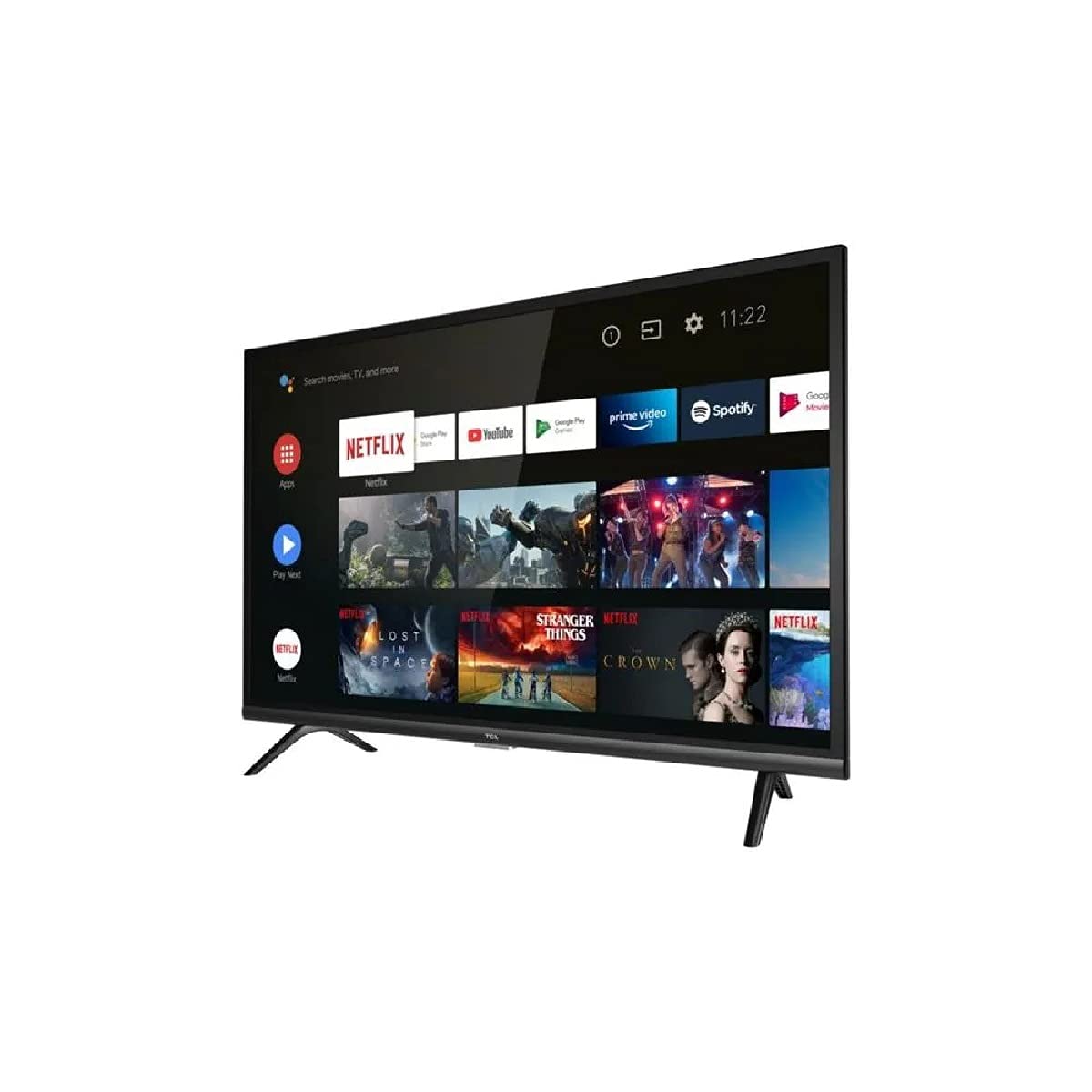
Figure 1: Front view of the TCL 32ES570F Full HD LED Smart Android TV. This image displays the television's screen and bezel, providing a general visual reference for the product.
Setup
1. Unpacking
Carefully remove the TV from its packaging. Ensure all accessories, including the remote control, power cable, and stand components, are present. Retain the packaging for future transport or service needs.
2. Attaching the Stand
Place the TV screen-down on a soft, flat surface to prevent damage. Align the stand components with the designated slots on the bottom of the TV. Secure the stand using the provided screws. Refer to the quick start guide included in the box for specific stand assembly instructions.
3. Connecting Power
Connect the power cable to the TV's power input, then plug the other end into a suitable electrical outlet. The TV will enter standby mode.
4. Initial Setup
Upon first power-on, the TV will guide you through the initial setup process. This includes selecting your language, connecting to a Wi-Fi network, and signing in with your Google account to access Android TV features. Follow the on-screen prompts.
Operating the TV
Basic Controls
- Power: Press the power button on the remote control to turn the TV on or off (standby mode).
- Volume: Use the Volume Up/Down buttons to adjust the audio level.
- Channels: Use the Channel Up/Down buttons to navigate through TV channels (if a tuner is connected).
- Source: Press the Source button to select input sources (HDMI, AV, etc.).
Android TV Interface
The Android TV interface provides access to apps, streaming services, and settings. Navigate using the directional pad and OK button on your remote. Your favorite content is always at the forefront, allowing you to easily find new series or continue watching where you left off.
Google Assistant
Your TV includes Google Assistant. If your remote has a microphone button, press it and speak your commands to search for content, control smart home devices, or ask questions. For example, say "Find action movies" or "Open Netflix."
Key Features
HDR (High Dynamic Range)
The HDR technology delivers deep blacks, vibrant colors, and dazzling detailed images in both bright and dark scenes. Experience enhanced contrast and a wider spectrum of colors for a more immersive viewing experience.
Dolby Audio
Enjoy rich, clear, and powerful sound with Dolby Audio. This feature provides dynamic, high-quality surround sound for movies, TV shows, online videos, and concerts, ensuring an optimal audio experience.
Micro Dimming
Micro Dimming analyzes the TV picture in hundreds of separate zones to adjust brightness and darkness independently. This optimization improves contrast and picture quality, especially in dark scenes.
Triple Tuner
The integrated triple tuner supports DVB-T2/C/S2, allowing you to receive digital terrestrial, cable, and satellite television signals without an external receiver.
Connectivity
Your TCL 32ES570F TV offers various connectivity options:
- Wi-Fi (802.11 b/g/n): Connect to your home wireless network for internet access and streaming.
- Bluetooth: Pair with compatible Bluetooth devices such as headphones, soundbars, or game controllers.
- HDMI Ports: Connect external devices like Blu-ray players, game consoles, or set-top boxes. The TV includes multiple HDMI ports, with one supporting ARC (Audio Return Channel) for simplified audio connections to compatible sound systems.
- USB Port: Connect USB storage devices to play media files (photos, videos, music) or for software updates.
- Ethernet: For a stable wired internet connection, use the Ethernet port.
- Optical Audio Output: Connect to external audio systems for high-quality digital sound.
Maintenance
Cleaning the Screen
Gently wipe the screen with a soft, lint-free cloth. For stubborn marks, slightly dampen the cloth with water or a specialized screen cleaner. Do not spray liquid directly onto the screen.
Cleaning the Cabinet
Use a soft, dry cloth to clean the TV cabinet. Avoid using abrasive cleaners or solvents, as they can damage the finish.
Software Updates
Ensure your TV's software is up to date for optimal performance and security. The TV may automatically prompt you for updates, or you can check for them manually in the settings menu.
Troubleshooting
If you encounter issues with your TV, refer to the following common solutions:
- No Power: Check if the power cable is securely connected to both the TV and the electrical outlet. Ensure the outlet is functional.
- No Picture/Sound: Verify that the correct input source is selected. Check all cable connections (HDMI, antenna, etc.). Try restarting the TV.
- Poor Picture Quality: Adjust picture settings (brightness, contrast, sharpness). Ensure the input signal is strong and clear.
- No Internet Connection: Check your Wi-Fi router and ensure it is working. Reconnect the TV to the Wi-Fi network in the settings. For wired connections, ensure the Ethernet cable is properly connected.
- Remote Control Not Working: Replace the batteries in the remote control. Ensure there are no obstructions between the remote and the TV's IR sensor.
- Android TV Slow/Unresponsive: Restart the TV. Clear cache for problematic apps in the settings. If issues persist, a factory reset may be necessary (note: this will erase all personal settings and installed apps).
For more complex issues, consult the TCL support website or contact customer service.
Specifications
| Feature | Detail |
|---|---|
| Brand | TCL |
| Model Number | 32ES570F |
| Screen Size | 32 Inches |
| Display Technology | LED |
| Resolution | 1080p (Full HD) |
| Refresh Rate | 60 Hz |
| Operating System | Android TV |
| Special Features | Smart / Internet, HDR, Micro Dimming, Dolby Audio, Google Assistant |
| Connectivity | Bluetooth, Wi-Fi (802.11 b/g/n), Ethernet, HDMI, USB |
| Total USB Ports | 1 |
| Supported Internet Services | Netflix (integrated), Prime Video (implied by feature bullets) |
| Color | Black |
Warranty and Support
For detailed warranty information, please refer to the warranty card included with your product or visit the official TCL website. If you require technical assistance or have questions not covered in this manual, please contact TCL customer support. Keep your purchase receipt and product serial number handy when contacting support.
You can often find additional resources, FAQs, and software updates on the official TCL support pages.


