
1. Important Safety Instructions
Read and understand all safety warnings and instructions before operating this plasma cutter. Failure to follow these instructions may result in electric shock, fire, serious injury, or death.
- Electric Shock: Plasma cutting involves high voltage. Always ensure proper grounding. Do not operate in wet conditions. Wear dry gloves and protective clothing.
- Fumes and Gases: Cutting operations produce fumes and gases that can be hazardous to health. Work in a well-ventilated area or use a fume extractor.
- Arc Rays: Plasma arc rays can burn eyes and skin. Always wear a welding helmet with appropriate shade, safety glasses, and protective clothing.
- Fire and Explosion: Sparks and hot metal can cause fires. Keep flammable materials away from the cutting area. Have a fire extinguisher readily available.
- Noise: High noise levels can damage hearing. Wear ear protection.
- Hot Parts: Torch and workpieces become hot. Allow them to cool before handling.
2. Package Contents
Verify that all items are present in the package:
- Reboot RBC-4000 Plasma Cutter Unit
- PT31 Cutting Torch (13 ft cable)
- Earth Clamp (6.56 ft cable)
- Air Hose (6.5 ft)
- Air Pressure Valve (Regulator)
- Consumables (SHEDED-CUP, TIP-EXTENDED, GAS RING, ELECTRODE-EXTENDED)
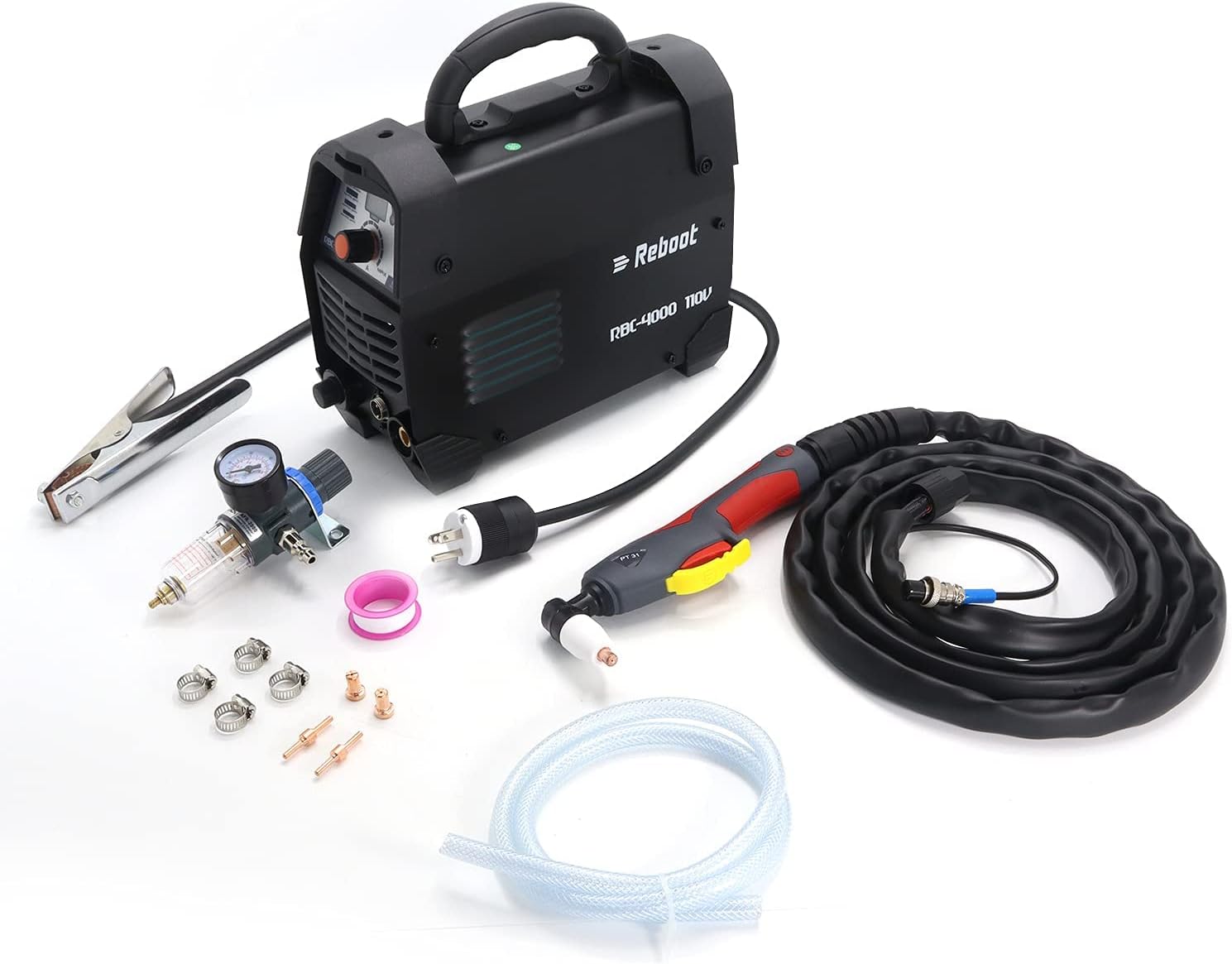
Image: The complete package contents, including the plasma cutter unit, PT31 cutting torch, earth clamp, air hose, air pressure valve, and various consumables.
3. Product Overview
3.1 Front Panel Controls and Connections
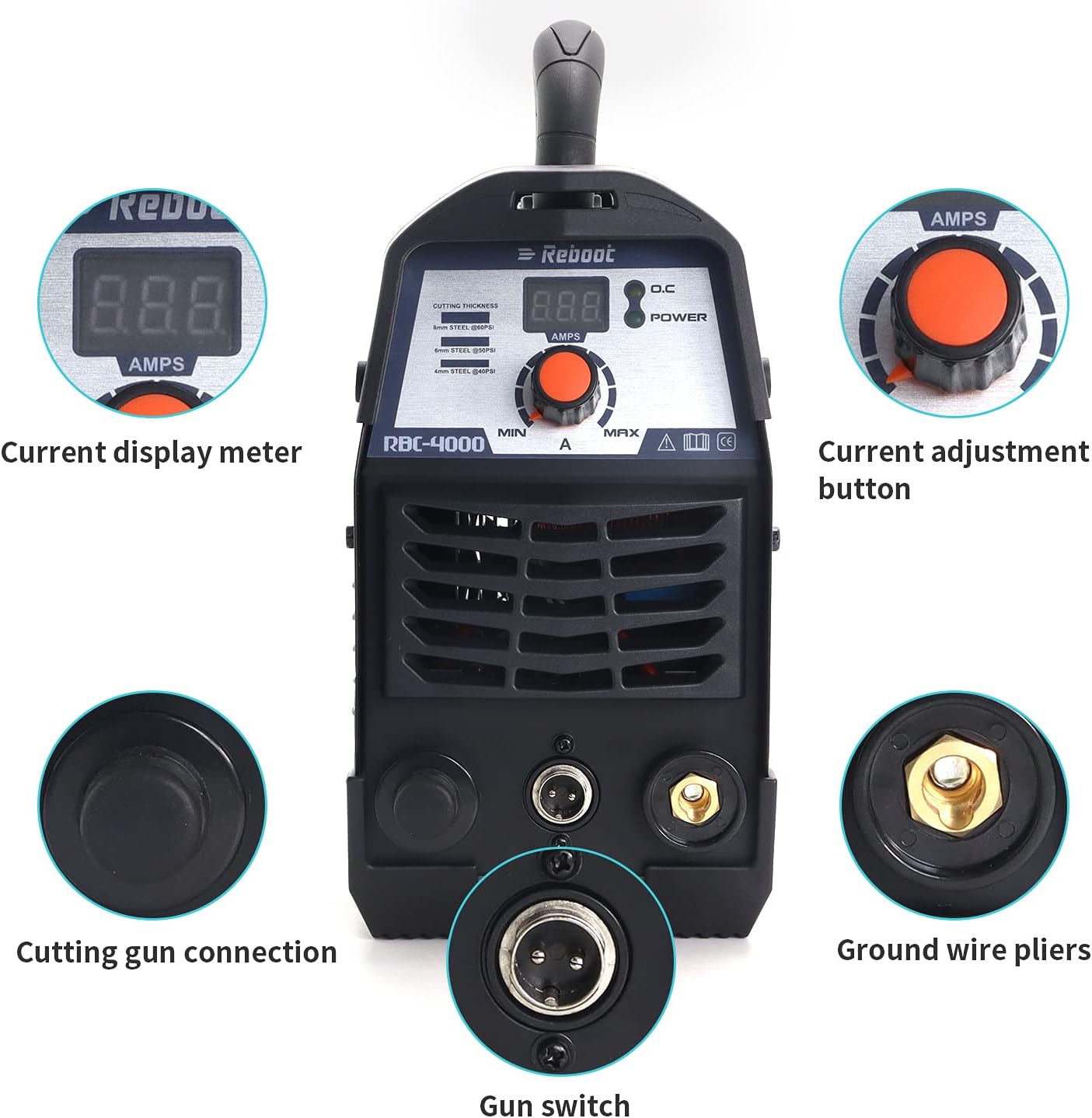
Image: Detailed view of the plasma cutter's front panel, highlighting the current display meter, current adjustment button, cutting gun connection, gun switch, and ground wire pliers connection.
- Current Display Meter: Digital display showing the output amperage.
- Current Adjustment Button: Rotary knob to set the desired cutting amperage (MIN to MAX).
- Cutting Gun Connection: Port for connecting the PT31 cutting torch.
- Gun Switch: Connector for the torch trigger cable.
- Ground Wire Pliers Connection: Terminal for connecting the earth clamp.
3.2 Rear Panel Connections and Features

Image: Detailed view of the plasma cutter's rear panel, showing the waterproof power switch, air input, and high-speed cooling fan.
- Waterproof Switch: Main power ON/OFF switch.
- Air IN: Connection point for the compressed air supply.
- High-speed Fan: Internal cooling fan to maintain optimal operating temperature.
3.3 PT31 Cutting Torch Components

Image: An exploded diagram of the PT31 cutting torch head, illustrating the SHEDED-CUP, TIP-EXTENDED, GAS RING, and ELECTRODE-EXTENDED components.
- SHEDED-CUP: Protects the electrode and focuses the plasma arc.
- TIP-EXTENDED: Directs the plasma arc to the workpiece.
- GAS RING: Ensures proper gas flow around the electrode.
- ELECTRODE-EXTENDED: Generates the plasma arc.
4. Setup Instructions
- Connect Air Pressure Valve: Attach the air pressure valve (regulator) to the 'AIR IN' port on the rear of the plasma cutter. Ensure a secure, airtight connection.
- Connect Air Hose: Connect one end of the air hose to the air pressure valve and the other end to your compressed air supply.
- Connect Cutting Torch: Insert the cutting torch cable connector into the 'Cutting gun connection' port on the front panel. Connect the gun switch cable to its designated port.
- Connect Earth Clamp: Attach the earth clamp cable to the 'Ground wire pliers connection' terminal on the front panel. Securely clamp the earth clamp to the workpiece or a clean, bare metal part of the work table.
- Power Connection: Plug the plasma cutter into a 110V AC power outlet. A dedicated 50A breaker is suggested for optimal performance and safety.
- Install Consumables: Ensure the correct SHEDED-CUP, TIP-EXTENDED, GAS RING, and ELECTRODE-EXTENDED are properly installed in the PT31 cutting torch head.
5. Operating Instructions
- Power On: Flip the waterproof switch on the rear panel to the 'ON' position. The current display meter should illuminate.
- Set Air Pressure: Adjust your compressed air supply to provide 60-70 psi at the air pressure valve.
- Adjust Cutting Current: Use the current adjustment button on the front panel to set the desired amperage based on the material thickness and type. Refer to the cutting chart below for guidance.
- Prepare Workpiece: Ensure the workpiece is clean and free of rust, paint, or other contaminants that could interfere with the arc.
- Begin Cutting: Position the torch nozzle close to the workpiece. Press the trigger on the cutting torch to initiate the plasma arc. Maintain a consistent standoff distance and travel speed for a clean cut.
- Cutting Capacity: The RBC-4000 has a maximum rated clean cutting thickness of 9mm.
- Compatible Materials: This plasma cutter is suitable for cutting aluminum, stainless steel, alloy steel, mild steel, copper, cast iron, and chrome.
5.1 Cutting Parameter Guide (RBC4000D-110V)
| Parameter | 20 Amps | 30 Amps | 35 Amps |
|---|---|---|---|
| Thickness (mm) | 5mm | 6mm | 8mm |
| Air Pressure (psi) | 40-50psi | 40-50psi | 50-60psi |
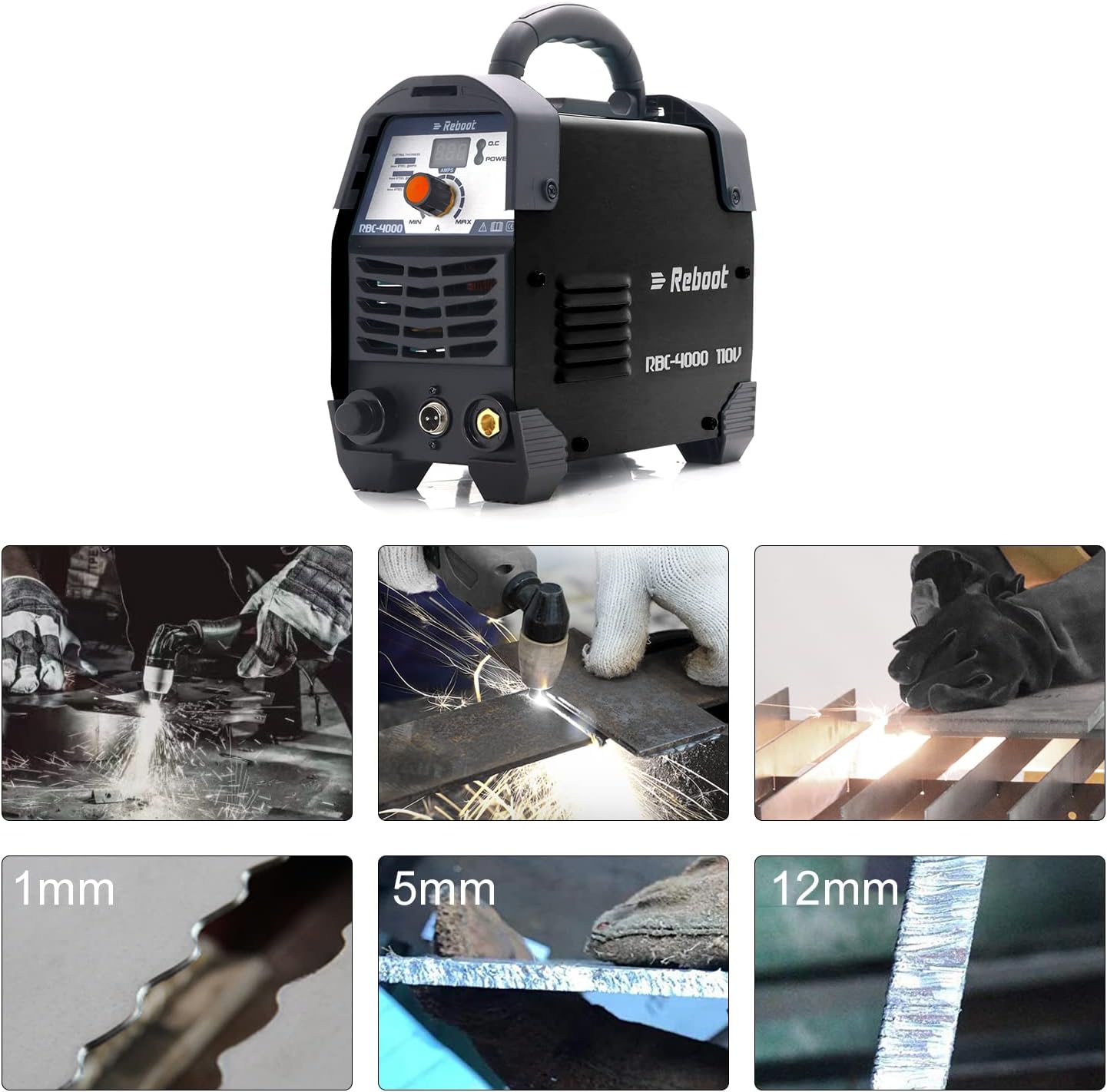
Image: Visual examples demonstrating the quality of cuts on different material thicknesses (1mm, 5mm, 12mm).
6. Maintenance
- Consumable Replacement: Regularly inspect the torch consumables (electrode, tip, shield cup). Replace them when they show signs of wear or damage to ensure optimal cutting performance.
- Air Filter: Periodically check and drain the moisture from the air pressure valve's filter bowl. Replace the filter element if it becomes clogged.
- Cleaning: Keep the plasma cutter unit clean and free of dust and metal particles. Use compressed air to blow out internal components if necessary, ensuring the unit is unplugged.
- Cable Inspection: Inspect all cables (power, torch, earth clamp) for cuts, abrasions, or loose connections before each use.
7. Troubleshooting
| Problem | Possible Cause | Solution |
|---|---|---|
| No arc when trigger is pressed | No power; Loose connections; Faulty torch consumables; No air supply. | Check power supply and breaker; Secure all connections; Replace consumables; Verify air compressor is on and pressure is set. |
| Poor cut quality / Incomplete cuts | Incorrect amperage setting; Low air pressure; Worn consumables; Too fast travel speed. | Adjust amperage according to material; Increase air pressure to 60-70 psi; Replace worn consumables; Reduce travel speed. |
| Unit overheats / Shuts down | Exceeded duty cycle; Blocked ventilation. | Allow unit to cool down; Ensure proper ventilation around the machine. |
| Air leaks | Loose air hose connections; Damaged air hose or regulator. | Tighten all air connections; Inspect and replace damaged components. |
8. Specifications
- Model: RBC-4000
- Input Voltage: 110 Volts AC
- Output Current: 40 Amps (Max)
- Duty Cycle: 60% at 40A, 100% at 28A
- Air Pressure: 60-70 psi
- Max Clean Cutting Thickness: 9mm (approximately 1/2 inch)
- Cutting Materials: Aluminum, Stainless Steel, Alloy Steel, Mild Steel, Copper, Cast Iron, Chrome
- Item Weight: 13.97 pounds
- Package Dimensions: 14.6 x 11.25 x 9.25 inches
- Manufacturer: Reboot-US
9. Warranty and Support
The Reboot RBC-4000 Plasma Cutter comes with a 1-year limited warranty. Additionally, Reboot offers a 30-day 100% satisfaction or money-back guarantee. For technical support, warranty claims, or assistance with product operation, please contact Reboot customer service through their official channels.


