
1. Introduction
Thank you for choosing the LUITON Speaker Microphone. This device is designed to enhance your two-way radio communication experience by providing clear audio transmission and reception, even in challenging environments. Its robust construction ensures durability and reliable performance.
This manual provides essential information for the proper setup, operation, and maintenance of your speaker microphone. Please read it thoroughly before use to ensure optimal performance and longevity of the product.

Image 1: LUITON Speaker Microphone with key features labeled, including impact-resistant housing, side PTT, detachable swivel clip, 3.5mm audio jack, high-performance speaker and microphone, sturdy strain relief, and PU cable reinforced by Kevlar fiber.
2. Product Features
- Heavy Duty Construction: Features a strong reinforced PU cable and durable coil cord, designed for high tensile strength and long-life use.
- Detachable Swivel Clip: Includes a rugged, replaceable swivel clip for secure attachment to clothing or gear.
- High Quality Audio: Equipped with an omni-directional microphone and electret speaker to transmit and receive clear sound, even in noisy environments.
- Easy Operation: Simple push-to-talk (PTT) button for intuitive communication.
- Compatibility: Designed for a wide range of Motorola APX and XPR series radios.

Image 2: Close-up view of the speaker microphone's durable coiled cord, highlighting the sturdy strain relief and the PU cable reinforced by Kevlar fiber with a diameter of 4.8mm.
3. Package Contents
The LUITON Speaker Microphone package includes:
- 1 x LUITON Speaker Microphone (Model LUITON-M0001)
- 1 x Warranty Card
4. Compatibility
This speaker microphone is compatible with the following Motorola two-way radio models:
- Motorola APX Series: APX 4000, APX 6000, APX 7000, APX 8000
- Motorola XPR Series: XPR 6350, XPR 6550, XPR 7350, XPR 7550
Ensure your radio model is listed above for proper functionality.
5. Setup Instructions
Follow these steps to connect your LUITON Speaker Microphone to your compatible Motorola radio:
- Ensure your radio is powered off before connecting any accessories.
- Locate the microphone jack on the side of your Motorola radio.
- Align the multi-pin connector of the LUITON Speaker Microphone with the radio's microphone jack.
- Gently but firmly insert the connector until it is fully seated. Do not force the connection.
- Once connected, you can power on your radio.

Image 3: Close-up view of the speaker microphone's high-quality multi-pin connector (Pogo Pin) designed for secure connection to compatible radios.
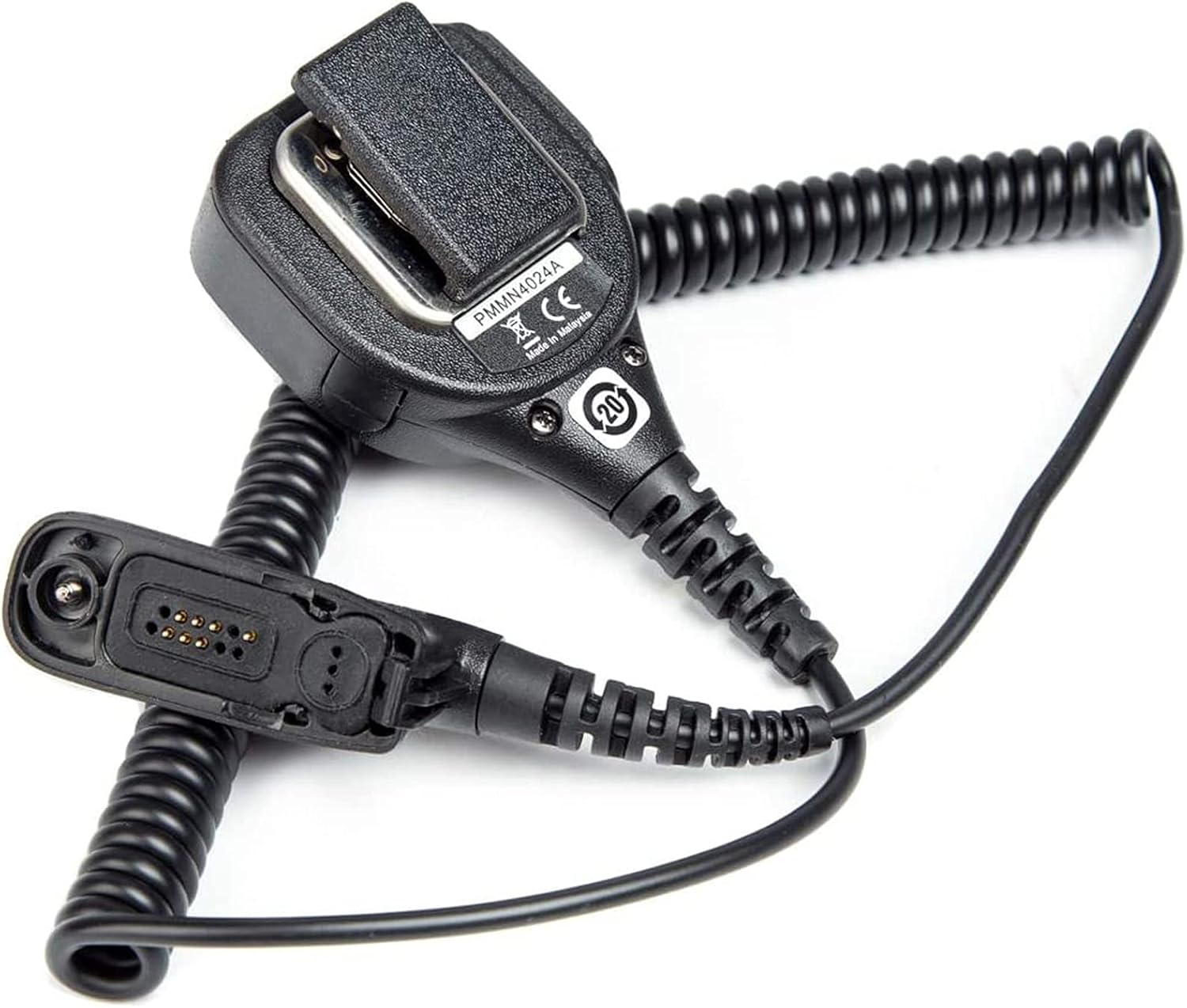
Image 4: The LUITON Speaker Microphone with its coiled cable and multi-pin connector, ready for attachment to a radio.
6. Operating Instructions
Using your LUITON Speaker Microphone is straightforward:
- To Transmit: Press and hold the Push-to-Talk (PTT) button located on the side of the speaker microphone. Speak clearly into the microphone.
- To Receive: Release the PTT button. Audio will be heard through the speaker on the microphone.
- Adjusting Volume: Adjust the volume directly on your radio unit. The speaker microphone's volume is controlled by the radio's master volume.
- Using the Swivel Clip: Attach the speaker microphone to your uniform, vest, or belt using the detachable swivel clip for convenient access.

Image 5: Front view of the LUITON Speaker Microphone, showing the speaker grille and the LUITON brand logo.
7. Maintenance and Care
To ensure the longevity and optimal performance of your speaker microphone, follow these maintenance guidelines:
- Cleaning: Wipe the exterior of the microphone with a soft, damp cloth. Do not use harsh chemicals or abrasive cleaners. Ensure no moisture enters the speaker grille or microphone opening.
- Storage: Store the microphone in a dry, cool place away from direct sunlight and extreme temperatures when not in use.
- Cable Care: Avoid sharp bends or excessive pulling on the cable. The reinforced PU cable is designed for durability, but proper handling will extend its life.
- Connector Protection: Keep the multi-pin connector clean and free from dirt or debris. Avoid bending the pins.
- Swivel Clip: Periodically check the swivel clip for secure attachment and wear. It is designed to be replaceable if needed.
8. Troubleshooting
If you encounter issues with your LUITON Speaker Microphone, refer to the following common problems and solutions:
| Problem | Possible Cause | Solution |
|---|---|---|
| No audio from speaker mic | Loose connection; Radio volume too low; Radio not powered on; Faulty unit. | Ensure connector is fully seated. Increase radio volume. Power on radio. Test with another radio if possible. |
| Cannot transmit (PTT not working) | Loose connection; PTT button malfunction; Radio not in transmit mode. | Check connection. Ensure PTT button is fully pressed. Verify radio settings. |
| Distorted or unclear audio | Microphone/speaker obstruction; Environmental noise; Damaged cable. | Clear any obstructions. Move to a quieter area. Inspect cable for damage. |
| Swivel clip is loose or broken | Wear and tear; Improper handling. | The clip is detachable and replaceable. Contact customer support for a replacement if needed. |
If the problem persists after attempting these solutions, please contact LUITON customer support for further assistance.
9. Specifications
| Feature | Detail |
|---|---|
| Model Name | LUITON-M0001 |
| Brand | LUITON |
| Connectivity Technology | Multi-pin connector (8-pin) |
| Microphone Form Factor | Lavalier / Shoulder Microphone |
| Polar Pattern | Omnidirectional |
| Impedance | 2200 Ohms |
| Enclosure Material | Plastic |
| Cable Type | Reinforced PU cable & durable coil cord |
| Special Feature | Detachable Swivel Clip, Noise Reduction |
| Included Components | Warranty Card |
10. Warranty and Customer Support
LUITON provides a warranty for this speaker microphone to ensure your satisfaction.
- Warranty Period: The product comes with a 6-month warranty from the date of purchase.
- Warranty Coverage: This warranty covers manufacturing defects and issues arising from normal use. It does not cover damage caused by misuse, accidents, or unauthorized modifications.
- Return Process: LUITON offers a simple and convenient return process.
- Customer Service: For warranty claims, technical support, or any inquiries regarding your LUITON Speaker Microphone, please refer to the contact information provided on your warranty card or visit the official LUITON website.
Your satisfaction is 100% guaranteed.
