

1. Introduction
This manual provides essential information for the safe and effective use of your Accutime iTIME Kids Smart Watch, Model ITK2005AZ. Please read these instructions thoroughly before initial use and retain them for future reference.
The iTIME Kids Smart Watch is designed for children, offering various features such as a camera, learning games, and activity tracking, without requiring internet connectivity, Wi-Fi, or Bluetooth for core functions, ensuring a secure experience.
2. Safety Information
- Choking Hazard: This device contains small parts. Keep out of reach of very young children.
- Battery Safety: The watch contains a built-in rechargeable lithium-ion battery. Do not attempt to replace the battery yourself. Do not expose the watch to extreme temperatures or dispose of it in fire.
- Water Resistance: This watch is not waterproof. Avoid submersion in water or exposure to heavy rain.
- Screen Care: The touchscreen display is fragile. Avoid dropping the watch or subjecting it to strong impacts to prevent screen damage.
- Cleaning: Use a soft, dry cloth for cleaning. Do not use harsh chemicals or abrasive materials.
- Supervision: Adult supervision is recommended during use, especially for younger children.
3. Package Contents
Verify that all items are present in the package:
- Accutime iTIME Kids Smart Watch (Model: ITK2005AZ)
- USB Charging Cable
- Instruction Manual


Left: Packaging box for the iTIME Kids Smart Watch. Right: Included USB charging cable.
4. Setup
4.1. Initial Charging
Before first use, fully charge the watch for at least two hours to ensure optimal battery performance. Subsequent charges should be at least one hour.
- Connect the small end of the USB charging cable to the charging port on the side of the watch.
- Connect the larger end of the USB cable to a standard USB power adapter (not included) or a computer's USB port.
- The watch display will indicate that it is charging.
4.2. Powering On/Off
- To Power On: Press and hold the power button (usually located on the side of the watch) until the screen illuminates.
- To Power Off: Press and hold the power button until a power-off option appears on the screen, then tap to confirm. Alternatively, hold the button longer until the screen turns off.
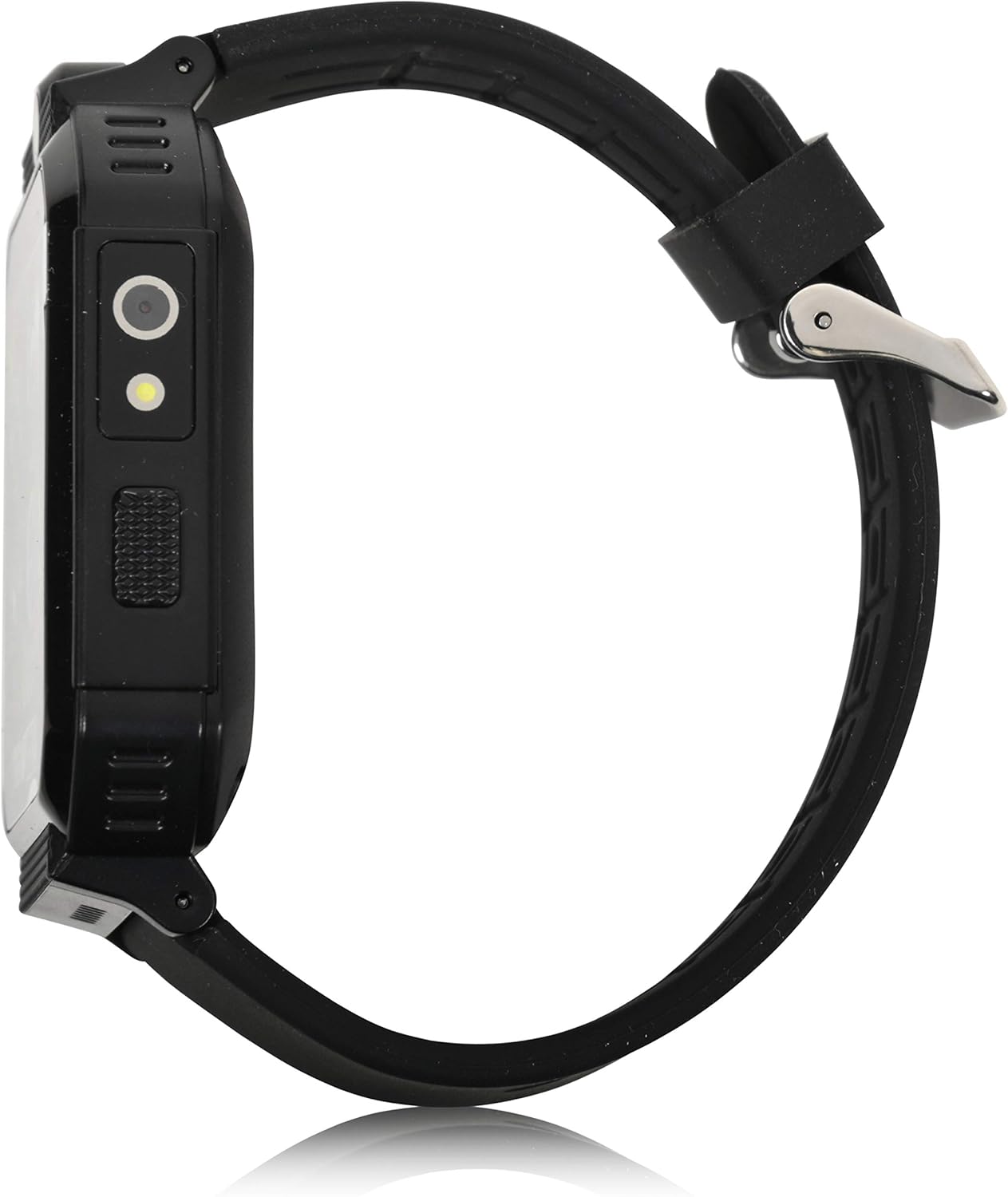
Side view of the smartwatch, highlighting the power button and charging port.
5. Operating Instructions
The iTIME Kids Smart Watch features a touchscreen interface for navigation. Swipe left or right to browse through applications and tap an icon to select.
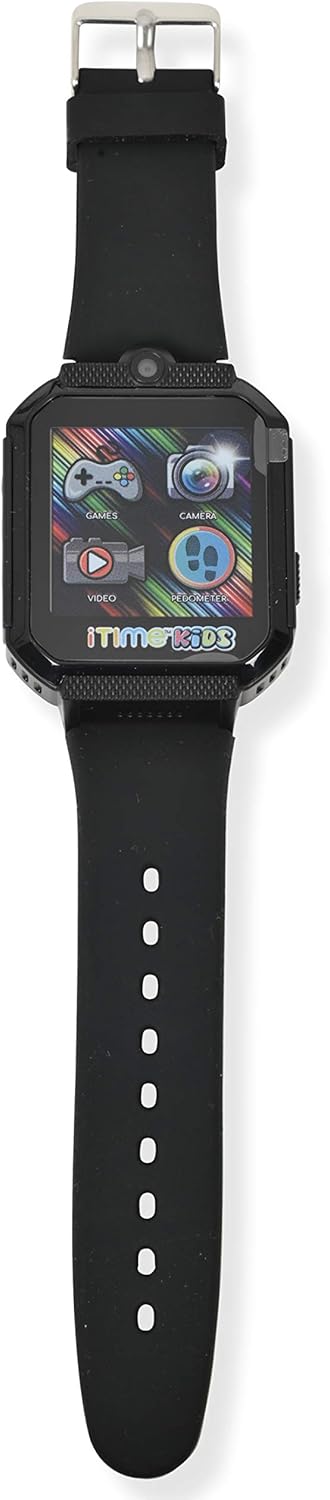
Front view of the smartwatch display, showing various application icons.
5.1. Time Display and Watch Faces
- The home screen displays the current time.
- To change watch faces, tap and hold on the home screen, then swipe to select a different design.
5.2. Camera and Photo Album
- Tap the Camera icon to open the selfie camera.
- Tap the screen to take a photo.
- Tap the Photo Album icon to view captured images.
5.3. Games
- Tap the Games icon to access the preloaded games.
- Select a game from the list and follow the on-screen instructions to play.
5.4. Pedometer and Activity Tracking
- Tap the Pedometer icon to view your step count.
- The watch automatically tracks steps, distance, and estimated calories burned.
5.5. Other Features
- Video Player: Tap the Video icon to play recorded videos.
- Voice Recorder: Tap the Voice Recorder icon to record and playback audio.
- Calculator: Access basic arithmetic functions.
- Alarm Clock: Set alarms for reminders.
- Flashlight: Activate the built-in flashlight.
- Stopwatch: Use for timing activities.
- Body Temperature Sensor: Access the sensor to view real-time body temperature readings.
6. Features Overview
The Accutime iTIME Kids Smart Watch ITK2005AZ includes the following functionalities:
- Touchscreen Display
- Selfie Camera for photos and videos
- Photo Album Viewer
- Video Player
- Voice Recorder
- Calculator
- Alarm Clock
- Pedometer Step Counter
- Calorie Counter
- Distance Counter
- 26 Preloaded Playable Games
- Changeable Watch Faces
- Flashlight
- Stopwatch
- Real-time Body Temperature Sensor
- Built-in Rechargeable Battery
7. Maintenance
7.1. Cleaning
Wipe the watch and strap with a soft, dry, lint-free cloth. Do not use liquid cleaners or sprays directly on the watch.
7.2. Storage
When not in use for extended periods, store the watch in a cool, dry place away from direct sunlight and extreme temperatures. Ensure the battery has some charge before storing to prevent deep discharge.
8. Troubleshooting
- Watch does not power on: Ensure the watch is fully charged. Connect it to the charger for at least 30 minutes before attempting to power on again.
- Screen is unresponsive or frozen: Try restarting the watch by pressing and holding the power button until it powers off, then power it back on.
- Battery life is short: Ensure the watch is charged for the recommended duration (at least 1 hour for regular use, 2 hours for initial use). Reduce screen brightness or frequency of game use to conserve battery.
- Sound issues: Check the volume settings within the watch's menu. If games have separate volume controls, adjust them accordingly.
- Charging issues: Verify that the USB cable is securely connected to both the watch and the power source. Try a different USB port or power adapter.
9. Specifications
| Brand | Accutime |
| Model | ITK2005AZ |
| Display Type | LCD |
| Screen Size | 40 Millimetres |
| Human Interface Input | Touchscreen |
| Battery Type | Lithium Ion (Rechargeable) |
| Charging Time | 1-2 Hours |
| Special Features | Alarm Clock, Audio Recording, Camera, Pedometer, Time Display, Body Temperature Sensor |
| Connectivity Technology | USB (for charging) |
| Wireless Communication Standard | Bluetooth (Note: Product description states no Bluetooth for safety, but specifications list it. For core functions, it does not connect to internet/Wi-Fi/Bluetooth. Bluetooth may be for internal components or specific accessories not advertised for general use.) |

Back view of the smartwatch, displaying model information.
10. Warranty and Support
10.1. Warranty Information
This Accutime iTIME Kids Smart Watch comes with a one-year warranty from Accutime Watch Corp. Please retain your proof of purchase for warranty claims.
10.2. Customer Support
For further assistance, technical support, or warranty inquiries, please contact Accutime Watch Corp. customer service. Refer to the packaging or Accutime's official website for contact details.


