
Introduction
Thank you for choosing the Ilford Harman EZ-35 Reusable Motorized 35mm Film Camera. This manual provides essential information for setting up, operating, maintaining, and troubleshooting your camera to ensure optimal performance and enjoyment. The EZ-35 is designed for ease of use, offering a simple way to capture moments on 35mm film with the convenience of motorized film handling and a built-in flash.
Setup
1. Battery Installation
The Ilford Harman EZ-35 camera requires batteries for its motorized functions and flash. Locate the battery compartment, typically on the bottom or side of the camera. Insert the required batteries, ensuring correct polarity as indicated inside the compartment. Close the compartment securely.
2. Loading Film
Your camera comes with one roll of ILFORD HP5 Plus 35mm 36 exposure B&W film. To load the film:
- Open the camera back by sliding the latch located on the side of the camera.
- Place the film cartridge into the film chamber on the left side.
- Pull the film leader across to the take-up spool on the right side, ensuring it catches onto the spool's teeth.
- Close the camera back firmly until it clicks into place. The camera will automatically advance the film to the first frame.
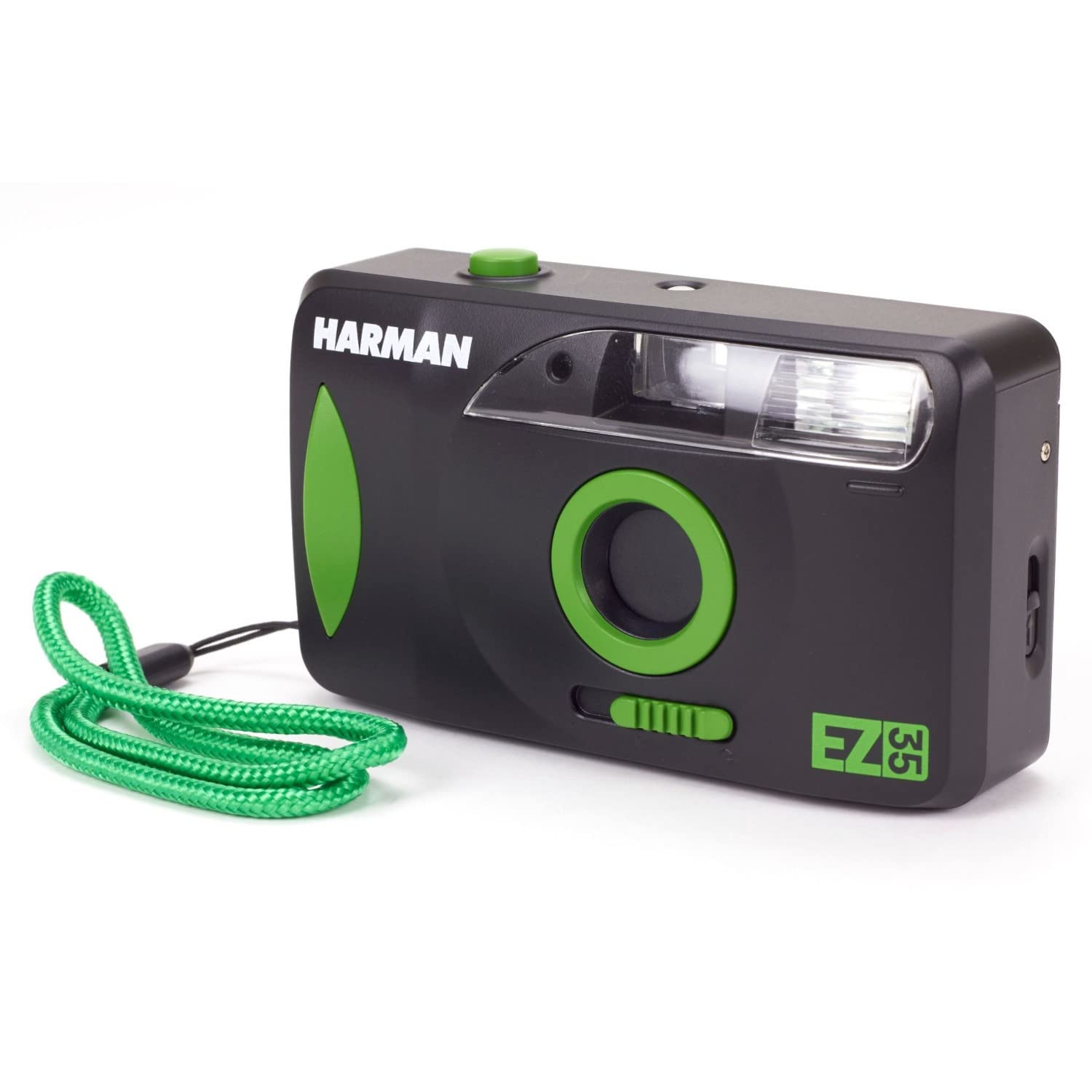
Image: Packaging for the Ilford Harman EZ-35 camera, showing the camera held by hands, with various travel icons in the background. This image represents the product's branding and initial presentation.
Operating the Camera
1. Taking a Photo
Point the camera at your subject. Look through the viewfinder to compose your shot. Press the shutter button located on the top of the camera to capture the image. The camera's motorized system will automatically advance the film to the next frame after each shot.
2. Using the Flash
The EZ-35 features a built-in flash for low-light conditions. To activate the flash, slide the flash switch or button (refer to camera body markings for exact location). Allow approximately 15 seconds for the flash to recycle before taking a flash photograph. A ready light will typically illuminate when the flash is charged.
3. Rewinding Film
Once all exposures on the film roll have been used, the camera will automatically initiate the film rewind process. Wait for the motorized rewind to complete. Once rewound, open the camera back and remove the film cartridge for development.
Maintenance
To ensure the longevity and optimal performance of your Ilford Harman EZ-35 camera, follow these maintenance guidelines:
- Cleaning: Use a soft, lint-free cloth to gently wipe the camera body. For the lens and viewfinder, use a specialized lens cleaning cloth and solution. Avoid harsh chemicals or abrasive materials.
- Storage: Store the camera in a cool, dry place away from direct sunlight, extreme temperatures, and high humidity. Remove batteries if the camera will not be used for an extended period to prevent leakage.
- Film Handling: Always load and unload film in subdued light to prevent accidental exposure.
Troubleshooting
If you encounter issues with your Ilford Harman EZ-35 camera, refer to the following common problems and solutions:
- Camera Not Powering On: Check battery installation and ensure batteries are fresh. Replace if necessary.
- Film Not Advancing/Rewinding: Verify that film is loaded correctly and batteries have sufficient power. If the issue persists, the film may be jammed or the motor may require service.
- Flash Not Firing: Ensure the flash is activated and has had sufficient time (approx. 15 seconds) to recycle. Check battery power.
- Blank or Underexposed Photos: Confirm flash usage in low light. Ensure the lens is clean and unobstructed.
For persistent issues not covered here, please contact customer support.
Specifications
| Feature | Detail |
|---|---|
| Brand | Ilford |
| Model Name | EZ-35 |
| Special Feature | Built In Flash |
| Film Format Type | 35mm |
| Item Weight | 0.28 Kilograms |
| Item Dimensions (L x W x H) | 19.69 x 19.69 x 11.02 inches |
| Film Color | Black and White |
| Min Shutter Speed | 15 seconds |
| Max Shutter Speed | 0.002 seconds |
| Exposure Control | Automatic |
| Viewfinder | Optical viewfinder |
| Has Self-Timer | Yes |
Warranty and Support
Warranty Information
This product is covered by a standard manufacturer's warranty. Please retain your proof of purchase for any warranty claims. Specific warranty terms and duration may vary by region. For detailed warranty information, refer to the documentation included with your purchase or visit the official Ilford website.
Customer Support
For technical assistance, troubleshooting not covered in this manual, or warranty service, please contact Ilford customer support. You can typically find contact information on the Ilford website or through your retailer.
Online Resources: For additional tips and resources, visit the official Ilford Photo website.
