
1. Introduction
Thank you for choosing the MOKPR JR-ZS219 Wireless Car Charger and Phone Mount. This device combines a fast wireless charger with a versatile phone mount, offering both cup holder and air vent installation options. It is designed to provide convenient and safe phone usage and charging while driving.
2. Package Contents
Please check the box for the following items:
- 1 x Wireless Car Charger Unit
- 1 x Adjustable Cup Holder Mount
- 1 x Air Vent Clip
- 1 x USB-A to USB-C Cable

Image: The main wireless car charger unit.
3. Setup Instructions
3.1. Cup Holder Mount Installation
- Assemble the Mount: Attach the wireless charger unit to the ball joint of the cup holder mount. Secure it by tightening the nut.
- Insert into Cup Holder: Place the adjustable base of the cup holder mount into your vehicle's cup holder.
- Adjust Base Diameter: Twist the knob on the cup holder base to expand its diameter until it fits snugly and securely within your cup holder (compatible with diameters between 2.6-4.0 inches).
- Adjust Angle and Height: Loosen the adjustment knob on the mount's arm to set the desired viewing angle and height. The telescopic arm extends up to 11.2 inches and rotates 270°, while the ball head allows 360° rotation. Tighten the knob to secure the position.
- Connect Power: Plug the provided USB-A to USB-C cable into the charging port on the bottom of the wireless charger unit and connect the other end to a QC3.0/QC2.0 car charger adapter (not included) in your vehicle's cigarette lighter socket or a compatible USB port.

Image: MOKPR Wireless Car Charger installed in a car's cup holder.

Image: The cup holder mount showing its adjustable height and angle features.
Video: Demonstrates the installation and adjustment of the MOKPR Cup Holder Mount Charger in a vehicle.
3.2. Air Vent Mount Installation
- Attach Air Vent Clip: If using the air vent option, attach the air vent clip to the ball joint on the back of the wireless charger unit. Secure it by tightening the nut.
- Secure to Air Vent: Open the clamp of the air vent clip and firmly attach it to one of your vehicle's air conditioning vents. Ensure it is stable and does not obstruct airflow excessively.
- Connect Power: Plug the provided USB-A to USB-C cable into the charging port on the bottom of the wireless charger unit and connect the other end to a QC3.0/QC2.0 car charger adapter (not included) in your vehicle's cigarette lighter socket or a compatible USB port.
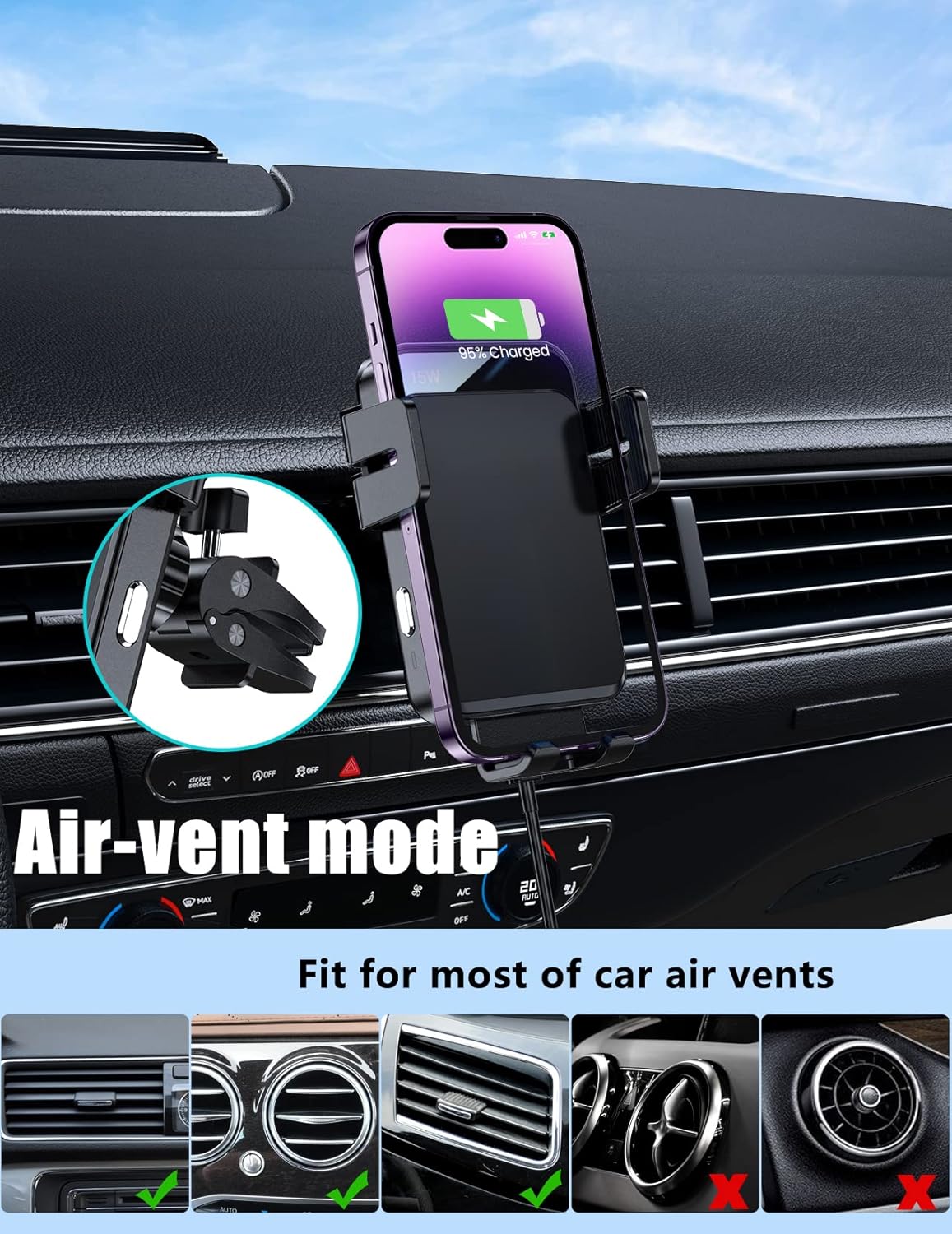
Image: MOKPR Wireless Car Charger installed on a car's air vent.
Video: Shows the assembly and installation of the wireless car charger using the air vent mount option.
4. Operating Instructions
- Power On: Ensure the car charger is connected to power and your vehicle's ignition is on. The charger's arms and foot will auto-open.
- Place Phone: Gently place your wireless charging compatible phone into the mount. The built-in advanced sensor will intelligently identify your phone and auto-adjust to the best charging area. The arms and foot will then auto-clamp firmly to secure your phone and begin charging.
- Remove Phone: To remove your phone, press the release button located on the side of the charger unit. The arms will open, allowing you to safely retrieve your device. The mount retains a small charge to allow phone removal even if the car's power is off.

Image: Diagram illustrating the automatic precise alignment process for optimal wireless charging.
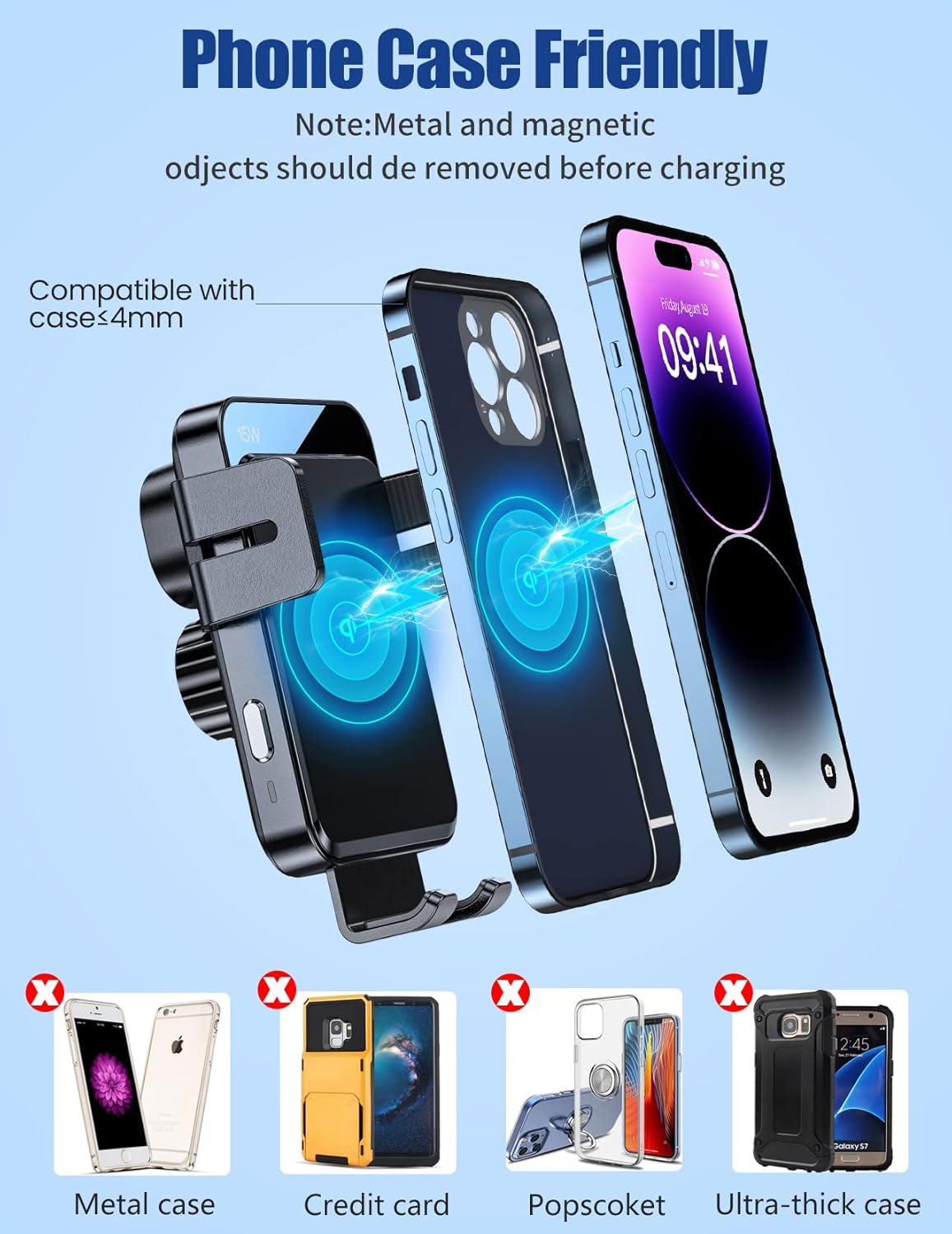
Image: Demonstrates the charger's compatibility with phone cases up to 5mm thick.
Video: Provides an overview of the wireless car charger, including unboxing and basic operation.
Video: Demonstrates the consistent charging and mobility features of the car charger.
5. Key Features
- Auto Clamping: Arms and foot automatically open upon power connection and firmly clamp your phone when placed.
- Automatic Precise Alignment: Built-in sensor intelligently identifies your phone model and adjusts to the optimal charging area.
- Adjustable Cup Holder Base: Compatible with cup holders ranging from 2.6 to 4.0 inches in diameter.
- Flexible Viewing: Sturdy telescopic arm extends up to 11.2 inches, with 270° rotation and a 360° rotating ball head for optimal viewing angles.
- Wide Compatibility: Supports 15W/10W/7.5W/5W wireless fast charging for various Qi-enabled smartphones, including iPhone (16/15/14/13/12/11 series, SE, XS, X, XR, 8), Samsung Galaxy (S23/S22/S21/S20/S10/S9/S8 series, Note 20/10/9/8), LG (V50/V40/V30/G8/G7), and Google Pixel.
- Case Friendly: Charges through phone cases up to 5mm thick.
- FOD Function: Foreign Object Detection prevents abnormal charging.
- 2-in-1 Design: Combines wireless charging with a car mount for safer driving.
6. Maintenance
- Keep the charger clean and free from dust and debris. Use a soft, dry cloth for cleaning.
- Avoid exposing the device to extreme temperatures or direct sunlight for prolonged periods.
- Do not disassemble or attempt to repair the device yourself. Contact customer support if issues arise.
7. Troubleshooting
7.1. Slow or No Charging
- Check Phone Compatibility: Ensure your phone supports wireless charging.
- Remove Obstructions: Remove thick, uneven, or rugged phone cases, metal ring holders, metal attachments, and credit cards. Phone cases should not be thicker than 5mm.
- Power Adapter: Use a QC3.0/QC2.0 car charger adapter (not included) for optimal fast charging. Other adapters or standard USB ports may not supply sufficient power.
- Background Apps: GPS navigation or playing music can consume battery faster than the charging rate, especially with standard charging.
7.2. Phone Not Clamping/Releasing
- Power Connection: Ensure the charger is properly connected to power and the vehicle's ignition is on.
- Obstruction: Check for any physical obstructions preventing the arms from moving freely.
- Release Button: For removal, ensure you are pressing the dedicated release button on the side of the charger.
8. Specifications
| Feature | Detail |
|---|---|
| Brand | MOKPR |
| Model Number | JR-ZS219 |
| Connector Type | Wireless |
| Input Voltage | 5 Volts |
| Amperage | 1 Amps |
| Wattage | 5-15 Watts (Adaptive) |
| Output Current | 1 Amps |
| Output Voltage | 5 Volts |
| Power Source | Battery Powered (via car adapter) |
| Main Power Connector Type | USB Type C |
| Mounting Type | Cup Holder, Air Vent |
| Material | Metal |
| Item Weight | 0.49 Kilograms |
| Color | Black |
| Specification Met | Qi |
9. Warranty and Support
The MOKPR JR-ZS219 Wireless Car Charger comes with a 2-Year Warranty. For any product problems or support inquiries, please contact MOKPR customer service. They are committed to providing satisfactory solutions.
You can also visit the official MOKPR Store for more information: MOKPR Store
