
Introduction
This manual provides instructions for the assembly, operation, and maintenance of your Ameriwood Home Condor Toolless Double Pedestal Computer Desk. Designed for home office or study environments, this desk offers a functional workspace with integrated storage. Please read these instructions carefully before beginning assembly and retain them for future reference.
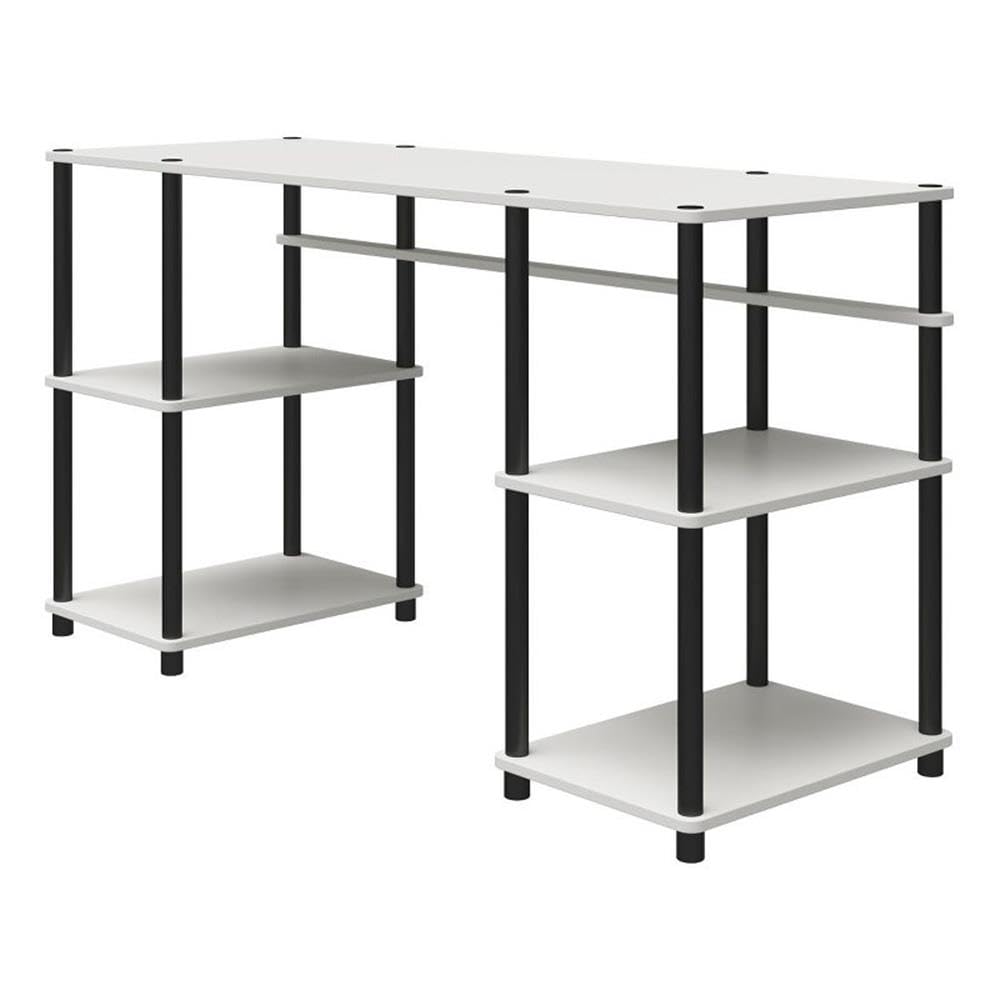
Image: The Ameriwood Home Condor Toolless Double Pedestal Computer Desk, showcasing its design and functionality in a typical home office setup.
Safety Information
- Ensure all parts are securely fastened before use.
- Do not exceed the maximum weight capacities for the desktop or shelves.
- Keep small parts and packaging materials away from children.
- Assemble the desk on a soft, clean surface to prevent scratches.
- Periodically check all connections to ensure they remain tight.
Setup and Assembly
The Ameriwood Home Condor Desk is designed for toolless assembly, requiring only one person. The assembly process involves screwing the support bars into the shelves and desktop. The product ships in one box and typically involves 4 main assembly steps.

Image: Visual guide indicating an 'Easy' assembly level, 4 steps, 6 boards, 1-year warranty, and cleaning instructions.
Package Contents
Before starting assembly, verify that all components are present. The package contains 6 main boards and various support bars required for construction.

Image: An illustration of the desk's components in a disassembled state, showing the desktop, shelves, and support bars.
Assembly Steps
- Unpack all components and lay them out on a clean, soft surface.
- Identify the desktop, shelves, and support bars.
- Attach the support bars to the shelves and desktop by screwing them in until secure. No tools are required for this process.
- Ensure all connections are tight and the desk is stable before placing items on it.
Operation
The Condor Computer Desk provides a spacious surface for your computer, monitors, and other work essentials. The integrated double pedestals offer open shelving for convenient storage of books, files, and office supplies.
- Desktop Usage: Utilize the main desktop surface for laptops, monitors, keyboards, and writing tasks.
- Shelf Storage: The four open shelves are suitable for organizing textbooks, binders, printers, or decorative items.

Image: The desk fully assembled and in use, demonstrating its capacity for a laptop, printer, and organized storage on its shelves.
Maintenance and Care
To maintain the appearance and longevity of your Ameriwood Home Condor Desk, follow these simple care instructions:
- Cleaning: Wipe the desk surfaces with a dry cloth or duster. Avoid using harsh chemicals or abrasive cleaners, which can damage the finish.
- Spills: Immediately wipe up any spills to prevent moisture damage to the engineered wood.
- Protection: Use coasters under beverages and protective pads under hot items to prevent marks and stains.
Troubleshooting
If you encounter any issues with your desk, please review the assembly steps to ensure all components are correctly installed and tightened. Common issues and solutions:
- Wobbling: Check that all support bars are fully screwed into place and tightened. Ensure the desk is on a level surface.
- Missing Parts: If any parts are missing upon unboxing, please contact customer support immediately.
Specifications
Detailed specifications for the Ameriwood Home Condor Toolless Double Pedestal Computer Desk:

Image: Technical drawing showing the desk's overall dimensions (55.1"W x 20.1"D x 30.1"H) and weight capacities (Top: 60 lbs, Shelves: 20 lbs each).
| Feature | Detail |
|---|---|
| Model Number | 8712013COM |
| Brand | Ameriwood Home |
| Assembled Dimensions (W x D x H) | 55.12" x 20.08" x 30.12" |
| Assembled Unit Weight | 38.28 lbs |
| Desktop Weight Capacity | 60 lbs |
| Shelf Weight Capacity (each) | 20 lbs |
| Number of Shelves | 4 |
| Tabletop Thickness | 0.75 Inches |
| Material | Engineered Wood (Top), Metal (Base) |
| Color | White |
| Assembly Required | Yes (Toolless) |
Warranty Information
The Ameriwood Home Condor Toolless Double Pedestal Computer Desk is covered by a 1-Year Limited Warranty for manufacturer defects. This warranty covers defects in materials and workmanship under normal use. Please retain your proof of purchase for warranty claims.
Customer Support
For assistance with assembly, missing parts, or warranty claims, please contact Ameriwood Home customer support. Refer to the contact information provided with your purchase or visit the official Ameriwood Home website for support options.
You can also visit the Ameriwood Home Store on Amazon for more product information.