
1. Introduction
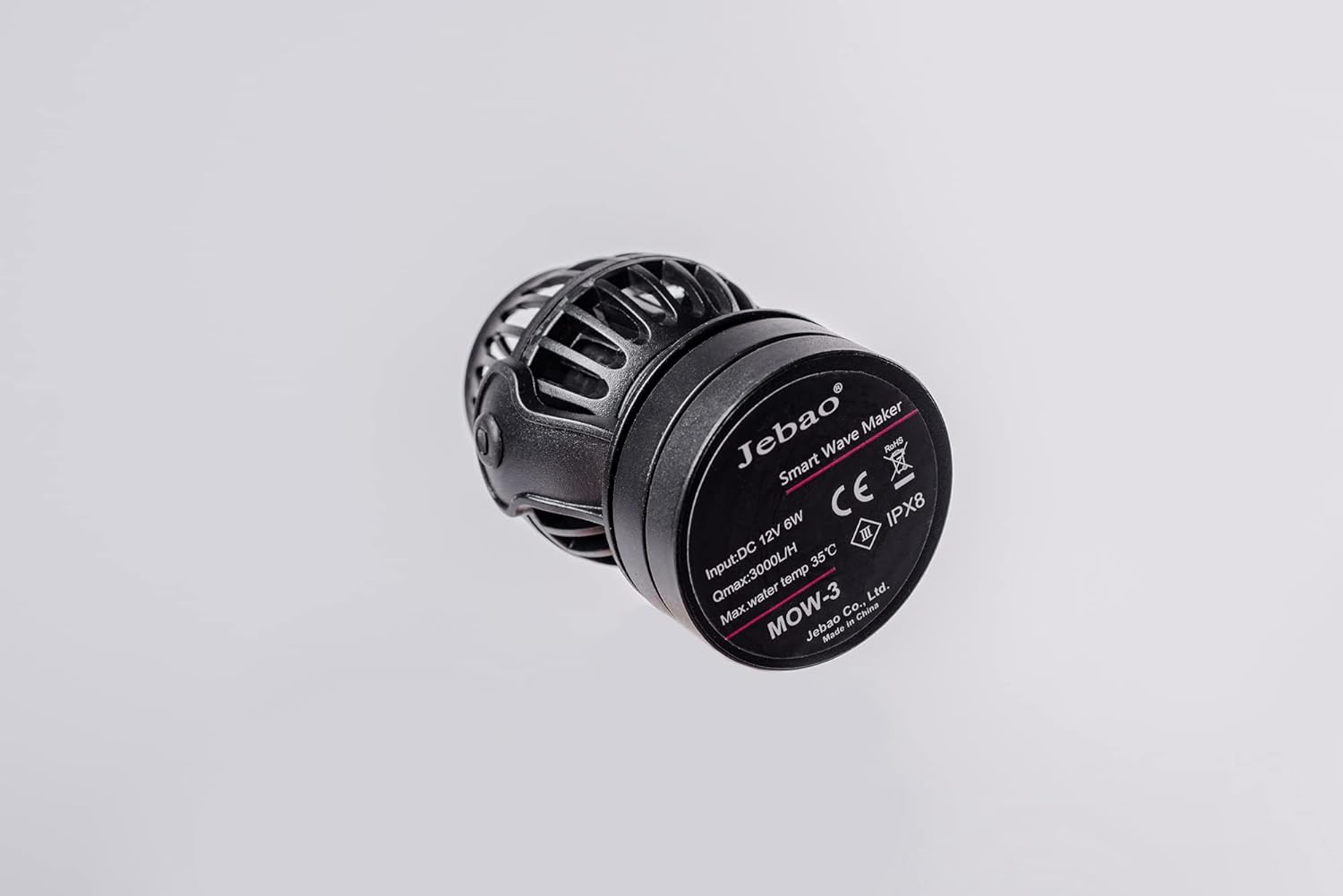
The Jebao MOW-3 Smart Wave Maker is designed to create natural wave patterns in saltwater aquariums, promoting a healthy environment for marine life. This device features a compact design, quiet operation, and can be controlled via an LCD display controller or a Wi-Fi enabled smartphone application.
This manual provides essential information for the proper installation, operation, and maintenance of your MOW-3 wave maker.
2. Safety Information
- Always disconnect power before performing any maintenance or installation.
- Ensure the power adapter and controller are kept dry and away from water.
- Do not operate the pump if the power cord or plug is damaged.
- The wave maker is designed for submersible use only. Do not operate it dry.
- This product is suitable for both marine and fresh water environments.
3. Package Contents
Verify that all components are present in the package:
- Jebao MOW-3 Wave Maker Unit
- LCD Display Controller
- Magnetic Mounting Base
- Power Adapter (US plug, 100V 60Hz)
- User Manual (this document)

4. Product Overview and Features
The Jebao MOW-3 is a compact and efficient wave maker designed for aquariums ranging from 12 to 30 gallons. Its key features include:
- Smart Control: Operates via a manual LCD display controller or a Wi-Fi enabled smartphone application (iOS and Android compatible).
- Sine Wave Technology: Ensures ultra-quiet operation and stable performance.
- Adjustable Flow Direction: Features a 3D large rotation angle to direct water flow precisely.
- Aquarium Safe: Constructed with no exposed copper elements, making it safe for both marine and freshwater environments.
- Compact Design: Dimensions of approximately 2 inches diameter by 3 inches length.


5. Setup
5.1 Physical Installation
- Positioning: Place the wave maker unit inside your aquarium, ensuring it is fully submerged.
- Mounting: Use the magnetic base to secure the wave maker to the aquarium glass. Position the external magnet on the outside of the glass, directly opposite the internal magnet attached to the wave maker. Adjust the position to achieve desired water flow.
- Cable Management: Route the power cable securely, ensuring it does not interfere with the aquarium lid or other equipment. Create a drip loop to prevent water from traveling down the cord to the power outlet.

5.2 Electrical Connection
- Connect the wave maker unit cable to the LCD display controller.
- Connect the power adapter to the LCD display controller.
- Plug the power adapter into a standard 100V 60Hz US electrical outlet.
5.3 Wi-Fi Setup (Optional)
For Wi-Fi control, download the Jebao App from your smartphone's app store (iOS or Android). Follow the in-app instructions to connect your MOW-3 wave maker to your home Wi-Fi network. Note that the device typically requires a 2.4GHz Wi-Fi connection.
6. Operating Modes and Controls
The Jebao MOW-3 offers various operating modes to simulate natural ocean currents. These modes can be selected and adjusted using the LCD display controller or the Jebao App.
6.1 Available Modes
- W1 (Classic Wave Mode): Adjust wave patterns using the up/down buttons on the controller. Multiple pumps can synchronize in this mode.
- W2 (Sine Wave Mode): The flow rate changes between 30-100% following a sine curve. Multiple pumps can operate simultaneously.
- Else (Random Wave Mode): The pump power changes randomly, creating unpredictable flow patterns. Multiple pumps can operate simultaneously.
- H (Constant Wave Mode): Maintains a steady, constant flow. Multiple pumps can operate simultaneously.
- C (Shift to Flow Mode): Requires two pumps. Pumps alternate operation (P1 works, P2 stops; then P2 works, P1 stops) to create a shifting flow.
- Feed Mode: A short press of the stop button activates this mode, pausing the pump for 10 minutes to allow fish to feed without strong currents.
6.2 Controller Operation
The LCD display controller allows direct adjustment of modes and flow intensity. Refer to the controller's specific button functions for detailed operation. Long-press functions may be required for certain settings or Wi-Fi setup.
7. Maintenance
Regular maintenance ensures optimal performance and longevity of your wave maker.
- Cleaning: Periodically remove the wave maker from the aquarium and disassemble the impeller housing. Clean the impeller and its shaft to remove any algae, debris, or mineral buildup. A soft brush and aquarium-safe cleaning solution (e.g., vinegar solution) can be used.
- Inspection: Regularly inspect the power cord for any signs of damage or wear. Check the impeller for any cracks or obstructions.
- Reassembly: Ensure all parts are correctly reassembled before returning the unit to the aquarium and restoring power.
8. Troubleshooting
If you encounter issues with your Jebao MOW-3, refer to the following common problems and solutions:
| Problem | Possible Cause | Solution |
|---|---|---|
| Pump not turning on | No power, loose connection, damaged power adapter/controller | Check power outlet, ensure all connections are secure. Inspect power adapter and controller for damage. |
| Weak or no flow | Impeller obstructed by debris/algae, pump not fully submerged | Disconnect power, remove pump, clean impeller and housing. Ensure pump is fully submerged. |
| Wi-Fi connection issues | Incorrect Wi-Fi band (requires 2.4GHz), incorrect password, app error | Ensure your router is broadcasting a 2.4GHz signal. Verify Wi-Fi password. Restart the app and controller. Some users report needing to long-hold the pump button to enter setup mode. |
| Error Code 01 / Motherboard Failure | Internal malfunction, severe clog | Disconnect power, thoroughly clean the impeller and check for any obstructions. If the issue persists after cleaning and restarting, contact Jebao customer support. |
| Controller display not working | Internal fault, power issue | Check power connection. If the display remains unresponsive, contact Jebao customer support. |
9. Specifications
| Feature | Specification |
|---|---|
| Model | MOW-3 |
| Input Voltage | DC 12V |
| Power Consumption | 6 Watts |
| Recommended Tank Size | 12-30 Gallons |
| Maximum Flow Rate | 3000 L/H (792 GPH) |
| Minimum Flow Rate | 500 L/H (132 GPH) |
| Dimensions (Pump) | Approx. 3"L x 2"W x 3"H |
| Material | Durable Plastic and Stainless Steel components |
| Color | Black |
| Power Source | DC Powered |
10. Warranty and Support
For warranty information, product support, or to report any issues not covered in this manual, please contact Jebao customer service directly. Keep your purchase receipt as proof of purchase.
Contact information can typically be found on the Jebao official website or through your retailer.


