
1. Introduction
This instruction manual provides essential information for the proper installation, operation, and maintenance of the Maverick 150242 Aluminum Heatsink. This heatsink is specifically designed for use with Quantum+ XT Flux systems to ensure optimal thermal management.
2. Product Description
The Maverick 150242 is an aluminum heatsink engineered to dissipate heat efficiently from electronic components. Its design features multiple fins to maximize surface area for cooling. This component is crucial for maintaining the operational temperature of compatible systems.
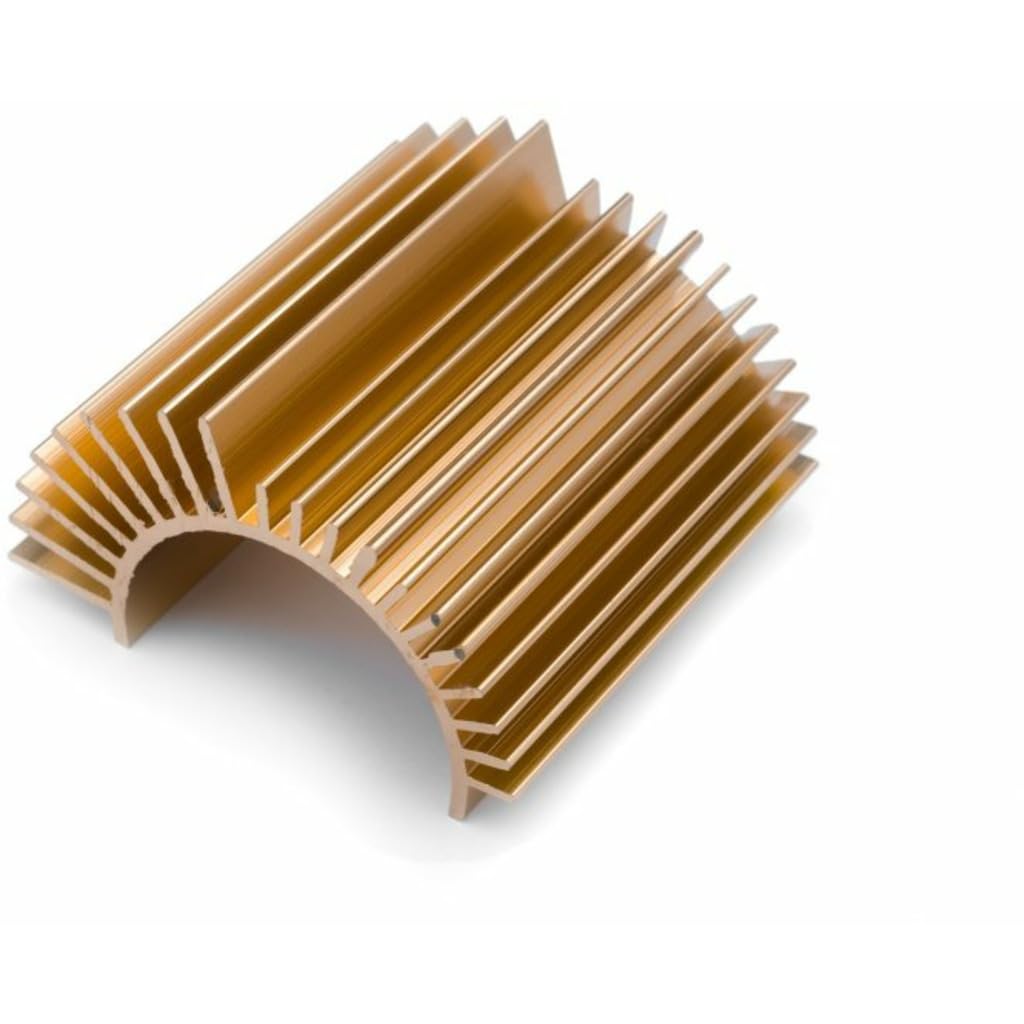
An image showing the Maverick 150242 Aluminum Heatsink, a gold-colored component with multiple fins designed for heat dissipation. The heatsink has a semi-circular base.
3. Specifications
| Feature | Detail |
|---|---|
| Model Number | 150242 |
| Brand | Maverick |
| Material | Aluminum |
| Compatibility | Quantum+ XT Flux systems |
| Mounting Type | Panel Mount |
| Package Dimensions | 5.5 x 4 x 1.35 inches |
| ASIN | B099NVJCK5 |
4. Setup and Installation
Proper installation is critical for the heatsink's performance. Follow these general guidelines:
- Safety First: Ensure the system is powered off and disconnected from any power source before beginning installation.
- Prepare Surface: Clean the surface of the component where the heatsink will be mounted. Remove any old thermal paste or debris using an appropriate cleaner.
- Apply Thermal Paste: Apply a thin, even layer of high-quality thermal paste to the contact surface of the component or the heatsink. Refer to the thermal paste manufacturer's instructions for optimal application.
- Position Heatsink: Carefully align the Maverick 150242 heatsink with the component.
- Secure Mounting: Secure the heatsink using the appropriate mounting mechanism (e.g., clips, screws, or adhesive, depending on the system's design). Ensure it is firmly seated but do not overtighten, which could damage components.
- Verify Contact: After mounting, gently check for any wobble or poor contact. The heatsink should be flush with the component.
For specific installation details related to your Quantum+ XT Flux system, consult your system's documentation.
5. Operating Instructions
The Maverick 150242 Aluminum Heatsink is a passive cooling component. Once correctly installed, it operates continuously to draw heat away from the component it is attached to. No user intervention is required for its basic operation.
- Ensure adequate airflow around the heatsink and within the system's enclosure to facilitate heat dissipation.
- Avoid obstructing the heatsink fins, as this will reduce its cooling efficiency.
6. Maintenance
Regular maintenance helps ensure the longevity and optimal performance of your heatsink:
- Dust Removal: Periodically inspect the heatsink fins for dust accumulation. Use compressed air or a soft brush to gently remove dust. Ensure the system is powered off before cleaning.
- Inspection: Check for any physical damage, loose mounting, or corrosion. Address any issues promptly.
- Thermal Paste: If the heatsink is removed for any reason, the thermal paste should be cleaned off and reapplied before reinstallation.
7. Troubleshooting
If you suspect your system is overheating, consider the following troubleshooting steps related to the heatsink:
- Check Installation: Verify that the heatsink is securely mounted and making full contact with the component.
- Thermal Paste: Ensure thermal paste was applied correctly and has not dried out or degraded. Reapply if necessary.
- Airflow: Confirm that the system's cooling fans are functioning correctly and that there is unobstructed airflow to and from the heatsink.
- Dust: Clean any dust buildup from the heatsink fins and surrounding areas.
If overheating persists after these steps, consult a qualified technician or your system's manufacturer.
8. Warranty and Support
For warranty information and technical support regarding the Maverick 150242 Aluminum Heatsink, please refer to the documentation provided with your purchase or contact Maverick customer service directly. Specific warranty terms may vary based on region and retailer.