
1. Introduction
This manual provides essential instructions for the safe and efficient operation of your Belink MX7700 Smart Pico Video Projector. Please read this manual thoroughly before using the device and retain it for future reference.
The Belink MX7700 is a portable DLP projector featuring Android 9.0, dual-band Wi-Fi, and multiple connectivity options, designed for a versatile viewing experience.
2. Product Overview
Familiarize yourself with the components and design of your Belink MX7700 projector.

Figure 2.1: Front view of the Belink MX7700 Smart Pico Video Projector, showcasing the lens and sleek white design with ventilation.

Figure 2.2: Top panel of the Belink MX7700 Projector, displaying touch-sensitive controls for navigation, volume, and power.

Figure 2.3: Rear view of the Belink MX7700 Projector, showing the USB port, DC12V power input, HDMI input, and ventilation grille.
3. Setup
3.1 Unboxing
Carefully remove the projector and all accessories from the packaging. Verify that all components are present:
- Belink MX7700 Projector
- Power Adapter
- Remote Control (if included)
- User Manual
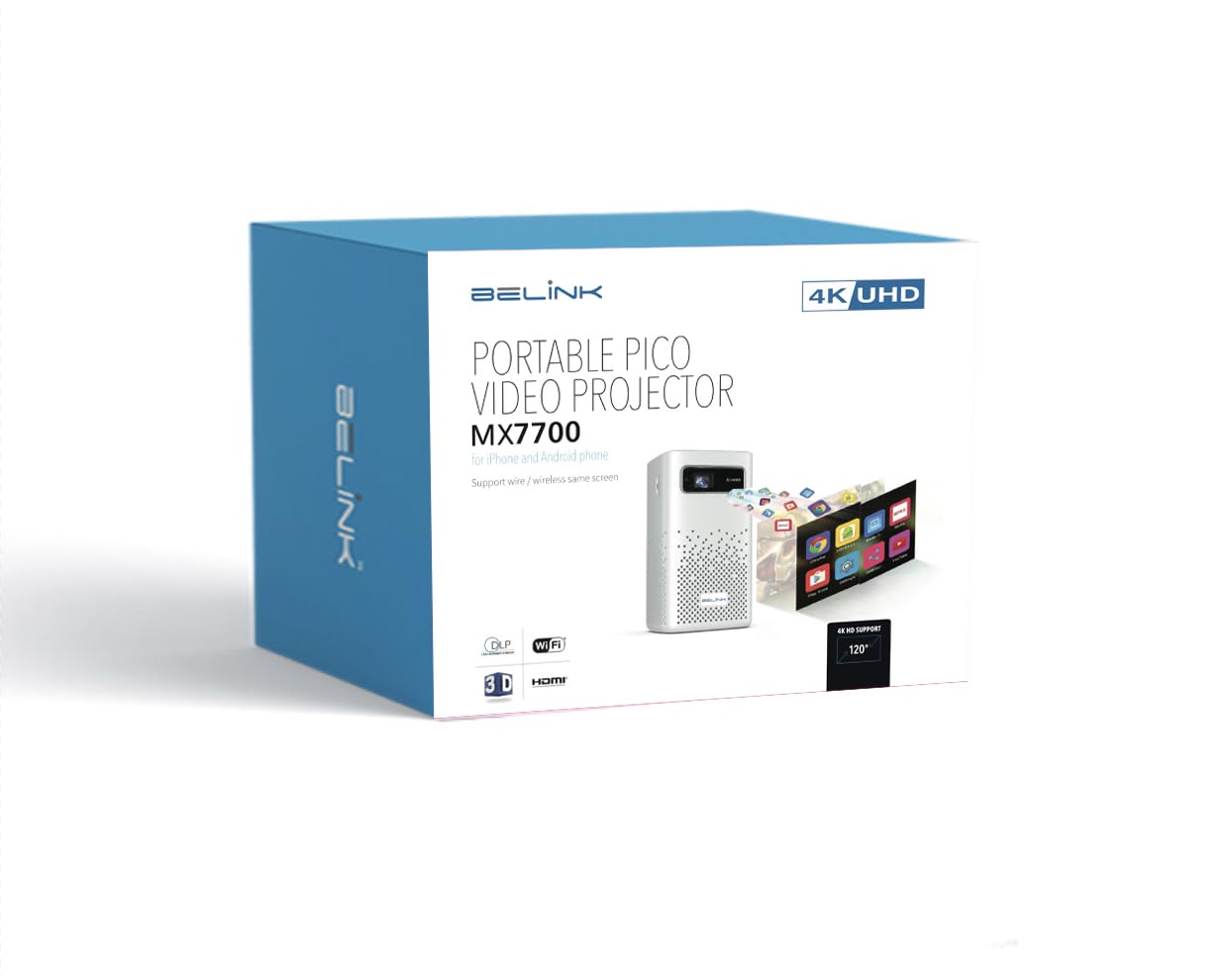
Figure 3.1: Packaging for the Belink MX7700 Smart Pico Video Projector, indicating key features like 4K UHD support and Wi-Fi.
3.2 Power Connection
- Connect the power adapter to the DC12V input port on the rear of the projector.
- Plug the power adapter into a suitable electrical outlet.
3.3 Placement and Focus
Place the projector on a stable, flat surface. The MX7700 is designed for tabletop mounting. Ensure the projection path is clear of obstructions.
The projector features automatic keystone correction. For manual focus adjustment, use the focus ring or digital focus controls if available via the remote or on-screen menu.
3.4 Initial Setup and Network Connection
- Power on the projector using the power button on the top panel or remote control.
- Follow the on-screen prompts to complete the initial Android 9.0 setup.
- Navigate to the Wi-Fi settings and connect to your preferred 2.4G or 5.8G dual-band Wi-Fi network.
4. Operating Instructions
4.1 Basic Controls
The projector can be operated using the touch controls on the top panel or the included remote control.
- Power Button: Turns the projector on/off.
- Navigation Buttons (Up, Down, Left, Right): Used to navigate menus.
- OK Button: Confirms selections.
- Back Button: Returns to the previous screen.
- Volume Buttons (+/-): Adjusts the audio output level.
4.2 Input Sources
The MX7700 supports various input sources:
- HDMI Input: Connect external devices such as laptops, gaming consoles (PS3/PS4/PS5, XBOX), or Blu-ray players.
- USB Input: Connect USB storage devices for direct media playback or for screen sharing functionality.
- Wireless Mirroring: Mirror content from your smartphone via iOS Airplay, Android Happy Cast, or DLNA. This function is available even without a Wi-Fi environment.
4.3 Android 9.0 Operating System
The projector runs on Android 9.0, providing access to a range of applications.
- Google Play Store: Install various applications directly from the built-in Google Play Store.
- Media Playback: Supports 4K UHD and 1080P Full HD content.
- Audio: Built-in 2x5W speakers support Dolby sound effects for an immersive audio experience.
5. Maintenance
5.1 Lamp Life
The Belink MX7700 utilizes OSRAM LED lamps with an estimated life of 30,000 hours, minimizing the need for frequent lamp replacement.
5.2 Ventilation
Ensure that the air outlets on the projector are not blocked to prevent overheating. Adequate airflow is crucial for maintaining optimal performance and extending the lifespan of the device.
5.3 Cleaning
Use a soft, dry cloth to clean the exterior of the projector. For the lens, use a specialized lens cleaning cloth and solution to avoid scratches.
6. Troubleshooting
If you encounter issues with your projector, refer to the following common solutions:
- No Power: Ensure the power adapter is securely connected to both the projector and a working power outlet.
- No Image: Check the input source selection. Verify that the HDMI or USB cable is properly connected to the source device and the projector.
- Blurred Image: Adjust the focus. The projector features auto keystone correction, but manual focus may be required.
- No Sound: Check the volume level on both the projector and the source device. Ensure that the audio output is not muted.
- Wi-Fi Connection Issues: Ensure the projector is within range of your Wi-Fi router. Try restarting both the projector and the router.
For persistent issues, please contact customer support.
7. Specifications
| Feature | Specification |
|---|---|
| Brand | Belink |
| Model | MX7700 |
| Display Technology | DLP (TI 0.45 inch WVGA DMD*RGBLED) |
| Brightness | 1000 ANSI Lumens |
| Contrast Ratio | 2000:1 |
| Native Resolution | 1280x800 (Supports 4K UHD, 1080P Full HD input) |
| Lamp Type | OSRAM LED Lamps |
| Lamp Life Time | 30,000 hours |
| Operating System | Android 9.0 |
| CPU | Cortex A53 Quad-Core |
| Wi-Fi | Built-in 2.4G/5.8G Dual Wi-Fi |
| Connectivity | HDMI 2.0 Input, USB Input |
| Audio | Built-in loud speakers (2x5W) with Dolby sound effect support |
| Keystone Correction | Automatic Keystone Correction |
| Project Ratio | 4:3/16:9/16:10 |
| Form Factor | Pocket, Portable |
| Mounting Type | Tabletop Mount |
| Wattage | 5 Watts |
8. Warranty and Support
8.1 Warranty Information
For detailed warranty information, please refer to the warranty card included with your product or contact your point of purchase. Keep your proof of purchase for warranty claims.
8.2 Customer Support
If you require technical assistance or have questions not covered in this manual, please contact Belink customer support through the contact information provided in your product documentation or on the official Belink website.