
Important Safety Instructions
Read all instructions before using this dehumidifier to reduce the risk of fire, electric shock, or injury. Keep this manual for future reference.
- Always plug the unit into a grounded 3-prong outlet.
- Do not operate the unit if the power cord or plug is damaged.
- Do not use extension cords or adapter plugs.
- Ensure the unit is placed on a level, stable surface.
- Maintain at least 8 inches (20 cm) of space around the unit for proper airflow.
- Do not block air inlets or outlets.
- Unplug the dehumidifier before cleaning or performing any maintenance.
- Do not immerse the unit, power cord, or plug in water or other liquids.
- This appliance is not intended for use by persons (including children) with reduced physical, sensory or mental capabilities, or lack of experience and knowledge, unless they have been given supervision or instruction concerning use of the appliance by a person responsible for their safety.
- Children should be supervised to ensure that they do not play with the appliance.
Product Overview
The TECCPO 35 Pint Dehumidifier is designed to remove excess moisture from your home or basement, improving air quality and comfort. It features intelligent humidity control, two drainage options, and easy mobility.
Components
- Control Panel
- Air Outlet
- Air Inlet with Washable Filter
- Water Tank (4.0L capacity)
- Continuous Drain Outlet
- Power Cord
- Casters for mobility
- Integrated Handle

Image: Front view of the TECCPO 35 Pint Dehumidifier, showing the control panel, air outlet, and water tank. The unit is white with black accents.

Image: A close-up of the integrated handle on top of the dehumidifier, designed for easy lifting and movement.
Setup
Unpacking
- Carefully remove the dehumidifier from its packaging.
- Remove all packing materials, including any tape or protective films.
- Inspect the unit for any shipping damage. If damaged, do not operate and contact customer support.
Placement
- Place the dehumidifier on a firm, level surface capable of supporting its weight when the water tank is full.
- Ensure there is at least 8 inches (20 cm) of clear space around all sides of the unit for proper air circulation.
- Do not place the unit near heat-generating appliances or in direct sunlight.
- For optimal performance, operate the dehumidifier in an enclosed area. Close all doors and windows to the room where the unit is operating.
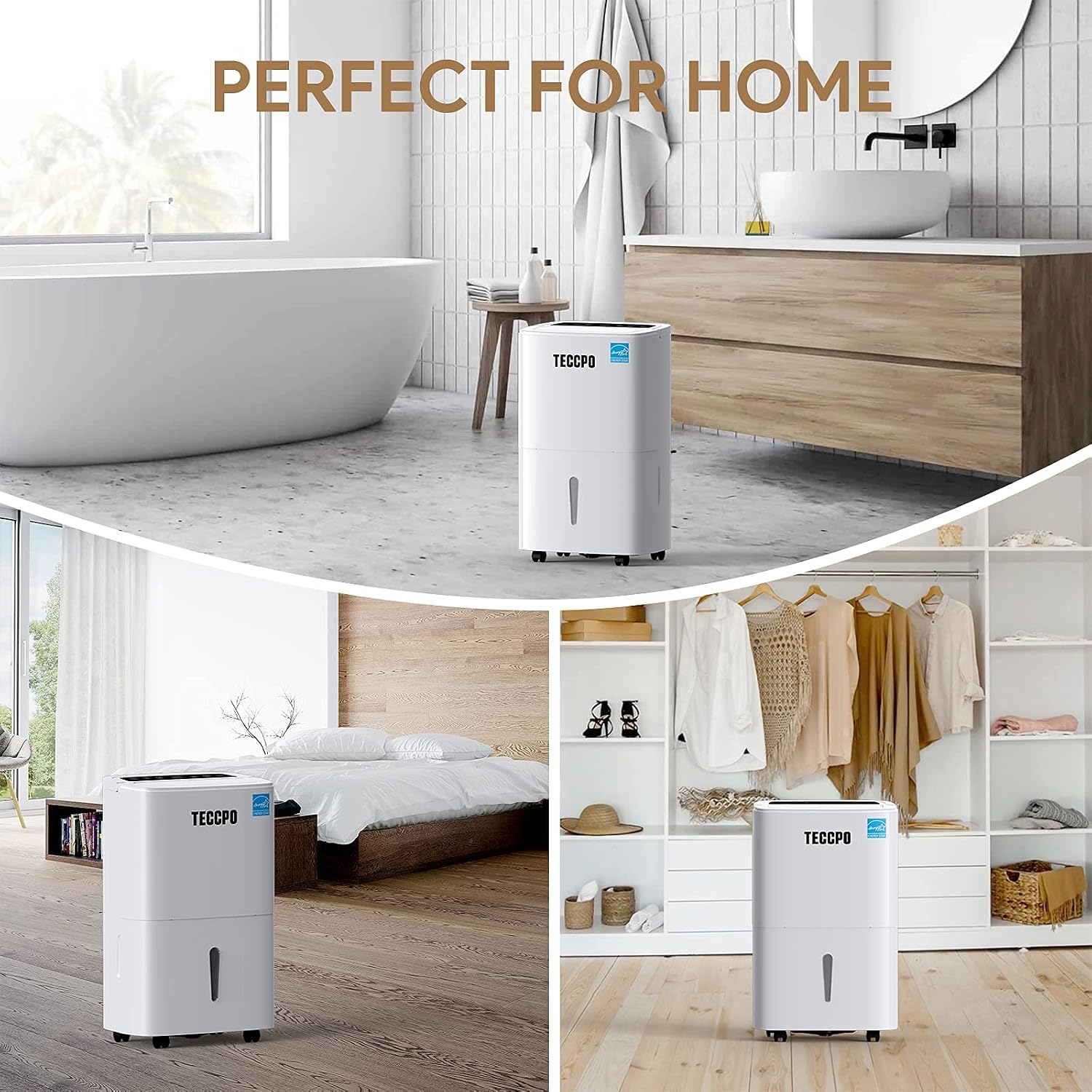
Image: The dehumidifier placed in a bathroom, bedroom, and closet, demonstrating suitable placement locations within a home.

Image: A person moving the dehumidifier, highlighting its casters for easy mobility across different surfaces.
Power Connection
- Plug the power cord into a grounded 120V/60Hz electrical outlet.
- The unit is now ready for operation.
Operating Instructions
Control Panel Overview
The control panel features various buttons and indicators for easy operation.

Image: Overhead view of the dehumidifier showing the control panel and air being expelled, illustrating the smart dehumidification feature maintaining 45%-55% humidity.
Power On/Off
- Press the Power button to turn the unit on or off.
Setting Desired Humidity Level
- Press the Humidity button to adjust the desired humidity level. The setting range is typically between 30% and 80% relative humidity (RH) in 5% increments.
- The unit will operate until the set humidity level is reached, then cycle on and off to maintain it.
- The intelligent humidity control feature maintains a comfortable range of 45% to 55% RH automatically.
Fan Speed
- Press the Fan Speed button to select between High and Low fan speeds.
- Higher fan speed results in faster dehumidification and more noise.
Timer Function
- Press the Timer button to set a delay for the unit to turn on or off.
- Press repeatedly to select the desired number of hours (1-24 hours).
- The timer indicator will illuminate when active.

Image: The dehumidifier with a graphic indicating a 24-hour auto on/off timer function.
Child Lock
- Press and hold the Child Lock button (or a combination of buttons as indicated on the control panel) for 3 seconds to activate or deactivate the child lock.
- When active, the control panel buttons will be locked to prevent accidental changes.
Drainage Options
The dehumidifier offers two methods for water removal:
- Manual Drain (Water Tank):
- When the 4.0L water tank is full, the dehumidifier will automatically shut off, and an indicator light will illuminate.
- Carefully remove the water tank from the unit using its handle.
- Empty the collected water.
- Reinsert the empty water tank firmly into the unit. The dehumidifier will resume operation.
- Continuous Drain (Hose Connection):
- For continuous operation without emptying the tank, attach the included 25.59-inch drain hose to the continuous drain outlet on the back of the unit.
- Ensure the hose is sloped downwards to allow gravity to drain the water into a suitable floor drain or large container.
- Verify that the connection is secure to prevent leaks.

Image: A split image showing the continuous drain setup with a hose leading to a floor drain, and the manual drain option with the water tank removed.


Image: Left: A close-up of the continuous drain hose connected to the dehumidifier. Middle: A hand removing the water tank from the dehumidifier. Right: A close-up of the water tank with its integrated handle.
Maintenance
Regular maintenance ensures optimal performance and longevity of your dehumidifier.
Cleaning the Air Filter
- Turn off the dehumidifier and unplug it from the power outlet.
- Locate the air filter, typically on the back or side of the unit.
- Remove the filter by gently pulling it out.
- Wash the filter with warm, soapy water. Rinse thoroughly.
- Allow the filter to air dry completely before reinserting it.
- Reinstall the dry filter into the unit.
Note: Clean the air filter every two weeks or more frequently depending on usage and air quality.

Image: A person's hands washing the removable air filter under running water in a sink.
Internal Drying Function
The unit features an internal drying function to remove residual moisture from inside the dehumidifier, preventing mold and mildew growth. This function typically activates automatically after the unit is turned off or can be manually initiated (refer to control panel for specific button/sequence).
Storage
- Before storing, ensure the water tank is empty and clean.
- Clean the air filter.
- Run the internal drying function if available.
- Wrap the power cord neatly.
- Store the unit upright in a cool, dry place.
Troubleshooting
Review the following common issues and solutions before contacting customer support.
| Problem | Possible Cause | Solution |
|---|---|---|
| Dehumidifier does not turn on. | No power; Power cord not plugged in; Circuit breaker tripped. | Ensure unit is plugged into a live outlet; Check circuit breaker; Try a different outlet. |
| Unit is running but not collecting water. | Humidity level set too high; Room temperature too low; Air filter clogged; Doors/windows open. | Lower the set humidity; Ensure room temperature is above 41°F (5°C); Clean the air filter; Close all doors and windows. |
| Water is leaking. | Water tank not properly seated; Continuous drain hose loose or clogged; Unit not level. | Reinsert water tank firmly; Check hose connection and ensure proper slope; Place unit on a level surface. |
| Unit is noisy. | Fan speed set to high; Unit not on a stable surface; Air filter clogged. | Reduce fan speed; Ensure unit is on a flat, stable surface; Clean the air filter. |
| "Full Tank" indicator is on, but tank is not full. | Water tank not properly seated; Float switch malfunction. | Remove and reinsert the water tank firmly; If issue persists, contact customer support. |
Specifications
| Brand: | TECCPO |
| Model Number: | TECCPO-3500 |
| Dehumidification Capacity: | 35 Pints per Day |
| Coverage Area: | Up to 3500 Square Feet |
| Water Tank Capacity: | 4 Liters |
| Product Dimensions (D x W x H): | 9.5" x 13.5" x 20.1" |
| Material: | Plastic |
| Wattage: | 2000 watts |
| Operation Mode: | Sleep |
| Upper Temperature Rating: | 90 Degrees Fahrenheit |
| Special Features: | Continuous Draining, Quiet Operation, Timer, Child Lock, Intelligent Humidity Control, Energy Star Certified |

Image: The dehumidifier displaying its dimensions (9.5in D x 13.5in W x 20.1in H) and the 4L water tank capacity, highlighting overflow protection.
Product Video
Video: An official product video demonstrating the features and operation of the TECCPO 35 Pint Dehumidifier, including its mobility and filter removal.
Warranty and Support
TECCPO offers lifetime expert tech support for this dehumidifier. For warranty information, technical assistance, or any questions regarding your product, please refer to the contact information provided in your product packaging or visit the official TECCPO website.

