
1. Introduction
This manual provides essential information for setting up, operating, maintaining, and troubleshooting your new iBUYPOWER Element MR 202i Gaming PC. This high-performance desktop features an Intel i7-11700F processor, NVIDIA GeForce GTX 1660 graphics card, 16GB DDR4 RAM, a 240GB SSD, and a 1TB HDD, running on Windows 10 Home. Please read this manual thoroughly before using your computer.

Image: The iBUYPOWER Element MR 202i Gaming PC tower, showcasing its tempered glass side panel and internal RGB lighting.
2. What's in the Box
Carefully unpack all components and ensure the following items are included:
- iBUYPOWER Desktop PC
- Quick Start Guide
- iBUYPOWER USB Keyboard
- iBUYPOWER USB Mouse
- Power Cord
- Windows Install CD
- Drivers Install CD(s)

Image: The iBUYPOWER Element MR 202i PC tower displayed alongside the included iBUYPOWER USB keyboard and mouse.
3. Setup
3.1 Unpacking and Placement
Remove the PC and all accessories from their packaging. Place the PC on a stable, flat surface with adequate ventilation. Ensure no vents are obstructed.
3.2 Connecting Peripherals
- Monitor: Connect your monitor to the graphics card's video output ports (HDMI, DVI, or DisplayPort) using the appropriate cable.
- Keyboard and Mouse: Connect the included USB keyboard and mouse to any available USB ports on the rear of the PC.
- Power: Connect the power cord to the PC's power supply unit (PSU) and then to a wall outlet or surge protector.
- Network (Optional): For a wired connection, connect an Ethernet cable from your router/modem to the RJ-45 port on the PC. For Wi-Fi, ensure the Wi-Fi antenna (if included separately) is attached.
3.3 Initial Power On
Press the power button located on the front or top of the PC. The system will boot up, and you should see the iBUYPOWER logo or Windows loading screen on your monitor.
3.4 Operating System Setup
Follow the on-screen instructions to complete the Windows 10 Home setup process. This typically involves selecting your region, language, creating a user account, and accepting the license agreement.

Image: A complete iBUYPOWER Element MR 202i gaming setup on a desk, including the PC tower, monitor, keyboard, and mouse, all powered on with RGB lighting.
4. Operating Your PC
4.1 Basic Usage
Your iBUYPOWER Element MR 202i is ready for use once Windows 10 Home setup is complete. You can begin installing applications, browsing the internet, and engaging in gaming activities.
4.2 RGB Lighting Control
The Element MR 202i features a tempered glass RGB gaming case with 16-color RGB lighting. Control software for customizing the lighting effects may be pre-installed or available for download from the iBUYPOWER website. Refer to the specific software's instructions for detailed customization options.

Image: A front view of the iBUYPOWER Element MR 202i PC tower, highlighting the three vibrant RGB fans behind the front panel.
4.3 Network Connectivity
Your PC supports both wired Ethernet (10/100/1000) and 802.11AC Wi-Fi for internet access. For Wi-Fi, connect to your preferred network via the Windows network settings. For Ethernet, simply plug in the cable.

Image: A close-up detail of the mirror glass finish on the side panel of the iBUYPOWER Element MR 202i PC, showing the iBUYPOWER logo.
5. Maintenance
5.1 Cleaning
Regular cleaning helps maintain optimal performance and longevity. Use a soft, dry cloth to clean the exterior. For internal components, use compressed air to remove dust from fans and heatsinks. Ensure the PC is powered off and unplugged before cleaning inside.
5.2 Software Updates
Keep your operating system (Windows 10) and device drivers (especially graphics drivers) updated to ensure stability, security, and performance. Windows Update can be accessed via Settings, and graphics drivers can be updated through the NVIDIA control panel or website.
5.3 Storage Management
Periodically manage your storage by deleting unnecessary files, uninstalling unused programs, and utilizing disk cleanup tools. This helps maintain performance on both your 240GB SSD and 1TB HDD.
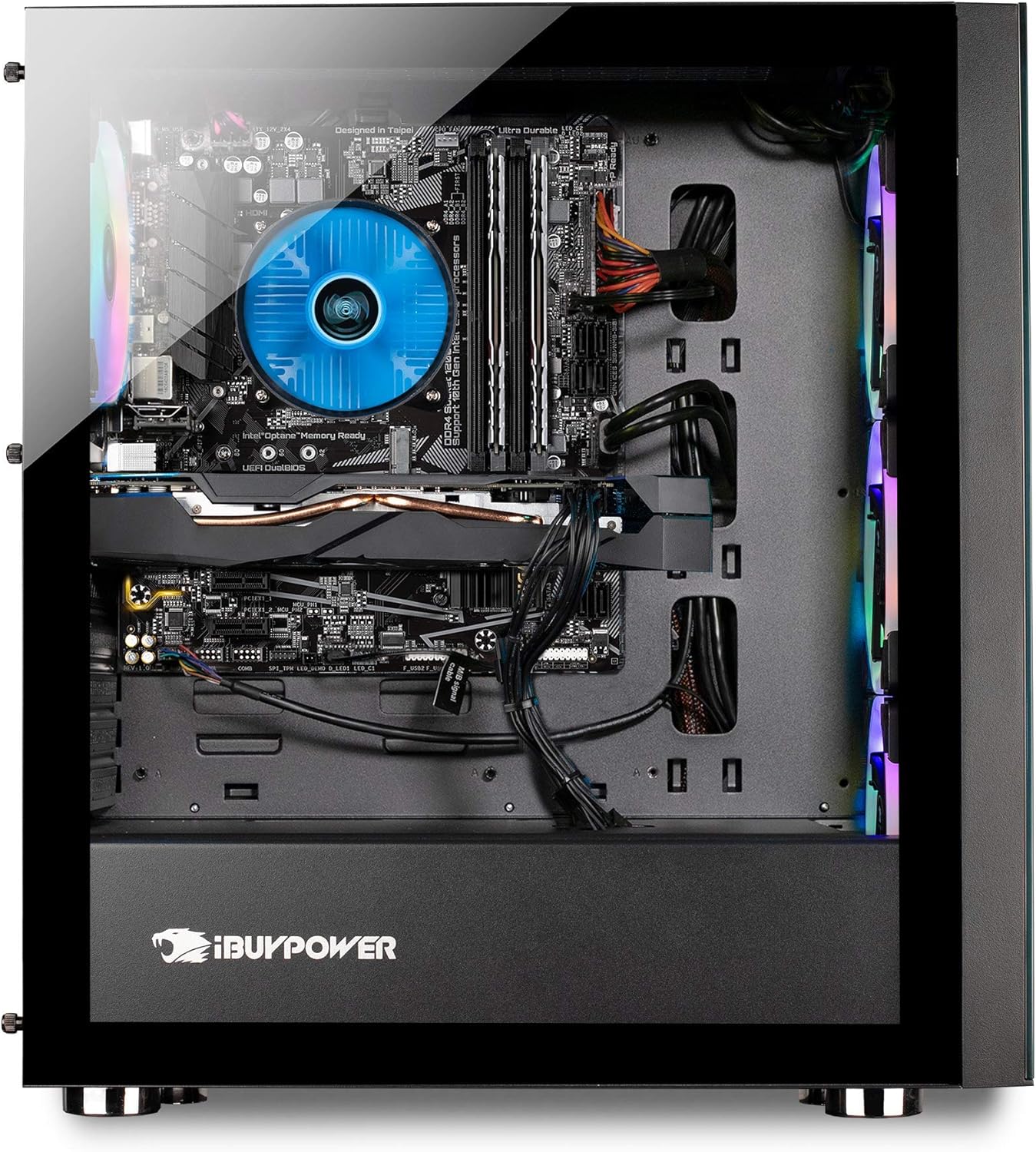
Image: An internal view of the iBUYPOWER Element MR 202i PC, showing the motherboard, CPU cooler, graphics card, and cable management.
6. Troubleshooting
If you encounter issues with your PC, refer to the following common troubleshooting steps:
- No Power: Ensure the power cord is securely connected to both the PC and the wall outlet. Check if the power supply switch is in the 'On' position.
- No Display: Verify that your monitor is powered on and correctly connected to the graphics card. Try a different video cable or monitor if possible.
- System Instability/Crashes: Ensure all drivers are up to date. Check for overheating by monitoring component temperatures. If issues persist, consult the official troubleshooting guide.
- Connectivity Issues: For Wi-Fi, ensure the antenna is connected and drivers are installed. For Ethernet, check cable connections and router status.
For more detailed troubleshooting, please refer to the official Troubleshooting Guide (PDF).
7. Specifications
Key technical specifications for the iBUYPOWER Element MR 202i Gaming PC:
| Component | Detail |
|---|---|
| Processor | Intel Core i7-11700F (2.5GHz base, up to 4.9GHz Max Turbo) |
| Graphics Card | NVIDIA GeForce GTX 1660 6GB |
| RAM | 16GB DDR4 |
| Storage | 240GB SSD + 1TB HDD |
| Operating System | Windows 10 Home 64-bit |
| Connectivity | 802.11AC Wi-Fi, Ethernet (10/100/1000) |
| USB Ports | 4 x USB 3.0, 2 x USB 2.0 |
| Video Output | 1x DVI, 1x HDMI, 1x DisplayPort |
| Audio | 7.1 Channel |
| Case | Tempered Glass RGB Gaming Case |
8. Warranty and Support
Your iBUYPOWER Element MR 202i Gaming PC comes with a 1-Year Parts & Labor Warranty. Additionally, iBUYPOWER provides Free Lifetime US Tech Support for your product.
For technical assistance or warranty claims, please visit the official iBUYPOWER support website or contact their customer service. Keep your purchase receipt and product serial number readily available when seeking support.
Additional resources:


