
1. Product Overview
This manual provides instructions for the Moonshan Automatic Belt Conveyor, model B099FDSKF5, featuring a 23.6-inch belt and an integrated fiber optic sensor. This conveyor system is designed to work in conjunction with intelligent liquid filling machines, such as the Moonshan LF-3L (ASIN: B095HQ9X5F), to create a mini automatic production line. It facilitates the automated movement and positioning of containers for efficient filling processes.
2. Safety Information
Always observe the following safety precautions to prevent injury and damage to the equipment:
- Ensure the power supply matches the specified voltage (DC 12-15 V) before connecting the device.
- Keep hands and loose clothing away from moving parts of the conveyor belt during operation.
- Do not overload the conveyor belt beyond its specified tension capacity.
- Perform regular inspections for any signs of wear or damage to the belt, motor, or electrical components.
- Disconnect power before performing any maintenance, cleaning, or adjustments.
3. Product Components
The Moonshan Automatic Belt Conveyor system includes the following main components:
- Conveyor Belt Unit (Stainless Steel Frame, PVC Belt)
- Fiber Optic Sensor (NPN type three-wire)
- External Speed Regulator
- Adjustable Guardrails
- Bottle Collector Plate
- Power Adapter (DC 12-15V, not explicitly listed but implied for operation)

Figure 1: An overview of the Moonshan Automatic Belt Conveyor, showing its full length, the green PVC belt, stainless steel frame, adjustable guardrails, and the fiber optic sensor assembly.
4. Setup Instructions
Follow these steps for proper assembly and initial setup of the conveyor system:
- Unpacking: Carefully remove all components from the packaging. Inspect for any shipping damage.
- Positioning: Place the conveyor belt unit on a stable, level surface. Ensure adequate space for operation and integration with other equipment.
- Install Guardrails: Attach the adjustable guardrails along the sides of the conveyor belt. These guide the containers and prevent them from falling off. Adjust their width to match the size of your containers.
- Attach Bottle Collector Plate: Secure the bottle collector plate at the end of the conveyor belt. This platform is designed to collect filled containers.
- Mount Fiber Optic Sensor: Install the fiber optic sensor assembly onto the designated mounting pole. Position the sensor head to detect containers as they pass. Ensure it is securely fastened.
- Connect Power: Connect the external speed regulator to the conveyor unit, then connect the power adapter to the speed regulator and plug it into a suitable DC 12-15V power source.
- Integration with Filling Machine: If integrating with a liquid filling machine, position the conveyor so that containers move smoothly from the filling station onto the belt. Refer to the filling machine's manual for specific integration instructions.

Figure 2: The automatic belt conveyor integrated with a Moonshan liquid filling machine, demonstrating its role in an automated production line.

Figure 3: A detailed view of the NPN type three-wire fiber optic sensor, showing its mounting on the conveyor system. The sensor is designed for accurate and quick detection of objects on the belt.
5. Operating Instructions
To operate the Moonshan Automatic Belt Conveyor:
- Power On: Ensure all connections are secure. Turn on the power switch on the external speed regulator.
- Adjust Speed: Use the rotary knob on the external speed regulator to adjust the conveyor belt's running speed. The speed is steplessly adjustable, with a maximum speed of up to 4 inches per second (10 cm/s). Start with a lower speed and gradually increase as needed for your application.
- Fiber Optic Sensor Function: The NPN type three-wire fiber optic sensor detects the presence of containers on the belt. When a container is detected, the sensor sends a signal, typically to a connected filling machine, to initiate or stop a process. Test the sensor's responsiveness by manually passing an object in front of it before starting production.
- Loading Containers: Place containers onto the conveyor belt at the input end. The adjustable guardrails will guide them along the belt.
- Monitoring: Observe the conveyor's operation to ensure smooth movement of containers and proper interaction with the fiber optic sensor and any connected machinery.

Figure 4: A close-up view of the external speed regulator, featuring a rotary knob for stepless speed control and indicators for DC12V/DC24V power. The regulator allows adjustment of the conveyor belt's running speed.
6. Maintenance
Regular maintenance ensures the longevity and optimal performance of your conveyor system:
- Cleaning: The main body is made of 304 stainless steel and the belt is waterproof PVC. Clean the conveyor belt and frame regularly with a damp cloth. For stubborn residues, use a mild, non-abrasive cleaning solution. Ensure the unit is unplugged before cleaning.
- Belt Inspection: Periodically inspect the PVC conveyor belt for any signs of wear, tears, or stretching. A damaged belt may affect performance and should be replaced.
- Bearing and Gear Check: The conveyor features precision bearings and upgraded gears. While designed for stable running, occasional inspection for unusual noises or resistance can help identify potential issues early.
- Sensor Cleaning: Keep the fiber optic sensor head clean and free from dust or debris to ensure accurate detection.
- Tightness Check: Verify that all screws and fasteners are tight. Retighten if necessary.
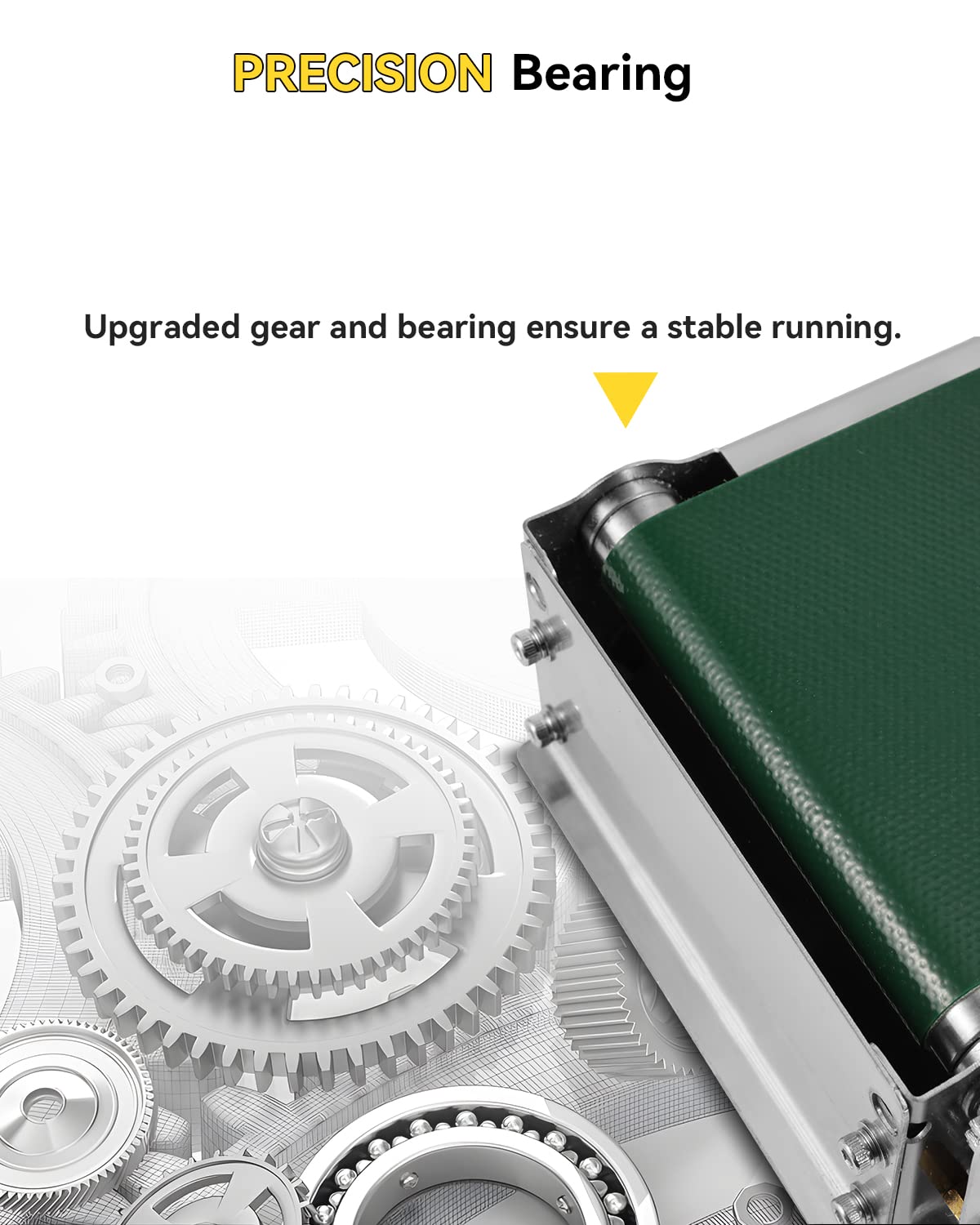
Figure 5: A section of the green PVC conveyor belt, highlighting its waterproof material and the specified dimensions.

Figure 6: An internal view of the conveyor's drive mechanism, showcasing upgraded gears and precision bearings designed to ensure stable and smooth operation of the belt.
7. Troubleshooting
Refer to the following table for common issues and their potential solutions:
| Problem | Possible Cause | Solution |
|---|---|---|
| Conveyor belt does not move. | No power, loose connection, motor issue. | Check power adapter and connections. Ensure the speed regulator is turned on. Verify power outlet functionality. |
| Conveyor belt moves slowly or inconsistently. | Speed regulator setting too low, belt tension issue, motor strain. | Adjust the speed regulator knob to increase speed. Check for obstructions or excessive load on the belt. Ensure belt tension is appropriate. |
| Fiber optic sensor does not detect objects or trigger connected equipment. | Sensor misaligned, dirty sensor head, faulty sensor, incorrect wiring to filling machine. | Clean the sensor head. Re-align the sensor to ensure objects pass directly in its detection path. Verify sensor wiring and calibration. If connected to a filling machine, ensure the machine is configured to receive the sensor's signal. |
| Conveyor belt slips when wet or under load. | Excessive moisture, belt tension too loose, overloaded. | Ensure the belt surface is dry. Adjust belt tension if possible (refer to product specifications for proper tension). Reduce the load on the conveyor. |
8. Specifications
- Voltage: DC 12-15 V
- Conveyor Belt Dimensions (L*W*H): 23.6 inches * 3.9 inches * 2.4 inches
- Width of PVC Conveyor Belt: 3.5 inches
- Bottle Collector Plate Dimensions (L*W): 7.9 inches * 3.9 inches
- Guardrail Size (L*H): 19.7 inches * 3.9 inches
- Conveyor Belt Tension: 13.2 Lbs
- Running Speed: 10 cm/s (adjustable, up to 4 inches/s)
- Main Material: Stainless Steel 304
- Sensor Type: NPN type three-wire fiber optic sensor
- Product Dimensions (Overall): 23.6 x 4 x 0.04 inches; 7.15 Pounds
- Belt Style: Flat belt
- Compatible Devices: Conveyor System (specifically designed for Moonshan liquid filling machines)
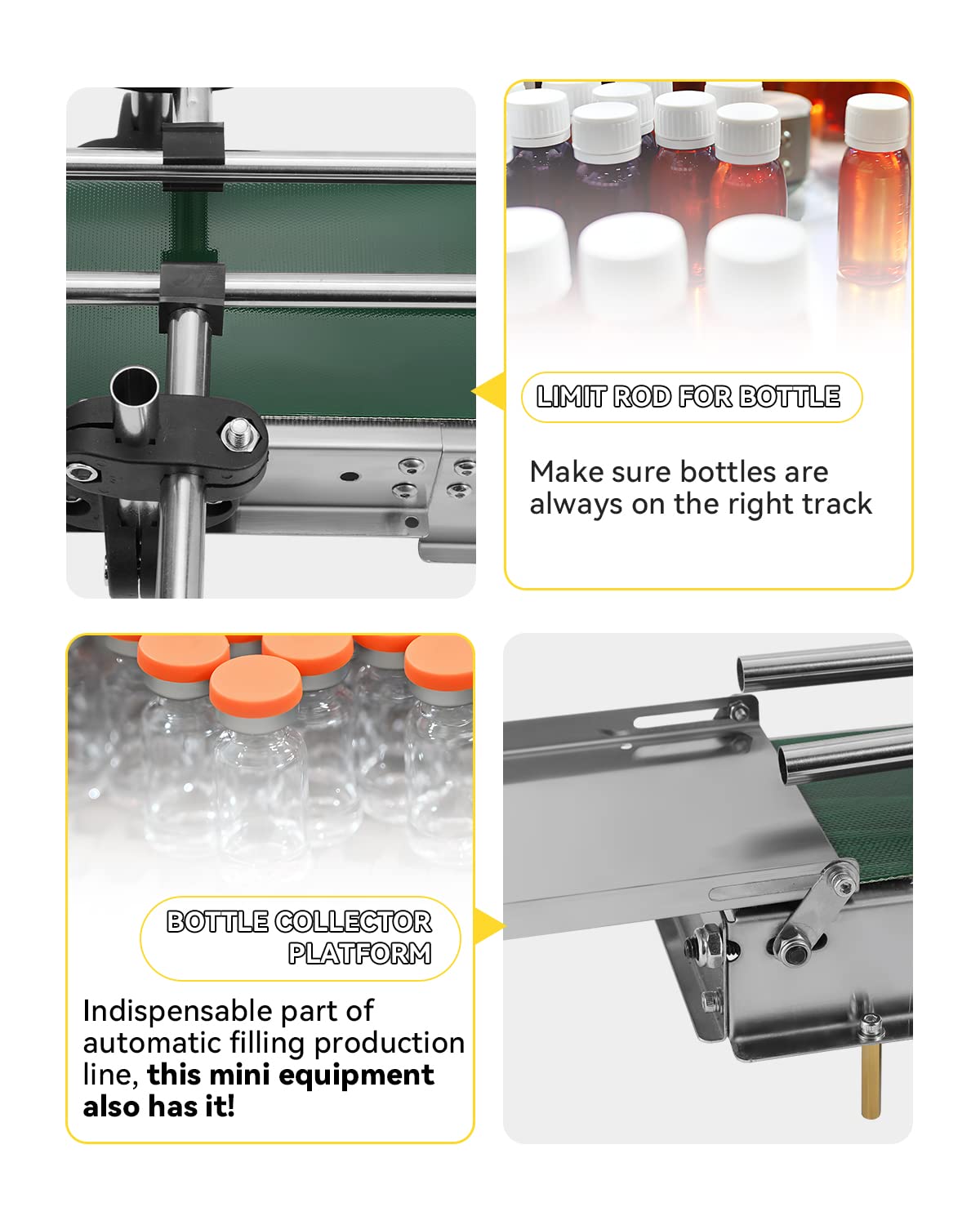
Figure 7: A composite image showing the adjustable limit rods that guide bottles on the conveyor and the bottle collector platform at the end for collecting filled items.
9. Warranty and Support
For warranty information or technical support, please refer to the documentation included with your purchase or contact Moonshan directly through their official channels. Contact details may be available on the product packaging or the seller's store page.

