
Introduction
This manual provides essential instructions for the HCDZ Replacement Remote Control. This remote is designed to function as a direct replacement for the original remote controls of various Idylis and AeonAir portable air conditioner models, ensuring seamless operation without complex setup.
Setup
The HCDZ Replacement Remote Control requires no programming. Simply install the batteries, and it will be ready for use with your compatible air conditioner.
Battery Installation
- Locate the battery compartment on the back of the remote control.
- Slide the battery compartment cover downwards or outwards to open it.
- Insert two (2) AAA alkaline batteries, ensuring the positive (+) and negative (-) terminals match the diagrams inside the compartment.
- Replace the battery compartment cover by sliding it back into position until it clicks securely.
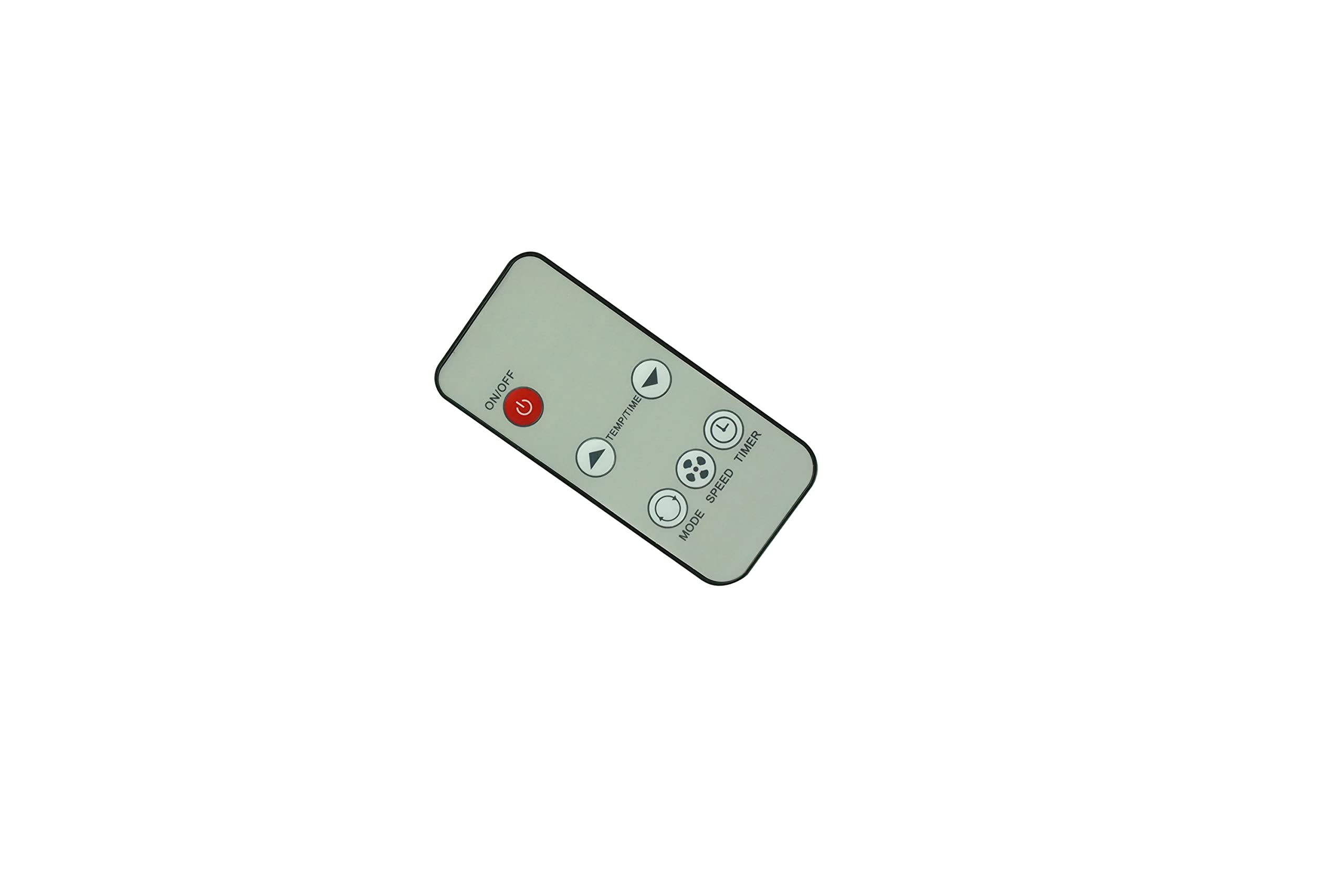
Figure 1: Battery compartment with cover removed. Insert two AAA batteries according to the polarity markings.
Operating Instructions
Once batteries are installed, the remote control is ready to operate your portable air conditioner.
Basic Operation
- Point and Press: Aim the remote control directly at the infrared (IR) sensor on your portable air conditioner.
- Button Functions: Use the buttons on the remote to control various functions of your air conditioner, such as power on/off, temperature adjustment, mode selection, fan speed, and timer settings. Refer to your air conditioner's original manual for specific function details if needed.
- Range: The remote control has a maximum operating range of approximately 8 meters (26 feet). Ensure no obstructions are between the remote and the air conditioner's IR sensor.

Figure 2: Front view of the HCDZ Replacement Remote Control, displaying its button layout.
Maintenance
Proper care will ensure the longevity and reliable performance of your remote control.
Cleaning
- Wipe the remote control with a soft, dry cloth.
- Do not use liquid cleaners, sprays, or abrasive materials, as these can damage the remote's surface or internal components.
Battery Replacement
- Replace batteries when the remote's response becomes sluggish or stops working.
- Always replace both batteries at the same time with new AAA alkaline batteries.
- Remove batteries if the remote control will not be used for an extended period to prevent leakage.
Troubleshooting
If you experience issues with your remote control, refer to the following common solutions:
| Problem | Solution |
|---|---|
| Remote control is not responding. | Replace remote control batteries with fresh ones. Check battery terminals for proper contact and ensure they are clean. |
| Remote control has limited range or intermittent response. | Move closer to the air conditioner. Remove any obstructions between the remote and the air conditioner's IR sensor. |
| Air conditioner is not responding to any commands. | Ensure the power cord to your air conditioner is plugged in and the unit is turned on. Test the remote with another compatible device if possible, or try operating the air conditioner manually. |
Specifications
- Brand: HCDZ
- Compatible Devices: Idylis RPAC13EAHS 625616, AeonAir RPAC08EE, RPAC10EE, RPAC10EF, RPAC12EA Portable Air Conditioners
- Connectivity Technology: Infrared (IR)
- Controller Type: Button Control
- Maximum Range: 8 Meters (approximately 26 feet)
- Batteries Required: 2 x AAA Alkaline batteries (not included)
- Special Feature: No programming needed; works out of the package
- Color: Gray
Warranty
This HCDZ Replacement Remote Control comes with a 90-day warranty from the date of purchase. This warranty covers manufacturing defects under normal use. Please retain your proof of purchase for warranty claims.
Support
For further assistance or inquiries regarding your HCDZ Replacement Remote Control, please contact the seller or refer to the HCDZ brand store on Amazon for additional product information.
HCDZ Brand Store: Visit the HCDZ Store on Amazon