
1. Introduction
Thank you for choosing the Okaysou Aqua Q6 Smart Humidifier and Diffuser. This device is designed to improve air quality and comfort in your home by providing cool mist humidification and aromatherapy. With its 6-liter capacity, remote control, and smart features, it offers a convenient and efficient solution for maintaining optimal humidity levels in large rooms.
2. Important Safety Instructions
- Read all instructions before using the appliance.
- Always place the humidifier on a firm, flat, water-resistant surface away from walls and heat sources.
- Do not immerse the base unit in water or other liquids.
- Unplug the humidifier before filling, cleaning, or moving it.
- Do not add water to the mist output nozzle.
- Keep out of reach of children and pets.
- Use only clean, cool tap water. Distilled water is recommended to prevent mineral buildup.
- Do not use essential oils directly in the water tank; use the designated essential oil tray.
3. Package Contents
Please check the package for the following items:
- Okaysou Aqua Q6 Humidifier Unit
- Remote Control
- Instruction Manual
- Cleaning Brush
4. Product Overview
Familiarize yourself with the main components of your Okaysou Aqua Q6 Humidifier.

Image: Okaysou Aqua Q6 Humidifier showing its various components and features, including the mist outlet, control panel, water tank, and base.
- Mist Nozzle: Rotates 360 degrees to direct mist.
- Water Tank: 6-liter capacity for extended operation.
- Control Panel: Digital LED display for settings and status.
- Base Unit: Contains the ultrasonic atomizer and electronic components.
- Essential Oil Tray: For adding essential oils for aromatherapy.
- Water Level Window: Transparent window to easily monitor water level.
5. Setup
5.1 Placement
Place the humidifier on a flat, stable surface at least 6 inches (15 cm) away from walls and furniture. Ensure it is not placed on carpet or near heat sources.
5.2 Filling the Water Tank
The Okaysou Aqua Q6 features a convenient top-fill design.
- Remove the top cover of the humidifier.
- Pour clean, cool water directly into the water tank. Do not exceed the MAX water level indicator.
- Do not add water into the mist output pipe.
- Replace the top cover securely.
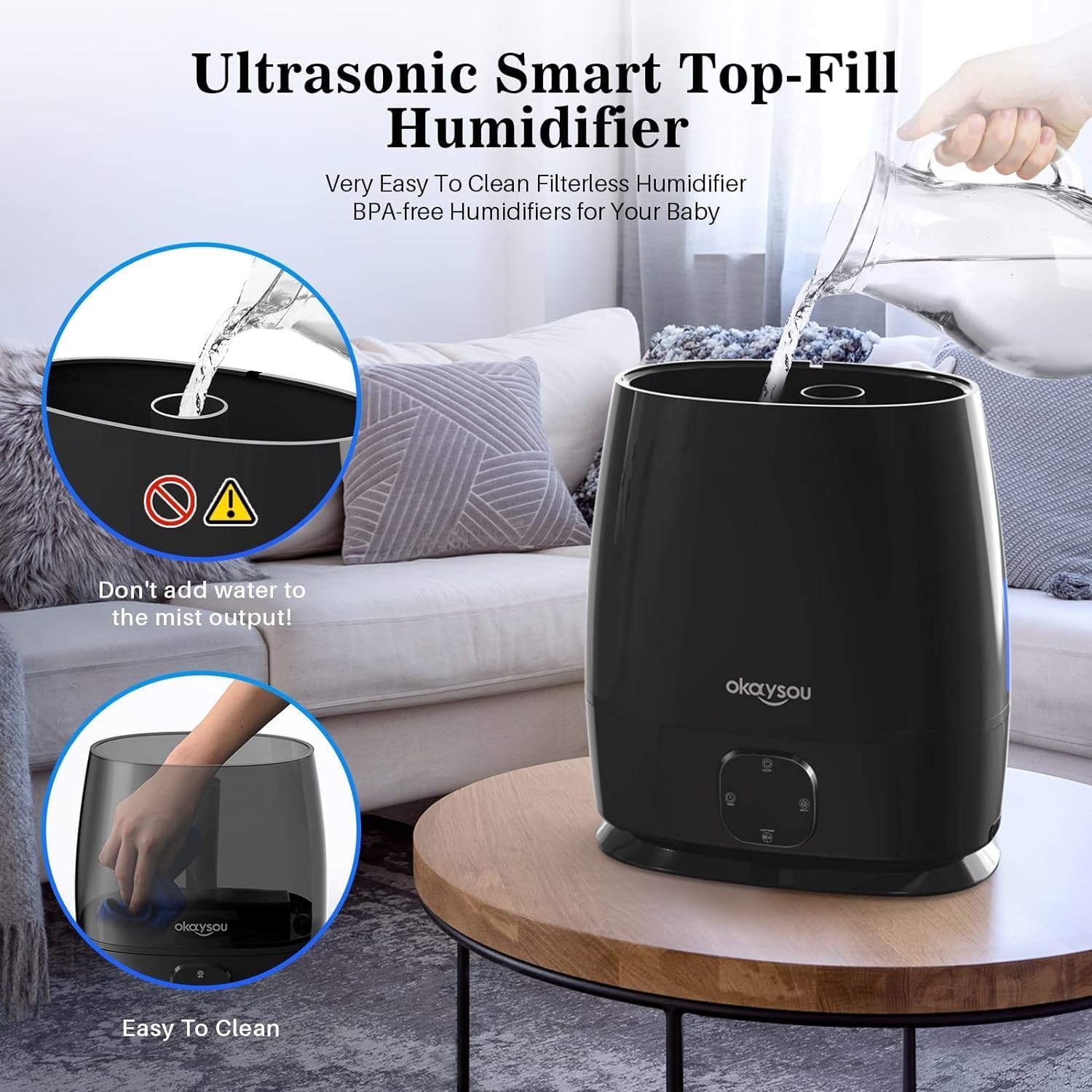
Image: A hand pouring water into the top opening of the Okaysou Aqua Q6 humidifier, demonstrating the easy top-fill feature.
5.3 Initial Power On
Plug the power cord into a standard 120V AC electrical outlet. The humidifier will beep once, and the LED display will light up, indicating it is in standby mode.
6. Operating Instructions
6.1 Power On/Off
Press the Power button on the control panel or the remote control to turn the humidifier on or off.
6.2 Mist Output Adjustment
Press the Mist button on the control panel or remote control to cycle through low, medium, and high mist output levels. The current mist level will be displayed on the LED screen.
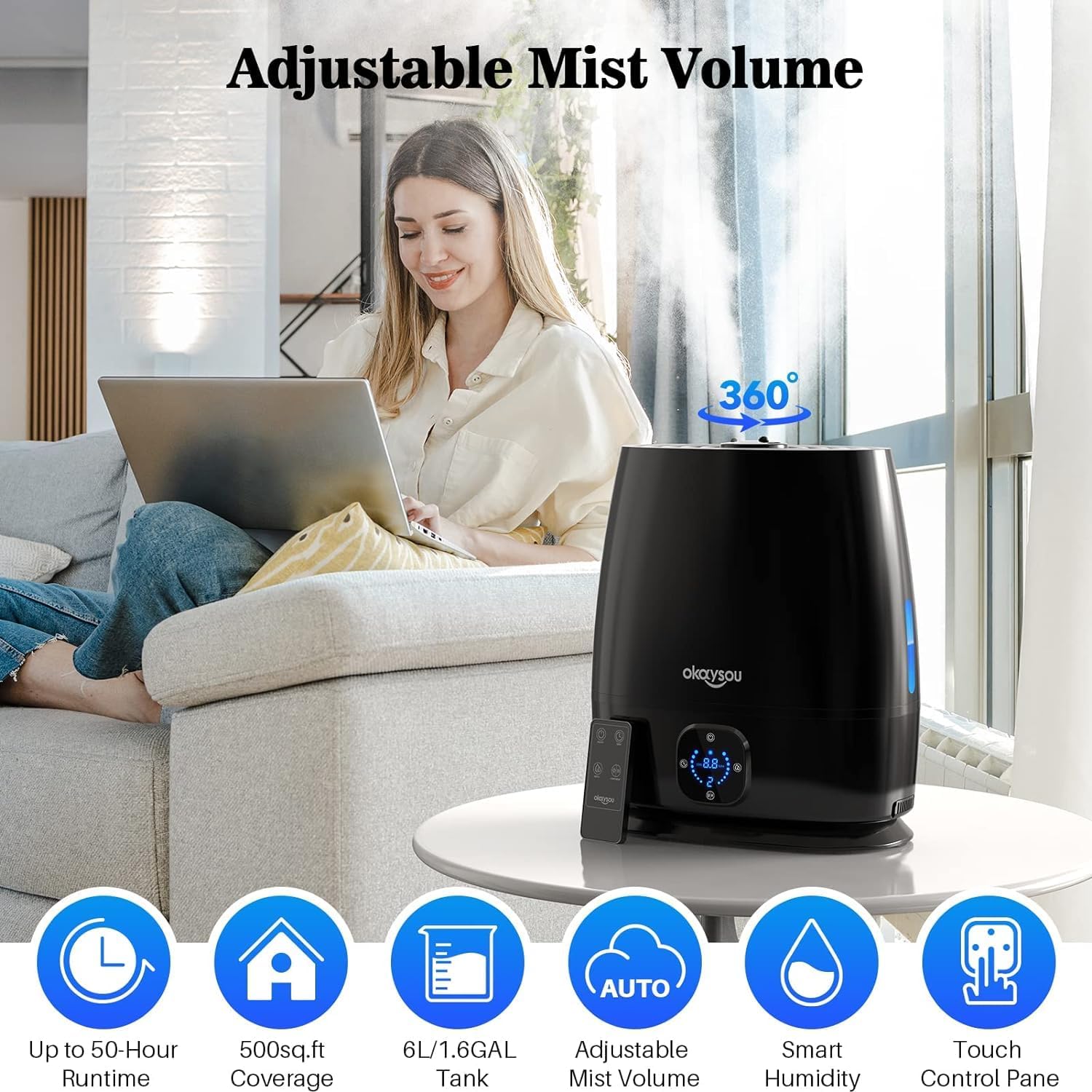
Image: The Okaysou Aqua Q6 humidifier emitting mist, with its digital display showing settings and a remote control nearby, highlighting adjustable mist volume.
6.3 Timer Function
Press the Timer button to set the operating time for 1, 2, 4, or 8 hours. The humidifier will automatically turn off once the set time has elapsed.
6.4 Sleep Mode (Quiet Operation)
The humidifier operates at a low noise level (24dB) for quiet operation, making it suitable for bedrooms and nurseries. To turn off the LED display for undisturbed sleep, press the Light/Heat button until the light turns off.

Image: The Okaysou Aqua Q6 humidifier operating quietly in a nursery setting, with a parent attending to a baby, emphasizing its 24dB silent operation.
6.5 Auto Mode and Humidistat
The built-in sensor automatically adjusts the mist output based on the ambient humidity level. To activate, press the Auto button. The humidifier will maintain a comfortable humidity range.

Image: The Okaysou Aqua Q6 humidifier illustrating its smart sensing digital ultrasonic features, showing automatic mist adjustment based on relative humidity levels for different activities like yoga, work, and sleep.

Image: A cutaway view of the Okaysou Aqua Q6 humidifier demonstrating its real-time sensing capabilities, adjusting mist output (High, Middle, Low) according to the ambient relative humidity (RH) levels.
6.6 Essential Oils Diffuser
To use the aromatherapy function:
- Pull out the essential oil tray located at the base of the humidifier.
- Add a few drops of your favorite essential oil onto the aroma pad.
- Push the tray back into the humidifier.
- The aroma will diffuse with the mist.
7. Maintenance
Regular cleaning is essential for optimal performance and hygiene.
7.1 Daily Maintenance
- Empty the water tank and base.
- Rinse the tank and base with clean water.
- Allow all parts to air dry before reassembling.
7.2 Weekly Cleaning
To remove mineral buildup (scale) and disinfect:
- Unplug the humidifier.
- Remove the top cover and empty any remaining water.
- Pour 1 cup (250ml) of undiluted white vinegar into the water tank and base.
- Let it soak for 30 minutes.
- Use the provided cleaning brush to gently scrub the ultrasonic atomizer and other areas with scale buildup.
- Rinse all components thoroughly with clean water until the smell of vinegar is gone.
- Wipe the exterior with a soft, damp cloth.
- Allow all parts to air dry completely before storage or next use.

Image: A collage showing the LED control panel, essential oil tray, 360-degree rotating nozzle, top-fill design, cleaning brush, and easy-to-clean features of the Okaysou Aqua Q6 humidifier.
8. Troubleshooting
| Problem | Possible Cause | Solution |
|---|---|---|
| No mist or low mist output | Lack of water in the tank | Refill the water tank. |
| Mineral buildup on the atomizer | Clean the ultrasonic atomizer with vinegar and the cleaning brush. | |
| Mist nozzle blocked | Ensure the mist nozzle is clear of obstructions. | |
| Water leakage | Tank not properly seated | Ensure the water tank is correctly placed on the base. |
| Overfilling the water tank | Do not fill water above the MAX line. | |
| Unusual noise | Humidifier not on a flat surface | Place the humidifier on a stable, flat surface. |
| Water level too low | Refill the water tank. |
9. Specifications
- Brand: okaysou
- Model Name: Aqua Q6 Humidifier
- Capacity: 6 Liters
- Floor Area Coverage: Up to 250 Square Feet
- Operation Mode: Ultrasonic, Vaporizer
- Product Dimensions: 7.68"D x 12.6"W x 14.37"H
- Item Weight: 4.73 pounds
- Voltage: 120 Volts (AC)
- Features: Remote Control, Humidistat, Sleep Mode, Timer, Essential Oil Diffuser, Top-Fill, Filterless
10. Warranty and Support
For warranty information or customer support, please refer to the warranty card included in your package or contact Okaysou customer service directly. Keep your purchase receipt as proof of purchase.

