
1. Introduction
This manual provides instructions for the installation and use of the SmallRig Full Cage with Silicone Side Handle, designed specifically for the Sony A7C camera. This accessory enhances camera handling, protection, and expands mounting options for various photographic and videographic equipment.
2. Key Features
- Enhanced Compatibility: The updated design of cage 3212 improves fit for the Sony A7C, providing increased space in front of the hot shoe for compatibility with microphones like the ECM W2BT and flashes such as the HVL F32M. It also features a broadened dummy battery cable port and a repositioned pin wrist strap hole, eliminating the need to remove the camera strap's triangle loop if the side lock is not used.
- Ergonomic Silicone Grip: An integrated silicone grip offers improved handling and comfort. This grip is removable, allowing for a more compact setup with reduced spacing between the camera body and the cage when removed.
- Redesigned Side Locking Mechanism: The cage secures to the camera via a 1/4"-20 screw at the bottom, complemented by rubber pads to prevent scratches. An additional right side lock, engaged by pressing a slider and attaching a small screw to the camera's strap hole, provides anti-twist stability.
- Multiple Mounting Points: The cage is equipped with various attachment options, including multiple 1/4''-20 threaded holes, 3/8"-16 ARRI locating holes, and a built-in cold shoe. These allow for the attachment of accessories such as top handles, cold shoe extensions, tripods, microphones, and LED lights.
- Integrated Arca-Type Plate: A built-in Arca-type bottom plate enables direct connection to DJI RS 2 / RSC 2 / RS 3 / RS 3 Pro gimbals, facilitating quick transitions between handheld and gimbal shooting.
- Built-in Screwdriver: A convenient screwdriver is integrated into the bottom of the cage for easy installation and removal of camera screws.

Image: Detailed view of the SmallRig Full Cage, highlighting key features like strap slot, threaded holes, ARRI locating holes, cold shoe mount, patented side lock, silicone grip, rubber pad, and integrated Arca quick release plate.

Image: Close-up of the ergonomic silicone side handle, designed for a comfortable grip experience.

Image: Detail of the pin wrist strap hole, designed for easier use with wrist straps.
3. Package Contents
- Full Cage (Model 3212) x 1
- Screwdriver x 1

Image: Visual representation of the package contents, including the cage and screwdriver, along with product dimensions.
4. Setup and Installation
- Prepare the Camera: Ensure your Sony A7C camera is powered off.
- Position the Cage: Align the camera with the SmallRig Full Cage, ensuring the camera fits snugly within the frame.
- Secure the Bottom Screw: Use the integrated 1/4"-20 screw on the bottom of the cage to attach it to the camera's tripod socket. Tighten securely using the built-in screwdriver.
- Engage Side Lock (Optional but Recommended): For enhanced anti-twist stability, slide the side lock mechanism upwards and attach the small M2.5 screw to the camera's strap hole. Tighten with the screwdriver.
- Check Accessibility: Verify that all camera ports, battery compartment, and screen remain accessible and unobstructed by the cage.

Image: Illustration of the anti-twist design, showing the 1/4"-20 bottom screw and the M2.5 side screw for secure camera attachment.
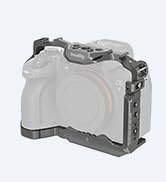
Image: Detail of the built-in magnetic Allen wrench, conveniently stored within the cage for easy access.

Image: Various views of the form-fitting full cage on the Sony A7C, demonstrating access to controls and ports.
5. Operating Instructions
- Using the Silicone Grip: The ergonomic silicone grip provides a more comfortable and secure hold on your camera. It can be removed if a more compact setup is desired.
- Attaching Accessories: Utilize the multiple 1/4''-20 threaded holes, 3/8"-16 ARRI locating holes, and the cold shoe mount to attach various accessories such as external monitors, microphones, LED lights, or top handles.
- Arca-Type Quick Release: The integrated Arca-type plate on the bottom allows for quick mounting and dismounting from compatible tripods and gimbals (e.g., DJI RS series).

Image: Diagram illustrating the various 1/4"-20 threaded holes, 3/8"-16 ARRI locating holes, and cold shoe mounts available on the cage for accessory attachment.

Image: View of the integrated quick release plate for Arca-type systems on the bottom of the cage, enabling easy switching between handheld and gimbal shooting.
6. Maintenance
To ensure the longevity and optimal performance of your SmallRig Full Cage, follow these maintenance guidelines:
- Clean the cage regularly with a soft, dry cloth to remove dust and debris.
- Avoid using harsh chemicals or abrasive materials, as these can damage the finish.
- Periodically check all screws and mounting points for tightness to ensure secure attachment of your camera and accessories.
- Store the cage in a dry, cool place when not in use.
7. Troubleshooting
If you encounter any issues with your SmallRig Full Cage, consider the following:
- Camera not fitting securely: Ensure the 1/4"-20 bottom screw and the M2.5 side anti-twist screw are properly aligned and tightened.
- Accessories not attaching: Verify that the accessory's mounting screw or plate is compatible with the cage's 1/4"-20, 3/8"-16 ARRI, or cold shoe mounts.
- Ports blocked: Double-check the camera's alignment within the cage during installation. The cage is designed to maintain access to all essential ports and compartments.
For further assistance, please contact SmallRig customer support.
8. Specifications
| Attribute | Value |
|---|---|
| Product Dimensions | 5.51 x 2.56 x 3.58 inches (140.0 x 90.5 x 65.5mm) |
| Item Weight | 6.8 ounces (192 Grams) |
| Model Number | 3212 |
| ASIN | B0999JKNJD |
| Compatible Devices | Sony A7C |
| Color | Black |
| Manufacturer | SmallRig |
| Material | Aluminum Alloy, Silica Gel |
| Package Dimensions | 165.0 x 155.0 x 85.0mm |
| Package Weight | 278.6 ± 5.0g |
9. Warranty and Support
SmallRig products are designed for durability and performance. For information regarding warranty coverage, returns, or technical support, please refer to the official SmallRig website or contact their customer service directly. Keep your purchase receipt for warranty claims.


