
Introduction
This manual provides detailed instructions for the setup, operation, and maintenance of your DOBE TP4-889 Dual Controller Charging Dock for PlayStation 4. Please read this manual thoroughly before use to ensure proper functionality and to extend the lifespan of your device.
Safety Information
- Do not expose the device to water or excessive moisture.
- Avoid dropping or subjecting the device to strong impacts.
- Do not attempt to disassemble or modify the device. This will void the warranty and may cause damage.
- Keep out of reach of children.
- Use only with compatible PlayStation 4 controllers.
- Ensure proper ventilation around the charging dock during use.
Package Contents
Verify that all items are present in your package:
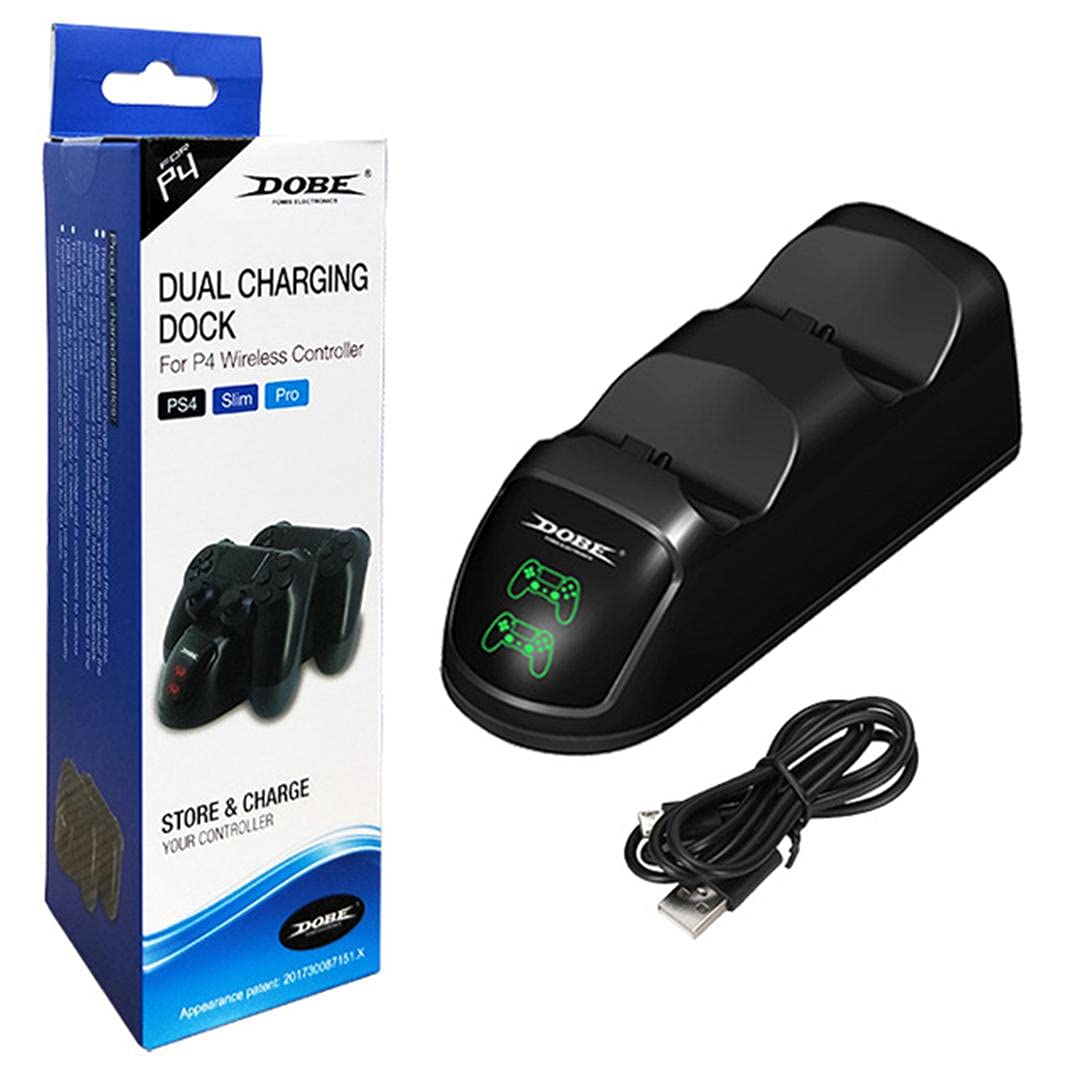
- 1 x DOBE TP4-889 Dual Controller Charging Dock
- 1 x USB Charging Cable
Product Overview
Familiarize yourself with the components of your charging dock:
- Controller Charging Slots: Two dedicated slots for PlayStation 4 controllers.
- LED Indicators: Individual indicators for each charging slot. These lights illuminate red when a controller is charging and turn green when charging is complete.
- Micro USB Port: Located at the rear of the dock for power input.


Setup Instructions
- Connect the small end of the included USB charging cable to the Micro USB port on the rear of the DOBE TP4-889 charging dock.
- Connect the larger USB-A end of the cable to a compatible USB power source, such as a PlayStation 4 console, a USB wall adapter (not included), or a computer USB port.
- Ensure the power source is active. The dock is now ready for use.

Operating Instructions
Charging Controllers
- With the charging dock powered on, gently align a PlayStation 4 controller with one of the charging slots.
- Carefully insert the controller into the slot, ensuring the charging port on the controller connects securely with the dock's connector.
- The corresponding LED indicator on the dock will illuminate red, indicating that the controller is charging.
- To charge a second controller, repeat steps 1-3 for the other charging slot.
- Once a controller is fully charged, its LED indicator will turn green.
- Remove the controller from the dock once charging is complete.

Maintenance
- Cleaning: Disconnect the power before cleaning. Use a soft, dry cloth to wipe the surface of the charging dock. Do not use liquid cleaners or abrasive materials.
- Storage: When not in use for extended periods, store the charging dock in a cool, dry place away from direct sunlight and extreme temperatures.
Troubleshooting
| Problem | Possible Cause | Solution |
|---|---|---|
| Controller not charging / LED not lighting up. |
|
|
| Charging is slow. |
|
|
Specifications
- Model: TP4-889
- Compatibility: PlayStation 4 (PS4) DualShock 4 Controllers
- Input: Micro USB
- Dimensions (approx.): 22.6 x 7.8 x 6.2 cm (8.9 x 3.1 x 2.4 inches)
- Weight (approx.): 216 grams (0.48 lbs)
- LED Indicators: Red (Charging), Green (Fully Charged)
Warranty and Support
For warranty information or technical support, please refer to the documentation provided with your purchase or contact the manufacturer directly through their official website or customer service channels. Keep your proof of purchase for warranty claims.