1. Introduction
This manual provides detailed instructions for the setup, operation, and maintenance of your BRONDI Amico Supervoice GSM mobile phone. Please read this manual carefully before using your device to ensure proper functionality and safety.
The BRONDI Amico Supervoice is designed for ease of use, featuring large keys, an SOS button for emergencies, remote control capabilities, dual SIM support, and amplified volume for clear communication.

2. Package Contents
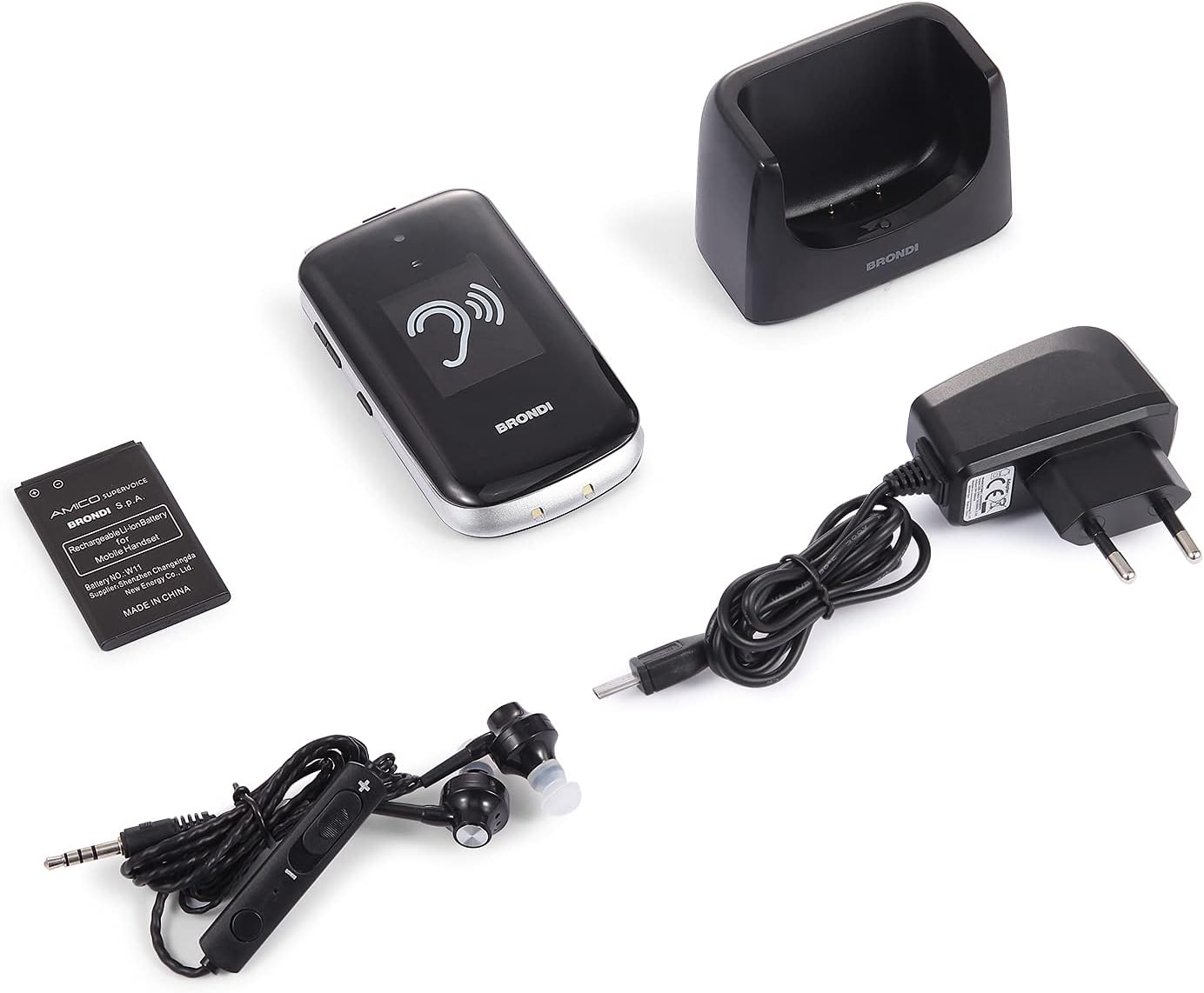
Verify that all items are present in your product package:
- BRONDI Amico Supervoice Mobile Phone
- Charging Base
- Power Adapter
- Rechargeable Li-ion Battery
- Special Earphones (for hearing assistance)
- User Manual (this document)
3. Setup
3.1. Battery Installation
- Remove the back cover of the phone.
- Insert the Li-ion battery into the battery compartment, ensuring the contacts align.
- Replace the back cover until it clicks securely.
3.2. SIM Card Installation
The BRONDI Amico Supervoice supports dual SIM cards.
- With the battery removed, locate the SIM card slots.
- Insert your SIM card(s) into the designated slots, ensuring the gold contacts face downwards and the cut corner aligns correctly.
- Reinstall the battery and back cover.
3.3. Initial Charging
Before first use, fully charge the phone battery.
- Connect the power adapter to the charging base.
- Plug the power adapter into a wall outlet.
- Place the phone into the charging base. The charging indicator light on the base will illuminate.
- Allow the phone to charge until the battery icon on the screen indicates a full charge.

4. Operating Instructions
4.1. Power On/Off
- To Power On: Press and hold the red End Call/Power button until the screen lights up.
- To Power Off: Press and hold the red End Call/Power button until the power off options appear, then confirm.
4.2. Making and Receiving Calls

- Making a Call:
- Open the phone.
- Dial the desired phone number using the large numeric keypad.
- Press the green Call button to initiate the call.
- Receiving a Call:
- When the phone rings, open the phone (if closed) or press the green Call button to answer.
- To end a call, press the red End Call button.
4.3. SOS Function
The SOS button allows you to quickly contact pre-set emergency numbers and send an SMS message in critical situations.
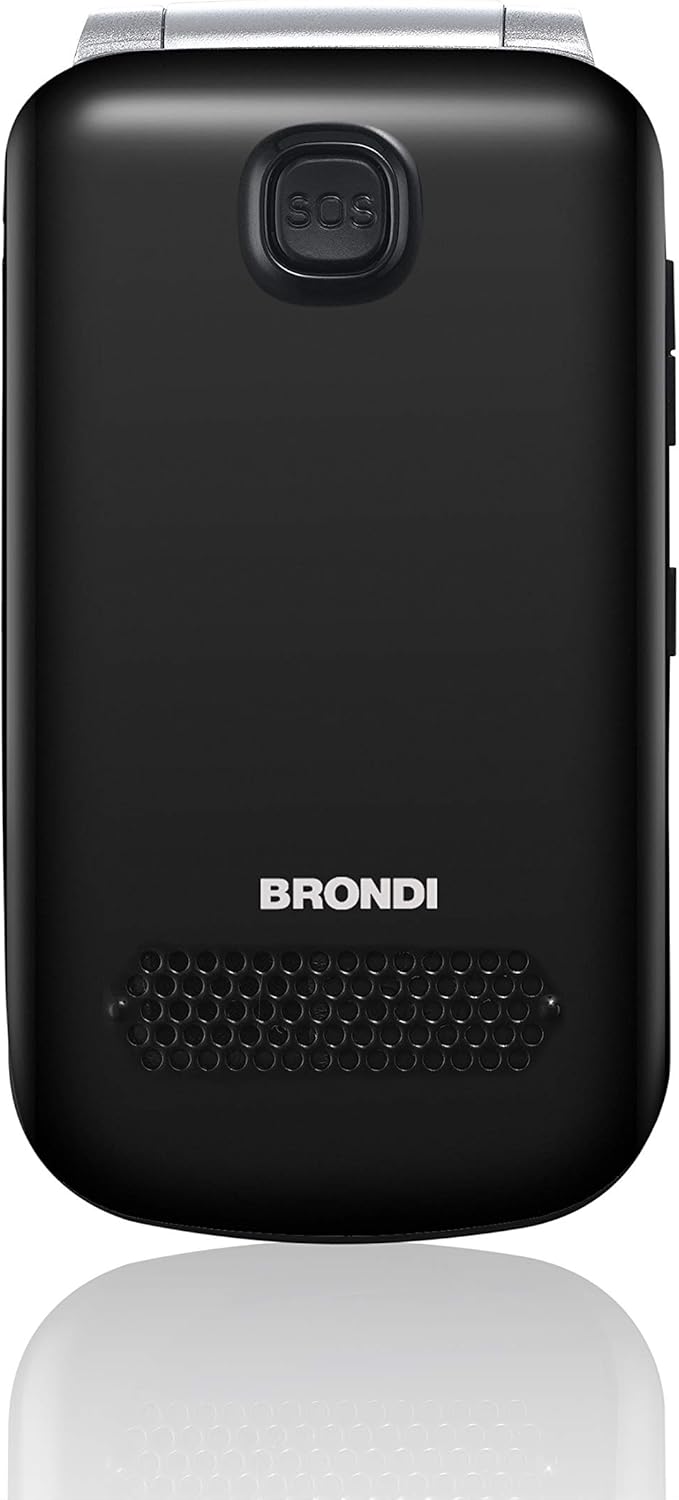
- Setting up SOS Numbers: Refer to the phone's menu settings to add up to 5 emergency contact numbers. These contacts will be called sequentially until one answers.
- Using the SOS Function: Press and hold the SOS button on the back of the phone for a few seconds. The phone will automatically send an emergency SMS and begin calling the pre-set numbers.
4.4. Remote Control Function
The BRONDI Amico Supervoice includes a remote control function, allowing authorized contacts to manage certain phone settings remotely via SMS commands. Consult the phone's full digital manual for specific commands and setup procedures.
4.5. Using Special Earphones
The included special earphones are designed to assist with hearing, providing amplified audio during calls or media playback.

- Plug the earphones into the 3.5mm audio jack on the phone.
- Adjust the volume using the inline control on the earphone cable or the phone's side volume buttons.
4.6. LED Torch
To activate the integrated LED torch, locate the dedicated torch button on the side of the phone and slide or press it. Repeat the action to turn it off.
4.7. Dual SIM Functionality
If two SIM cards are installed, you can select which SIM to use for calls or messages through the phone's menu settings. The phone will typically prompt you to choose a SIM when initiating a call or sending an SMS.
5. Maintenance
- Cleaning: Use a soft, dry cloth to clean the phone's exterior. Avoid using liquid cleaners or abrasive materials.
- Battery Care: To prolong battery life, avoid extreme temperatures. Do not leave the phone fully discharged for extended periods.
- Storage: Store the phone in a cool, dry place away from direct sunlight and moisture when not in use.
6. Troubleshooting
| Problem | Possible Solution |
|---|---|
| Phone does not power on. | Ensure the battery is correctly installed and fully charged. Connect to the charger and try again. |
| Cannot make or receive calls. | Check if the SIM card(s) are properly inserted and activated. Verify network signal strength. Ensure airplane mode is off. |
| Poor call quality / Low volume. | Adjust the call volume using the side buttons. Ensure the earpiece/microphone is not obstructed. Try using the special earphones for amplified sound. |
| SOS button not working. | Ensure emergency numbers are correctly set up in the phone's settings. Check if the button is pressed and held for the required duration. |
| Phone not charging. | Verify the power adapter and charging base connections. Ensure the phone is correctly seated in the charging base. Check for any debris in the charging port. |
7. Specifications
| Feature | Detail |
|---|---|
| Model Name | Amico Supervoice |
| Model Number | 10277090 |
| Operating System | Proprietary |
| Cellular Technology | GSM |
| Wireless Provider | Unlocked |
| Connectivity Technologies | Bluetooth |
| Special Features | Bluetooth, Remote Control, Dual SIM, Hearing Aid Function with Special Earphones, SOS Button, LED Torch |
| Screen Size | 2.8 Inches |
| Resolution | 320 x 240 |
| Display Technology | LED |
| Audio Jack | 3.5 mm |
| Battery | 1 Li-ion battery (included), 800 mAh nominal power |
| Phone Standby Time | Up to 240 hours |
| Dimensions | 10.55 x 5.85 x 1.85 cm |
| Weight | 100 grams |
| Color | Black |
8. Warranty and Support
For warranty information and customer support, please refer to the documentation included with your purchase or visit the official Brondi website. Keep your proof of purchase for warranty claims.
Brondi Official Website: Visit Brondi Store


