
1. Product Overview
This manual provides instructions for the RuenTech replacement silicone watch band. This band is designed for comfort and durability, featuring a pattern-printed design and adjustable sizing.

Image 1.1: Back view of a smartwatch featuring the RuenTech black floral pattern band.
Compatibility
This watch band is compatible with the following smartwatches:
- Veryfitpro Smart Watch models: ID205, ID205L, ID205S, ID205U, ID215G, ID216
- Uwatch models: Uwatch 3, Uwatch Ufit, Uwatch GT
The band is made from premium silicone rubber, offering skin-friendly and swim-ready water resistance, suitable for various activities.
2. Installation Instructions
The RuenTech sport band is designed for easy installation and removal using its integrated pins. Follow these steps to attach the band to your smartwatch:
- Prepare the Band: Turn the band over to locate the pins.
- Insert First Pin: Insert one side of a pin into the corresponding notch on your smartwatch.
- Position the Band: Ensure the band and watch are held at a 90-degree angle for proper alignment.
- Insert Second Pin: Press the pull-rod inward, then slide the other end of the band into place until the pin clicks securely into the second notch.
- Verify Security: Gently sway both ends of the installed band to confirm they are firmly attached to the watch.
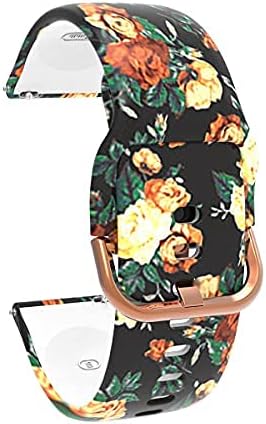
Image 2.1: Detail of the watch band's quick-release pin for installation.
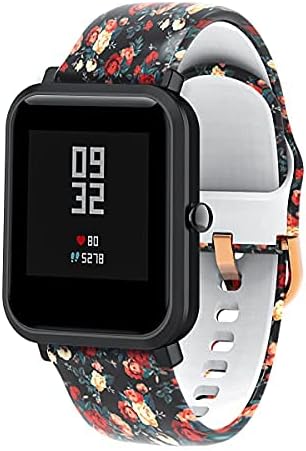
Image 2.2: Front view of a smartwatch with the black floral pattern band installed.
3. Operating and Adjustment
Once installed, the watch band can be adjusted to fit your wrist comfortably.
Adjustable Sizing
The band features a slim stainless steel slider, allowing for length adjustment to fit most wrist sizes, typically ranging from 5.3 inches to 8.5 inches. Slide the buckle to achieve a snug yet comfortable fit on your wrist.

Image 3.1: The watch band showing the buckle and adjustment holes for a custom fit.
4. Maintenance and Care
To ensure the longevity and appearance of your RuenTech watch band, follow these care guidelines:
- Cleaning: Wipe the band regularly with a soft, damp cloth to remove sweat, dirt, and oils. For deeper cleaning, use mild soap and water, then rinse thoroughly and dry completely before reattaching to your watch.
- Durability: The advanced printing craft ensures the pattern is resistant to fading. However, avoid prolonged exposure to harsh chemicals or extreme temperatures, which could affect the material and print.
- Water Resistance: The silicone material is swim-ready. After swimming or exposure to saltwater, rinse the band with fresh water and dry it to prevent residue buildup.
5. Troubleshooting
If you encounter any issues with your watch band, consider the following:
- Band Not Attaching Securely: Ensure the pins are fully retracted and aligned with the watch lugs. Sometimes, a small amount of pressure is needed to fully seat the pins. Verify that both ends of the pin are properly engaged in the watch's notches.
- Discomfort: If the band feels too tight or too loose, adjust the buckle position. Ensure the band is not worn too tightly, which can cause skin irritation.
For further assistance, please refer to the "Support and Warranty" section.
6. Specifications
| Feature | Detail |
|---|---|
| Material | Premium Silicone Rubber |
| Compatibility | Veryfitpro ID205, ID205L, ID205S, ID205U, ID215G, ID216; Uwatch 3, Uwatch Ufit, Uwatch GT |
| Adjustable Size | Fits wrists 5.3 inches - 8.5 inches |
| Special Features | Adjustable Clasp, Durable Pattern Print, Skin-Friendly, Water Resistant |
| Color (Current Product) | Black Flowers |
| Manufacturer | RuenTech |
7. Support and Warranty
For any questions, concerns, or support regarding your RuenTech watch band, please contact the seller directly.
After-sale Service Contact:
- Log in to your Amazon account.
- Navigate to "Your Orders".
- Locate the specific order ID for your watch band.
- Click on "Contact seller" to initiate communication.
Please note that specific warranty details may be provided by the seller at the time of purchase or upon contact.