
WORKPRO W125042A
WORKPRO 20V Cordless Impact Wrench User Manual
Model: W125042A
Introduction
This manual provides essential information for the safe and effective operation, maintenance, and troubleshooting of your WORKPRO 20V Cordless Impact Wrench. Please read this manual thoroughly before using the tool to ensure optimal performance and user safety. This powerful and compact tool is designed for various applications, including automotive repairs, heavy equipment maintenance, and product assembly.
Safety Information
Always follow basic safety precautions when using power tools to reduce the risk of fire, electric shock, and personal injury.
- Read all instructions: Familiarize yourself with the tool's operation and safety guidelines.
- Wear appropriate personal protective equipment (PPE): Always wear safety glasses, gloves, and hearing protection.
- Keep work area clean and well-lit: Cluttered or dark areas invite accidents.
- Avoid accidental starting: Ensure the switch is in the off-position before inserting the battery pack.
- Do not overreach: Maintain proper footing and balance at all times.
- Use the right tool for the job: Do not force the tool or attachment to do a job for which it was not designed.
- Store idle tools: When not in use, tools should be stored in a dry, high, or locked-up place, out of reach of children.
- Maintain tools with care: Keep cutting tools sharp and clean for better and safer performance.
Product Overview
The WORKPRO 20V Cordless Impact Wrench is designed for efficiency and power. Below are the key components:

Figure 1: Key components of the WORKPRO 20V Cordless Impact Wrench.
- 1/2'' Chuck: For attaching various impact sockets.
- Bright LED Light: Illuminates the work area for improved visibility.
- Changeover Switch: Controls the direction of rotation (forward/reverse).
- On/Off Switch (Variable Speed Trigger): Activates the tool and controls speed based on pressure.
- Battery Pack Release Button: For easy removal of the battery.
- 20V 2.0Ah Li-ion Battery: Provides cordless power.
- Fast Charger: For quick recharging of the battery.
- Belt Clip: For convenient carrying.
- Impact Sockets (17, 19, 21, 22mm): Included for immediate use.
Setup
1. Battery Charging
Before first use, fully charge the 20V 2.0Ah Li-ion battery pack. The fast charger can fully charge the battery in approximately one hour.
- Connect the fast charger to a standard power outlet.
- Slide the battery pack onto the charger until it clicks into place.
- The indicator light on the charger will show the charging status. Once fully charged, remove the battery.
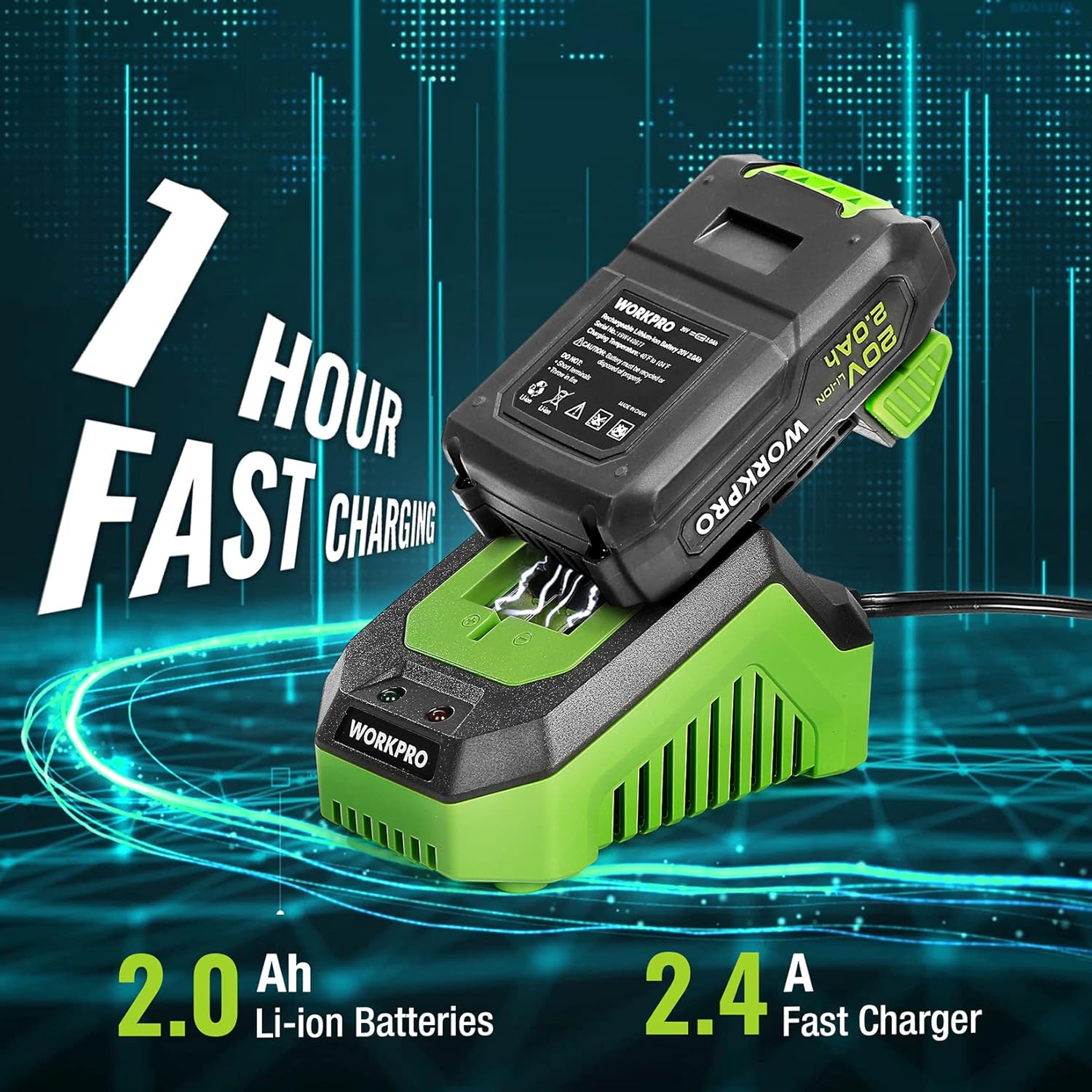
Figure 2: Charging the 20V Li-ion Battery.
Video 1: Demonstrates attaching a socket, using the LED light, variable speed trigger, belt clip, and charging the battery. This video highlights the ease of use and key features of the WORKPRO 20V Impact Wrench with 4PC Impact Sockets.
2. Attaching/Detaching Sockets
The impact wrench features a 1/2-inch chuck for quick and secure attachment of impact sockets.
- Align the square drive of the desired impact socket with the 1/2'' chuck on the tool.
- Push the socket firmly onto the chuck until it locks into place.
- To detach, pull back the collar on the chuck and pull the socket off.
3. Attaching Belt Clip
For convenient carrying, attach the included belt clip to the tool using the provided screw.
Operating Instructions
1. Powering On/Off and Speed Control
The tool is activated by the On/Off switch, which also functions as a variable speed trigger.
- To start the tool, press the On/Off switch.
- The speed of the impact wrench is infinitely variable; the further you press the switch, the higher the speed (up to 3200 RPM).
- To stop the tool, release the On/Off switch.

Figure 3: Infinitely Variable Speed Control.
2. Forward/Reverse Operation
The changeover switch controls the direction of rotation for tightening or loosening fasteners.
- For forward (tightening) rotation, push the changeover switch to the left.
- For reverse (loosening) rotation, push the changeover switch to the right.
- Ensure the tool is stopped before changing the direction of rotation.
3. Using the LED Light
The integrated LED lights automatically illuminate when the trigger is pressed, providing enhanced visibility in dark or confined spaces.

Figure 4: Built-in LED Light for improved visibility.
4. Applications
The WORKPRO 20V Cordless Impact Wrench is suitable for a wide range of tasks requiring high torque:
- Automotive Repairs: Ideal for tightening and loosening lug nuts, suspension components, and engine bolts.
- Major Construction Projects: Effective for driving large fasteners into wood or metal.
- Heavy Equipment Maintenance: Suitable for various maintenance tasks on machinery.
- Product Assembly: Speeds up assembly processes requiring secure fastening.

Figure 5: Versatile applications of the Impact Wrench.
Video 2: Overview of the WORKPRO 20V Cordless Impact Wrench, showcasing its power, features like the 1/2-inch chuck, variable speed trigger, LED lights, and its suitability for automotive repair and other heavy-duty tasks.
Maintenance
Regular maintenance ensures the longevity and optimal performance of your impact wrench.
- Cleaning: Keep the tool's ventilation openings clean and free from debris. Use a soft, damp cloth to clean the exterior. Do not use harsh chemicals or abrasive cleaners.
- Battery Care:
- Store batteries in a cool, dry place away from direct sunlight and heat.
- Do not store batteries in a discharged state for extended periods. Recharge them periodically.
- Avoid exposing batteries to water or extreme temperatures.
- Storage: Store the tool and accessories in a secure, dry place, out of reach of children and away from moisture.
Troubleshooting
If you encounter issues with your WORKPRO 20V Cordless Impact Wrench, refer to the following common troubleshooting steps:
| Problem | Possible Cause | Solution |
|---|---|---|
| Tool does not start. | Battery not charged or not properly inserted. | Ensure battery is fully charged and securely inserted. |
| Reduced power/torque. | Low battery charge. | Recharge the battery. |
| Tool stops unexpectedly. | Overload protection activated or battery depleted. | Reduce load, allow tool to cool, or recharge battery. |
| Socket difficult to attach/detach. | Debris in chuck or improper alignment. | Clean chuck and ensure proper alignment. |
If problems persist, contact WORKPRO customer support or refer to the official user guide PDF available online.
Specifications
- Brand: WORKPRO
- Model Number: W125042A
- Voltage: 20 Volts (DC)
- Max Torque: 320 Ft-Lbs (approximately 300 Foot Pounds as per specifications)
- Max No-Load Speed: 2100 RPM (as per feature bullets)
- Impact Rate: Up to 3200 RPM (as per feature bullets)
- Chuck Size: 1/2-inch
- Battery Type: Lithium Ion
- Battery Capacity: 2.0Ah
- Charger Type: Fast Charger (1-hour charge time)
- Material: Alloy Steel
- Item Weight: 13.4 ounces (tool only, without battery/sockets)
- UPC: 820909981244
Warranty and Support
For warranty information, technical support, or service inquiries, please refer to the official WORKPRO website or the contact information provided in the original product packaging. An official User Guide (PDF) is also available for download for more detailed information.
Official User Guide (PDF): Download PDF
Related documentsW125042A


Ask a question about this manual
Ask about setup, troubleshooting, compatibility, parts, safety, or missing instructions. Manuals+ will review the question and use this page’s manual context to help answer it.