
Introduction
Thank you for choosing the EasyAcc USB Small Desk Fan, Model 312. This compact and powerful fan is designed to provide personal cooling in various settings, including your home, office, bedroom, or during travel. Its 360-degree rotatable head and three-speed settings ensure optimal airflow and comfort. This manual provides essential information for the proper setup, operation, and maintenance of your fan.

Figure 1: EasyAcc USB Small Desk Fan, Navy Blue
Key Features:
- Compact and Portable: Weighing only 6 oz and measuring 4.8 inches, it's ideal for small spaces and easy to carry.
- Ultra-Quiet Operation: Equipped with 5 blades and a brushless motor for quiet performance (40-50dB noise level).
- Three Adjustable Speeds: Choose from Speed 1 (3.9m/s), Speed 2 (4.9m/s), or Speed 3 (5.9m/s) for customized airflow.
- 360° Rotatable Head: Direct airflow precisely where you need it.
- USB Powered: Compatible with any USB port (computer, laptop, power bank, car chargers) via its 4ft USB cable.
Setup
Setting up your EasyAcc USB Small Desk Fan is quick and easy. Follow these steps to get started:
- Unpack the Fan: Carefully remove the fan and its USB cable from the packaging.
- Position the Fan: Place the fan on a stable, flat surface where you desire airflow. The non-slip base ensures stability.
- Connect to Power: Insert the USB-A connector of the fan's cable into any compatible USB power source. This can be a computer, laptop, power bank, or a USB wall adapter (not included).
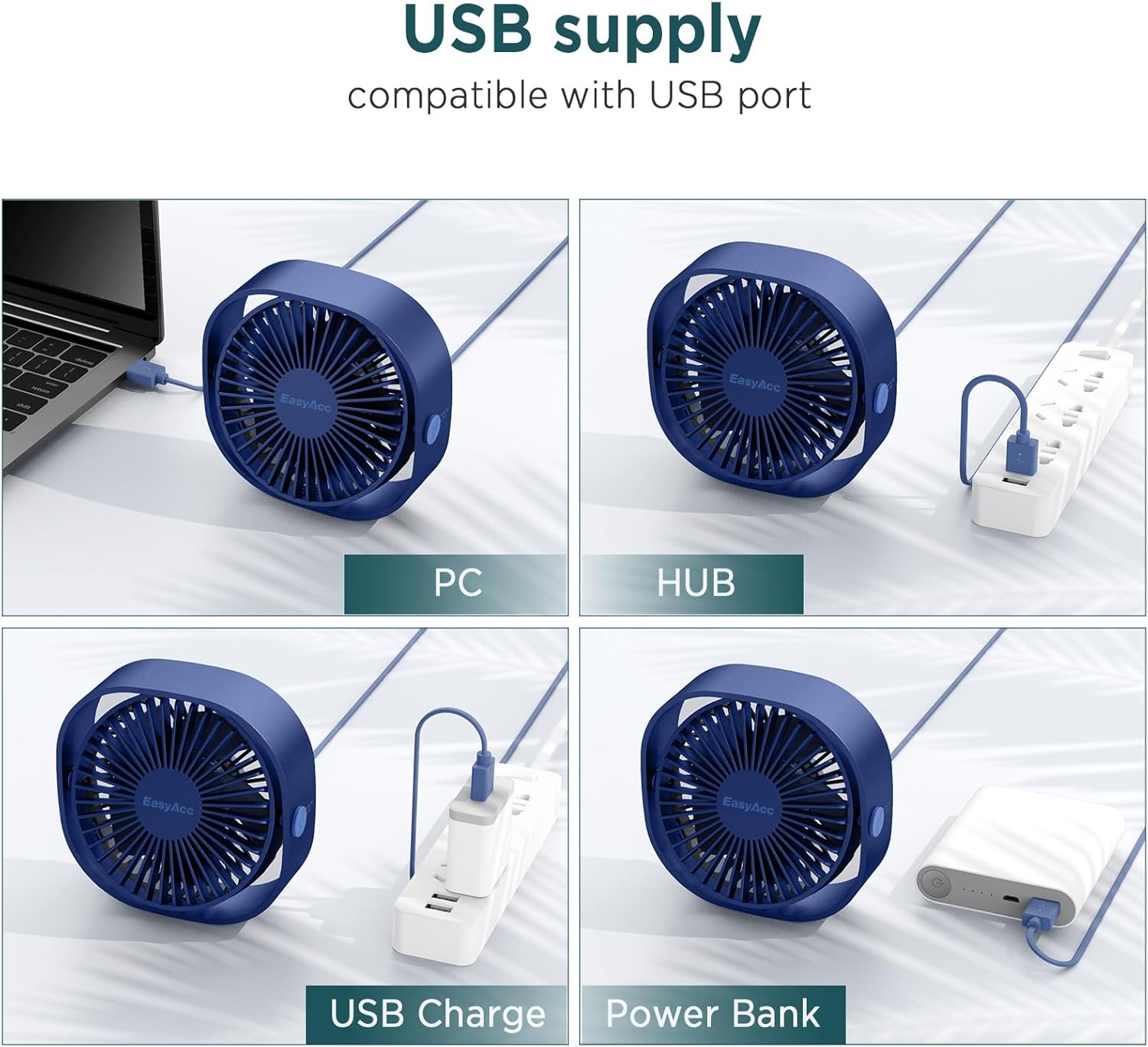
Figure 2: USB power supply options for the fan.
Operating Instructions
Your EasyAcc fan features simple controls for personalized comfort.
- Power On/Off and Speed Adjustment: The fan has a single button located on the back. Press the button repeatedly to cycle through the three speed settings and to turn the fan off.
- First Press: Activates Speed 1 (Indoor breeze, 3.9m/s).
- Second Press: Activates Speed 2 (Gentle breeze, 4.9m/s).
- Third Press: Activates Speed 3 (Fast cooling, 5.9m/s).
- Fourth Press: Turns the fan off.
- Adjusting Airflow Direction: The fan head can be manually rotated 360 degrees vertically. Gently tilt the fan head to direct the cool air in your desired direction.
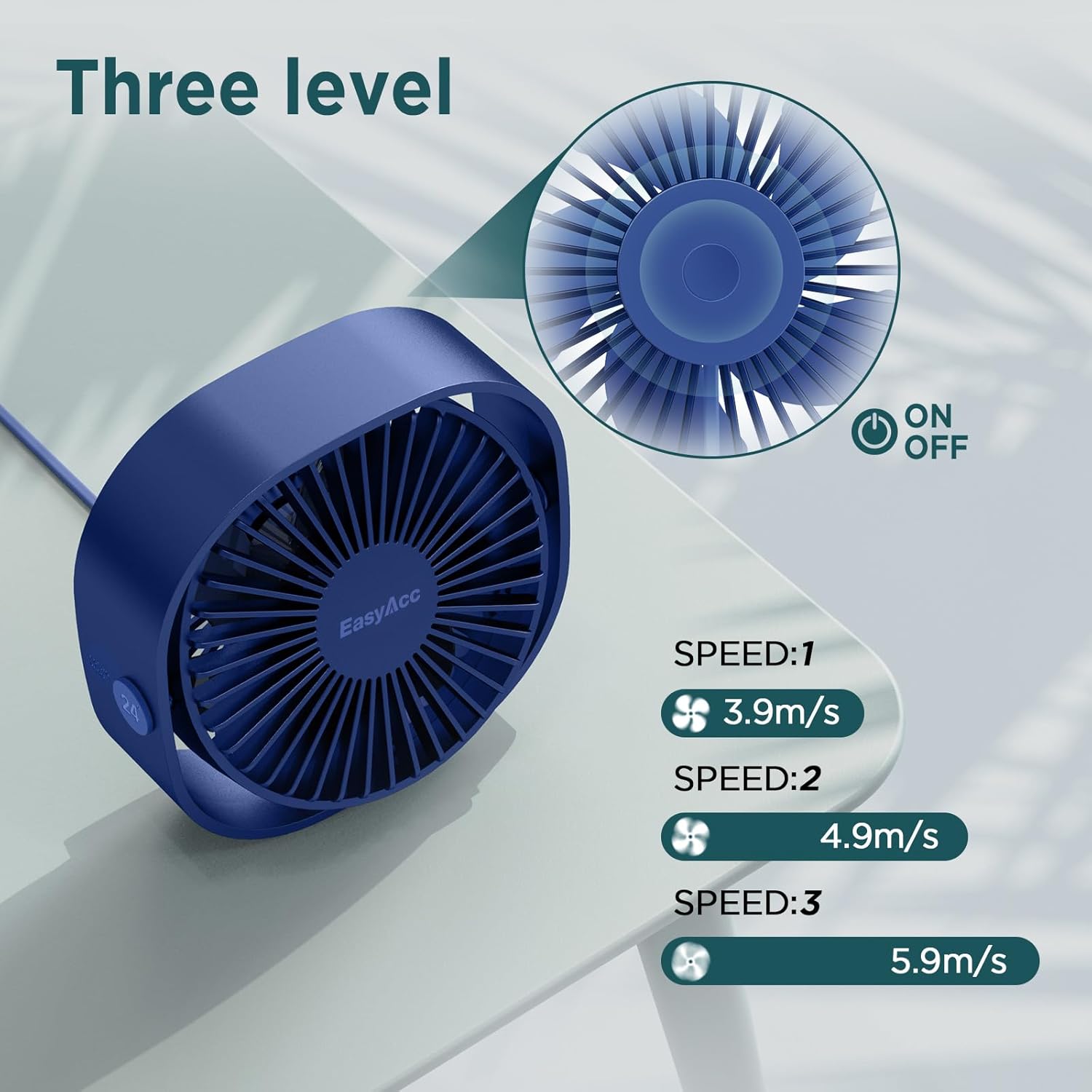
Figure 3: Fan speed levels and power button.

Figure 4: The fan head can be rotated 360 degrees for flexible airflow.
Video 1: Demonstrates the EasyAcc Portable Desktop Fan's 3 speeds and 360-degree rotation.
Maintenance
To ensure the longevity and optimal performance of your EasyAcc USB Small Desk Fan, follow these simple maintenance guidelines:
- Cleaning: Always unplug the fan from its power source before cleaning. Use a soft, dry cloth to wipe down the exterior of the fan. Do not use liquid cleaners or immerse the fan in water.
- Dust Removal: Periodically use a soft brush or compressed air to gently remove dust from the fan blades and grille.
- Storage: When not in use for extended periods, store the fan in a cool, dry place, away from direct sunlight and extreme temperatures.
Troubleshooting
If you encounter any issues with your EasyAcc USB Small Desk Fan, please refer to the following common problems and solutions:
- Fan Does Not Turn On:
- Ensure the USB cable is securely plugged into both the fan and the power source.
- Try plugging the fan into a different USB port or power source to rule out a faulty port.
- Verify that the power source is active and providing power.
- Weak Airflow:
- Check the fan speed setting. Press the power button to increase the speed to a higher level.
- Ensure there are no obstructions blocking the front or back grilles of the fan.
- Clean any dust accumulation on the blades or grilles, as this can reduce airflow.
- Unusual Noise:
- Ensure the fan is placed on a stable, flat surface to prevent vibrations.
- Check for any foreign objects that might be caught in the fan blades.
If the problem persists after trying these steps, please contact EasyAcc customer support.
Specifications
| Feature | Detail |
|---|---|
| Brand | EasyAcc |
| Model Number | 312 (FNDK312-DB) |
| Color | Navy Blue |
| Electric Fan Design | Table Fan |
| Power Source | USB |
| Product Dimensions (D x W x H) | 5"D x 2"W x 4.8"H |
| Item Weight | 169 Grams |
| Number of Speeds | 3 |
| Noise Level | 50 Decibels |
| Wattage | 5 watts |
| Voltage | 5 Volts |
| Number of Blades | 5 |
| Material | Plastic |
| Cable Length | 47.24 Inches |
Warranty Information
Specific warranty details for the EasyAcc USB Small Desk Fan, Model 312, are not explicitly provided in the product details. For comprehensive warranty information, please refer to the product packaging, the official EasyAcc website, or contact EasyAcc customer support directly. The product is subject to a 30-day refund/replacement return policy.
Support
For further assistance, technical support, or any inquiries regarding your EasyAcc USB Small Desk Fan, please contact EasyAcc customer service. You can also visit the official EasyAcc store on Amazon for more information and product resources: