
1. Introduction
This manual provides comprehensive instructions for the installation and maintenance of your PHONSUN Replacement Single SIM Card Tray. This product is designed to replace a damaged or lost SIM card tray for specific Samsung Galaxy S21 series models, ensuring proper functionality of your device's mobile network connectivity.
2. Compatibility
This replacement SIM card tray is specifically compatible with the following Samsung Galaxy S21 5G series models:
- Samsung Galaxy S21 5G (Model: G991, G991U)
- Samsung Galaxy S21 Plus 5G (Model: G996, G996U)
- Samsung Galaxy S21 Ultra 5G (Model: G998, G998U)
Please ensure your device model matches one of the listed compatible models. This is a single SIM version tray and is not designed for dual SIM functionality unless your phone specifically supports it with a single SIM tray.
3. Package Contents
Upon opening the package, you should find the following items:
- 1 x PHONSUN Replacement Single SIM Card Tray (Phantom Black)
- 1 x SIM Eject Pin

Image 3.1: The replacement SIM card tray in Phantom Black, accompanied by the SIM eject pin.
4. Installation Guide
Follow these steps carefully to replace your SIM card tray. Ensure your phone is powered off before beginning the installation process.
- Power Off Device: Before proceeding, power off your Samsung Galaxy S21 series smartphone completely.
- Locate SIM Tray Slot: Identify the SIM card tray slot on your device. It is typically located on the bottom edge of the phone.
- Eject Old Tray: Insert the provided SIM eject pin into the small hole next to the SIM card tray slot. Apply gentle, steady pressure until the tray pops out slightly. Do not force it.
- Remove Old Tray: Carefully pull out the old SIM card tray from the slot.
- Transfer SIM Card: If you are transferring an existing SIM card, gently place it into the new PHONSUN replacement SIM card tray. Ensure the SIM card is oriented correctly, aligning with the cut corner of the tray. The tray is labeled "SIM1" to guide proper placement.
- Insert New Tray: Carefully slide the new SIM card tray, with the SIM card inserted, back into the slot on your phone. Push it in gently until it sits flush with the phone's body. Do not force it.
- Power On Device: Once the tray is securely in place, power on your Samsung Galaxy S21 series smartphone.
- Verify Functionality: After the phone boots up, check your network signal and attempt to make a call or access mobile data to confirm that the SIM card is properly recognized and functioning.

Image 4.1: Illustrates the SIM eject pin being used to release the SIM card tray from the device.
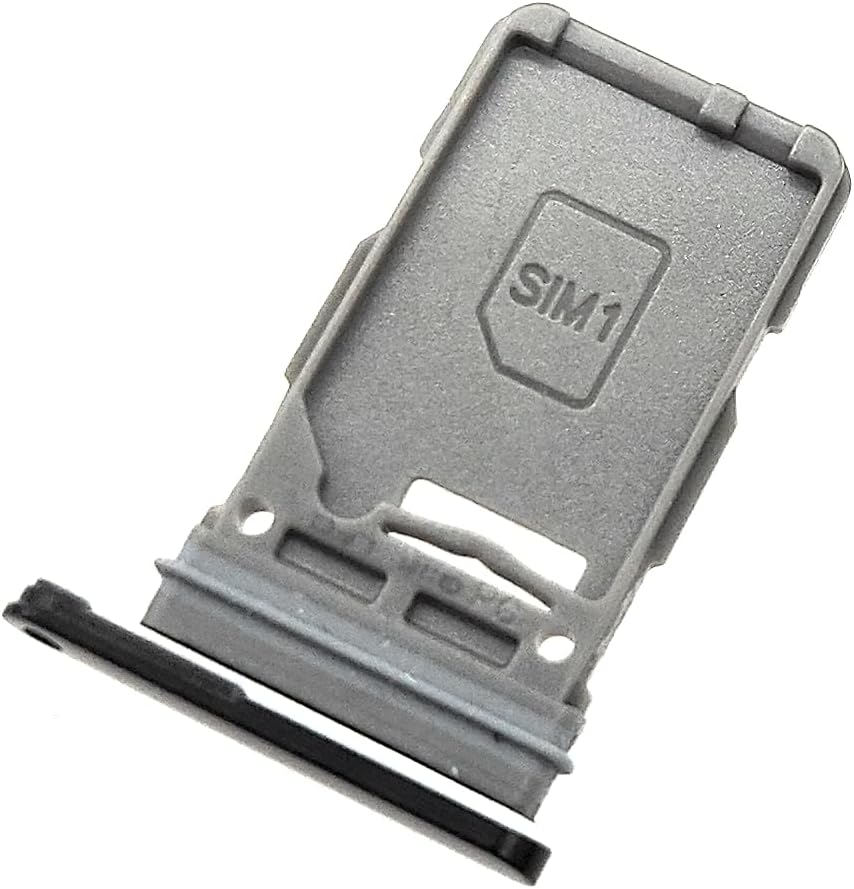
Image 4.2: A close-up view of the SIM card tray, highlighting the "SIM1" label and the designated slot for the SIM card.
5. Operating Instructions
Once installed, the PHONSUN Replacement Single SIM Card Tray operates seamlessly as the original component. Its primary function is to securely hold your Nano-SIM card within your device, enabling cellular network connectivity. No specific operational steps are required beyond ensuring the tray is fully inserted and the SIM card is correctly seated.
6. Maintenance
To ensure the longevity and proper function of your SIM card tray, consider the following maintenance tips:
- Handle with Care: Always handle the SIM card tray and eject pin gently to prevent bending or damage.
- Keep Clean: If necessary, gently wipe the tray with a soft, dry, lint-free cloth to remove dust or debris. Avoid using liquids or abrasive cleaners.
- Proper Storage: If removing the tray for an extended period, store it in a clean, dry, and safe place to prevent loss or damage.
7. Troubleshooting
If you encounter issues after installing the replacement SIM card tray, refer to the following common problems and solutions:
| Problem | Possible Cause | Solution |
|---|---|---|
| SIM card not detected / No network signal |
|
|
| Tray is difficult to insert or remove |
|
|
If problems persist after attempting these solutions, please contact PHONSUN customer support or a qualified technician.
8. Specifications
| Feature | Detail |
|---|---|
| Product Type | Replacement Single SIM Card Tray |
| Compatible Models | Samsung Galaxy S21 5G (G991U), S21 Plus 5G (G996U), S21 Ultra 5G (G998U) |
| Color | Phantom Black |
| Material | Durable plastic/metal composite (as per typical SIM trays) |
| Package Dimensions | 4 x 2 x 0.2 inches |
| Item Weight | 0.317 ounces |
| Manufacturer | PHONSUN |
9. Warranty and Support
For any questions, concerns, or support regarding your PHONSUN Replacement Single SIM Card Tray, please refer to the seller's return policy or contact PHONSUN customer service directly through the platform where the purchase was made. Please retain your proof of purchase for warranty claims, if applicable.
For general information about PHONSUN products, you may visit their official presence on Amazon: PHONSUN Brand Page.