
1. Introduction
Thank you for choosing the MELOKEA Ergonomic Office Chair. This manual provides essential information for the safe assembly, operation, and maintenance of your new chair. Please read it thoroughly before use and retain it for future reference.

Image 1.1: The MELOKEA Ergonomic Office Chair, showcasing its black mesh back, black seat cushion, and white frame with a five-star base and casters.
2. Safety Instructions
- Ensure all components are securely fastened before use.
- Do not stand on the chair.
- Do not use the chair if any parts are damaged or missing.
- The maximum weight capacity for this chair is 150 kg (330 lbs). Do not exceed this limit.
- Keep hands and fingers clear of moving parts during adjustment.
- Use the chair on a level surface to prevent tipping.
3. Package Contents
Please verify that all parts are present before beginning assembly. If any parts are missing or damaged, contact customer support.
- Backrest with Headrest
- Seat Cushion
- Armrests (2)
- Gas Lift Cylinder
- Five-Star Base
- Casters (5)
- Mechanism Plate
- Hardware Kit (screws, washers, Allen wrench)
4. Assembly Instructions
Follow these steps to assemble your MELOKEA office chair. It is recommended to assemble the chair on a soft, clean surface to prevent scratches.
- Attach Casters to Base: Insert each of the five casters into the holes at the end of each leg of the five-star base until they click securely into place.
- Insert Gas Lift: Place the gas lift cylinder into the center hole of the five-star base.
- Attach Mechanism Plate to Seat: Align the mechanism plate with the pre-drilled holes on the underside of the seat cushion. Secure it using the provided screws and Allen wrench. Ensure the front of the mechanism faces the front of the seat.
- Attach Armrests to Seat: Secure the armrests to the sides of the seat cushion using the designated screws.
- Attach Backrest to Seat: Align the backrest with the mounting points on the seat cushion or mechanism plate. Secure with screws.
- Connect Seat Assembly to Gas Lift: Carefully place the assembled seat and backrest onto the gas lift cylinder, ensuring it is centered and stable. Apply gentle downward pressure to secure.
5. Operating and Adjusting Your Chair
The MELOKEA office chair offers several adjustment features to customize your seating experience for optimal comfort and ergonomic support.

Image 5.1: Overview of key adjustable features including the headrest, lumbar support, seat cushion, and overall tilt and height adjustments.
5.1. Seat Height Adjustment
To adjust the seat height, locate the lever on the right side under the seat. Pull the lever up while seated to lower the chair, or pull the lever up while standing to raise the chair. Release the lever at the desired height.

Image 5.2: This image shows the lever for height adjustment (pull out to adjust height) and the tilt lock mechanism (pull inside to lock).
5.2. Tilt Function and Lock
The chair features a rocking function with a tilt range from 90 to 115 degrees. To activate the tilt, pull the same lever (used for height adjustment) outwards. To lock the chair in an upright position, push the lever inwards.
5.3. Tilt Tension Adjustment
To adjust the resistance of the tilt function, locate the round knob under the front of the seat. Turn the knob clockwise to increase tension (making it harder to recline) or counter-clockwise to decrease tension (making it easier to recline).

Image 5.3: The tilt tension knob, located beneath the seat, allows you to adjust the rocking resistance.
5.4. Adjustable Headrest
The headrest can be adjusted vertically by up to 6 cm. Gently pull the headrest up or push it down to your desired position. It will lock into place automatically.

Image 5.4: The headrest can be moved up or down by 6 cm to provide optimal neck support.
5.5. Integrated Lumbar Support
The chair features an integrated S-shaped lumbar support designed to conform to the natural curve of the human spine, providing continuous support to your lower back.

Image 5.5: This diagram highlights the ergonomic design of the chair, emphasizing the S-shaped lumbar support for spinal health.
6. Maintenance
Regular maintenance will extend the life of your office chair.
- Cleaning: Wipe the chair with a soft, damp cloth. For mesh and fabric parts, use a mild soap solution if necessary, and allow to air dry. Avoid harsh chemicals or abrasive cleaners.
- Check Connections: Periodically check all screws and bolts to ensure they are tight. Retighten as needed.
- Caster Care: Clean casters regularly to remove dust and debris that may hinder smooth movement.
7. Troubleshooting
| Problem | Possible Cause | Solution |
|---|---|---|
| Chair does not adjust height. | Gas lift cylinder malfunction or lever not engaged. | Ensure the lever is fully pulled. If issue persists, contact customer support for gas lift replacement. |
| Chair squeaks. | Loose connections or friction between parts. | Tighten all screws. Apply a small amount of silicone lubricant to moving parts if necessary. |
| Casters do not roll smoothly. | Debris caught in casters. | Remove casters and clean any hair or debris from the wheels and axles. |
8. Specifications
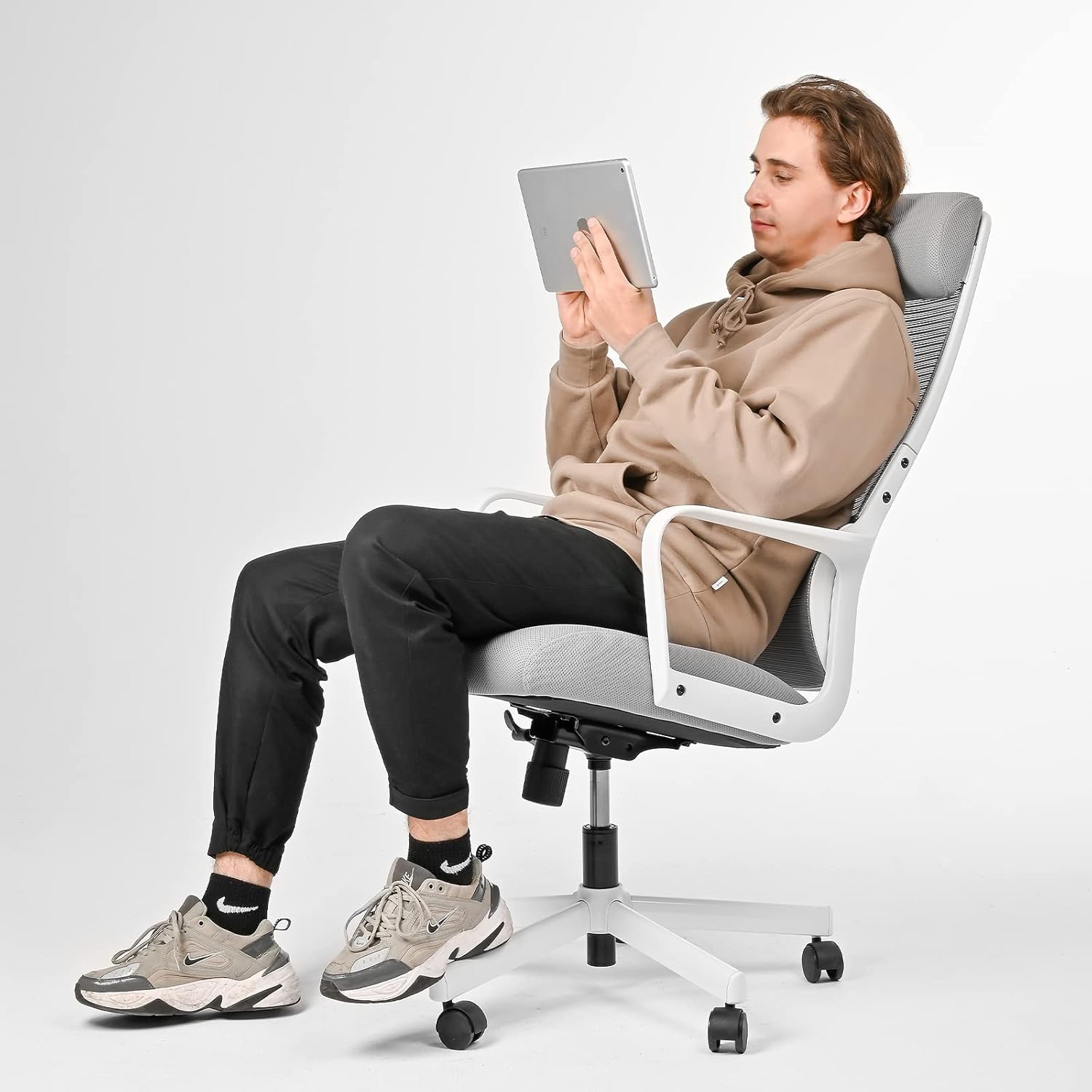
Image 8.1: Dimensional drawing of the chair, showing key measurements for height, width, and depth.
| Feature | Detail |
|---|---|
| Brand | MELOKEA |
| Model Number | F007B (DECHAF007B-1) |
| Color | Black |
| Overall Dimensions (L x W x H) | 47 x 51 x 119.5 cm (approx. 18.5 x 20.1 x 47 inches) |
| Seat Cushion Dimensions | 50 x 49 x 10 cm (approx. 19.7 x 19.3 x 3.9 inches) |
| Adjustable Height Range | 40.5 - 47.5 cm (approx. 15.9 - 18.7 inches) |
| Weight | 14 Kilograms (approx. 30.8 lbs) |
| Maximum Weight Capacity | 150 Kilograms (approx. 330 lbs) |
| Material | Nylon (mesh, cushion), Metal (frame, base) |
| Gas Lift | SGS-certified Level 3 |
| Special Features | Adjustable Headrest, Integrated Lumbar Support, Height Adjustable, Tilt Function (90-115 degrees), Tilt Tension Adjustment, Breathable Mesh Back, 10cm Thick Seat Cushion |
9. Warranty and Customer Support
MELOKEA is committed to providing high-quality products and excellent customer service. If you have any questions, concerns, or require assistance with your product, please do not hesitate to contact us. We will do our best to provide the best products and services to our customers.
Please refer to your purchase documentation for specific warranty terms and contact information.


