
1. Product Overview
The DONGERDI 180W AC Adapter is designed to provide reliable power for compatible Acer Nitro and Predator gaming laptops. This power supply delivers 19.5V at 9.23A, totaling 180W, ensuring efficient charging and operation for your device. It features a specific 5.5x1.7mm red tip connector for broad compatibility with various Acer models.
Key Features:
- High Power Output: Delivers 180W (19.5V 9.23A) for fast and stable charging.
- Global Voltage Support: Compatible with 100–240V (50–60Hz) input for international use.
- Wide Compatibility: Specifically designed for Acer Predator Triton 300 SE PT314-52S/51S, Predator Helios 300 PH315-54/53, G3-571/572/573, Nitro 5 AN515/AN517, and Nitro 7 AN715-51.
- Advanced Safety Protection: Incorporates safeguards against short-circuit, over-current, over-voltage, and overheating.
- Durability and Extended Reach: Features a rugged shell and a total cable length of 10 feet (6-foot charger cord + 4-foot power cord).
Video: Overview of the DONGERDI 180W AC Adapter's features and specifications.
2. Package Contents
Upon opening the package, verify that all components are present and undamaged:
- 1 x DONGERDI 180W AC Adapter (Power Brick)
- 1 x AC Power Cord (for wall outlet connection)
- 1 x DC Output Cable with 5.5x1.7mm Red Tip Connector (integrated with adapter)

Image: All components included in the DONGERDI 180W AC Adapter package.
3. Setup Instructions
Follow these steps to correctly set up your DONGERDI 180W AC Adapter:
- Connect the AC Power Cord: Insert the female end of the AC power cord firmly into the input port on the DONGERDI 180W AC Adapter (power brick).
- Connect to Laptop: Plug the DC output cable's 5.5x1.7mm red tip connector into the power input port on your compatible Acer Nitro or Predator gaming laptop. Ensure the connection is secure.
- Plug into Wall Outlet: Insert the male end of the AC power cord into a standard wall power outlet.
Important: Before connecting, verify that your laptop requires a 180W power supply with a 19.5V output and a 5.5x1.7mm red tip connector. Using an incompatible adapter may damage your device.
Video: Demonstrates the assembly of the AC adapter components and connection to a laptop.
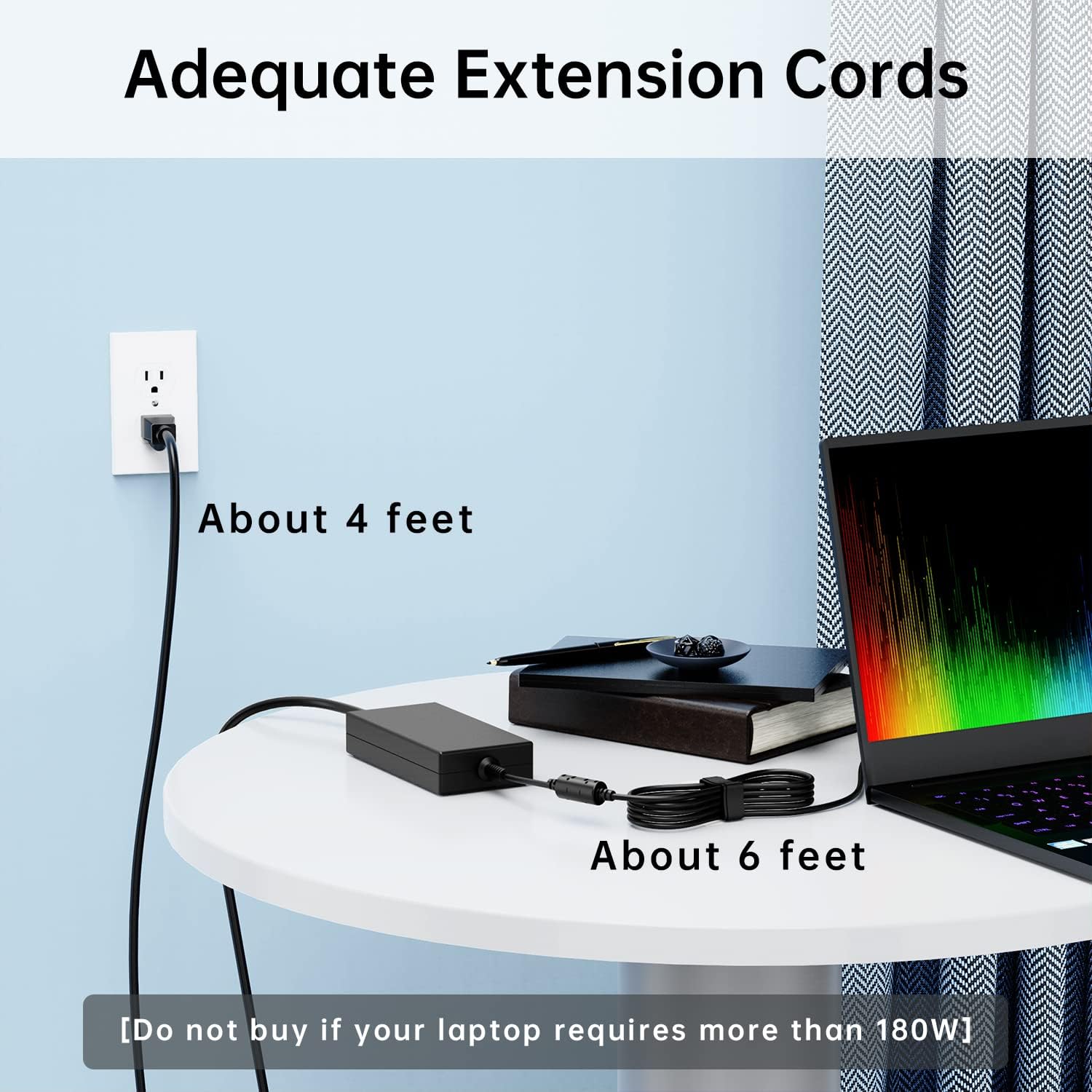
Image: Illustration of the adequate extension cords, showing the 4-foot AC cord and 6-foot DC cord for flexible placement.
4. Operating Instructions
Once properly connected, the adapter will automatically begin charging your laptop or providing power for operation. A small LED indicator on the power brick typically illuminates when power is supplied, confirming the adapter is active.
Usage Tips:
- Ensure the adapter is placed in a well-ventilated area to prevent overheating during prolonged use.
- Avoid placing heavy objects on the cables or adapter.
- Unplug the adapter from the wall outlet when not in use for extended periods.

Image: Detailed view of the 5.5x1.7mm red tip connector and the adapter's power output specifications.
5. Maintenance and Care
Proper maintenance extends the lifespan of your power adapter:
- Cleaning: Use a soft, dry cloth to clean the adapter and cables. Do not use liquid cleaners or solvents.
- Storage: When not in use, store the adapter in a cool, dry place. Avoid tightly wrapping the cables to prevent damage.
- Handling: Always grasp the plug when disconnecting from the wall or laptop; do not pull on the cable.
- Environment: Keep the adapter away from water, excessive heat, and direct sunlight.
6. Troubleshooting
If you encounter issues with your DONGERDI 180W AC Adapter, refer to the following common problems and solutions:
- No Power to Laptop:
- Ensure all cable connections (AC cord to adapter, adapter to laptop, AC cord to wall outlet) are secure.
- Test the wall outlet with another device to confirm it is functional.
- Check if the LED indicator on the adapter is lit. If not, try a different wall outlet.
- Slow Charging or Intermittent Power:
- Confirm that your laptop's power requirements match the adapter's 180W output.
- Ensure the adapter is not covered, allowing for proper ventilation. Overheating can reduce performance.
- Inspect cables for any visible damage or fraying.
- Adapter Overheating:
- Ensure the adapter is in an open area with good airflow.
- Avoid placing the adapter on soft surfaces like carpets or blankets that can block vents.
- If overheating persists, discontinue use and contact customer support.

Image: Visual representation of the multi-security protection mechanisms integrated into the adapter.
7. Specifications
| Brand | DONGERDI |
| Model | 180W AC Adapter |
| Input Voltage | 100-240V ~ 50-60Hz |
| Output Voltage/Current | 19.5V 9.23A |
| Output Wattage | 180W Max |
| Connector Type | 5.5x1.7mm Red Tip |
| Compatible Devices | Predator Triton 300 SE PT314-52S 51S; Predator Helios 300 PH315-54 53 G3-571 G3-572 G3-573; Nitro 5 AN515 AN517; Nitro 7 AN715-51 |
| Safety Features | Short Circuit Protection, Over-current Protection, Over-voltage Protection, Overheating Protection |
| Cable Length | Total 10 feet (6-foot DC cable + 4-foot AC cable) |
| Color | Black |
8. Warranty and Support
This DONGERDI product comes with a standard manufacturer's warranty. For specific warranty details, please refer to the product packaging or contact DONGERDI customer support directly. If you require technical assistance or have questions regarding your adapter, please reach out to the seller or manufacturer through their official channels.

