
1. Product Overview
The AI Carecam NPK Intelligent Camera is a wireless indoor security camera designed for home and office use. It features 360° pan and tilt capabilities, 2MP 1080P Full HD resolution, night vision, two-way audio communication, and motion detection. The camera supports up to a 128GB Micro SD card for local storage and is controlled via a mobile application.
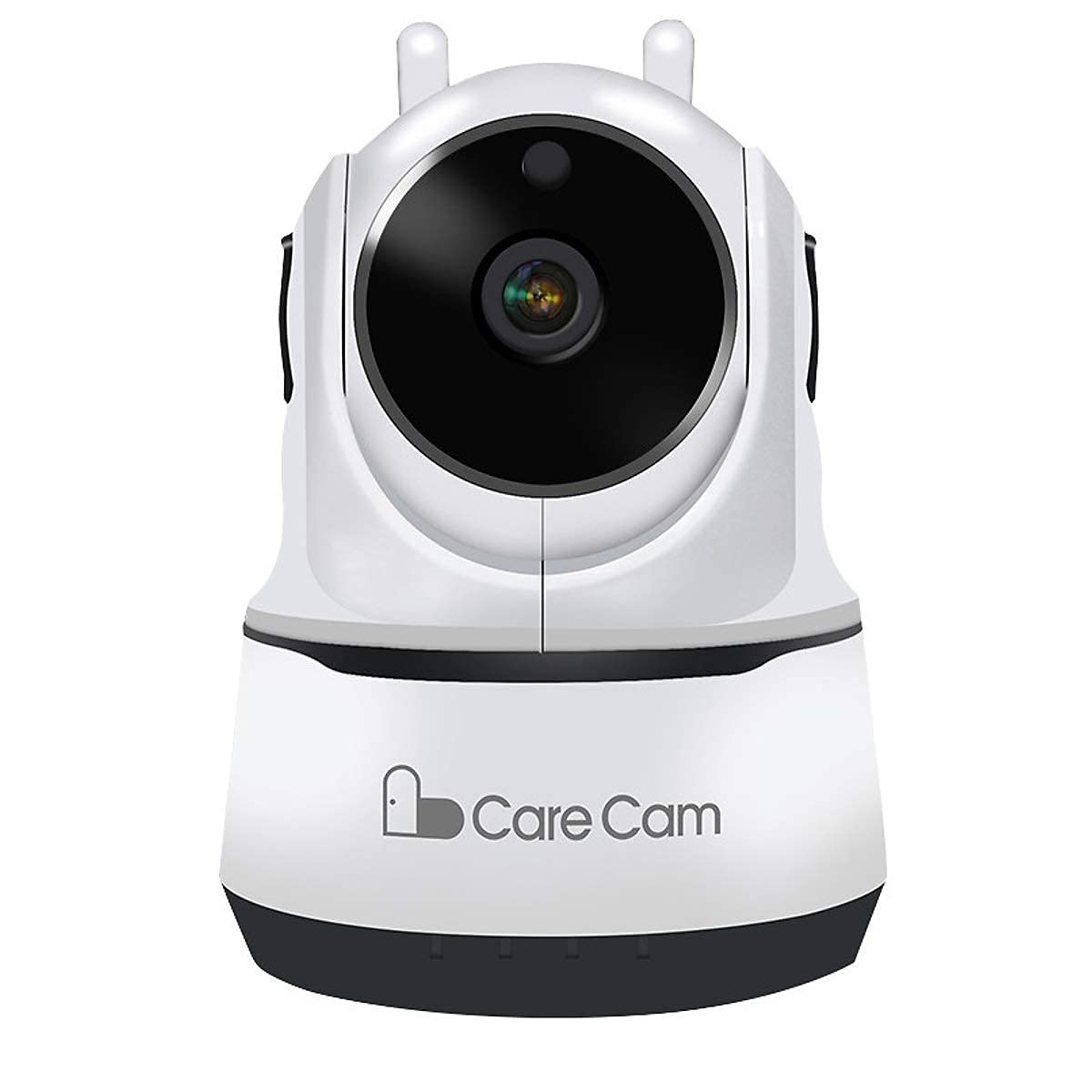
Figure 1: Front view of the AI Carecam NPK Intelligent Camera, showing the lens and base.
2. Package Contents
- AI Carecam NPK Intelligent Camera
- Power Adapter
- User Manual (this document)
3. Setup Instructions
3.1 Identifying Camera Ports
Before setup, familiarize yourself with the camera's ports and interfaces.
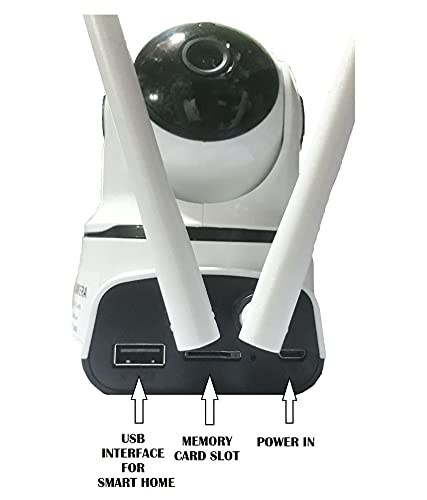
Figure 2: Rear view of the camera showing the USB interface, memory card slot, and power input port.
- USB Interface: For smart home integration (if applicable).
- Memory Card Slot: Insert a Micro SD card (up to 128GB) for local video storage.
- Power In: Connect the provided power adapter here.
3.2 Powering On the Camera
- Connect the provided power adapter to the "Power In" port on the camera.
- Plug the adapter into a standard electrical outlet.
- The camera will power on and initiate its self-test sequence. Wait for the camera to indicate readiness (e.g., a specific LED indicator or voice prompt).
3.3 Installing the Mobile Application
The camera is controlled via a dedicated mobile application, compatible with Android and iOS devices. Search for "Carecam" or the recommended app name in your device's app store.

Figure 3: The camera supports control via Android and iOS mobile applications.
3.4 Connecting to Wi-Fi
- Ensure your mobile device is connected to the 2.4GHz Wi-Fi network you intend to use for the camera.
- Open the installed Carecam application.
- Follow the in-app instructions to add a new device. This typically involves scanning a QR code on the camera or entering Wi-Fi credentials.
- Once connected, the camera's status indicator will change, and you will receive a confirmation in the app.
4. Operating Instructions
4.1 Live View and Pan/Tilt Control
After successful setup, open the app to view the live feed from your camera. Use the on-screen controls to adjust the camera's viewing angle.

Figure 4: Control the camera's 355° pan and 90° tilt movements directly from the mobile application.
- Pan: Rotate the camera horizontally up to 355°.
- Tilt: Adjust the camera vertically up to 90°.
4.2 Two-Way Audio Communication
The camera supports two-way audio, allowing you to listen and speak through the camera using the mobile app.

Figure 5: The camera features clear two-way audio with a sensitive microphone to restore vocals.
- In the live view, tap the microphone icon to speak.
- Tap the speaker icon to listen to audio from the camera's location.
4.3 Night Vision
The camera automatically switches to night vision mode in low-light conditions, providing clear monitoring even in darkness using infrared light.
4.4 Motion Detection and Alerts
Configure motion detection settings within the app to receive alerts on your mobile device when movement is detected. The camera is designed for motion-only alerts.
- Navigate to the camera settings in the app.
- Locate the "Motion Detection" or "Alert Settings" section.
- Enable motion detection and customize sensitivity levels and alert schedules as needed.
4.5 Micro SD Card Storage
The camera supports local storage on a Micro SD card up to 128GB. Ensure a compatible card is inserted for continuous recording or event-triggered recordings.

Figure 6: The camera supports Micro SD (TF) card storage up to 128GB for recording video footage.
- Insert the Micro SD card into the designated slot with the contacts facing the correct direction.
- Format the Micro SD card through the camera's app settings for optimal performance.
5. Maintenance
5.1 Cleaning the Camera
- Ensure the camera is powered off and unplugged before cleaning.
- Use a soft, dry cloth to gently wipe the camera body.
- For the lens, use a specialized lens cleaning cloth to avoid scratches. Do not use liquid cleaners directly on the lens.
5.2 Micro SD Card Management
- Regularly check the storage status of your Micro SD card via the app.
- Format the card periodically to maintain optimal recording performance and free up space.
- Back up important recordings before formatting the card.
6. Troubleshooting
- Camera not connecting to Wi-Fi:
- Ensure your Wi-Fi network is 2.4GHz. The camera does not support 5GHz networks.
- Verify the Wi-Fi password is entered correctly in the app.
- Move the camera closer to the Wi-Fi router to improve signal strength.
- Restart the camera and your router.
- No image or poor image quality:
- Check the power connection to ensure the camera is on.
- Ensure the camera lens is clean and free from obstructions.
- Verify your internet connection speed.
- Motion detection not working:
- Check the motion detection settings in the app to ensure it is enabled and configured correctly.
- Adjust the sensitivity level.
- Ensure the camera's field of view is clear.
- Micro SD card not recording:
- Ensure the Micro SD card is inserted correctly.
- Format the Micro SD card through the app.
- Check if the card is full; if so, back up data and format it.
- Verify the card is not damaged.
7. Specifications
| Feature | Detail |
|---|---|
| Brand | AI |
| Model Name | NPK Carecam (HVG Carecam) |
| Connectivity Technology | Wireless (Wi-Fi) |
| Special Feature | 2MP Camera |
| Indoor/Outdoor Usage | Indoor |
| Power Source | Corded Electric |
| Connectivity Protocol | Wi-Fi |
| Controller Type | Android, iOS (App) |
| Colour | White |
| Form Factor | Dome |
| Water Resistance Level | Not Water Resistant |
| Alert Type | Motion Only |
| Room Type | Office, Home |
| Light Source | Infrared (for Night Vision) |
| Control Method | App |
| Network Connectivity Technology | Wireless |
| Wireless Technology Type | Wi-Fi |
| Video Capture Resolution | 1080P (FHD), H.264 |
| Video Capture Format | MP4, AVI |
| Night Vision | Night Color |
| Item Dimensions | 10 x 10 x 10 Centimeters |
| Item Weight | 200 Grams |
| Unit Count | 1 Count |
| Number of Items | 1 |
| Built-In Media | Adapter |
| Viewing Angle | 360 Degrees |
| Field Of View | 360 Degrees |
| Zoom Type | Optical Zoom |
| Photo Sensor Technology | CMOS |
| Flash Memory Type | Micro SD (up to 128GB) |
8. Warranty Information
The AI Carecam NPK Intelligent Camera comes with a 1-year manufacturer warranty from the date of purchase. This warranty covers defects in materials and workmanship under normal use. Please retain your proof of purchase for warranty claims. The warranty does not cover damage caused by misuse, accidents, unauthorized modifications, or natural disasters.
9. Support
For technical assistance, troubleshooting, or warranty inquiries, please contact the manufacturer or your point of purchase. The packer contact information is provided below:
Packer Contact: HOTSPOT ELECTRONICS, MUMBAI 400004
Please have your product model number (NPK Carecam) and proof of purchase ready when contacting support.