
1. Introduction
The Elitech ETC-3000A is a digital temperature controller designed for precise temperature management in various applications requiring cooling, defrosting, and fan control. This manual provides detailed instructions for the safe installation, operation, and maintenance of the device.
Key features include stable and reliable performance, electromagnetic compatibility (EMC) approval, limited input value to prevent misoperation, easy parameter setting via copy card, and multiple defrosting and fan management options.

Figure 1: Front view of the Elitech ETC-3000A Digital Temperature Controller, showing the digital display and control buttons.
2. Safety Information
Please read and understand all safety instructions before installing or operating the ETC-3000A controller. Failure to follow these instructions may result in electric shock, fire, or damage to the device.
- Ensure the power supply voltage matches the controller's requirements (110V AC).
- Installation and wiring should be performed by qualified personnel.
- Disconnect power before performing any wiring or maintenance.
- Do not operate the controller in environments with excessive moisture, dust, or corrosive gases.
- Avoid exposing the device to direct sunlight or extreme temperatures.
3. Product Overview
3.1 Components and Display
The ETC-3000A features a clear digital display, control buttons, and various input/output terminals.

Figure 2: Close-up view of the ETC-3000A display, showing temperature reading and control buttons (SET, Up, Down/Defrost).
The display shows the current temperature. Indicators for cooling, defrosting, and fan operation are also present.
3.2 Dimensions

Figure 3: Dimensions of the ETC-3000A controller, indicating its physical size for installation planning.
The controller has a compact design suitable for panel mounting.
4. Setup and Installation
4.1 Wiring Diagram
Proper wiring is crucial for the safe and correct operation of the ETC-3000A. Refer to the diagram below for connection details.

Figure 4: Wiring diagram for the ETC-3000A, showing connections for power, compressor, defrosting, fan, room temperature probe, and defrost probe.
- Terminals 1-4: Output relays for Co-point, Compressor, Defrosting, and Fan.
- Terminals 5-6: 110V AC Power input.
- Terminals 7-8: Room temperature probe input.
- Terminals 8-9: Defrost probe input.
- Copy Key: Port for parameter copy card.
Warning: Ensure all connections are secure and insulated. Incorrect wiring can cause damage or electrical hazards.
4.2 Probe Installation
Install the room temperature probe in the area where temperature needs to be controlled. The defrost probe should be placed on the evaporator coil to monitor defrosting cycles.

Figure 5: The ETC-3000A controller shown with its temperature probes and instruction manual.
5. Operating Instructions
5.1 Basic Operation
Once powered on, the controller will display the current temperature. The ETC-3000A supports cooling, defrosting, and fan control modes.
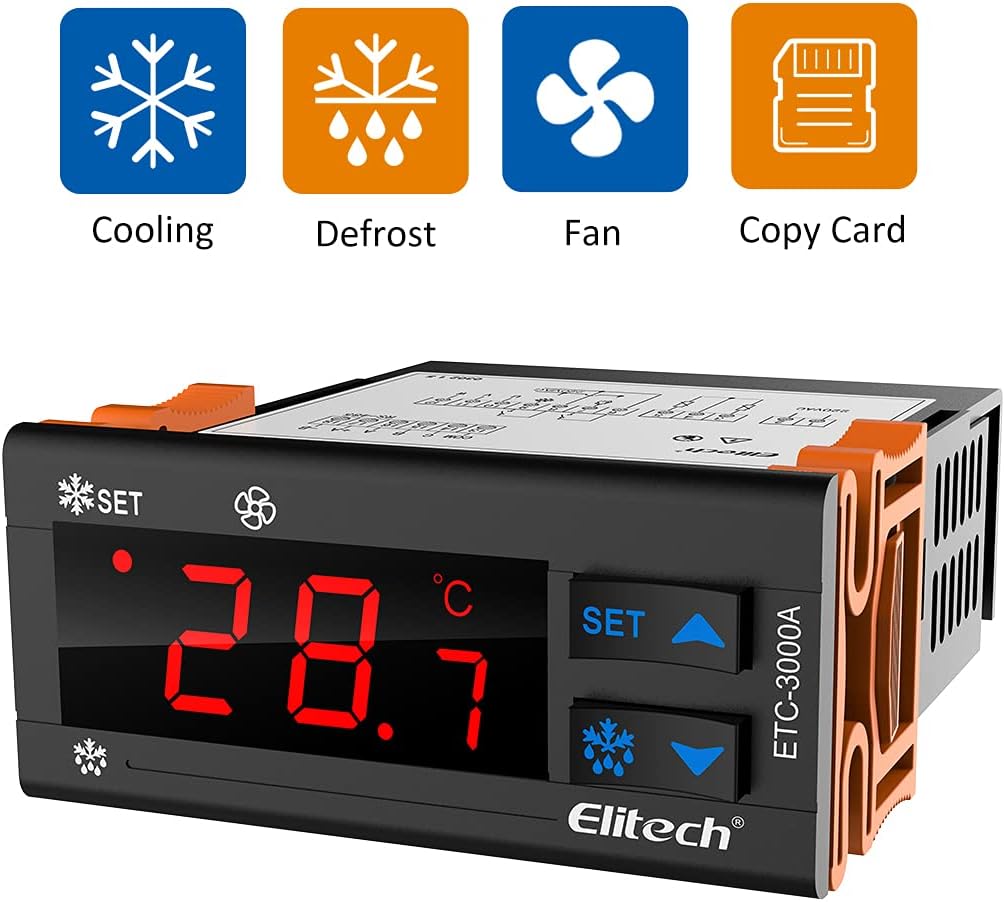
Figure 6: The ETC-3000A controller illustrating its primary functions: Cooling, Defrost, Fan, and Copy Card capability.
5.2 Setting Parameters
To enter parameter setting mode, press and hold the SET button for 3 seconds. Use the Up and Down buttons to navigate through parameters and adjust values. Press SET again to confirm and exit.
Common parameters include:
- Temperature Setpoint (SP): The desired temperature.
- Temperature Hysteresis (H): The difference between the setpoint and the temperature at which the compressor restarts.
- Defrost Cycle (dF): Frequency or duration of defrost cycles.
- Fan Control (FC): Settings related to fan operation.
Refer to the full parameter list in the included manual for detailed descriptions and adjustment ranges.
5.3 Copy Card Function
The ETC-3000A supports parameter copying using a copy card. This allows for quick and consistent configuration of multiple units.
- To copy parameters from the controller to a copy card: Insert the copy card, then press and hold a specific button combination (refer to the detailed manual).
- To copy parameters from a copy card to the controller: Insert the copy card, then press and hold a specific button combination (refer to the detailed manual).
6. Maintenance
Regular maintenance ensures optimal performance and longevity of your ETC-3000A controller.
- Cleaning: Wipe the display and casing with a soft, dry cloth. Do not use abrasive cleaners or solvents.
- Probe Inspection: Periodically check temperature probes for damage or corrosion. Ensure they are securely installed.
- Wiring Check: Verify that all wiring connections remain secure and free from damage.
Caution: Always disconnect power before cleaning or inspecting the controller.
7. Troubleshooting
This section addresses common issues you might encounter with the ETC-3000A controller.
| Problem | Possible Cause | Solution |
|---|---|---|
| Display shows "P1" | Room temperature probe error. | Check the connection of the room temperature probe. Replace if damaged. |
| Display shows "HA" | High temperature alarm. | Check cooling system operation. Verify temperature setpoints and hysteresis. |
| Display shows "Er" | System error. | Power cycle the device. If the error persists, contact technical support. |
| Controller not powering on | No power supply or incorrect wiring. | Check power connections and ensure 110V AC supply. Verify wiring according to the diagram. |
| Temperature reading inaccurate | Faulty probe or incorrect probe placement. | Check probe connection and placement. Test or replace the probe if necessary. |
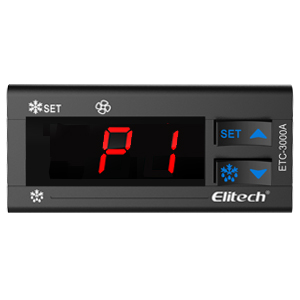
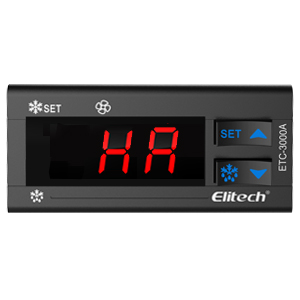

Figure 7: Examples of error codes displayed on the ETC-3000A: P1 (probe error), HA (high temperature alarm), and Er (system error).
8. Specifications
| Parameter | Value |
|---|---|
| Model | ETC-3000A |
| Power Supply | 110V AC |
| Temperature Measuring Range | -45°C to 120°C (Refer to full manual for exact range) |
| Control Temperature Range | -40°C to 110°C (Refer to full manual for exact range) |
| Resolution | 0.1°C |
| Sensor Type | NTC |
| Output Relay Capacity | 8A for Compressor, Defrosting, Fan |
| Dimensions | Approx. 3.35" x 1.36" x 2.95" (W x H x D) |
9. Warranty and Support
Elitech provides a limited warranty for the ETC-3000A Digital Temperature Controller. Please refer to the warranty card included with your product or visit the official Elitech website for detailed warranty terms and conditions.
For technical support, troubleshooting assistance, or service inquiries, please contact Elitech customer service through their official channels. When contacting support, please have your product model (ETC-3000A) and purchase information ready.
You can find more information and support resources on the Elitech Store on Amazon.


