
Silensys E7 Active Noise Cancelling Headphones
Silensys E7 Active Noise Cancelling Headphones User Manual
Model: E7 Active Noise Cancelling Headphones
Introduction
The Silensys E7 Active Noise Cancelling Headphones are designed to provide a superior audio experience with advanced noise cancellation technology. Enjoy crystal clear sound, deep bass, and comfortable wear for extended periods. This manual provides detailed instructions for setup, operation, and maintenance to ensure optimal performance.
What's in the Box
- 1 Wireless Active Noise Cancelling Headphones
- 1 Charging Cable (USB to Micro USB)
- 1 Audio Cable (3.5mm to 3.5mm)
- 1 User Guide
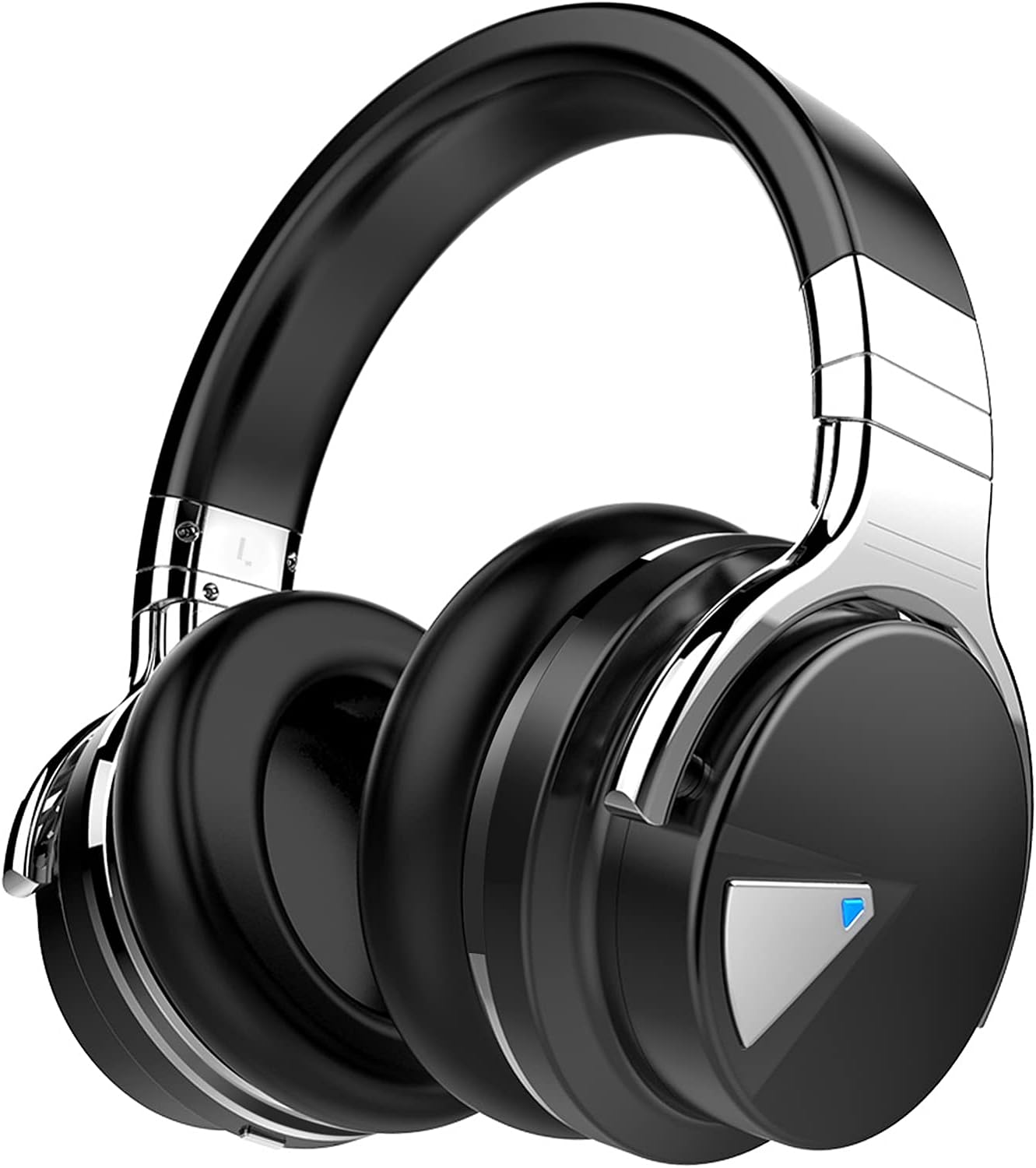
Image: Silensys E7 headphones along with the charging cable, audio cable, and user guide.
Product Overview & Controls
The Silensys E7 headphones feature intuitive controls for easy operation. The earcups are designed for comfort and adjustability.
Key Features:
- Active Noise Cancelling (ANC): Advanced technology to reduce ambient noise.
- Custom 45mm Large Aperture Drivers: For superior sound with clear clarity and deep bass.
- Bluetooth 5.0 Technology: Stable and efficient wireless connection up to 50 feet.
- Built-in Microphone: For clear hands-free calling.
- Lightweight & Comfortable: Natural protein earpads and adjustable headband for all-day comfort.
- 30 Hours Playtime: Long-lasting battery for extended use.

Image: Visual representation of the headphones with icons indicating noise cancellation, Bluetooth connectivity, astonishing sound, all-day comfort, 30 hours playtime, and clear calls.
Controls Layout:
The main controls are located on the earcups. Refer to the user guide for detailed button functions (Volume Up/Down, Next/Previous Song, Play/Pause, Answer/End Calls, Power On/Off, ANC On/Off).

Image: A close-up view of the right earcup, showing the integrated control buttons for media playback and call management.
Setup Instructions
1. Charging the Headphones:
Before first use, fully charge your headphones. Connect the provided USB charging cable to the Micro USB port on the headphones and the other end to a USB power source (e.g., computer, wall adapter). The LED indicator will show charging status.
Charging Time: Approximately 3 hours for a full charge.

Image: The headphones connected to a charging cable, indicating the charging process.
2. Bluetooth Pairing:
- Ensure the headphones are fully charged and powered off.
- Slide the power switch to the Bluetooth (BT) position. The LED indicator will blink blue, indicating pairing mode.
- On your device (smartphone, tablet, laptop), enable Bluetooth and search for available devices.
- Select "E7" from the list of devices. Once connected, the LED will show a solid blue light.

Image: A smartphone screen displaying Bluetooth settings with "E7" listed as a connected device, illustrating the pairing process.
3. Wired Connection:
For a wired connection, plug the provided 3.5mm audio cable into the headphone's audio jack and the other end into your device's audio output. The noise-cancelling feature operates in both wired and wireless modes.
Operating Instructions
Active Noise Cancelling (ANC):
To activate ANC, slide the dedicated ANC switch (if available) or press the ANC button on the earcup. This will significantly reduce ambient noise, allowing for a more immersive audio experience. The ANC feature works in both Bluetooth and wired modes.
Video: A short demonstration of the Active Noise Cancelling feature, showing how it helps to reduce distracting sounds from the environment.
Music Playback & Calls:
Use the control buttons on the earcup to manage your music (play, pause, skip tracks) and handle phone calls (answer, end, reject). The built-in microphone ensures clear communication.
Video: A user demonstrating the ease of connecting the headphones to a device and using them for media playback and calls, highlighting the comfort and sound quality.
Maintenance
- Avoid exposing the headphones to extreme temperatures, humidity, or liquids.
- Clean the earcups and headband with a soft, dry cloth.
- Store the headphones in a cool, dry place when not in use.
- It is recommended to remove headphones every 1-2 hours to allow your ears to relax.
Troubleshooting
No Power:
Ensure the headphones are fully charged. Connect to a power source and check the LED indicator.
Cannot Pair via Bluetooth:
- Make sure Bluetooth is enabled on your device.
- Ensure the headphones are in pairing mode (blinking blue LED).
- Move the headphones closer to your device.
- Forget "E7" from your device's Bluetooth list and try pairing again.
No Sound:
- Check the volume levels on both the headphones and your connected device.
- Ensure the headphones are properly connected (Bluetooth or wired).
- Try restarting both the headphones and your device.
Specifications
| Feature | Specification |
|---|---|
| Model Name | E7 Active Noise Cancelling Headphones |
| Brand | Silensys |
| Noise Control | Active Noise Cancellation |
| Connectivity Technology | Wireless (Bluetooth 5.0) |
| Audio Driver Size | 45 Millimeters |
| Battery Life | 30 Hours |
| Charging Time | 3 Hours |
| Headphones Jack | 3.5 mm Jack |
| Item Weight | 9.9 ounces |
| Product Dimensions | 6.54 x 3.62 x 7.13 inches |
Warranty & Support
Silensys offers an 18-Months Worry-Free Warranty for this item purchased in NEW Condition. Our dedicated Customer Service Team is available to provide friendly services and quick resolution.
For product support, FAQs, or to activate your lifetime warranty, please visit the official Silensys website or scan the QR code provided on the warranty card.

Image: A warranty card detailing product support information and a QR code for online activation.
Ask a question about this manual
Ask about setup, troubleshooting, compatibility, parts, safety, or missing instructions. Manuals+ will review the question and use this page’s manual context to help answer it.