
1. Introduction
Thank you for choosing the EasyAcc Stroller Fan. This compact and versatile fan is designed to provide a refreshing breeze for various situations, including strollers, cribs, desks, and personal use. Please read this manual carefully before use to ensure proper operation and maintenance.

Image 1.1: Front view of the EasyAcc Stroller Fan.
2. Safety Instructions
To prevent injury or damage, please observe the following safety precautions:
- Do not insert fingers or any objects into the fan grille while the fan is operating. The grille gaps are less than 6mm for baby safety, but caution is still advised.
- Keep the fan away from water or other liquids to avoid electric shock.
- Do not disassemble, repair, or modify the fan yourself. Contact customer support for assistance.
- Ensure the fan is placed on a stable surface or securely clipped to prevent it from falling.
- Do not use the fan in extremely hot or humid environments.
- Keep out of reach of small children when not in use or when supervision is not possible.

Image 2.1: The fan features a narrow gap grille (less than 6mm) to protect small fingers.
3. Package Contents
Please check the package for the following items:
- EasyAcc Stroller Fan (FNCP-1200BL)
- USB Charging Cable
- User Manual
4. Product Features
The EasyAcc Stroller Fan offers several key features for user convenience and safety:
- Three Adjustable Wind Speeds: Choose between soft, medium, and strong airflow.
- 540° Rotation: The fan head can rotate 360° horizontally and 180° vertically for optimal airflow direction.
- Clip-on and Desk Fan Functionality: Equipped with a strong clip for attachment to various surfaces and a stable base for desktop use.
- Rechargeable Battery: Provides up to 8 hours of operation on a single charge (Speed 1).
- USB Powered: Can be powered via USB from various sources.
- Baby-Safe Grille: Narrow gaps (less than 6mm) prevent accidental finger insertion.
- Compact and Portable Design: Small size and lightweight for easy transport.

Image 4.1: The fan offers three adjustable wind speeds for varied cooling needs.

Image 4.2: The fan head can be manually adjusted 360° horizontally and 180° vertically.
5. Setup
The EasyAcc Stroller Fan is ready for use out of the box. Ensure it is charged before first use.
5.1 Attaching the Fan
To attach the fan using its clip:
- Open the clip by pressing the lever.
- Securely attach the clip to a stable surface such as a stroller handle, crib rail, umbrella pole, or backpack strap.
- Ensure the fan is firmly attached and will not slip or fall during use.
5.2 Using as a Desk Fan
To use the fan as a desk fan:
- Place the fan on a flat, stable surface.
- Adjust the fan head to your desired angle.
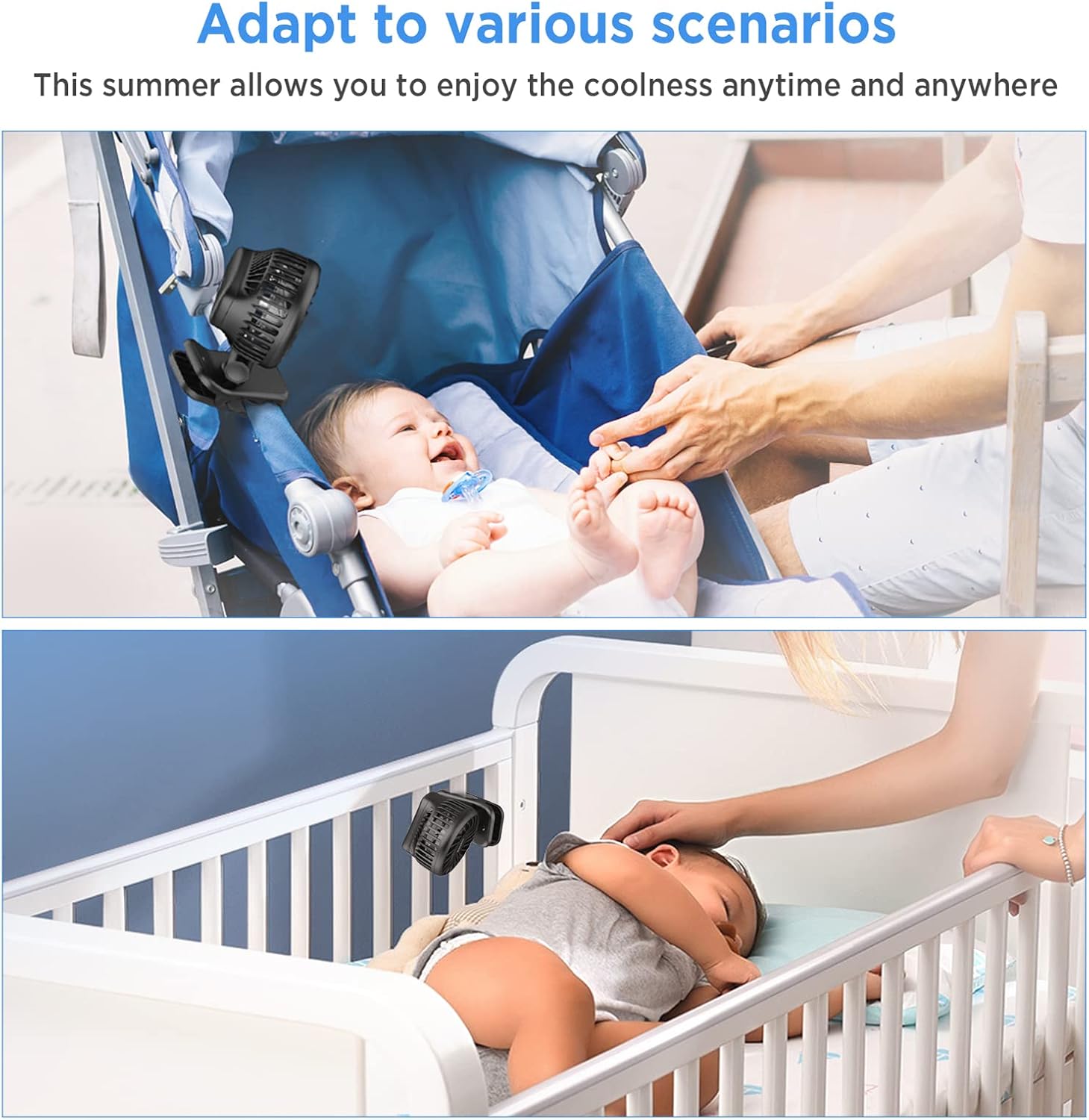
Image 5.1: The fan can be clipped to a stroller or crib for cooling.
6. Operating Instructions
6.1 Power On/Off and Speed Adjustment
The fan is controlled by a single button:
- Press the power button once to turn on the fan at Speed 1 (low).
- Press the button a second time for Speed 2 (medium).
- Press the button a third time for Speed 3 (high).
- Press the button a fourth time to turn off the fan.
6.2 Adjusting Airflow Direction
Manually adjust the fan head to direct airflow:
- Rotate the fan head 360° horizontally (left or right).
- Tilt the fan head 180° vertically (up or down).
7. Charging the Fan
The fan is equipped with a rechargeable battery. When the fan's performance decreases or it stops working, it needs to be recharged.
- Connect the small end of the provided USB charging cable to the charging port on the fan.
- Connect the larger end of the USB cable to a USB power source, such as a computer, laptop, power bank, AC adapter, or car charger.
- The charging indicator light will illuminate during charging and turn off when fully charged.
- A full charge provides approximately 8 hours of use at Speed 1, 5 hours at Speed 2, and 2 hours at Speed 3.

Image 7.1: Battery life varies by speed setting, up to 8 hours on Speed 1.

Image 7.2: The fan can be charged using a laptop, USB hub, USB socket, or power bank.
8. Maintenance
8.1 Cleaning
To clean your fan:
- Ensure the fan is turned off and disconnected from any power source before cleaning.
- Wipe the exterior of the fan with a soft, dry cloth.
- For stubborn dirt, a slightly damp cloth can be used, followed by a dry cloth.
- Do not use abrasive cleaners, solvents, or immerse the fan in water.
8.2 Storage
When not in use for an extended period, store the fan in a cool, dry place, away from direct sunlight and extreme temperatures.
9. Troubleshooting
If you encounter issues with your fan, please refer to the following table:
| Problem | Possible Cause | Solution |
|---|---|---|
| Fan does not turn on | Battery is depleted | Charge the fan using the provided USB cable. |
| Fan runs weakly | Low battery charge | Recharge the fan. |
| Fan makes unusual noise | Obstruction in fan blades | Turn off the fan and carefully check for any obstructions. Remove if safe to do so. |
| Fan does not charge | Faulty cable or power source | Try a different USB cable or power source. Ensure connections are secure. |
10. Specifications
| Feature | Detail |
|---|---|
| Model Number | FNCP-1200BL |
| Dimensions (D x W x H) | 2.36" x 3.54" x 4.69" |
| Weight | 5.78 oz |
| Power Source | Battery Powered / USB |
| Number of Speeds | 3 |
| Rotation | 360° Horizontal, 180° Vertical |
| Grille Gap | Less than 6mm |
| Material | Silicone, Plastic |
| Voltage | 5 Volts |
| Wattage | 2 watts |

Image 10.1: The fan is compact, shown here next to an iPhone for size reference.
11. Product Overview Video
Watch this video for a visual overview of the EasyAcc Stroller Fan's features and usage.
Video 11.1: An official video demonstrating the EasyAcc Stroller Fan's design and functionality.
12. Warranty and Support
For warranty information, technical support, or any questions not covered in this manual, please refer to the EasyAcc official website or contact their customer service directly. Contact details can typically be found on the product packaging or the EasyAcc brand store page.
You can visit the EasyAcc Store for more information: EasyAcc Store