

1. Product Overview
The Dekain Projector Lamp is a high-quality replacement lamp designed for Acer P5207, P5207B, and P5207i projectors. It features an original Osram bulb, ensuring optimal performance, brightness, and color quality for your projection needs.
Key features include:
- Original OEM Bulb: Built with original bulbs from OEM manufacturers (UHP, P-VIP, NSH, SHP, UHE, UHM, HS) for superior performance.
- Durable Housing: Includes compatible housing made from durable materials for a proper fit.
- Quality Tested: Each lamp is tested to meet OEM original standards of quality, function, and performance.
- Extended Lifespan: Designed for a lifespan up to three times longer than economic lamps.
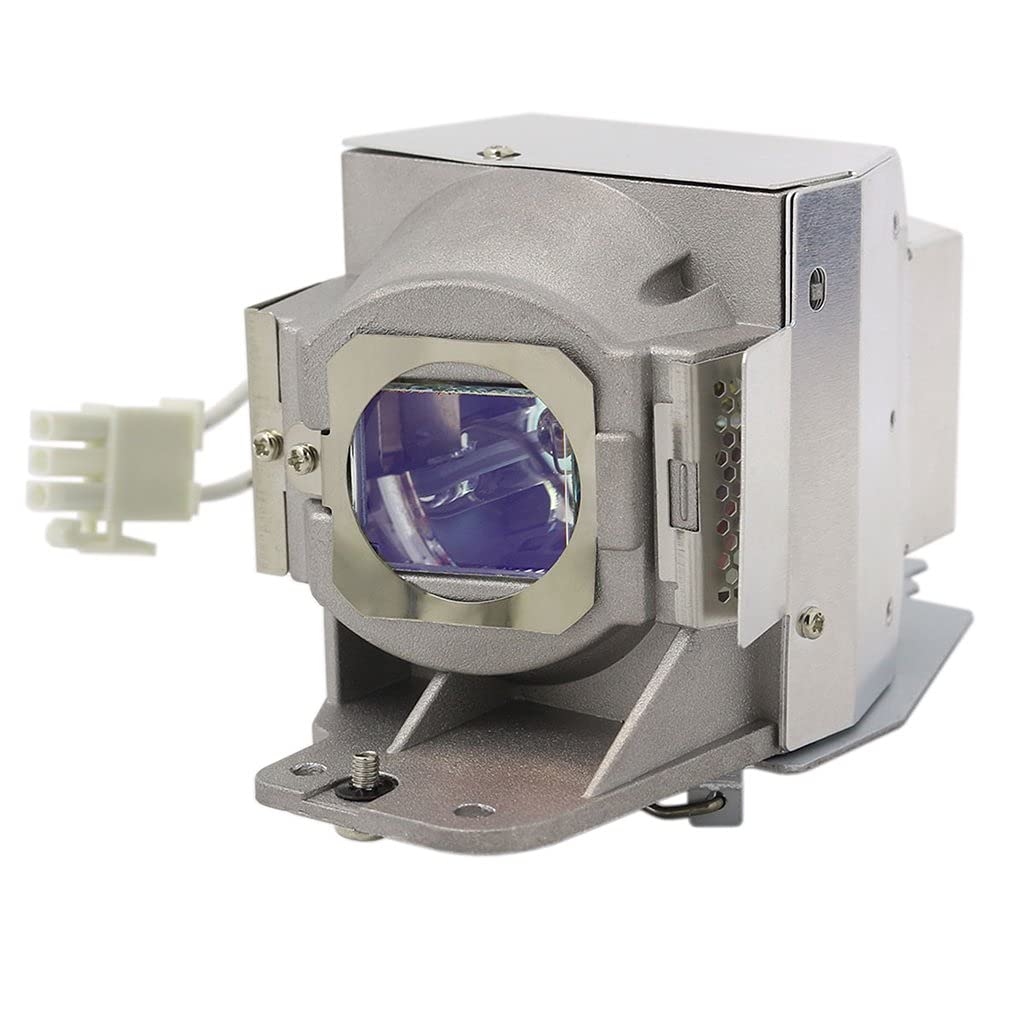
Image 1.1: Dekain Projector Lamp for Acer P5207, P5207B, P5207i.
2. Installation Instructions
Follow these steps carefully to replace your projector lamp:
- Shut Down Projector: Ensure the projector is completely turned off and unplugged from the power source.
- Allow Cooling: Let the projector cool down for at least 30 minutes. The lamp can be extremely hot and cause burns if not cooled.
- Locate Lamp Compartment: Refer to your projector's user manual to locate the lamp compartment cover. This is typically secured with screws.
- Remove Old Lamp: Carefully unscrew and remove the lamp compartment cover. Disconnect any wires or connectors. Gently pull out the old lamp module.
- Insert New Lamp: Insert the new Dekain projector lamp module into the compartment, ensuring it is seated correctly and the plug is connected well. Do not force the lamp.
- Secure Cover: Replace the lamp compartment cover and secure it with the screws.
- Power On and Reset Timer: Plug in the projector and turn it on. Navigate to the projector's menu and reset the lamp timer. Refer to your projector's manual for specific instructions on resetting the lamp timer.

Image 2.1: Example of a projector in operation.
3. Operating Considerations
To ensure optimal performance and longevity of your Dekain projector lamp, consider the following:
- Brightness and Environment: The brightness of the lamp directly impacts performance, especially in larger rooms. Ensure your projector settings are appropriate for your viewing environment.
- Color Output: High-quality OEM bulbs are designed to provide superior color accuracy and vibrancy.
- Cooling: Always allow the projector to complete its cooling cycle after use before unplugging or moving it. Proper cooling extends lamp life.

Image 3.1: Close-up view of a projector lamp bulb.
4. Maintenance and Longevity
Proper maintenance can significantly extend the life of your projector lamp:
- Lamp Life: Most projector lamps offer about 2,000-3,000 hours of life, with power-saving modes potentially extending this to 3,000-5,000 hours. Lamp life is rated by 'Half-Life', meaning the time until the lamp brightness becomes half of its original output.
- Operating Conditions: Use your projector under normal operating conditions (no more than 3 to 5 hours per day in a clean, relatively dust-free environment) to maximize lamp longevity.
- Air Filter Cleaning: Regularly clean or replace the projector's air filter to prevent overheating, which can shorten lamp life.
- Avoid Frequent On/Off Cycles: Frequent power cycles can stress the lamp. Try to minimize turning the projector on and off repeatedly within short periods.
Video 4.1: This video provides guidance on selecting a genuine OEM projector replacement lamp, emphasizing compatibility, quality, warranty, brightness, and lamp life for optimal projector performance and protection.
5. Troubleshooting
If you encounter issues after installing your new Dekain projector lamp, consider the following common troubleshooting steps:
- No Image/Dim Image:
- Ensure the lamp is fully seated and connected properly.
- Verify the lamp compartment cover is securely closed.
- Check projector input source and cable connections.
- Lamp Indicator Light: If a lamp warning light is on, ensure the lamp timer has been reset in the projector's menu.
- Overheating: Ensure the projector's air vents are clear and the air filter is clean. Operate the projector in a well-ventilated area.
- Flickering Image: This could indicate an unstable connection or a faulty lamp. Re-seat the lamp or contact support if the issue persists.
For more detailed troubleshooting, refer to your specific Acer projector's user manual or contact Dekain customer support.
6. Specifications
Below are the technical specifications for the Dekain Projector Lamp:
| Feature | Specification |
|---|---|
| Brand | Dekain |
| Light Type | Metal Halide |
| Wattage | 280 watts |
| Bulb Shape Size | MR20 |
| Bulb Base | Prong |
| Control Method | Remote (Projector dependent) |
| Unit Count | 1 Count |
| UPC | 735209261609 |
| ASIN | B098X3CB8W |
7. Warranty and Support
Dekain is committed to providing high-quality products and customer satisfaction.
- Return Policy: This product is eligible for a 30-day return/replacement policy. Please refer to your purchase platform for specific return instructions and conditions.
- Warranty Period: Ensure the lamp has a long-term warranty in case of any quality-related issues. Specific warranty duration may vary; please check your purchase documentation.
- Quality Assurance: Dekain only uses OEM bulbs from major manufacturers to ensure quality and performance.
For any product inquiries, technical assistance, or warranty claims, please contact the seller, DEKAIN ENTERPRISE, through the platform where the purchase was made. You can typically find seller contact information in your order history.